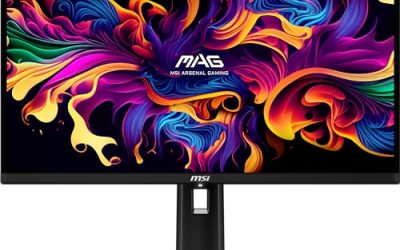
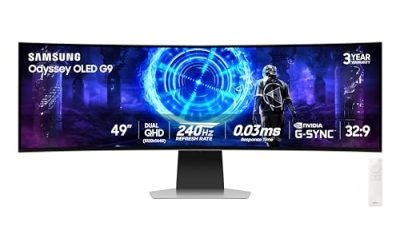
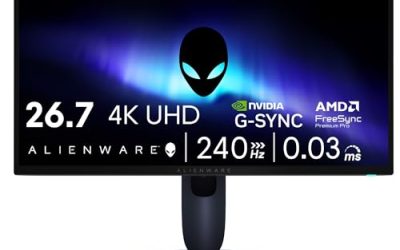
A 34-inch ultrawide is the sweet spot of PC gaming displays. The 21:9 panel stretches your field of view well past a standard 16:9 screen, the 3440×1440 resolution stays sharp without demanding a flagship graphics card, and the size still fits a normal desk. Every pick below uses that same canvas, but the panels split into two camps: fast OLED models with true blacks and near-instant response, and VA models that trade a little motion clarity for a much friendlier tier.
As an Amazon Associate, we earn from qualifying purchases.
Our Top Picks
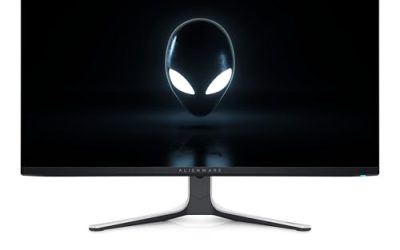
 Alienware 34 240Hz QD-OLED Curved Gaming Monitor34.2" QD-OLED31.71 x 9.13 x 21.84 Inches20.04 poundsCheck on Amazon


Top 3 picks at a glance
Quick Answer
The Alienware AW3425DW is the best 34-inch ultrawide gaming monitor for most players, pairing a 240Hz QD-OLED panel with true blacks and near-instant response. The LG UltraGear 34GS95QE matches it at 240Hz with a tighter 800R curve, while the ASUS TUF VG34VQL3A and Dell S3425DW deliver the same 3440×1440 canvas for less.
Table of Contents
- Alienware AW3425DW
- LG UltraGear 34GS95QE
- MSI MAG 341CQP QD-OLED
- ASUS TUF Gaming VG34VQL3A
- Dell S3425DW
- How to Choose a 34-Inch Ultrawide Gaming Monitor
- Who Should Skip a 34-Inch Ultrawide
- FAQ
- Conclusion
Alienware AW3425DW
The AW3425DW is the flagship pick and the easiest recommendation in this roundup. Its QD-OLED panel runs at 240Hz with a 0.03ms response time, so fast pans in shooters and racing games stay clean instead of smearing. The 1800R curve is gentle enough for mixed work and play, and the panel covers 99.3 percent of the DCI-P3 color space with Delta E under 2, which makes it a credible second screen for photo and video work. Two HDMI 2.1 ports mean a console can share the desk without a switcher.
Specs
- Panel: 34.2-inch QD-OLED, 1800R curved
- Resolution: 3440 x 1440 (21:9)
- Refresh rate: 240Hz
- Response time: 0.03ms
- Brightness: 250 nits typical, 1000 nits peak HDR
- Contrast: 1,500,000:1
- Color: 99.3 percent DCI-P3, Delta E under 2
- HDR: VESA DisplayHDR True Black 400
- Sync: AMD FreeSync Premium Pro, VESA AdaptiveSync
- Ports: 2 x HDMI 2.1, 1 x DisplayPort, USB hub with USB-C downstream (15W)
- Stand: height, swivel and tilt adjustment
- Weight: 20 lb
- Warranty: 3 years
For competitive players who also want cinematic single-player image quality, this is the complete package in the premium tier. The USB-C downstream port only carries 15W, so treat it as a peripheral port rather than a laptop dock.
LG UltraGear 34GS95QE
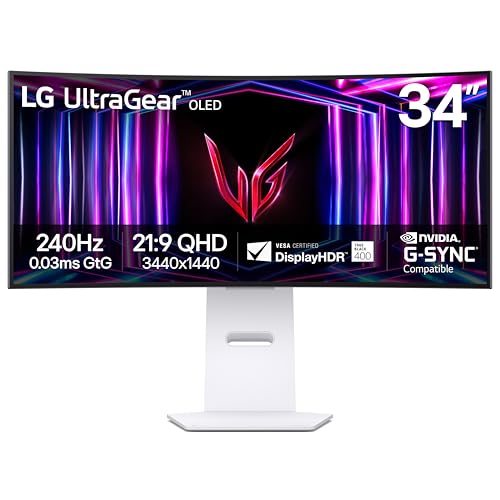
The 34GS95QE takes the same 240Hz OLED speed and wraps it in a much more aggressive 800R curve. That deep bend pulls the edges of the screen into your peripheral vision, which sim racers and flight sim players tend to love and spreadsheet users tend to hate. It is the only pick here with official NVIDIA G-Sync compatible certification alongside FreeSync Premium Pro, so it plays nicely with either GPU camp. The stand offers tilt, height and swivel, which matters on a panel this curved because viewing angle alignment changes the experience.
Specs
- Panel: 34-inch OLED, 800R curved
- Resolution: 3440 x 1440 (21:9)
- Refresh rate: 240Hz
- Response time: 0.03ms
- HDR: VESA DisplayHDR True Black 400
- Color: 98.5 percent DCI-P3
- Sync: AMD FreeSync Premium Pro, NVIDIA G-Sync compatible
- Ports: HDMI 2.1, DisplayPort 1.4, USB hub
- Stand: tilt, height and swivel adjustment
- Brightness: not stated
- Weight: not stated
Choose this one if immersion is the priority and your desk sits you close to the screen. The steep curve is a genuine commitment, so players who split time between games and long documents should weigh the Alienware’s gentler bend instead.
MSI MAG 341CQP QD-OLED
The MAG 341CQP is the value play among the OLEDs. It steps down to 175Hz, which in practice still feels dramatically faster than any VA panel, and keeps the same QD-OLED strengths: per-pixel blacks, a 0.03ms response time and wide 99 percent DCI-P3 coverage. What sets it apart in this group is connectivity. A USB Type-C input with DisplayPort Alt Mode, a built-in KVM and HDMI 2.1 make it the best fit for a desk shared between a gaming PC and a work laptop.
Specs
- Panel: 34-inch QD-OLED, 1800R curved
- Resolution: 3440 x 1440 (21:9)
- Refresh rate: 175Hz
- Response time: 0.03ms
- HDR: VESA DisplayHDR True Black 400
- Color: 99 percent DCI-P3
- Sync: Adaptive Sync
- Ports: DisplayPort 1.4a, HDMI 2.1, USB Type-C with DisplayPort Alt Mode, USB hub, KVM
- Stand: tilt and height adjustment
- USB-C power delivery: not stated
- Weight: not stated
If 240Hz is more than your GPU can feed at 3440×1440 anyway, the 175Hz ceiling costs little, and the KVM earns its keep every workday. MSI also includes a console mode over HDMI, so a console can fill more of the panel instead of a stretched feed. It sits in the premium tier, but at the lower edge of it.
ASUS TUF Gaming VG34VQL3A

The VG34VQL3A is the mid-range workhorse. Its VA panel reaches 180Hz over DisplayPort, the fastest refresh here outside the OLEDs, and ASUS rates it at 400 nits with DisplayHDR 400 support. VA contrast gives it deep blacks for a non-OLED, though fast dark transitions can smear more than on the OLED picks. FreeSync Premium Pro and Extreme Low Motion Blur cover both sync and backlight strobing approaches to motion clarity, and the 125 percent sRGB gamut keeps colors punchy.
Specs
- Panel: 34-inch VA, 1500R curved
- Resolution: 3440 x 1440 (21:9)
- Refresh rate: 180Hz over DisplayPort, up to 100Hz over HDMI
- Response time: 1ms GTG
- Brightness: 400 nits
- HDR: DisplayHDR 400
- Color: 125 percent sRGB
- Sync: AMD FreeSync Premium Pro, Extreme Low Motion Blur
- Ports: DisplayPort, HDMI, USB hub
- Stand: height adjustment
- Warranty: 3 years
- Weight: not stated
This is the pick for players who want high-refresh ultrawide gaming without entering the OLED tier. Console players should note the 100Hz HDMI ceiling and connect a PC over DisplayPort to unlock the full 180Hz.
Dell S3425DW
The S3425DW is the budget-friendly all-rounder, built as much for the workday as for game night. Its VA panel runs at up to 120Hz with FreeSync Premium, which is plenty for casual and mid-paced gaming, and the 3000:1 contrast ratio keeps movies looking rich. The headline feature is the single-cable USB-C connection with up to 65W of power delivery, enough to charge most laptops while driving the display. Integrated speakers and pop-out front ports round out a desk-friendly package.
Specs
- Panel: 34-inch VA, 1800R curved
- Resolution: 3440 x 1440 (21:9)
- Refresh rate: up to 120Hz
- Response time: 1ms (manufacturer rating)
- Brightness: 300 nits
- Contrast: 3000:1
- Color: 99 percent sRGB, 95 percent DCI-P3
- HDR: HDR10
- Sync: AMD FreeSync Premium
- Ports: USB-C upstream (DisplayPort 1.4 Alt Mode, up to 65W power delivery), 2 x HDMI, USB hub
- Speakers: integrated
- Weight: 20.7 lb
Pick the Dell if the monitor has to earn its place nine to five and game after hours. Dell’s ComfortView Plus low-blue-light tuning is hardware-based, so long workdays stay comfortable without the yellow cast that software filters add, and the pop-out front ports make plugging in a headset or a drive a one-handed job. Hardcore competitive players will want the higher refresh rates above, but for mixed use this is the sensible budget-tier buy.
How to Choose a 34-Inch Ultrawide Gaming Monitor
Start with the panel. OLED models, whether QD-OLED or WOLED, deliver per-pixel contrast, true blacks and a 0.03ms response time that no VA panel can match, and they sit in the premium tier. VA panels cost less, reach 120Hz to 180Hz, and still offer strong contrast, but fast dark scenes can show smearing. There is no wrong answer, only a budget answer.
Match refresh rate to your graphics card. Driving 3440×1440 at 240Hz takes a powerful GPU in modern titles; if your card realistically lands between 100 and 175 frames per second, a 175Hz or 180Hz panel gives the same experience for less. Check the port limits too, because some monitors only reach full refresh over DisplayPort while HDMI is capped lower.
Curve radius shapes comfort. An 1800R bend is mild and suits mixed work, a 1500R curve is a middle ground, and an 800R curve is deeply immersive but demanding about seating position. Finally, look at the extras that match your desk: USB-C with power delivery for laptop users, a KVM for two-computer setups, HDMI 2.1 for current consoles, and a height-adjustable stand if you skip a monitor arm.
Think about panel care with an OLED. The OLED picks here carry manufacturer warranties that include burn-in coverage, and maintenance features such as pixel refresh cycles and panel shift run automatically in the background. Varying your content, auto-hiding the taskbar during long desktop sessions and letting the panel run its refresh cycle when prompted keeps an OLED healthy through years of gaming, so the technology’s upkeep should not scare off a buyer who mostly plays games.
Who Should Skip a 34-Inch Ultrawide
Skip the format if you play competitive esports titles seriously. Most tournaments and many ranked ladders standardize on 16:9, and some games render 21:9 with cropped vertical views or side bars. A fast 16:9 monitor serves that use case better.
Skip it if your desk is shallow or your GPU is entry level. A 34-inch curved panel needs viewing distance to stay comfortable, and 3440×1440 carries roughly a third more pixels than 2560×1440, so older cards will struggle to hold smooth frame rates. Also skip it if most of your screen time is console gaming at 120Hz, since consoles output 16:9 and leave the sides of an ultrawide unused.
FAQ
Is 3440×1440 harder to run than 1440p?
Yes. A 3440×1440 ultrawide has about a third more pixels than a 2560×1440 monitor, so frame rates drop accordingly on the same graphics card. A mid-range current GPU handles it well in most titles, especially with upscaling enabled, but a 240Hz panel only pays off if your card can feed it.
Do all games support 21:9?
Most modern PC games do, and many older ones can be adjusted through settings files or community fixes. A minority of competitive titles restrict the field of view to keep matches fair, and video content shot in 16:9 plays with black bars on the sides. Check your main games before buying.
QD-OLED or WOLED: which is better for gaming?
Both reach 0.03ms response times and true blacks. QD-OLED panels such as the Alienware and MSI here tend to hold brighter, more saturated color at high brightness, while the LG WOLED panel counters with its 800R curve and a matte finish that handles bright rooms well. In a dark gaming room the difference is small.
Can I use a 34-inch ultrawide with a PS5 or Xbox?
You can connect one, but consoles output a 16:9 image, so the picture centers with black bars on both sides. Look for HDMI 2.1 on the monitor if you want the console’s 120Hz modes where supported, and expect the ultrawide width to go unused in console play.
Conclusion
For most players, the Alienware AW3425DW is the 34-inch ultrawide to buy: 240Hz QD-OLED speed, accurate color and full HDMI 2.1 support in one premium package. The LG 34GS95QE is the immersion pick with its deep 800R curve, and the MSI MAG 341CQP adds a KVM and USB-C for shared desks. On tighter budgets, the ASUS VG34VQL3A keeps 180Hz within the mid-range tier, and the Dell S3425DW is the budget-friendly work-and-play option.
Product and ASIN Reference
| Product | ASIN |
|---|---|
| Alienware AW3425DW | B0F6724X5N |
| LG UltraGear 34GS95QE | B0DCWMS4HC |
| MSI MAG 341CQP QD-OLED | B0CTRXPJMC |
| ASUS TUF Gaming VG34VQL3A | B0C7BBG2QB |
| Dell S3425DW | B0F1H325FN |
Related guides
More from Amazon
Programs that pair well with the guide above. Offers and eligibility are set by Amazon and may change.
A free business account with business pricing and bulk-buying tools for work, shop or home office.
Create a business accountFree shipping on eligible items, Prime Video and more. Eligible new members can start with a free trial.
Start a Prime free trialAudiobooks and podcasts to listen to on the go. Eligible new members can start with a free trial.
Try Audible freeAd-free music streaming. Eligible new subscribers can start with a free trial.
Try Music Unlimited freeAs an Amazon Associate we earn from qualifying purchases.