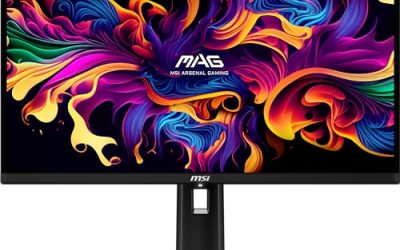
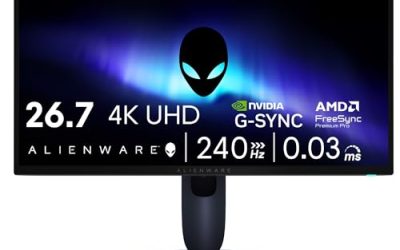
The best gaming monitor for a flight simulator is a wide, curved screen that fills your peripheral vision, keeps gauges sharp, and holds steady frame rates. A 32:9 super ultrawide does the job of a triple-monitor rig with no bezels in the middle, while a 34-inch 21:9 panel is the sweet spot for most desks and graphics cards.
Below are five monitors that suit flight simulation for different reasons: maximum cockpit width, OLED contrast for night flying, Mini LED brightness for sunlit rooms, and IPS clarity for pilots who also work at the same desk. Each pick lists its published specifications so you can match size, resolution, and refresh rate to your simulator and GPU.
As an Amazon Associate, we earn from qualifying purchases.
Our Top Picks
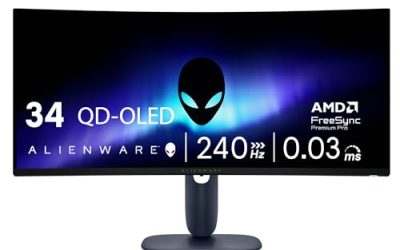
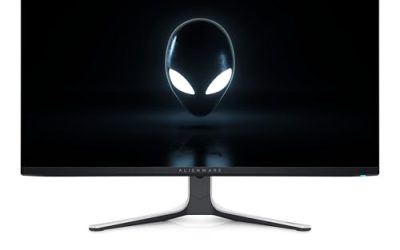
 Alienware AW3423DW Curved Gaming Monitor 34.18 inch Quantom12 x 32.1 x 20.7 inches21.8 poundsCheck on Amazon
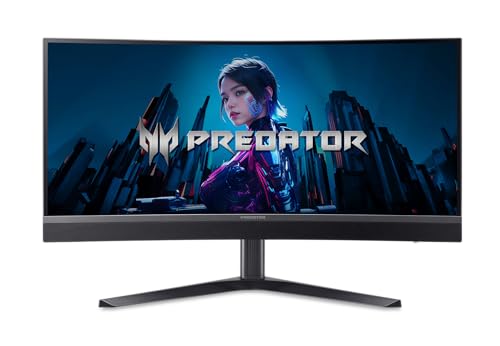 Acer Predator 34in WQHD 3440x1440 Curved 200Hz Gaming13.6 x 31.74 x 20 inches17.2 poundsCheck on Amazon

Top 3 picks at a glance
Table of Contents
- Quick Answer
- Samsung Odyssey OLED G9 (G95SD)
- ASUS ROG Strix OLED XG34WCDG
- Alienware AW3423DW
- Acer Predator X34 X
- ASUS ROG Strix XG349C
- How to Choose
- Who Should Skip
- FAQ
- Conclusion
- Product and ASIN Reference
Quick Answer
For the widest single-screen cockpit, choose the Samsung Odyssey OLED G9 (G95SD), a 49-inch 32:9 QD-OLED running 5120 x 1440 at 240Hz. For most pilots, a 34-inch 3440 x 1440 ultrawide is the smarter buy: the ASUS ROG Strix OLED XG34WCDG and Alienware AW3423DW lead on contrast, while the Acer Predator X34 X adds Mini LED brightness and the ASUS XG349C offers IPS clarity.
Samsung Odyssey OLED G9 (G95SD)

The Odyssey OLED G9 is the closest a single monitor gets to a wraparound cockpit. Its 49-inch QD-OLED panel stretches to a 32:9 aspect ratio at 5120 x 1440, so the instrument panel sits in front of you and the wing views extend into your peripheral vision, exactly where a simulator benefits most. The 1800R curve keeps the far edges at a consistent distance, and 240Hz with a 0.03ms response time keeps panning views across an airport smooth.
OLED contrast is the other win. Night approaches and dark cockpits render with true blacks under DisplayHDR True Black 400, and both G-Sync Compatible and FreeSync Premium Pro certification keep frame pacing even when a demanding simulator dips below its target frame rate. It needs a deep desk and a strong graphics card.
Specs
- Screen size: 49 inches
- Panel type: QD-OLED
- Resolution: 5120 x 1440 (32:9)
- Curvature: 1800R
- Refresh rate: 240Hz
- Response time: 0.03ms (GtG)
- Adaptive sync: NVIDIA G-Sync Compatible, AMD FreeSync Premium Pro
- HDR: VESA DisplayHDR True Black 400
- Brightness (typical): 250 cd/m2
- Ports: 2 x HDMI 2.1, 1 x DisplayPort 1.4, USB hub
ASUS ROG Strix OLED XG34WCDG
The XG34WCDG is the current-generation 34-inch QD-OLED option, and it fits a flight sim desk more easily than the 49-inch Samsung. The 3440 x 1440 panel runs at 175Hz with a 0.03ms response time, covers 99.3 percent of the DCI-P3 gamut, and reaches a 1000 cd/m2 peak in HDR under DisplayHDR True Black 400.
ASUS adds its OLED Care Pro suite, including a proximity sensor that blanks the screen when you step away, addressing the main concern of flying static cockpit layouts for hours. Connectivity suits a rig shared with a laptop: DisplayPort 1.4, two HDMI 2.1 ports, USB-C with DisplayPort Alt Mode and 15W power delivery, a USB hub, and a built-in KVM. It is the most complete 34-inch package here.
Specs
- Screen size: 34 inches
- Panel type: QD-OLED
- Resolution: 3440 x 1440 (21:9)
- Curvature: 1800R
- Refresh rate: 175Hz
- Response time: 0.03ms (GtG)
- Adaptive sync: NVIDIA G-Sync Compatible, AMD FreeSync Premium Pro
- HDR: VESA DisplayHDR True Black 400
- Brightness: 250 cd/m2 typical, 1000 cd/m2 HDR peak
- Ports: 1 x DisplayPort 1.4, 2 x HDMI 2.1, 1 x USB-C (DP Alt Mode, 15W PD), USB hub
Alienware AW3423DW
The AW3423DW is the pick for NVIDIA-powered rigs. It uses a hardware G-Sync Ultimate module rather than software certification, keeping variable refresh clean at the low frame rates simulators often produce over dense scenery. The 34.18-inch QD-OLED panel runs 3440 x 1440 at up to 175Hz over DisplayPort, with a 0.1ms response time and DisplayHDR True Black 400.
Dell rates the panel at 99.3 percent of DCI-P3, with 250 cd/m2 typical brightness and a 1000 cd/m2 peak, so liveries, terrain, and sky gradients look rich. The trade-offs are the older ports — two HDMI 2.0 alongside DisplayPort 1.4 — and a stand that favors a fixed sim desk. Dell’s 3-year warranty includes OLED burn-in coverage, which matters for static HUD elements.
Specs
- Screen size: 34.18 inches
- Panel type: QD-OLED
- Resolution: 3440 x 1440 (21:9)
- Curvature: 1800R
- Refresh rate: 175Hz (DisplayPort)
- Response time: 0.1ms (GtG)
- Adaptive sync: NVIDIA G-Sync Ultimate
- HDR: VESA DisplayHDR True Black 400
- Brightness: 250 cd/m2 typical, 1000 cd/m2 peak
- Ports: 1 x DisplayPort 1.4, 2 x HDMI 2.0, USB hub
Acer Predator X34 X
The Predator X34 X takes a different route to HDR: a VA panel with a Mini LED backlight divided into 1,152 local dimming zones. That delivers a VESA DisplayHDR 1000 rating with 450 cd/m2 typical brightness and a 1000 cd/m2 peak, making it the best option here for a bright room where OLED can look washed out. There is also no burn-in concern on long hauls.
The 34-inch 1500R curved panel runs 3440 x 1440 at up to 200Hz over DisplayPort or USB-C, with a 1ms GtG response time and FreeSync Premium support. Acer rates the gamut at 95 percent of DCI-P3. Connectivity includes two HDMI 2.1 ports, although HDMI is limited to 100Hz, plus USB-C with 65W power delivery and 5-watt speakers. This mid-range pick trades contrast finesse for brightness and longevity.
Specs
- Screen size: 34 inches
- Panel type: VA with Mini LED backlight (1,152 dimming zones)
- Resolution: 3440 x 1440 (21:9)
- Curvature: 1500R
- Refresh rate: 200Hz (DisplayPort or USB-C), 100Hz (HDMI)
- Response time: 1ms (GtG)
- Adaptive sync: AMD FreeSync Premium
- HDR: VESA DisplayHDR 1000
- Brightness: 450 cd/m2 typical, 1000 cd/m2 peak
- Color gamut: 95 percent DCI-P3
- Ports: 1 x DisplayPort 1.4, 2 x HDMI 2.1, 1 x USB-C (65W PD), audio out
- Speakers: 2 x 5W
ASUS ROG Strix XG349C

The XG349C is the IPS entry in this group, and IPS still has real advantages for a mixed-use sim desk: consistent colors at wide viewing angles, no burn-in risk, and sharp text for charts and checklists. The 34-inch panel runs 3440 x 1440 at a native 144Hz, overclockable to 180Hz, with a 1ms GtG response time and ELMB Sync for clearer motion when you sweep your view across the cockpit.
ASUS rates brightness at 400 cd/m2 with DisplayHDR 400 support and 98 percent DCI-P3 coverage, so scenery looks vivid even if it cannot match OLED black levels at night. G-Sync Compatible certification keeps frame delivery smooth with NVIDIA cards, and ports include DisplayPort 1.4, two HDMI 2.0 inputs, and USB-C with DisplayPort Alt Mode. It suits pilots who split time between simulation and everyday computing.
Specs
- Screen size: 34 inches
- Panel type: IPS
- Resolution: 3440 x 1440 (21:9)
- Curvature: 1900R
- Refresh rate: 144Hz native, 180Hz overclocked
- Response time: 1ms (GtG)
- Adaptive sync: NVIDIA G-Sync Compatible
- HDR: VESA DisplayHDR 400
- Brightness: 400 cd/m2
- Color gamut: 98 percent DCI-P3
- Ports: 1 x DisplayPort 1.4, 2 x HDMI 2.0, 1 x USB-C (DP Alt Mode), USB hub
How to Choose a Gaming Monitor for Flight Simulators
Start with aspect ratio, because it decides how much of the cockpit you see without moving your view. A 21:9 ultrawide at 3440 x 1440 shows more of the panel and side windows than a 16:9 screen, and it is the practical default. A 32:9 screen like the Odyssey OLED G9 can replace a multi-monitor setup, but it demands more desk depth and far more GPU power.
Resolution comes next. Every extra pixel sharpens gauges, GPS screens, and distant runways, but it also lowers frame rates. Match the monitor to your graphics card honestly: 3440 x 1440 is a heavy load, and 5120 x 1440 is heavier still. If your GPU already works hard at your current resolution, a faster panel will not fix stutter.
Panel type shapes the experience. QD-OLED delivers the contrast that makes night flying and dark cockpits convincing, at the cost of burn-in management for static instruments. Mini LED VA panels answer with much higher brightness and no burn-in risk, suiting bright rooms. IPS remains the safe all-rounder for mixed flying and desk work, with the weakest native contrast.
Refresh rate matters less in simulation than in shooters, but a smooth 120Hz or higher image makes head-tracked panning feel natural, and adaptive sync — G-Sync or FreeSync — is close to essential, because simulator frame rates swing widely between empty sky and dense airports. An 1800R curve at 34 inches keeps edges readable, and height adjustment matters on long sessions.
Who Should Skip
Skip this category if your desk cannot fit a 34-inch or wider screen, or if your graphics card already struggles at 1440p — a smaller 27-inch 1440p monitor will serve you better. Pilots planning a true triple-monitor surround setup should also look elsewhere, since a single ultrawide, even at 32:9, offers a narrower field of view than three displays. Console-only players gain little here, because current consoles do not output native ultrawide resolutions.
FAQ
Is an ultrawide monitor better than triple monitors for flight simulators?
A 32:9 ultrawide gives a seamless view with no bezels, simpler setup, and one cable. Three separate monitors still provide a wider total field of view and let you angle the side screens sharply. If you value simplicity and a clean cockpit image, choose the ultrawide; if maximum peripheral coverage is the goal, triples stay ahead.
How much GPU power do I need for a 3440 x 1440 flight sim monitor?
Treat 3440 x 1440 as a demanding resolution, roughly a third more pixels than 2560 x 1440. A mid-range or better modern graphics card with generous video memory is the realistic starting point for smooth frame rates in detailed simulators, and 5120 x 1440 pushes requirements higher again. Lowering scenery density and using upscaling can help an older card cope.
Does refresh rate matter for flight simulation?
Less than in competitive shooters, but it still improves the experience. Higher refresh rates make view panning and head tracking feel smoother and reduce judder when looking sideways during taxi or turns. Adaptive sync matters more than raw speed, because simulator frame rates fluctuate; a 175Hz or 200Hz panel with G-Sync or FreeSync covers both needs.
Will an OLED monitor get burn-in from cockpit instruments?
The risk is real over long periods, because gauges and HUD elements sit in fixed positions. Modern QD-OLED monitors include pixel-refresh routines, panel-shift features, and warranties that cover burn-in, and letting the screen sleep between sessions reduces the risk. If you fly the same layout for many hours daily, the Mini LED or IPS picks remove the worry.
Conclusion
For most flight sim pilots, a curved 34-inch ultrawide at 3440 x 1440 is the right foundation, and the ASUS ROG Strix OLED XG34WCDG is the most complete version of it here. Step up to the Samsung Odyssey OLED G9 if you want one screen that replaces a triple-monitor rig. The Alienware AW3423DW suits NVIDIA rigs that need hardware G-Sync, the Acer Predator X34 X answers bright rooms and burn-in concerns with Mini LED, and the ASUS XG349C keeps IPS clarity for desks that split time between flying and work.
Product and ASIN Reference
| Product | ASIN |
|---|---|
| Samsung Odyssey OLED G9 (G95SD) | B0DHJ7VBJ4 |
| ASUS ROG Strix OLED XG34WCDG | B0F73CKR9D |
| Alienware AW3423DW | B09VQ48X5Q |
| Acer Predator X34 X | B0FSBW8F96 |
| ASUS ROG Strix XG349C | B0966ZFKJK |
Related guides
More from Amazon
Programs that pair well with the guide above. Offers and eligibility are set by Amazon and may change.
A free business account with business pricing and bulk-buying tools for work, shop or home office.
Create a business accountFree shipping on eligible items, Prime Video and more. Eligible new members can start with a free trial.
Start a Prime free trialAudiobooks and podcasts to listen to on the go. Eligible new members can start with a free trial.
Try Audible freeAd-free music streaming. Eligible new subscribers can start with a free trial.
Try Music Unlimited freeAs an Amazon Associate we earn from qualifying purchases.