The best powered USB hub for a gaming setup is the Rosonway RSH-A10S, because it pairs ten 10Gbps ports with a 36W adapter, so external SSDs, capture gear and racing wheels stop dropping out mid-session. Bus-powered hubs share the small amount of power one PC port can supply, and that is where the classic gaming-desk problems start: a wheel base that disconnects under load, or an SSD that vanishes during a transfer.
A powered hub fixes this with its own wall adapter, giving every port a stable supply that does not depend on the host port. The five hubs below cover the main shapes a gaming desk needs: a 10Gbps aluminum hub for fast storage, a mixed USB-A and USB-C hub with a charging port, a compact 60W Anker, a TP-Link with dedicated charging ports, and a Sabrent with a power switch on every port.
As an Amazon Associate, we earn from qualifying purchases.
Our Top Picks
 SABRENT 36W 7-Port Powered USB 3.0 Hub7-Port - 7 USB 3.04.2 x 1.9 x 0.94 inches0.9 poundsCheck on Amazon


Top 3 picks at a glance


Quick Answer
For most gaming desks, choose the Rosonway RSH-A10S: ten USB 3.2 Gen 2 ports at 10Gbps and a 36W adapter handle SSDs, wheels and stream gear at once. Laptop players who also need device charging should look at the Rosonway RSH-A10QPD with its USB-C PD port. The Sabrent HB-BUP7 suits sim rigs that need per-port switches, while the TP-Link UH720 and Anker 60W hub cover simpler 5Gbps desks.
Table of Contents
- Quick Answer
-
- Rosonway 10-Port Powered USB 3.2 Gen 2 Hub (RSH-A10S)
-
- Rosonway 10-Port Powered USB 3.2 Hub with PD (RSH-A10QPD)
-
- Anker 10-Port 60W USB 3.0 Data Hub (A7515)
-
- TP-Link 7-Port USB 3.0 Hub with 2 Charging Ports (UH720)
-
- Sabrent 7-Port USB 3.0 Hub with Power Switches (HB-BUP7)
- How to Choose
- Who Should Skip
- FAQ
- Final Verdict
- Product and ASIN Reference
1. Rosonway 10-Port Powered USB 3.2 Gen 2 Hub (RSH-A10S)
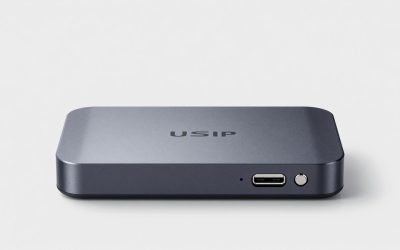
The RSH-A10S is the pick for desks where storage speed matters. All ten downstream ports run at USB 3.2 Gen 2 rates of up to 10Gbps, twice the ceiling of a USB 3.0 hub, which keeps external NVMe enclosures and fast SSDs from being bottlenecked by the hub itself. That bandwidth is shared across the ports, as on every hub, but a 10Gbps uplink gives peripherals and a fast drive far more headroom than a 5Gbps design.
Power comes from a 36W (12V/3A) UL-certified adapter, enough to keep wheel bases, capture cards and bus-powered hard drives stable. The aluminum housing doubles as a heat spreader for long sessions. Rosonway includes both a USB-A to B host cable (3.3 ft) and a shorter USB-C to B cable (2 ft), so it connects to a desktop tower or a USB-C gaming laptop without extra adapters.
Specs
- Model: RSH-A10S
- Downstream ports: 10
- Data rate: Up to 10Gbps (USB 3.2 Gen 2)
- Power adapter: 36W, 12V/3A, UL certified
- Housing: Aluminum
- Host cables included: USB-A to B (3.3 ft), USB-C to B (2 ft)
- Tier: Premium
2. Rosonway 10-Port Powered USB 3.2 Hub with PD (RSH-A10QPD)
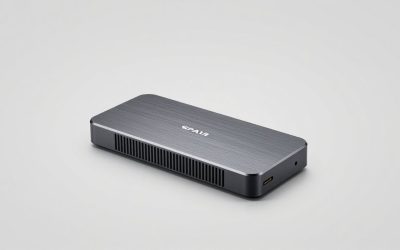
The RSH-A10QPD is built for mixed desks that run both USB-A peripherals and USB-C devices. Its ten ports split into three 10Gbps ports (one USB-A and two USB-C), four USB-A 3.0 ports at 5Gbps for keyboards, mice and headset dongles, one USB-C PD charging port rated up to 20W, and two USB-A fast-charging ports at up to 2.4A. That layout maps neatly onto a gaming laptop setup: fast ports for an SSD and capture device, slow ports for the keyboard and mouse, and charging for a phone or controller.
Every port has its own switch, with a short press to enable and a long press to disable, which helps when a wheel or HOTAS setup should stay plugged in but powered down between sessions. The bundled adapter is a stronger 60W (12V/5A) unit, and the aluminum housing and 3.3 ft USB-C host cable suit a permanent desk hub. Note that the PD port charges phones and tablets; it is not a substitute for a gaming laptop’s own power supply.
Specs
- Model: RSH-A10QPD
- Downstream ports: 10 total
- Fast ports: 1 USB-A 3.2 and 2 USB-C 3.2, up to 10Gbps
- Standard ports: 4 USB-A 3.0, up to 5Gbps
- Charging: 1 USB-C PD port up to 20W, 2 USB-A ports up to 2.4A
- Power adapter: 60W, 12V/5A
- Switches: Individual per-port switches
- Housing: Aluminum
- Tier: Premium
3. Anker 10-Port 60W USB 3.0 Data Hub (A7515)
Anker’s 60W data hub is the compact option for a desk that needs many ports in a small footprint. It measures about 5.7 x 1.7 x 0.9 inches, roughly pen-case sized, yet carries seven USB 3.0 data ports at up to 5Gbps plus three PowerIQ charging ports delivering up to 2.1A each. The data ports cover the keyboard, mouse, headset, controller receiver and a couple of drives, while the charging ports keep a phone or controller topped up without using data ports.
The 12V/5A adapter supplies the full 60W, so the ports stay operational even with several devices drawing power at once. Anker includes a 2.6 ft USB 3.0 cable. There are no per-port switches and no USB-C ports, so it suits a stable setup that rarely changes rather than a sim rig with gear that needs individual power control. It is backward compatible with USB 2.0 and 1.1 devices.
Specs
- Model: A7515
- Data ports: 7 USB 3.0, up to 5Gbps
- Charging ports: 3 PowerIQ ports, up to 2.1A each
- Power adapter: 60W, 12V/5A
- Dimensions: 5.71 x 1.73 x 0.91 in
- Weight: 3.7 oz
- Host cable included: USB 3.0, 2.6 ft
- Tier: Mid-range
4. TP-Link 7-Port USB 3.0 Hub with 2 Charging Ports (UH720)
The UH720 separates data and charging cleanly, which makes it easy to manage a shared gaming desk. Seven USB 3.0 data ports run at up to 5Gbps for peripherals and drives, and two dedicated smart charging ports supply up to 2.4A each and automatically adjust output to the connected device. The charging ports do not transfer data, and the data ports are not intended for charging, so each cable has one clear job.
TP-Link fits a power on/off button for the whole hub and builds in surge, over-heat, over-current, over-voltage and short-circuit protection. The included 12V adapter and 1-meter USB 3.0 cable give enough reach for under-desk mounting, and at 6.5 x 2.6 x 0.7 inches it is a slim bar that sits neatly under a monitor.
Specs
- Model: UH720
- Data ports: 7 USB 3.0, up to 5Gbps
- Charging ports: 2 smart charging ports, up to 2.4A each
- Power adapter: 12V (included)
- Dimensions: 6.5 x 2.6 x 0.7 in (165 x 65.5 x 17.5 mm)
- Host interface: USB 3.0 Micro B
- Host cable included: USB 3.0, 1 m
- Extras: Power on/off button, surge and overload protection
- Tier: Budget
5. Sabrent 7-Port USB 3.0 Hub with Power Switches (HB-BUP7)
The HB-BUP7 is the sim-rig pick. Each of its seven USB 3.0 ports has an individual power switch with a blue LED indicator, so a wheel base, button box, shifter and HOTAS can all stay connected and be powered up only for the sessions that need them. That avoids repeated unplugging that wears out connectors, and stops idle devices lighting up the desk.
Data runs at up to 5Gbps per the USB 3.0 standard, and the included 36W (12V/3A) adapter means the seven ports can operate simultaneously without the disconnects that plague bus-powered hubs under load. There are no dedicated charging ports and no USB-C, so this hub is aimed at wired PC peripherals rather than device charging. For flight-sim and racing setups with several controllers, the per-port control is the feature that matters most in this roundup.
Specs
- Model: HB-BUP7
- Data ports: 7 USB 3.0, up to 5Gbps
- Switches: Individual power switch and LED per port
- Power adapter: 36W, 12V/3A
- Host cable included: USB 3.0 cable, 2 ft
- Tier: Mid-range
How to Choose
Start with the reason you need power. If devices disconnect, drives drop out or a wheel base resets, the adapter wattage and per-port power are the fix, and any hub here outperforms a bus-powered model. If nothing disconnects and you only need two more ports, a powered hub is more than the job requires.
Next, match the data rate to your fastest device. A 10Gbps USB 3.2 Gen 2 hub, such as either Rosonway, keeps external SSDs close to their direct-connection speeds. A 5Gbps USB 3.0 hub is fine for peripherals, capture cards and SATA drives. Remember that hub bandwidth is shared: one uplink serves every port, so two fast drives copying at once will split the total.
Then count ports honestly, including receivers: a keyboard, mouse, headset dongle, controller, wheel, webcam and microphone can consume seven ports before any storage is attached. Finally, decide on control and charging. Per-port switches suit sim rigs and shared desks; dedicated charging ports keep phones and controllers off the data ports; and laptop players should look at the A10QPD’s USB-C data ports and PD charging port.
Who Should Skip
Skip a powered hub if your setup only adds a keyboard and mouse to a laptop, because a small bus-powered hub needs no wall outlet and travels better; the adapter makes these desktop hubs poor travel gear too. Also skip a hub entirely if your case and motherboard already provide enough ports, and look at a USB-C docking station instead if you need display output and laptop charging over one cable, since none of these hubs carries video.
FAQ
Why do my USB devices disconnect from a bus-powered hub?
A single PC USB port supplies limited power that every attached device must share. Power-hungry devices such as wheel bases, external drives and capture cards can pull more than the shared supply allows, so the hub drops devices. A powered hub uses its own wall adapter, giving each port a stable supply and removing most of these disconnects.
Is a 10Gbps hub worth it for gaming peripherals?
For keyboards, mice, headsets and controllers, no: those devices use a tiny fraction of even USB 2.0 bandwidth, and a 5Gbps hub handles them identically. The 10Gbps uplink matters for external SSDs, where it roughly doubles the transfer ceiling compared with a 5Gbps hub, and for desks running several storage devices at once.
Can a powered USB hub charge my gaming laptop?
Generally no. Most powered hubs supply power to their downstream ports for peripherals, not back to the host. The Rosonway A10QPD’s USB-C PD port is rated up to 20W for phones and tablets, well below what a gaming laptop draws under load. Keep using the laptop’s own adapter, and choose a docking station if you want single-cable charging.
Where should I place a powered hub on a gaming desk?
Place it within reach of the devices you plug and unplug most, with the adapter cable able to reach an outlet without stretching. Keep 2.4 GHz wireless receivers on a short extension away from the hub body where possible, because USB 3.0 signaling can interfere with nearby 2.4 GHz reception. Hubs with per-port switches, such as the Sabrent, work best facing the chair so the switches and LEDs stay visible.
Final Verdict
For a gaming desk built around fast storage and several wired devices, the Rosonway RSH-A10S is the strongest all-round choice, with ten 10Gbps ports and a proper 36W adapter. Laptop players who want USB-C data ports and device charging in one unit should take the RSH-A10QPD. The Anker 60W hub fits crowded desks, the TP-Link UH720 is the tidy budget option with separate charging ports, and the Sabrent HB-BUP7 remains the best fit for sim rigs thanks to its per-port switches.
Product and ASIN Reference
| Product | ASIN |
|---|---|
| Rosonway 10-Port Powered USB 3.2 Gen 2 Hub (RSH-A10S) | B09NNQFZ2S |
| Rosonway 10-Port Powered USB 3.2 Hub with PD (RSH-A10QPD) | B0CB82NR5C |
| Anker 10-Port 60W USB 3.0 Data Hub (A7515) | B00VDVCQ84 |
| TP-Link 7-Port USB 3.0 Hub with 2 Charging Ports (UH720) | B00SCX6I8A |
| Sabrent 7-Port USB 3.0 Hub with Power Switches (HB-BUP7) | B079GT1ZVS |
Related guides
More from Amazon
Programs that pair well with the guide above. Offers and eligibility are set by Amazon and may change.
A free business account with business pricing and bulk-buying tools for work, shop or home office.
Create a business accountFree shipping on eligible items, Prime Video and more. Eligible new members can start with a free trial.
Start a Prime free trialAudiobooks and podcasts to listen to on the go. Eligible new members can start with a free trial.
Try Audible freeAd-free music streaming. Eligible new subscribers can start with a free trial.
Try Music Unlimited freeAs an Amazon Associate we earn from qualifying purchases.