
As an Amazon Associate we earn from qualifying purchases at no extra cost to you.


Our Top Picks
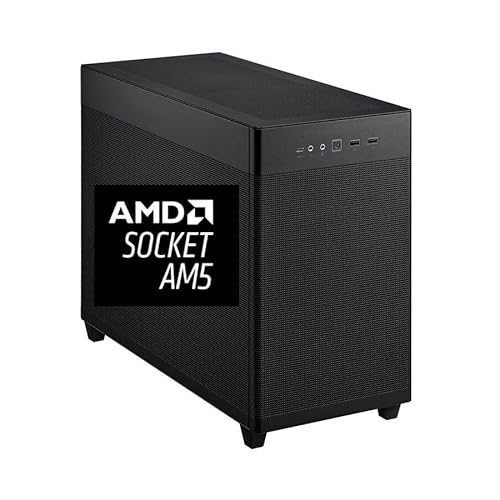 CPU Solutions Express 4K Video Editing PC8.07 x 18.11 x 13.78 inches18.11 x 8.07 x 13.78 inches45 PoundsCheck on Amazon


Top 3 picks at a glance
The Short Answer
For 4K video editing, a 64GB RAM kit is the sweet spot for most editors, typically configured as 2 x 32GB or 4 x 16GB DDR5 modules running at 5600–6400MHz. If you work mostly in 4K with moderate effects and 8-bit or 10-bit footage, a 32GB kit (2 x 16GB) at 3200–3600MHz can still get the job done on a budget. Step up to 128GB if you regularly edit 8K footage, run heavy GPU-accelerated effects stacks, or juggle multiple 4K streams at once. Entry-level hobbyists editing short 4K clips can start at 32GB, but professionals should treat 64GB as the baseline. In physical terms, “size” also matters for clearance: a standard desktop DIMM is about 5.25 inches long and 1.18 inches tall (13.3 x 3.0 cm), while low-profile modules sit roughly 1.34 inches (3.4 cm) tall — important if you’re fitting RAM under a large tower air cooler. Budget roughly $90–$150 for a quality 32GB DDR4 kit, $180–$320 for a 64GB DDR5 kit, and $350–$600 for 128GB.
Standard Sizes
RAM kits come in fixed capacity configurations, and the modules themselves follow the JEDEC standard DIMM form factor. Here’s how the common kit sizes compare:
| Kit Size | Typical Configuration | Module Length | Module Height | Module Thickness | Approx. Weight (kit) | Typical Price Range |
|---|---|---|---|---|---|---|
| 32GB | 2 x 16GB DDR4-3200 CL18 | 5.25 in / 13.3 cm | 1.18–1.5 in / 3.0–3.8 cm | 0.08–0.28 in / 0.2–0.7 cm | 2.5–4 oz / 70–115 g | $90–$226 |
| 64GB | 2 x 32GB DDR5-6000 CL30 | 5.25 in / 13.3 cm | 1.34–1.8 in / 3.4–4.6 cm | 0.08–0.3 in / 0.2–0.75 cm | 3.5–6 oz / 100–170 g | $180–$320 |
| 128GB | 4 x 32GB or 2 x 64GB DDR5-5600 | 5.25 in / 13.3 cm | 1.34–1.8 in / 3.4–4.6 cm | 0.08–0.3 in / 0.2–0.75 cm | 7–12 oz / 200–340 g | $350–$600 |
| 256GB (workstation) | 4 x 64GB DDR5 RDIMM | 5.25 in / 13.3 cm | 1.18–1.4 in / 3.0–3.5 cm | 0.12–0.35 in / 0.3–0.9 cm | 14–20 oz / 400–570 g | $1,000–$2,000+ |
Note that heat spreaders and RGB lighting add height. A bare module stands about 1.18 inches (3.0 cm), while a heatsink-equipped module can reach 1.8 inches (4.6 cm) or more. As a real-world reference point, complete workstations like the CPU Solutions VidCore 4K Video Editing PC (Core Ultra 9 285K, 64GB DDR5, around $3,350) and the Express model with a Ryzen 9 9950X and 64GB DDR5 (around $3,300) both ship with the 64GB configuration, which tells you where system builders have landed for professional 4K work.
How to Measure Your Space
Before you buy, confirm your platform can physically and electrically accept the kit you want:
1. Count your DIMM slots. Open your case or check the motherboard spec sheet. Consumer boards have 2 or 4 slots; compact builds like the ASUS NUC 15 Pro Barebone Kit (around $670) use SO-DIMM laptop-style modules, which are shorter at about 2.66 x 1.2 inches (6.76 x 3.0 cm).
2. Check maximum capacity per slot. Most current consumer platforms support up to 48GB or 64GB per slot; older DDR4 boards often cap at 32GB per slot.
3. Measure cooler clearance. If you use a tower air cooler, measure from the top of the nearest DIMM slot to the cooler’s underside. Add at least 0.2 inches (5 mm) of clearance above your module’s heatspreader. Anything under 1.6 inches (4.0 cm) of clearance calls for a low-profile kit.
4. Verify supported speeds and voltages. Check your motherboard’s QVL (Qualified Vendor List) for the exact kit. DDR4 kits run at 1.2–1.35V; DDR5 kits typically run at 1.25–1.4V.
5. Confirm dual-channel pairing. Install matched modules in the correct slots (usually slots 2 and 4 from the CPU) to get full bandwidth. Mismatched kits can drop you into single-channel mode and cut memory bandwidth nearly in half.
6. Check your PSU headroom. RAM draws only 5–15W per module, but if you’re building a full editing rig, budget your total wattage: a Ryzen 9 9950X system with a Quadro RTX 2000 ADA typically needs an 850W PSU.
By Room or Use Case
The Hobbyist Desk
If you cut family videos, YouTube vlogs, or short-form 4K content a few hours a week, 32GB is enough. A 2 x 16GB DDR4-3200 CL18 kit like the SUNGOOYUE 32GB kit (around $230) fits older AM4 and Intel LGA1200 platforms, while a 2 x 16GB DDR5-5600 kit suits newer budget builds. Expect your timeline to handle 4K H.264/H.265 footage with light color grading, but render previews before stacking multiple effects. Budget $90–$230.
The Home Office / Semi-Pro Studio
This is the 64GB zone. If you edit client work, multicam projects, or 10-bit 4:2:2 footage from mirrorless cameras, 64GB lets DaVinci Resolve, Premiere Pro, and After Effects breathe. Prebuilt options like the CPU Solutions Ryzen 9 9950X workstation with 64GB DDR5 and a 2TB NVMe SSD (around $3,300) handle this tier out of the box. You’ll scrub 4K timelines smoothly with GPU acceleration, run noise reduction, and keep 20+ browser tabs open without swapping to disk. Budget $180–$320 for the RAM alone, or $2,500–$3,500 for a complete machine.
The Dedicated Edit Suite
Heavy multicam 4K work, 6K/8K RED or BRAW footage, Fusion compositing, or simultaneous editing and encoding all benefit from 128GB. Configure as 4 x 32GB DDR5-5600 or 2 x 64GB modules on a platform that supports it. This is also where ECC memory becomes worth considering if you run long unattended renders. Budget $350–$600 for the kit, and confirm your CPU’s memory controller is rated for four dual-rank modules at your target speed.
The Compact / Portable Rig
Small-form-factor editors using barebones kits like the ASUS NUC 15 Pro need SO-DIMM modules — a different physical size entirely at 2.66 inches long versus 5.25 inches. These mini PCs typically accept up to 96GB across two SO-DIMM slots, and a 2 x 32GB SO-DIMM DDR5 kit costs roughly $170–$280. Verify SO-DIMM vs. UDIMM before buying; the two are not interchangeable.
Common Sizing Mistakes
- Buying four modules when two will do. Populating all four slots often forces lower memory speeds on DDR5 platforms. Two larger modules leave room to upgrade and usually run faster.
- Chasing speed over capacity. A 64GB kit at 5600MHz beats a 32GB kit at 7200MHz for video editing. Timeline performance is far more sensitive to capacity than to raw frequency.
- Buying RGB modules that don’t fit. Tall heatspreaders and light bars can collide with tower coolers. Measure before you order.
- Mixing kits. Adding an unmatched 32GB kit to an existing 32GB kit risks instability or speed throttling. Buy a single matched kit at the capacity you need.
- Ignoring the QVL. A kit that works “in theory” at 6400MHz may only POST at 4800MHz on your board. Buy from the motherboard vendor’s tested list.
- Forgetting the platform. DDR4 and DDR5 are physically keyed differently — a notch offset prevents installation in the wrong board, but returns are still a hassle.
FAQ
Is 32GB enough for 4K video editing?
Yes, for hobbyist and light professional work. Editing 8-bit 4K H.264 footage with basic cuts and color corrections runs comfortably in 32GB. You’ll hit limits with multicam, heavy noise reduction, or After Effects compositions — that’s when 64GB pays off.
Is 64GB overkill for video editing?
No. For professionals, 64GB is the current baseline, which is why prebuilts like the CPU Solutions Ryzen 9 9950X and Core Ultra 9 285K workstations ship with it. 8K editing, heavy effects, and parallel workloads use every gigabyte.
Does RAM speed matter for 4K editing?
Modestly. Capacity matters far more, but going from DDR4-3200 to DDR5-6000 can shave a few percent off render and export times. Prioritize a 6000MHz CL30 DDR5 kit if your platform supports it; otherwise spend the difference on capacity or storage.
How much RAM do I need for 8K editing?
Plan on 128GB minimum for comfortable 8K work, especially with RAW formats like REDCODE or BRAW. 64GB can handle simple 8K timelines with proxy workflows, but full-resolution playback with effects will choke. Pair it with a fast 2TB+ NVMe drive and a GPU with at least 16GB of VRAM.









