Intel Optane launched with big promises: near-DRAM latency, huge endurance, and a way to make a slow hard drive feel fast without buying a large SSD. Years later, Intel has wound the product line down, yet Optane drives still show up in used listings and old prebuilt PCs for $20 to $60. Before you buy, reuse, or rip one out, it helps to understand what Optane actually does and where it still makes sense in 2020s hardware.
As an Amazon Associate we earn from qualifying purchases at no extra cost to you.

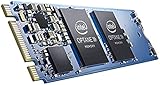


Our Top Picks
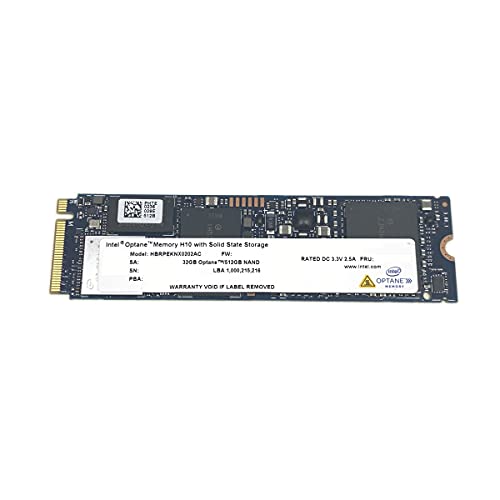


Top 3 picks at a glance
How Optane Memory Works
Optane is built on 3D XPoint, a non-volatile memory that sits between DRAM and NAND flash in both speed and cost. Consumer “Optane Memory” modules (16GB and 32GB M.2 sticks) were never meant to be your main drive. Instead, Intel’s Rapid Storage Technology driver used them as a caching layer in front of a mechanical hard drive, learning which files and programs you opened most and staging them on the fast module.
The strength of 3D XPoint is low-queue-depth random reads. Where a typical NAND SSD needs many parallel requests to hit peak speed, Optane delivers strong performance even for a single small read, which is exactly the access pattern of booting Windows and launching apps.
Optane Performance vs Modern SSDs
The problem is that cheap TLC NVMe drives caught up in the ways that matter for everyday use, while costing far less per gigabyte. Here is a rough comparison of typical figures:
| Metric | Optane Memory 32GB | Budget TLC NVMe 1TB | Mechanical HDD 2TB |
|---|---|---|---|
| Sequential read | ~1,300 MB/s | ~2,000-3,500 MB/s | ~150 MB/s |
| Random 4K read (QD1) | ~250-300 MB/s | ~50-70 MB/s | ~1 MB/s |
| Latency (typical) | ~10 microseconds | ~50-90 microseconds | ~5-10 ms |
| Usable capacity | Cache only | Full 1TB | Full 2TB |
| Street price | $20-60 used | $50-80 | $45-60 |
Notice the QD1 random read column: Optane genuinely wins there. But most people never feel that advantage once a real SSD is the boot drive, because a 1TB NVMe already loads Windows and games fast enough that the bottleneck moves elsewhere.
Where Optane Still Helps
If you are stuck with a hard-drive-only laptop or office PC that cannot fit a big SSD, a 32GB Optane cache can make it feel dramatically snappier for the money. It also shines in a few database and virtual-machine scratch workloads where QD1 latency dominates. For a gaming or general desktop, though, a 500GB-1TB NVMe boot drive is simply the better buy.
Compatibility Caveats
Optane Memory caching requires an Intel 7th-gen or newer CPU, a compatible chipset (200-series and up), a specific M.2 slot wired to the chipset, and the Rapid Storage driver. It will not accelerate an AMD system, and Intel has ended driver development, so future Windows updates may eventually break the setup. Larger Optane SSDs (the 900P/905P) work as standalone drives on any platform, but those are collector items now.
Optane vs a Cheap SSD Cache
Some builders wonder whether Optane still beats software SSD caching that pins hot data on a spare NAND drive. In practice, a modern approach is simpler: put your operating system and most-used apps directly on a 500GB-1TB NVMe drive and skip caching entirely. Caching, whether via Optane or software, exists to rescue a slow mechanical primary drive, and mechanical primary drives are increasingly rare on gaming machines. If your budget stretches to a real SSD for the boot volume, that beats any cache scheme for consistency, because cached systems occasionally miss and fall back to hard-drive speed at the worst moment. Reserve Optane thinking for legacy Intel office PCs you cannot easily reconfigure, where a 32GB module and the Rapid Storage driver genuinely wake up a tired hard drive for pocket change.
FAQ
Can I use Optane Memory as a normal drive?
A 16GB or 32GB module is too small to be useful as a boot drive and Windows will warn you it lacks space. The larger 58GB, 118GB, and 280GB+ Optane SSDs can be used as standalone drives, but they are rare and expensive per gigabyte compared to modern NAND.
Is Optane faster than a Gen4 NVMe SSD?
Only in low-queue random reads and latency. In sequential throughput a Gen4 drive is two to three times faster, and in real gaming or content workloads the Gen4 drive feels equal or better while giving you far more usable capacity.
Bottom Line
Optane was clever technology that arrived just as cheap SSDs made its main use case obsolete. If you already own an Optane module and a hard-drive-based Intel system, enabling the cache is a fun, free speed boost. But do not spend money chasing it today. A $60 1TB NVMe drive gives you real capacity, strong speed, and a platform that will keep getting driver support, which is exactly what a discontinued caching product cannot promise.









