Open almost any PC and you will find a tangle of power cables ending in two very different plugs: the wide, flat SATA power connector and the older, chunky four-pin Molex. Both deliver power to storage and accessories, but they are not interchangeable in the ways people assume, and mixing them up with cheap adapters is a genuine fire-risk footnote worth understanding.
As an Amazon Associate we earn from qualifying purchases at no extra cost to you.


Our Top Picks

Top 3 picks at a glance
What each connector provides
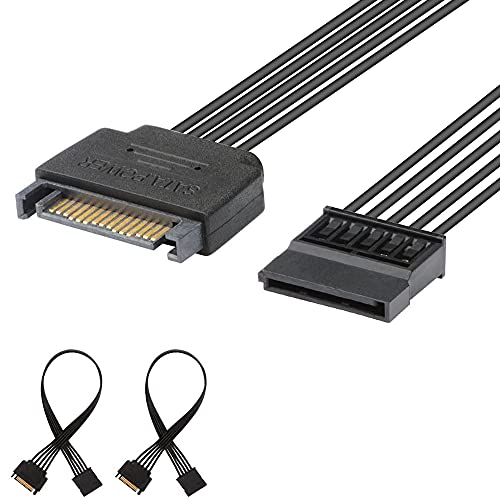
The SATA power connector is a 15-pin flat plug that supplies three voltage rails: 3.3V, 5V, and 12V. Modern SSDs and hard drives use the 5V and 12V lines, while the 3.3V pin is largely unused (and is the culprit behind some shucked-drive quirks). The Molex connector is a rugged 4-pin plug carrying just 5V and 12V, with two ground pins.
| Feature | SATA power (15-pin) | Molex (4-pin) |
|---|---|---|
| Voltages | 3.3V, 5V, 12V | 5V, 12V |
| Main use today | SSDs, HDDs, some fans/RGB | Older drives, fans, pumps, PCIe adapters |
| Connector style | Flat, keyed, easy to seat | Bulky, stiff, friction-fit |
| Rated current (typical) | ~4.5A per rail | Up to ~11A on 12V historically |
Why SATA power took over
SATA power replaced Molex on drives for good reasons: the flat plug is easier to route, it is keyed so it only fits one way, it adds the 3.3V rail, and its hot-plug pin sequencing supports safe connect and disconnect. Molex, by contrast, is stiff, can be genuinely hard to unplug, and its pins can wear or back out over time.
Where Molex still lives
You will still see Molex on some case fans, pump headers, older optical drives, PCIe riser adapters, and fan hubs. Because it can carry higher sustained current on the 12V line, it remains handy for accessories that draw more power than a single SATA connector likes.
The adapter warning
Molex-to-SATA adapters have a bad reputation, and it is deserved for the cheap molded kind. In the worst designs the 3.3V or other pins are bridged incorrectly, or the wires are crimped poorly, which under load can overheat and even melt or ignite. If you must adapt, use a quality unit where each wire is soldered, not the flat “press-fit” molded connectors sold in bulk. Better still, use your PSU’s native SATA power cables and avoid the adapter entirely.
Never chain too many drives on one cable
A single SATA power lead often has three or four connectors. That is fine for low-draw SSDs, but spinning drives pull real current at spin-up. Spreading hard drives across separate cables from the PSU avoids voltage sag and connector heat.
Reading your power supply’s cables
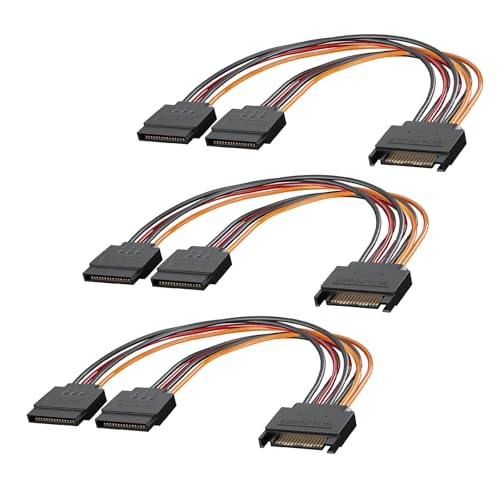
Modular and non-modular PSUs label their cables, but the plugs are the giveaway. SATA power leads are thin, flat, and black with the distinctive L-shaped notch; peripheral or Molex leads are round-wired with the boxy four-pin heads. A typical mid-range PSU provides two SATA power cables with three or four connectors each, plus one peripheral cable carrying Molex, which is plenty for a normal build.
Matching current to the load
SSDs draw only a couple of watts, so daisy-chaining several on one SATA lead is harmless. Mechanical drives spike to 15-25 watts during spin-up, so a build with four or more hard drives benefits from spreading them across separate PSU cables to keep each connector and wire within its comfortable current range. Fans and RGB accessories add up too, so tally the draw before loading a single connector heavily.
FAQ
Can I power a SATA SSD from a Molex plug?
Only through an adapter, since the plugs differ physically. SSDs draw very little power, so a good soldered adapter is low risk, but a native SATA power cable from your PSU is always the safer, cleaner choice.
Why do some shucked external drives not work on SATA power?
Certain drives interpret the 3.3V pin as a power-disable signal. Because SATA power supplies 3.3V and Molex does not, those drives sometimes spin up on a Molex adapter but not on a standard SATA plug. Taping the 3.3V pins (pins 1-3) or using a Molex adapter is the common fix.
Bottom line
SATA power is the modern standard for drives: three rails, keyed, hot-plug friendly. Molex survives for higher-current accessories and legacy gear. Power your storage from the PSU’s native SATA cables, spread spinning drives across leads, and avoid cheap molded Molex-to-SATA adapters, which are the one place this topic turns into a safety issue.
Related guides
More from Amazon
Programs that pair well with the guide above. Offers and eligibility are set by Amazon and may change.
A free business account with business pricing and bulk-buying tools for work, shop or home office.
Create a business accountFree shipping on eligible items, Prime Video and more. Eligible new members can start with a free trial.
Start a Prime free trialAudiobooks and podcasts to listen to on the go. Eligible new members can start with a free trial.
Try Audible freeAd-free music streaming. Eligible new subscribers can start with a free trial.
Try Music Unlimited freeAs an Amazon Associate we earn from qualifying purchases.