
For gaming and everyday desktop use in 2026, a SATA SSD beats a SAS HDD on every metric that affects how fast a machine feels — the SAS drive only wins when your real requirement is the lowest cost per terabyte or you already own a SAS backplane. The interfaces sound similar, but they solve different problems.
Quick pick before the details:
- OS, games, apps, scratch drives, anything latency-sensitive: SATA SSD.
- Bulk media, backups, archives, 20TB+ per drive, or populating a SAS enclosure: SAS HDD.
- Heavy sustained writes (databases, logging, surveillance): enterprise SATA SSD rated at 1+ DWPD.
As an Amazon Associate we earn from qualifying purchases at no extra cost to you.




Our Top Picks



Top 3 picks at a glance
SAS HDD vs SATA SSD: spec-for-spec
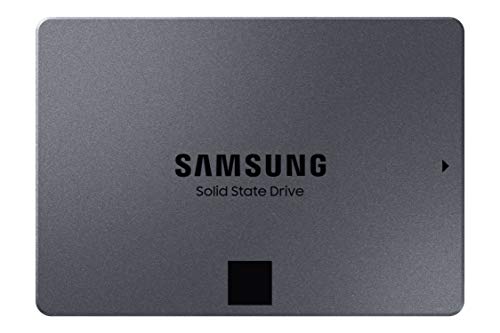
Representative 2026 hardware: a 7200rpm SAS HDD like the Seagate Exos X24 or WD Ultrastar HC580, a consumer SATA SSD like the Samsung 870 EVO or Crucial MX500, and an enterprise SATA SSD like the Samsung PM893 class.
| Spec | SAS HDD (24TB class) | SATA SSD (4TB consumer) | SATA SSD (3.84TB enterprise) |
|---|---|---|---|
| Interface | SAS-3 12Gb/s (SAS-4 on newest models) | SATA III 6Gb/s | SATA III 6Gb/s |
| Sequential read | ~285MB/s; ~550MB/s dual-actuator (Exos Mach.2) | ~560MB/s | ~550MB/s |
| Sequential write | ~270–285MB/s | ~500–530MB/s | ~520MB/s |
| 4K random read IOPS | ~150–200 (~300 dual-actuator) | ~80–100K | ~95–98K |
| Random latency | ~8–12ms | ~0.05–0.15ms | ~0.05–0.15ms |
| Endurance rating | 550TB/yr workload, 2.5M hr MTBF, URE 1 per 10^15 bits | ~2400TBW (~0.3 DWPD) | 1–3 DWPD depending on class |
| Warranty | 5 years | 5 years | 5 years |
| Capacity ceiling | 30TB+ (HAMR models) | 8TB | 7.68TB |
| Typical cost per TB | ~$18–23 | ~$60–75 | ~$100–150 |
| Active power / noise | 6–10W, audible seeks | 3–5W, silent | 3–4W, silent |
Sequential speed: the interface isn’t the bottleneck
SAS-3 moves 12Gb/s per port against SATA III’s 6Gb/s, but a spinning disk physically cannot fill either one — a modern 24TB SAS HDD tops out near 285MB/s, barely half of SATA III’s ~550MB/s real-world ceiling. The one exception is Seagate’s dual-actuator Mach.2 line, which behaves like two drives in one chassis and reaches ~520–550MB/s sequential.
Where SAS bandwidth genuinely matters is aggregation. A single x4 SAS wide port feeding an expander can push ~4.8GB/s across a dozen or more drives in a JBOD — that’s the architecture’s real advantage, not per-drive speed.
Worked example: say you need ~2GB/s of sustained sequential throughput for a multi-stream media array.
- SATA SSDs at ~540MB/s real-world: 2000 ÷ 540 ≈ 4 drives striped.
- SAS HDDs at ~280MB/s: 2000 ÷ 280 ≈ 8 drives.
- Dual-actuator HDDs at ~520MB/s: 4 drives, but at a price premium that erases the $/TB advantage.
The HDD path needs twice the spindles, twice the power, and a SAS HBA (~$80–250 for a Broadcom 9300- or 9400-series card) plus the correct SFF-8643-to-SFF-8482 cabling.
Latency is where the comparison ends
A 7200rpm drive needs ~4.16ms just for half a platter rotation, plus seek time — call it 8–12ms per random access, which caps a single actuator around 150–200 IOPS. A SATA SSD answers the same request in 50–150 microseconds, roughly 100x faster, delivering ~100K random read IOPS at queue depth.
This is the gap you actually feel. Game loading, level streaming, OS boot, and project files opening are all random-read-bound. A SATA SSD typically cuts game load times by half or better versus any hard drive, and no HDD firmware trick closes that distance — it’s physics, not optimization.
Endurance: two different scoreboards
Comparing “endurance” between these drives is misleading because they rate different failure mechanisms:
-
SSDs wear out by writes. A 4TB 870 EVO is rated 2400TBW, which over its 5-year warranty is 2400 ÷ 1825 days ≈ 1.3TB written per day, or ~0.33 DWPD. Enterprise SATA drives (PM893/PM897 class) spec 1–3 DWPD — a 3 DWPD 3.84TB drive allows ~11.5TB of writes daily.
-
HDDs don’t wear by writes — NAND-style write exhaustion doesn’t apply. The 550TB/year workload rating on Exos/Ultrastar drives (~1.5TB/day of combined I/O) is a duty-cycle and vibration rating; exceed it and the failure-rate model behind the warranty degrades.
-
HDDs fail catastrophically and unpredictably. The URE spec — one unrecoverable read error per 10^15 bits (~113TiB) — matters during RAID rebuilds. Rebuilding one 24TB member in a 4-drive RAID5 means reading ~72TB from the survivors; the spec math predicts ~0.6 expected unrecoverable reads during that window, on top of a 33–60+ hour rebuild at realistic ~150–200MB/s rebuild rates. This is why RAID6 (or RAID10) is standard practice on large HDD arrays — a single parity rebuild on 20TB+ members is genuinely risky.
An SSD rebuild of a 3.84TB member finishes in roughly 2–3 hours, and URE isn’t part of the conversation.
Cost per terabyte, with the math
- 24TB SAS HDD at ~$450–550: roughly $19–23/TB.
- 4TB consumer SATA SSD at ~$250–300: roughly $63–75/TB.
- 3.84TB enterprise SATA SSD at ~$420–580: roughly $110–150/TB.
The SSD costs about 3–4x per terabyte. Two hidden costs narrow it slightly: the HBA and cabling needed for SAS (~$100–300 all-in for a home build), and power. Running 24/7 for five years, an 8W HDD burns ~350kWh (~$50 at around $0/kWh) versus ~131kWh (~$20) for a 3W SSD — about $30/drive, which matters at NAS scale but never flips the $/TB gap.
Compatibility traps before you buy
- A SAS drive will never work on a motherboard SATA port. SATA data cables physically won’t mate with the SFF-8482 connector — you need a SAS HBA or RAID card. SATA power plugs do fit the power section.
- The reverse works fine: SATA drives, HDD or SSD, plug into SAS controllers and expanders without issue. Mixing them inside one RAID volume is possible but not recommended.
- Flash HBAs to IT (initiator-target) mode for software RAID or NAS use; IR mode is for hardware RAID volumes.
- Watch sector formats — some pulled OEM drives ship as 520-byte or 4Kn sectors that need reformatting before standard OSes accept them.
- SAS power management differs; some drives ignore SATA-style staggered spin-up, which matters on dense backplanes.
SATA III HDD vs SSD: same port, different world
If the actual question is a SATA 3 HDD versus a SATA SSD in the same bay — say in a laptop or a desktop with no SAS controller — the answer is simpler: they share the identical 6Gb/s port, but the SSD doubles sequential speed (~550 vs ~270MB/s), cuts latency ~100x, runs silent, and survives drops. The SATA HDD only wins on capacity per dollar above ~8TB. For a single storage bay in a PC, choose the SSD unless you’re building pure bulk storage.
Decision matrix
| Your situation | Buy | Why |
|---|---|---|
| OS drive, game library, general desktop | SATA SSD | ~100x lower latency, silent, cheap at ≤4TB |
| NAS/archive/media vault, 20TB+ per drive | SAS HDD | ~$20/TB vs ~$70+/TB, 550TB/yr duty rating |
| Existing SAS backplane or JBOD | SAS HDDs for bulk, SATA SSDs for hot data | SATA runs on SAS controllers; nothing runs SAS on SATA |
| RAID with members larger than ~8TB | SAS HDD, RAID6 minimum | URE exposure during long rebuilds |
| Database, logging, writes >1TB/day sustained | Enterprise SATA SSD (1–3 DWPD) | NAND endurance is actually rated for it; HDDs can’t match write IOPS |
| ~2GB/s sustained scratch target | 4 striped SATA SSDs (or NVMe) | Half the drives of an HDD array, no rebuild risk |
| Quiet living-room or SFF build | SATA SSD | HDD seeks are audible |
FAQ
Can I plug a SAS drive into my motherboard’s SATA port?
No. Despite similar-looking connectors, the protocols are incompatible and SATA cables won’t physically attach to a SAS drive’s data segment. You need a SAS HBA or RAID card plus the right cable.
Is SAS faster than SATA?
The interface is — 12Gb/s versus 6Gb/s, plus wide-port aggregation and better queuing. But a single SAS HDD can’t outrun its own platters, and even it loses to a SATA SSD on every real workload metric except $/TB.
SAS HDD or SATA SSD for gaming?
SATA SSD, without debate — though for a primary drive in 2026, a cheap NVMe SSD costs about the same as SATA and is faster still. Reserve the HDD tier for cold storage.
Bottom line
The SAS HDD vs SATA SSD comparison isn’t really close: the SSD wins speed by ~2x sequential and ~100x latency, wins rebuild safety, and wins silence. The SAS HDD wins one thing — roughly $20/TB at 24TB+ capacities — and wins it decisively. Buy the SSD for anything a human waits on; buy the SAS drive for anything measured in tens of terabytes.








