
The RX 7900 XTX is the better gaming card for most buyers, running about 15-25% faster than the RTX 3090 Ti in rasterized games while drawing about 95 W less, whereas the RTX 3090 Ti is the pick only for those who value DLSS, ray-tracing consistency and CUDA software support more than raw frame rate and efficiency.
Both cards carry 24 GB of VRAM and both were flagships, but they belong to different generations. The RTX 3090 Ti was Nvidia’s final Ampere card, launched in January 2022 at $1,999. The RX 7900 XTX launched in November 2022 at $999 as AMD’s first chiplet-based RDNA 3 flagship. In 2026 both are previous-generation hardware that mostly changes hands used.
As an Amazon Associate we earn from qualifying purchases at no extra cost to you.
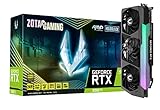


Our Top Picks


Top 3 picks at a glance
Spec Comparison
| Spec | RTX 3090 Ti | RX 7900 XTX |
|---|---|---|
| Architecture | Ampere (8 nm) | RDNA 3.0 (5 nm) |
| Release date | 27 January 2022 | 3 November 2022 |
| Launch MSRP | $1,999 | $999 |
| Shaders | 10752 CUDA cores | 6144 stream processors |
| Boost clock | 1860 MHz | 2498 MHz |
| VRAM | 24 GB GDDR6X | 24 GB GDDR6 |
| Bus / bandwidth | 384-bit / 1.01 TB/s | 384-bit / 960.0 GB/s |
| Cache | 6 MB L2 | 6 MB L2 + 96 MB L3 |
| TDP | 450 W | 355 W |
| Power connectors | 1x 16-pin | 2x 8-pin |
| Length / width | 336 mm / 3-slot | 287 mm / 2-slot |
| Outputs | 1x HDMI 2.1, 3x DP 1.4a | 1x HDMI 2.1a, 2x DP 2.1, 1x USB-C |
Raster Results: The XTX Pulls Ahead
According to TechPowerUp’s launch review, the RX 7900 XTX was 19% faster than the RTX 3090 Ti across its rasterized test suite. TechSpot (Hardware Unboxed) measured per-game 4K leads ranging from about 14% to 26%. Later comparisons on newer game lists land at around 20%.
- 1080p: often 10-15% in favor of the XTX, with both cards frequently limited by the CPU.
- 1440p: roughly 15-20%.
- 4K: roughly 18-25%, where both cards are most at home.
As a loose example, a game averaging about 75 fps at 4K high on the RTX 3090 Ti would typically run around 88-95 fps on the RX 7900 XTX. Real results vary by CPU, settings and game patch, and a few Nvidia-optimized titles narrow or flip the gap.
Ray Tracing: Roughly a Draw
Ray tracing is where the order changes. TechSpot’s review concluded that the RX 7900 XTX was only up to the RTX 3090 Ti’s level in ray-traced games. In some titles they matched exactly, while in Cyberpunk 2077 with heavy RT the XTX was about 20% slower. TechPowerUp’s data likewise showed the XTX losing much of its raster lead once RT was enabled.
The fair summary is that ray-traced performance is broadly even, with the RTX 3090 Ti winning in heavy RT and path-traced workloads and the XTX holding its own or leading in lighter RT implementations. Anyone who mostly plays path-traced games would see the RTX 3090 Ti as the more consistent performer.
Upscaling and Frame Generation
RTX 3090 Ti: DLSS 4 Super Resolution
The RTX 3090 Ti supports DLSS Super Resolution with the transformer model and Ray Reconstruction, which is a real advantage in image quality, particularly in Performance mode at 4K. It does not support DLSS Frame Generation, which requires an RTX 40 card or newer. It can still use FSR 3 frame generation in games that support it.
RX 7900 XTX: FSR 3.1 and Fluid Motion Frames
The RX 7900 XTX uses FSR 3.1 upscaling and frame generation, plus AMD Fluid Motion Frames, which add driver-level frame generation to many DirectX 11 and 12 games. FSR 4’s machine-learning upscaler was designed for the RX 9000 series, so XTX buyers should plan around FSR 3.1 in most titles.
In short: the RTX 3090 Ti has better upscaling quality, while the RX 7900 XTX has more native performance and broader frame-generation options.
24 GB vs 24 GB
VRAM is a tie at 24 GB, which is more than any current game needs at 4K. The RTX 3090 Ti’s GDDR6X gives slightly more raw bandwidth, while the XTX’s 96 MB Infinity Cache compensates. For gaming alone, memory will not separate these cards. For local AI models and some creative workloads, the 3090 Ti’s 24 GB combined with CUDA support is a meaningful advantage.
Power, PSU and Physical Size
This is the RTX 3090 Ti’s biggest weakness. Its 450 W rating is 95 W higher than the RX 7900 XTX’s 355 W, and it produces less performance in raster for that extra power.
PSU sizing worked example
- RTX 3090 Ti: 450 W + 150 W (high-end gaming CPU) + 150 W headroom = about 750 W. Nvidia recommended 850 W, and a quality ATX 3.0 or 3.1 850-1000 W unit is the realistic choice.
- RX 7900 XTX: 355 W + 150 W + 150 W = about 655 W, so a quality 800 W unit, matching AMD’s guidance, covers it.
Connectors and case fit
The RTX 3090 Ti uses a single 16-pin (12VHPWR) connector. Older power supplies need an adapter that typically takes three or four 8-pin cables, and the plug must be fully seated with no sharp bend right at the connector. The RX 7900 XTX reference card uses two standard 8-pin connectors, though some partner models use three.
Size differs substantially. The RTX 3090 Ti reference spec is 336 mm long and three slots thick, compared with 287 mm and two slots for the RX 7900 XTX reference design. Partner cards on both sides can be larger, so confirming case clearance and using a support bracket for heavy cards is sensible.
Value by the Numbers
At launch MSRP the gap was enormous. With the RTX 3090 Ti at 100 and the RX 7900 XTX at about 119 in raster:
- RTX 3090 Ti: 100 / $1,999 = 0.050 performance points per dollar.
- RX 7900 XTX: 119 / $999 = 0.119 performance points per dollar.
The XTX delivered about 2.4 times more raster performance per launch dollar. On the 2026 used market the gap is smaller: the RTX 3090 Ti typically sells for roughly $650-$800 and the RX 7900 XTX for roughly $650-$780, partly because the 3090 Ti’s 24 GB holds value with AI hobbyists. At similar prices the XTX is still the stronger pure gaming card.
Used buyers should check for coil whine, fan and thermal pad condition, and on the RTX 3090 Ti any signs of heat damage around the 16-pin connector.
Pick X If, Pick Y If
| Priority | RTX 3090 Ti | RX 7900 XTX |
|---|---|---|
| 4K raster frame rate | – | Pick it (about 20% faster) |
| Heavy RT and path tracing | Pick it | – |
| Upscaling image quality | Pick it (DLSS 4) | – |
| Power, heat and PSU cost | – | Pick it (95 W lower) |
| Local AI and CUDA tools | Pick it | – |
| Compact case | – | Pick it (2-slot, 287 mm reference) |
For buyers open to current hardware, the RTX 5070 Ti and RX 9070 XT deliver performance in a similar neighborhood with much lower power draw and newer upscaling (DLSS 4 frame generation or FSR 4), albeit with 16 GB of memory.
Driver and Software Considerations
Both cards remain supported by their manufacturers’ current drivers. Nvidia’s software stack brings Reflex latency reduction, NVENC encoding and broad CUDA support in creative tools. AMD’s Adrenalin suite offers Anti-Lag, Radeon Super Resolution and built-in tuning and undervolting controls that are easy to use. The XTX also adds AV1 hardware encoding, which the Ampere-based RTX 3090 Ti lacks.
Frequently Asked Questions
Is the RX 7900 XTX faster than the RTX 3090 Ti?
In rasterized games, yes. TechPowerUp measured the XTX about 19% faster at launch, and TechSpot found per-game leads of roughly 14-26% at 4K. In heavy ray tracing the RTX 3090 Ti is equal or ahead.
What PSU is needed for an RTX 3090 Ti?
Nvidia recommended an 850 W power supply. With a 450 W GPU and a high-end CPU, a quality 850-1000 W unit with a native 16-pin cable or a reliable adapter is the safe choice. Transient spikes on this card can exceed its rated power briefly.
Does the RTX 3090 Ti support DLSS 3 frame generation?
No. DLSS Frame Generation requires RTX 40-series or newer hardware. The RTX 3090 Ti does support DLSS 4 Super Resolution and Ray Reconstruction, and it can use FSR 3 frame generation in supported games.
Is 24 GB of VRAM useful for gaming?
For gaming alone, 24 GB is more than enough for 4K with maximum textures in 2026, and 16 GB covers nearly all titles. The extra memory mainly matters for local AI models, 3D rendering and heavy modding. Both cards have the same 24 GB capacity.
Which card runs cooler and quieter?
The RX 7900 XTX generally produces less heat because its rated power is 355 W against 450 W for the RTX 3090 Ti. Actual noise depends heavily on the partner cooler. Large triple-fan models of either card can be quiet, but the 3090 Ti puts more heat into the case.

