
As an Amazon Associate we earn from qualifying purchases at no extra cost to you.


When you’re shopping for solid state storage for a write heavy workload—constant video downloads, security camera footage, a home media server, or a scratch disk for photo editing—the flash memory type inside the drive matters more than most marketing pages admit. The real decision a buyer faces isn’t just capacity or brand loyalty. It’s whether multi-level cell (MLC) or triple-level cell (TLC) NAND flash better matches how hard you plan to push your drive, and whether the endurance premium of MLC justifies its higher cost per gigabyte. This guide breaks down the tradeoffs in plain terms so you can match the storage to your household’s actual usage instead of a spec sheet’s best case.
Our Top Picks
 Lufasnd 512GB M.2 NVMe SSD 2280 PCIe Gen4M.2 Standard Size3.15 x 0.87 x 0.36 Inches0 poundsCheck on Amazon
Top 3 picks at a glance
Quick Verdict
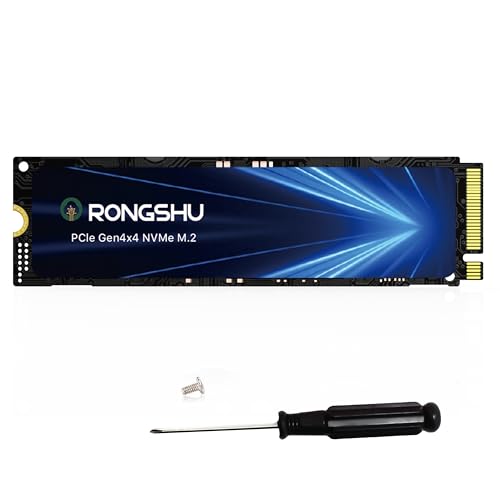
For pure write endurance under sustained, heavy workloads, MLC flash is the stronger choice—it typically offers roughly two to three times the program/erase cycle tolerance of TLC. But for most home users, modern TLC drives with SLC caching deliver dramatically better speed and capacity per dollar, and their endurance is far beyond what an ordinary household will ever reach. Choose MLC only if your workload genuinely involves terabytes of writes per month; otherwise, TLC is the smarter buy. If you want a concrete example of TLC performance at a fair price, the RONGSHU 1TB NVMe SSD M.2 PCIe 4.0 (around $150) pushes sequential reads up to 7,400 MB/s using SLC-cached 3D NAND TLC, while the Lufasnd 512GB M.2 NVMe SSD (about $99) offers a lighter-duty TLC option near $100.
Side by Side
| Factor | MLC SSD | TLC SSD |
|---|---|---|
| Bits per cell | 2 bits per cell | 3 bits per cell |
| Write endurance (typical consumer NAND) | Roughly 3,000–10,000 program/erase cycles | Roughly 500–3,000 program/erase cycles |
| Raw write speed (uncached) | More consistent; less slowdown after cache fills | Can drop noticeably once SLC cache is exhausted |
| Price per gigabyte | Higher; often around $0–around $0+ per GB for consumer/industrial parts | Lower; roughly $0–around $0 per GB for NVMe drives |
| Capacity availability | Limited; mostly industrial or older consumer stock | Widely available from 250 GB to 4 TB+ |
| Maintenance | Minimal; just monitor wear level | Minimal; keep 10–20% free for SLC cache to work |
| Power draw | Comparable, roughly 3–8 W active for a 2.5″ or M.2 drive | Comparable, roughly 3–8 W active; high-speed PCIe 4.0 models can spike higher |
| Form factor fit | Mostly 2.5″ SATA and microSD/SD industrial formats | Dominant in M.2 2280 NVMe and 2.5″ SATA |
| Resale value | Modest; niche demand from enthusiasts | Modest; high capacity TLC holds value slightly better |
| Best for | Constant, sustained writes: surveillance, logging, caching servers | General home use, gaming, OS drives, everyday media |
Where MLC Wins
MLC stores two bits per cell, which means each cell endures less electrical stress per write than a TLC cell cramming in three bits. Translate that to real terms: a 500 GB MLC drive rated at, say, 2,000 program/erase cycles per cell can tolerate dramatically more total data written before cells start failing. For a write heavy workload—think a home security NVR recording four cameras 24/7, a Plex server ingesting downloads daily, or a home lab running virtual machines—MLC’s wear tolerance gives you a genuine safety margin.
Consistency is the second advantage. MLC drives tend to maintain steadier write performance over time because fewer bits per cell means faster, simpler programming. TLC drives lean on SLC caching: writes go to a fast pseudo-SLC buffer first, then get rewritten into dense TLC storage in the background. When that cache fills during a long, sustained transfer, write speeds can fall to a fraction of the advertised number—sometimes under 500 MB/s on an otherwise fast drive. MLC, without needing to juggle as many voltage states, degrades more gracefully.
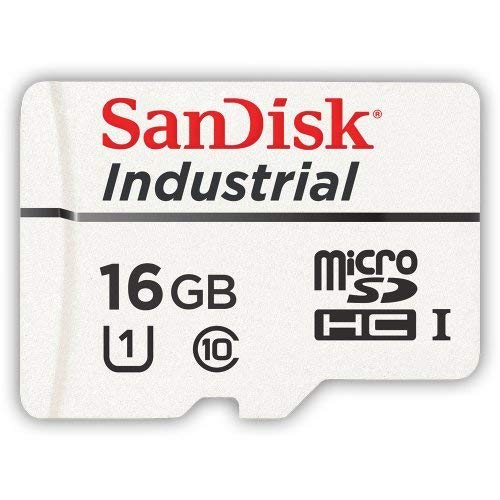
There’s also availability in small, rugged formats. The SanDisk 16GB Industrial MLC MicroSD card (around $79) is a good example of where MLC still makes sense—industrial-grade cards designed for dashcams, security cameras, and embedded devices where constant loop recording would wear out consumer TLC cards quickly. Similarly, the 10-pack of 32GB UHS-I MLC SD cards (about $98, or under $10 per card) suits photographers and videographers who want cards that survive years of repeated fills and rewrites.
Where Tlc Ssd for Write Heavy Workloads Wins
TLC’s headline advantage is density, and density means value. Because three bits fit where MLC fits two, manufacturers can sell you a 1 TB TLC drive for roughly the price of a 512 GB MLC drive—if you can even find consumer MLC at that capacity anymore. The RONGSHU 1TB NVMe SSD at around $150 delivers PCIe 4.0 speeds up to 7,400 MB/s sequential read; matching that capacity and interface in genuine MLC would cost several times more, if a consumer part existed at all.
Speed is the other big win for typical home use. Modern TLC drives with generous SLC caches feel instantaneous for everyday work—booting Windows in 10–15 seconds, launching games in a fraction of the time a hard drive needs, and handling bursty writes (saving files, installing apps, downloading a game patch) without breaking a sweat. A drive like the Lufasnd 512GB M.2 NVMe at around $99, rated up to 5,000 MB/s, is far faster than anything most households actually need.
Here’s the honest caveat on the “write heavy” question: most home workloads that feel heavy aren’t. Writing 50–100 GB per day—generous for a family PC—puts about 18–36 TB per year on a drive. A 1 TB TLC drive with a 600 TBW (terabytes written) rating would take well over 15 years to reach that limit. TLC only falls genuinely short when writes are sustained around the clock at high volume, which describes a surveillance recorder or busy server, not a family computer.
Cost Over 5 Years
Let’s model a realistic home scenario: 1 TB of storage, moderate-to-heavy use (roughly 30 TB written per year).
– TLC NVMe route: About $150 upfront for a drive like the RONGSHU 1TB. Over five years, wear is around 150 TB—well within a typical 600 TBW rating. Total: roughly $150, or about $30 per year. No replacement needed.
– Budget TLC route: The Lufasnd 512GB at around $99 covers lighter needs; for 1 TB you’d add a second drive or upgrade later, totaling around $200–$250 over five years.
– MLC route: Genuine MLC SSDs in 480 GB–1 TB capacities from industrial suppliers commonly run $200–$500 or more. The endurance headroom is real, but for 150 TB of writes over five years, you’re paying a premium for margin you likely won’t use.
– Small-format MLC (SD/microSD): The 10-pack of MLC SD cards at around $98 works out to about $10 per card; even replacing a heavily used camera card annually costs under $20 per year—cheap insurance for irreplaceable footage.
The pattern is clear: at consumer write volumes, TLC’s price advantage wins. MLC’s cost curve only crosses into “worth it” territory when monthly writes exceed several terabytes, sustained for years.
Which One for Your Home
Small Apartment
Space and budget are tight, so a single fast TLC NVMe drive is the answer. A 512 GB model like the Lufasnd at around $99 handles Windows, productivity apps, and a modest game library in a drive that weighs about 6–7 grams and occupies a sliver of a motherboard slot. If you shoot photos or video, add one or two MLC SD cards from the around $98 10-pack for durable offload storage—MLC’s endurance pays off on cards you rewrite constantly.
Family with Kids and Pets
Households with children generate surprising write volume: game installs, screen recordings, video calls, photo backups. A 1 TB TLC NVMe drive (around $150 for the RONGSHU) gives room to grow while keeping loads fast. For security cameras or a video baby monitor writing continuously to local storage, step up to an industrial MLC microSD card like the SanDisk 16GB at around $79—loop recording is exactly the workload that kills consumer TLC cards within a year or two.
Rental or Temporary Living
If you may move or downsize within a couple of years, don’t overinvest. A budget TLC drive in the $80–$130 range covers you completely—three to five years of typical use is well within TLC endurance. Portability matters more than endurance here: M.2 2280 drives at roughly 80 × 22 × 3.5 mm and a few grams slip into any modern laptop or a USB enclosure. Skip MLC entirely at this stage; the endurance premium serves no one in a short horizon.
Long-Term Home
Settled in for a decade or more? Build in tiers. A quality 1–2 TB TLC NVMe drive as your daily driver, plus an MLC-based recording solution for any always-on write duty like surveillance or a home server log drive. If you run a NAS or media server that ingests several terabytes monthly, this is the one scenario where seeking out MLC (or enterprise-grade TLC with high TBW ratings of 1,200 TBW and up) genuinely pays. Otherwise, budget $150–$300 for storage and expect it to outlast the computer it lives in.
FAQ
Does TLC really fail faster than MLC?
Per cell, yes—TLC tolerates fewer program/erase cycles. But drive-level failure is more often caused by controller issues, power loss, or simple age than by NAND wear. For typical home use, a quality TLC drive will outlive its useful life before wear becomes the limiting factor.
How much writing counts as “write heavy”?
A useful threshold: if your drive writes more than 1–2 TB per month, sustained, treat it as write heavy. That’s roughly 12–24 TBW per year—still manageable for a 1 TB TLC drive, but it’s the point where MLC or high-TBW enterprise TLC starts making sense.
Can I mix MLC and TLC devices in the same setup?
Absolutely. A common home setup pairs a TLC NVMe SSD for the operating system and games with MLC SD or microSD cards in cameras and recorders. They don’t interact; use each where its strengths fit.
Will prices change by 2026?
Flash pricing moves in cycles driven by manufacturing supply. TLC has been steadily falling in cost per gigabyte, while consumer MLC has largely disappeared as 3D NAND TLC improved. The safe bet is that TLC will remain the value choice, with MLC confined to industrial niches.









