
Choosing storage for your console sounds simple until you plug in a drive and realize your new PS5 or Xbox game will not launch from it. The most expensive mistake buyers make is assuming any portable SSD works the same way as internal storage. It does not. On both PlayStation 5 and Xbox Series X|S, you can play last-generation games directly from a USB drive, but current-generation titles must run from internal or officially approved expansion storage. A USB portable SSD is excellent for archiving, cold storage, and fast transfers, but it cannot replace internal high-speed storage for playing native current-gen games.
Other common missteps cost time and money. Buyers pay for headline speeds their console’s USB port cannot deliver, buy too little capacity and fill it in three installs, or grab a cheap external hard drive marketed as a “game drive” that uses a spinning disk inside and loads far slower than an SSD. This guide cuts through that confusion so you buy once for how you actually play in 2026.
As an Amazon Associate we earn from qualifying purchases at no extra cost to you.



Our Top Picks



Top 3 picks at a glance
Decide These 3 Things First
Before you compare specs, lock in these three decisions. They determine everything else.
1. What will you use the drive for: playing or parking? If you want to plug in and play immediately, you need internal M.2 expansion for PS5 like the WD_BLACK SN850P with heatsink, or the proprietary expansion card for Xbox. If you are okay with moving games back and forth, a USB portable SSD like the WD P40 Game Drive is ideal. You can store PS5 and Xbox Series X|S games on it, then copy them back to internal storage when you want to play, which is much faster than re-downloading a 80 to 150 GB title.
2. Which consoles do you need it for? A drive formatted for PS5 will need reformatting for Xbox, and vice versa. If you switch between PlayStation, Xbox, and PC, choose a drive that explicitly lists compatibility with all three and supports exFAT or allows quick reformatting. Drives pre-formatted for one console, such as some Avolusion models labeled PS5 Pre-Formatted, save setup time but limit plug-and-play flexibility.
3. How large is your active library? A single Call of Duty or Grand Theft Auto install can exceed 100 GB. If you rotate between 5 to 8 major titles plus indie games, 1TB disappears quickly. Be honest about whether you need room for 10 games now or 20 games over the next year. That answer points you to 1TB, 2TB, or 4TB.
Capacity: How Much Game Storage You Actually Need
Capacity is the first decisive factor because game sizes keep growing. Do not judge by the number on the box alone. Formatted usable space is typically about 7% less than advertised due to file system overhead, so a 1TB drive yields roughly 930 GB usable, and a 2TB drive yields about 1,860 GB usable.
For most console players, these ranges work:
- 500GB to 1TB: Good for archiving 4 to 8 PS4 / Xbox One games that you can play directly from USB, or for storing 3 to 6 current-gen titles for transfer. This is the minimum if you only play a few games at a time. It is tight if you keep large live-service games installed.
- 2TB: The sweet spot for most households. Holds 12 to 20 last-gen games playable from USB, or 10 to 15 current-gen games in cold storage. Enough to avoid constant deleting and re-downloading without overspending.
- 4TB: Best for large families, Game Pass or PlayStation Plus libraries, or if you archive everything. Handles 25 to 40 games depending on size. Costs more, but price per terabyte is often lower than 1TB.
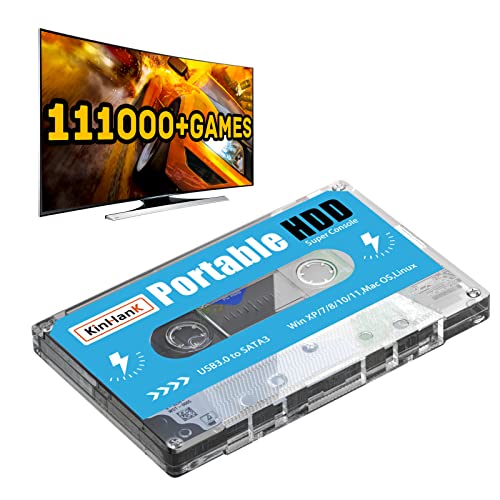
If you see a device advertising a huge library pre-loaded, such as a Kinhank drive with 111,000 retro games and a Batocera system, understand that is a completely different product category. Those are emulation drives for PC, not certified portable SSDs for native console game storage on PS5 or Xbox Series X|S. They will not play modern console titles and often use slower components.
Speed and Interface: What Your Console Can Really Use
Speed matters, but only within the limits of your console’s ports.
Most PS5 and Xbox Series X|S consoles have USB 3.2 Gen 1 ports that max out at 5 Gbps theoretical, which translates to real-world transfer rates of about 400 to 1,050 MB/s depending on the drive and cable. A portable SSD rated for 2,000 MB/s, such as the WD P40, will still be bottlenecked by that 5 Gbps port, but it will consistently hit the port’s ceiling and finish transfers faster than a drive rated for 540 MB/s. You will not get 7,300 MB/s from any USB portable drive – that speed is only possible from an internal NVMe M.2 drive like the SN850P installed in the PS5’s internal expansion slot with its PCIe 4.0 x4 interface.
What to look for:
- Interface: USB 3.2 Gen 2 (10 Gbps) or Gen 2×2 (20 Gbps) drives are backward compatible and worth buying for future PC use, but expect 5 Gbps performance on console. Ensure the drive includes a USB-C to USB-C and USB-C to USB-A cable so you have the right connection.
- Rated sequential speeds: For archiving and direct play of last-gen games, aim for at least 800 to 1,000 MB/s rated read. Budget SATA-based portable SSDs at 540 MB/s are usable but noticeably slower when moving a 100 GB game, taking roughly 3 to 4 minutes versus 1.5 to 2 minutes for a faster NVMe-based portable SSD.
- Random performance and cache: Manufacturers rarely publish IOPS for portable drives, but drives with DRAM or large SLC cache sustain speeds better during large transfers and handle many small files more smoothly.
Construction and Durability: What Holds Up to Real Life
A portable drive gets tossed in drawers, backpacks, and TV stands. Build quality affects longevity more than marketing features like RGB lighting.
Materials: Aluminum chassis dissipate heat better than full plastic, keeping sustained write speeds higher during a 200 GB bulk transfer. Plastic bodies are lighter at 45 to 80 grams versus 90 to 130 grams for metal, but they trap more heat. Look for an anodized aluminum shell with a silicone bumper or rubber base for shock absorption.
Size and weight: True portable SSDs are pocketable: roughly 100 to 110 mm long, 50 to 65 mm wide, 10 to 15 mm thick, and under 120 grams. If a “portable” drive is larger than a deck of cards or heavier than 200 grams, check whether it contains a 2.5-inch hard disk drive inside rather than flash. Avolusion’s HD250U3 models, for example, use a hard drive mechanism, which explains the lower price and larger chassis compared to an SSD.
Durability ratings: Concrete numbers to demand: shock resistance to at least 1500G / 1ms, vibration resistance, and drop protection from 1 to 2 meters. IP water resistance is rare and not needed for TV stand use, but a 2 to 5 year limited warranty signals confidence in the flash and controller.
Thermal design: Fanless is normal for portable SSDs. A drive that gets too hot will throttle. Metal enclosures and vented design help. Avoid covering the drive with cloth or stacking it on a hot console during long transfers.
Compatibility and Real-World Performance: Playing vs. Storing
This is where expectations must be set correctly.
PS5: You can play PS4 games directly from a USB portable SSD. You can store PS5 games on a USB drive, but you must copy them back to internal storage or an installed M.2 SSD like the SN850P to play them. Copying a 100 GB PS5 game from a good portable SSD back to internal storage typically takes 2 to 5 minutes over USB, versus 1 to 3 hours to re-download on a 100 to 300 Mbps internet connection.
Xbox Series X|S: Identical logic. Xbox One and non-optimized games play directly from USB. Xbox Series X|S optimized games must be played from internal storage or the official expansion card. You can store them on a USB portable SSD and use the fast move feature to transfer them back, which is much quicker than downloading.
File system and power: Consoles require specific formatting. PS5 will prompt to format as exFAT for extended storage, erasing all data. Xbox uses its own format for games. For power, portable SSDs draw very little, typically 2.5 to 4.5 watts under load and under 1 watt idle, all supplied over USB, so no external power brick is needed. Hard drive-based alternatives draw more at spin-up, up to 5 to 8 watts, and are more sensitive to movement.
If you need to play current-gen games directly without moving them, stop shopping for portable USB drives and install certified internal expansion. If your goal is to expand playable last-gen storage and create fast cold storage for current-gen titles, a portable SSD is the right tool.
Price Tiers: What to Expect to Pay
Pricing fluctuates with flash supply, but these American retail ranges are reliable anchors for portable and expansion SSDs:
- Budget $40 to $80: This range is dominated by portable hard drives up to 1TB to 2TB, like many Avolusion pre-formatted drives, and small low-speed portable SSDs at 500GB. They work for extra last-gen game capacity but load slower, are more fragile, and are not ideal for frequent large transfers. Be skeptical of any 1TB SSD advertised well under $50.
- Mid $90 to $210: The core portable SSD zone. Expect 1TB NVMe-based portable SSDs rated at 1,000 to 2,000 MB/s, metal chassis, and 3 to 5 year warranties. The WD P40 1TB at around $210 sits at the top of this tier with added features like RGB.
- Premium $230 to $500+: High-capacity 2TB to 4TB portable SSDs with 2,000 MB/s, or internal PS5-ready NVMe drives with heatsinks. The WD_BLACK SN850P 2TB at around $470 is an example of a premium internal expansion product that delivers up to 7,300 MB/s inside the console, not over USB. You pay for licensed compatibility, heatsink, and top-tier speed where it actually counts.
Do not judge on price alone. A around $39 emulation hard drive with thousands of retro titles is not comparable to a $150 portable SSD for console extended storage. Compare within the same technology type.
Warranty, Delivery, and Support
A drive that holds your entire library should be backed properly.
Warranty: Reputable portable SSDs carry 3 to 5 year limited warranties. Many portable hard drives carry 1 to 2 year warranties. Check whether the warranty covers the enclosure, the flash, or both, and whether registration is required within 30 days. Keep your receipt and serial number. Most warranties do not recover lost game data, so redundancy still matters.
Support and replacement: Look for brands with U.S.-based RMA service and advance replacement options. Read the fine print on rescue data recovery services; some premium drives include one attempt, others offer nothing.
Delivery and packaging: SSDs are not delicate in transit but packaging should include a molded tray, USB cables for both Type-A and Type-C, and a quick start guide. No assembly is required. Setup is plug-in, format when prompted on console, and set as default install location for compatible games. The whole process takes under 3 minutes. If you buy internal M.2 expansion, you will need a Phillips #1 screwdriver and about 10 minutes to remove the PS5 side panel and install the heatsink-equipped drive.
Spec Checklist
| Spec | Budget | Mid | Premium |
|---|---|---|---|
| Capacity (usable approx.) | 500GB – 1TB (465 – 930 GB) | 1TB – 2TB (930 – 1,860 GB) | 2TB – 4TB (1,860 – 3,720 GB) |
| Drive Type | Portable HDD or SATA SSD | NVMe Portable SSD | NVMe Portable SSD or Internal NVMe with heatsink |
| Rated Read Speed | 120 – 540 MB/s | 1,000 – 2,000 MB/s | 2,000 MB/s portable / up to 7,300 MB/s internal |
| Interface / Cable | USB 3.0 / 3.2 Gen 1, Type-A | USB 3.2 Gen 2, Type-C + Type-A cables included | USB 3.2 Gen 2×2 or PCIe 4.0 x4 M.2 with heatsink |
| Play Current-Gen Games Directly | No – store and transfer only | No – store and transfer only | Yes, if internal M.2 or Xbox expansion card |
| Materials / Weight | Plastic shell, 100 – 200+ grams | Aluminum + bumper, 60 – 120 grams | Aluminum + heatsink, 55 – 130 grams |
| Durability | Limited shock protection | 1500G shock, 2m drop tested | 1500G shock, 2m drop, thermal throttling protection |
| Power Draw | 5 – 8W (HDD) | 2.5 – 4.5W | 2.5 – 6.5W |
| Warranty | 1 – 2 years | 3 – 5 years | 5 years |
| Price Range | $40 – $80 | $90 – $210 | $230 – $500+ |
Red Flags
- Vague speed claims without interface details. If a listing says “ultra-fast” but does not list MB/s, USB generation, or NVMe vs SATA, assume slower components.
- No mention of console limitations. Any portable USB drive claiming to play PS5 or Xbox Series X|S native games directly from USB is misleading. Only internal expansion does that.
- Unrealistic capacity for the price. A 4TB portable SSD for $60 is almost certainly not an SSD. Verify the technology type and weight.
- Proprietary emulation systems bundled. Batocera or retro front-ends are for PCs, not for PS5 / Xbox extended storage. They indicate the product is not designed for native console use.
- Missing warranty length or cables. A new portable SSD should include both USB-C and USB-A cables and list a 3+ year warranty. If neither is specified, support will be thin.
- Requires external power or is unusually large. True portable SSDs are bus-powered and pocketable. If it needs a power adapter or is larger than 130 x 80 x 20 mm, it is likely a desktop hard drive in portable clothing.
FAQ
Can I play PS5 and Xbox Series X|S games directly from a portable SSD?
No. You can store them on a USB portable SSD to save space and avoid re-downloading, but you must copy them back to internal storage or approved expansion to play. You can play backward-compatible PS4 and Xbox One titles directly from a USB portable SSD, and they will load faster from an SSD than from a hard drive.
What is the difference between a portable SSD and an internal M.2 SSD for PS5?
A portable SSD connects via USB, is bus-powered, and is used for extended cold storage and last-gen play. An internal M.2 SSD installs inside the PS5 expansion slot and becomes part of the high-speed storage pool that can play PS5 games directly. Internal drives must meet Sony’s requirements: PCIe 4.0, 5,500 MB/s or higher sequential read recommended, and a heatsink that fits within 110 x 25 x 11.25 mm. The WD_BLACK SN850P is built specifically for that slot and includes the heatsink.
How fast will transfers actually be on my console?
Over the console’s 5 Gbps USB port, expect real-world transfers of roughly 400 to 900 MB/s with a good portable SSD, even if the drive is rated higher. That still means a 100 GB game moves in about 2 to 4 minutes. A SATA-based portable SSD at 540 MB/s or a hard drive at 120 to 140 MB/s will take noticeably longer, especially with many small files.
Do I need 1TB or 2TB for console game storage?
Choose 1TB if you rotate 4 to 8 games and primarily need space for PS4 or Xbox One titles you play from USB. Choose 2TB if you keep 10 or more games installed, subscribe to Game Pass or PlayStation Plus, or want to archive current-gen titles without re-downloading. If you share a console with family members, 2TB prevents constant space management. Consider 4TB only if you archive heavily and prefer to keep your full library portable.









