The best SSD for most gaming PCs in 2026 is a fast PCIe 4.0 NVMe drive such as the Samsung 990 Pro or WD_BLACK SN850X. Both are fast enough that real games load almost as quickly as on a PCIe 5.0 drive, and they cost noticeably less. Buy a PCIe 5.0 drive only if you move large files for work, and a SATA drive only for older systems or cheap bulk storage.
People who search for the best SSDs from sites like Tom’s Hardware usually want a short list they can trust and an explanation of why those drives win. Published review lists change as new drives launch and prices move, so this guide focuses on what stays true: the criteria that separate drives, the numbers behind them, and a matrix that maps your situation to a drive class. Specs below come from the manufacturers’ spec sheets. Always check current pricing and the latest independent reviews before buying.
As an Amazon Associate we earn from qualifying purchases at no extra cost to you.
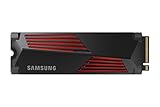


Our Top Picks
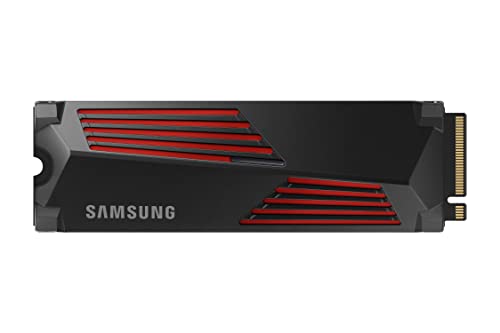


Top 3 picks at a glance
Quick comparison of the picks
| Pick | Best for | Interface | Rated seq. read / write | Endurance (2TB) | Price range |
|---|---|---|---|---|---|
| Samsung 990 Pro | Best overall | PCIe 4.0 x4 | up to 7,450 / 6,900 MB/s | 1,200 TBW | Mid-range to premium |
| WD_BLACK SN850X | Best for gaming and PS5 | PCIe 4.0 x4 | up to 7,300 / 6,600 MB/s | 1,200 TBW | Mid-range to premium |
| Samsung 990 EVO Plus | Best value NVMe | PCIe 4.0 x4 / 5.0 x2 | up to 7,250 / 6,300 MB/s | 1,200 TBW | Budget to mid-range |
| Crucial T705 / Samsung 9100 Pro | Best PCIe 5.0 | PCIe 5.0 x4 | up to 14,500-14,800 MB/s read | 1,200 TBW | Premium |
| Crucial MX500 | Best SATA | SATA III | up to 560 / 510 MB/s | 700 TBW | Budget |
| Samsung 870 EVO | Best SATA (endurance) | SATA III | up to 560 / 530 MB/s | 1,200 TBW | Budget to mid-range |
Speeds are the manufacturers’ “up to” figures at the 1TB-2TB tier and vary by capacity. Endurance is the manufacturer’s rating for the 2TB model.
Best overall: Samsung 990 Pro
The 990 Pro suits anyone who wants a fast, consistent system or game drive without paying PCIe 5.0 prices. It has a strong controller, good sustained write behavior and a 5-year warranty with 1,200 TBW at 2TB, per Samsung’s spec sheet. It is also available with a heatsink for PS5 use. The main trade-off is price: it usually costs more than value drives that feel identical in games.
Best for gaming and PS5: WD_BLACK SN850X
The SN850X is a long-running favorite for gaming because it is fast, widely available and offered in heatsink versions. Sony’s PS5 requirements call for an M.2 drive with at least 5,500 MB/s read speed and a heatsink, which this drive meets. The trade-off is that its real-world lead over cheaper PCIe 4.0 drives is small, so wait for a sale rather than paying a premium.
Best value NVMe: Samsung 990 EVO Plus
This is the sensible pick for a mid-range build or a second drive. It posts near-flagship sequential speeds with a lower price tag. The trade-off is weaker sustained write performance and lower random performance under heavy loads than the Pro-class drives. Gamers who mostly read data will rarely notice.
Best PCIe 5.0: Crucial T705 or Samsung 9100 Pro
These drives are for creators moving huge video projects, scratch disks and large datasets on a PCIe 5.0 M.2 slot. They run hot and need a good heatsink, and many motherboards limit airflow around the primary slot. The WD_BLACK SN8100 is another PCIe 5.0 option in the same class. The trade-off is simple: you pay a premium and add heat for gains that are rarely visible in games.
Best SATA: Crucial MX500 and Samsung 870 EVO
SATA drives top out near 550 MB/s because of the interface, so they only make sense for older PCs, laptops without an M.2 slot, or cheap bulk game storage. The MX500 is the budget choice, while the 870 EVO carries a higher endurance rating. Neither suits PS5 internal expansion, since the console needs NVMe.
How to choose: a decision matrix
| Your situation | Choose | Why |
|---|---|---|
| Gaming PC with a PCIe 4.0 M.2 slot | 990 Pro, SN850X or 990 EVO Plus | Games rarely saturate more than a fraction of PCIe 4.0 bandwidth |
| PS5 expansion | Heatsinked PCIe 4.0 drive, 1TB-2TB | Meets the 5,500 MB/s minimum and fits the bay |
| 4K video editing, large file transfers | PCIe 5.0 or high-end PCIe 4.0 with good sustained writes | Sustained speed matters more than peak |
| Older desktop with SATA ports only | MX500 or 870 EVO | NVMe is not supported |
| Laptop with one M.2 slot | Single-sided 2280 PCIe 4.0 drive | Thermals and height limits matter |
| Cheap extra game library | Budget DRAM-less NVMe or SATA | Capacity matters more than speed |
1. Capacity: buy more than you think
Modern AAA games commonly need 80 GB to 150 GB each. A 1TB drive is roughly 930 GB usable after formatting, minus Windows and apps (about 100 GB-150 GB). That leaves room for only about 5-8 big games. For a primary gaming drive, 2TB is the practical sweet spot. SSDs also slow down when nearly full, so aim to keep 10-20% free.
2. Worked example: endurance and cost per TB
Endurance ratings scare people unnecessarily. A 2TB drive rated at 1,200 TBW can take 1,200 terabytes of writes. If you write 50 GB per day, which is a heavy load covering game updates, installs and downloads, that is 1,200,000 GB divided by 50 GB, or 24,000 days. That is about 65 years. Even at 200 GB per day, it is about 16 years, longer than the warranty. A 700 TBW drive at 50 GB per day lasts about 38 years. For gaming, endurance rarely decides the purchase.
Compare cost per terabyte instead: divide the drive’s price by its capacity in TB. A 2TB drive often has a lower cost per TB than a 1TB model of the same line, so the bigger drive is usually the better value.
3. How much speed do games actually use?
Consider a 60 GB game level load. At 560 MB/s (SATA), reading 60 GB takes about 107 seconds in theory. At 7,000 MB/s (PCIe 4.0) it takes about 9 seconds, and at 14,000 MB/s (PCIe 5.0) about 4 seconds. Real loads are far shorter because games read only part of that data and the CPU decompresses assets, so loading time is mostly limited by the CPU and game engine. That is why the jump from SATA to NVMe is noticeable in installs and copies, but the jump from PCIe 4.0 to 5.0 is hard to see in play. DirectStorage helps in some titles, but few games exist where the extra bandwidth changes the experience.
4. Controller, DRAM and cache
Look for a drive with onboard DRAM or Host Memory Buffer support and a TLC NAND configuration. Budget QLC drives and DRAM-less designs can fall to a few hundred MB/s once their fast cache fills. That matters during large installs of 100 GB or more. Independent reviewers such as Tom’s Hardware test sustained writes by filling the drive, so check those graphs rather than the headline speed.
5. Heat and slot fit
PCIe 5.0 drives can throttle without a heatsink. Check your motherboard manual: many boards have a heatsink on the primary M.2 slot, but the second slot is often PCIe 3.0 or 4.0 and slower. Choose a single-sided drive for laptops and handhelds. Make sure the length is 2280 unless your device says otherwise.
Frequently Asked Questions
Is a PCIe 5.0 SSD worth it for gaming?
Usually not. Load times in current games are limited by the CPU and engine, so PCIe 5.0 rarely beats a good PCIe 4.0 drive in a meaningful way. It makes more sense for content creation, large file transfers and future-proofing, if you accept the extra heat and cost.
Should I buy an NVMe or SATA SSD?
Buy NVMe if your motherboard or laptop has a free M.2 slot, since prices are close to SATA for the same capacity. Choose SATA only if you have no M.2 slot or need a simple, cheap 2.5-inch drive for an older PC.
How much SSD capacity do I need for gaming?
For a main drive, 2TB is the practical target, since big games commonly need 80 GB to 150 GB. A 1TB drive works if you rotate installed games and keep 10-20% free. Add a second drive later if your library grows.
Do I need a heatsink for an NVMe SSD?
PCIe 4.0 drives are usually fine with a motherboard heatsink or the airflow in a normal case. PCIe 5.0 drives and PS5 installations should have a heatsink. Laptops usually rely on the chassis design, so a low-power drive is often the better fit.
How long do SSDs last?
Most consumer SSDs outlast their warranties. A 2TB drive rated at 1,200 TBW would take decades at typical gaming write rates. Back up important data anyway, because controller failure and power events can kill a drive without warning.
Can I use an SSD from a review list in a PS5?
Yes, if it is a PCIe 4.0 M.2 NVMe drive in the 2280 form factor that meets Sony’s 5,500 MB/s read requirement, and it has a heatsink that fits the bay. Check the thickness limit of the heatsink, and confirm the drive’s capacity is within the supported range, which is listed in Sony’s PS5 documentation.
Related guides
More from Amazon
Programs that pair well with the guide above. Offers and eligibility are set by Amazon and may change.
A free business account with business pricing and bulk-buying tools for work, shop or home office.
Create a business accountFree shipping on eligible items, Prime Video and more. Eligible new members can start with a free trial.
Start a Prime free trialAudiobooks and podcasts to listen to on the go. Eligible new members can start with a free trial.
Try Audible freeAd-free music streaming. Eligible new subscribers can start with a free trial.
Try Music Unlimited freeAs an Amazon Associate we earn from qualifying purchases.


