Encrypting your drive means that a lost or stolen laptop does not become a lost or stolen copy of your life. You have two broad ways to do it: let the SSD encrypt itself in hardware, or let the operating system encrypt data in software with a tool like BitLocker. They reach a similar destination by very different routes, and the right pick depends on your threat model and how much you trust the drive.
As an Amazon Associate we earn from qualifying purchases at no extra cost to you.


Our Top Picks
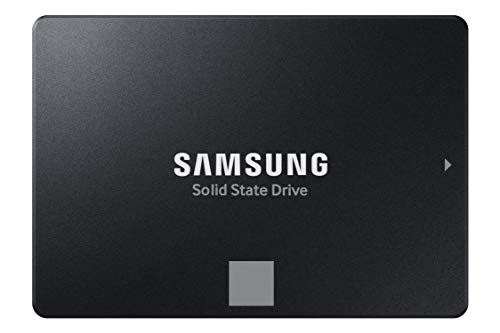 SAMSUNG 870 EVO SATA SSD 500GB 2.5” Internal0.5TB3.94 x 2.76 x 0.27 inches0.19 PoundsCheck on Amazon


Top 3 picks at a glance
How hardware encryption works
A self-encrypting drive, often labeled with the Opal standard, contains a dedicated controller that scrambles every byte as it hits the NAND. The encryption never stops; the data is always encrypted at rest. What a password unlocks is not the data itself but the key that decrypts it. Because a purpose-built chip does the work, there is essentially no performance penalty.
How software encryption works
BitLocker and similar tools encrypt and decrypt data using your CPU, ideally accelerated by the processor’s built-in AES instructions. The key is protected by your password and, on modern systems, sealed inside the TPM security chip so it unlocks automatically when the machine boots normally but stays locked if the drive is moved to another computer.
Head to head
| Factor | Hardware (SED/Opal) | BitLocker (software) |
|---|---|---|
| Performance impact | Effectively none | Small with AES-NI CPU |
| Works on any drive | Only SED drives | Any drive |
| Trust required | In drive firmware | In OS and TPM |
| Cross-machine portability | Drive-dependent | Recovery key portable |
| Setup complexity | Firmware/BIOS tools | Built into Windows Pro |
The trust problem with hardware encryption
Hardware encryption is only as good as the drive maker’s implementation, and history includes drives whose self-encryption had exploitable flaws that were invisible to the user. Because the process is a black box, you cannot audit it. Software encryption is scrutinized publicly and patched when weaknesses appear, which is why many security-conscious users prefer BitLocker to configure not to rely on the drive’s hardware.
Which should you use?
For most people, BitLocker on a modern CPU with AES acceleration is the practical choice: it is free on Windows Pro, transparent in daily use, and its integrity is well understood. Choose hardware encryption when you need zero performance overhead on a heavy write workload and you trust the specific drive’s certification. The two are not mutually exclusive; some setups layer software encryption on top for defense in depth.
Frequently asked questions
Does BitLocker slow down gaming?
On any CPU from the last decade with hardware AES support, the overhead is small enough that you will not notice it in games. The heaviest impact shows up in sustained large sequential transfers, and even there it is usually in single-digit percentages.
Can I encrypt an external SSD too?
Yes. BitLocker To Go handles external drives, and many portable SSDs ship with their own hardware encryption and PIN pads. Just remember your password or recovery key, because there is no back door; forgetting it means the data is gone for good.
Do not forget the recovery key
Whichever method you choose, the encryption is only as safe as your key management. BitLocker generates a recovery key when you enable it, and you must save that key somewhere separate from the encrypted machine, whether printed, stored in a password manager, or tied to a Microsoft account. Self-encrypting drives have their own credentials that behave the same way. The whole point of encryption is that there is no back door, so a forgotten password or lost recovery key means the data is mathematically unrecoverable. More people lose files to misplaced keys than to actual theft, so treat key backup as seriously as the encryption itself.
Bottom line
Hardware encryption is invisible and fast but asks you to trust a closed drive controller, while BitLocker is transparent, auditable, and nearly free on modern hardware at the cost of a tiny CPU load. For the average user, software encryption with a TPM strikes the best balance; reserve hardware encryption for performance-critical or certified deployments. Either way, encrypting is far better than not.









