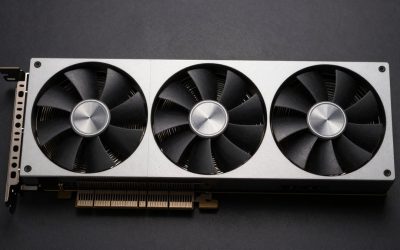
For most budget builds, especially any PC with a PCIe 3.0 motherboard, the GTX 1650 Super is the better pick, because it matches or beats the RX 6500 XT in games and does not lose performance on older platforms; the RX 6500 XT only makes sense on a PCIe 4.0 system, and preferably in its 8 GB version, where its extra memory and newer feature support give it an edge in VRAM-heavy games. Both are entry-level cards now, well below current budget options like the Arc B570, Arc B580, RTX 5050 and RX 9060 XT.
On paper the RX 6500 XT looks like the newer, faster card: it arrived in January 2022 at $199 with a 6 nm chip and boost clocks over 2.8 GHz. In practice its heavily trimmed design, with a 64-bit memory bus and only four PCIe lanes, held it back so much that Hardware Unboxed’s launch review was titled around how disappointing it was. The 2019 GTX 1650 Super, a simpler Turing card, still trades blows with it.
As an Amazon Associate we earn from qualifying purchases at no extra cost to you.


Our Top Picks
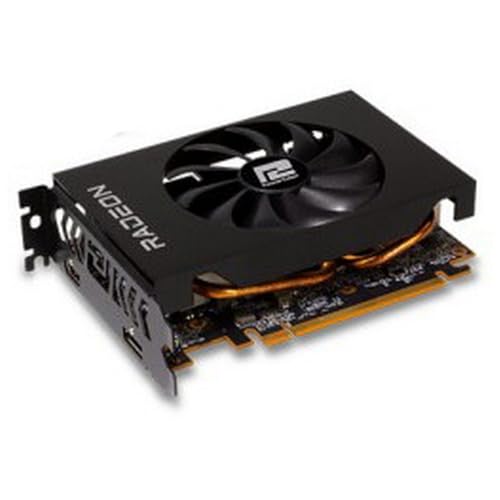

Top 3 picks at a glance
Spec Comparison
| Specification | GeForce GTX 1650 Super | Radeon RX 6500 XT |
|---|---|---|
| Architecture | Turing | RDNA 2.0 |
| Release date | 22 November 2019 | 19 January 2022 |
| Shaders | 1280 CUDA cores | 1024 stream processors |
| Boost clock | 1725 MHz | 2815 MHz |
| Process | 12 nm | 6 nm |
| TDP | 100 W | 107 W |
| VRAM | 4 GB GDDR6 | Up to 8 GB GDDR6 (4 GB at launch) |
| Memory bus | 128-bit | 64-bit |
| Bandwidth | 192.0 GB/s | 143.9 GB/s |
| Cache | 1024 KB L2 | 1024 KB L2 + 16 MB Infinity Cache |
| Interface | PCIe 3.0 x16 | PCIe 4.0 x4 |
| Power connectors | 1x 6-pin | 1x 6-pin |
| Size | 229 mm, 2-slot | 2-slot |
| Display outputs | 1x DVI, 1x HDMI, 1x DisplayPort | 1x HDMI 2.1, 1x DisplayPort 1.4a |
The key rows are memory bus and interface. The RX 6500 XT has a 64-bit bus and a PCIe 4.0 x4 link. When a game runs out of its VRAM, it has to pull data over PCIe, and four lanes is a narrow pipe. On a PCIe 3.0 board, that pipe is cut in half again.
Gaming Performance: PCIe Version Decides the Result
Tom’s Hardware’s head-to-head found the two cards close at 1080p medium, with the GTX 1650 Super slightly ahead on average across eight games, and the 1650 Super about 35% faster at 1440p ultra, where the 6500 XT’s narrow memory system struggles. Tom’s also measured the RX 6500 XT about 9% slower overall when moved from PCIe 4.0 to PCIe 3.0, with some games up to 40% slower.
Hardware Unboxed/TechSpot found the same pattern. On PCIe 3.0, the GTX 1650 Super was up to 16% faster in one title at launch, and in the worst cases the 6500 XT lost much more, with 1% lows hit hardest. Their later revisit still had the 1650 Super ahead in several newer games such as Starfield and Cyberpunk 2077 on PCIe 3.0, while the two were roughly even in Forza Motorsport on PCIe 4.0.
Approximate expectations, which vary with settings, CPU and patch:
- 1080p low/medium, PCIe 4.0: roughly a tie. Many esports titles run comfortably above 60 fps on either card.
- 1080p low/medium, PCIe 3.0: the 1650 Super is usually ahead, sometimes clearly, with smoother frame times.
- 1080p high or 1440p: both struggle in modern AAA games. The 4 GB cards hit VRAM limits; the 8 GB RX 6500 XT on PCIe 4.0 holds up better.
Ray Tracing and Upscaling
Neither card is a ray tracing option. The GTX 1650 Super has no RT hardware at all. The RX 6500 XT technically supports DirectX Raytracing, but its performance makes it impractical in real games.
Upscaling and frame generation:
- GTX 1650 Super: no Tensor cores, so no DLSS. It can use FSR 2, FSR 3 (including frame generation in supported games) and XeSS through its DP4a path, plus Nvidia Image Scaling.
- RX 6500 XT: FSR 2 and FSR 3 with frame generation, plus AMD Fluid Motion Frames at the driver level, which the GeForce cannot use. FSR 4 is limited to RX 9000 cards.
Upscaling helps both cards more than anything else in new games; running FSR Quality or Balanced at 1080p is often the difference between playable and not.
VRAM: 4 GB Is the Real Ceiling
In 2026, 4 GB is the bottom of the barrel for new games. Many current titles want 6-8 GB at 1080p medium textures. A quick reference:
- Esports and older games at 1080p: 4 GB is still fine.
- Modern AAA at 1080p low/medium: 6-8 GB is preferred; 4 GB cards need the lowest texture settings and still stutter in some games.
- Anything above 1080p: 8 GB minimum.
This is where the 8 GB variant of the RX 6500 XT earns its place. It reduces how often the card spills data over its narrow PCIe link, which softens its biggest weakness. The 4 GB RX 6500 XT gets the worst of both worlds: limited memory and a narrow link to fall back on.
Other Limitations Worth Knowing
- Media engine: the RX 6500 XT lacks hardware video encoding and AV1 decode. For streaming or recording with GPU encoding, the GTX 1650 Super’s NVENC is the better tool.
- Display outputs: the RX 6500 XT has only two outputs (HDMI 2.1 and DisplayPort 1.4a). The 1650 Super offers three, including DVI for older monitors.
- Age and support: the RX 6500 XT is newer and RDNA 2 receives regular driver updates. The 1650 Super is a Turing card and still supported, but it is the older design.
Power, PSU and Fit
Both are low-power cards: 100 W for the GTX 1650 Super and 107 W for the RX 6500 XT, each with a single 6-pin connector. PSU sizing:
- GTX 1650 Super: 100 W + ~95 W for a budget gaming CPU + ~150 W headroom = about 345 W, so a quality 400-450 W unit.
- RX 6500 XT: 107 W + ~95 W + ~150 W = about 350 W, so a quality 400-450 W unit.
Both are dual-slot cards. The GTX 1650 Super reference length is 229 mm, and many RX 6500 XT models are similarly compact, which makes either a good fit for small cases and office-PC upgrades, provided the power supply has a 6-pin PCIe connector.
How to Check Your PCIe Version
Because the RX 6500 XT’s result depends so heavily on the slot it sits in, it is worth confirming your platform before buying. The PCIe generation is set by both the CPU and the motherboard chipset. As a general guide, Intel 10th-gen and older desktop processors run PCIe 3.0, while Intel 11th-gen and newer support PCIe 4.0 on compatible boards. On AMD, Ryzen 3000 and 5000 desktop CPUs support PCIe 4.0 only on X570, B550 and newer boards, while B450 and A320 boards stay at PCIe 3.0. Ryzen APUs such as the 5600G and 5700G are limited to PCIe 3.0 regardless of the board.
Free tools like GPU-Z show the current link speed and width for an installed card. If the reading shows PCIe 3.0 or the board manual lists only 3.0 for the main slot, the GTX 1650 Super is the more consistent performer.
Pick X If, Pick Y If
| Situation | Pick |
|---|---|
| PCIe 3.0 motherboard (Intel 10th gen and older, Ryzen 3000G/4000/5000G APUs, B450/A320 boards) | GTX 1650 Super |
| Streaming or recording with GPU encoding | GTX 1650 Super |
| Three monitors or a DVI display | GTX 1650 Super |
| PCIe 4.0 platform and the 8 GB RX 6500 XT at a similar price | RX 6500 XT 8 GB |
| Want driver-level frame generation (AFMF) | RX 6500 XT |
| Budget can stretch further | Neither: Arc B570/B580, RTX 5050 or RX 9060 XT |
Used-Market Notes
The GTX 1650 Super is only sold used now, usually around $70-$110 depending on condition. The RX 6500 XT can still turn up new in some regions and used for around $80-$130, with 8 GB versions at the higher end. At those prices, the cost of moving up to a used RX 6600 or a new Arc B570 is often small, and either is a much larger step forward than choosing between these two.
Frequently Asked Questions
Is the RX 6500 XT faster than the GTX 1650 Super?
Only in some cases, and mainly on PCIe 4.0 systems. Tom’s Hardware found the two close at 1080p medium, with the 1650 Super ahead on average and well ahead at higher settings. On PCIe 3.0 boards the 1650 Super is usually the faster card.
Does the RX 6500 XT work on a PCIe 3.0 motherboard?
It works, but it loses performance because its x4 link is cut to PCIe 3.0 bandwidth. Reviews measured average losses around 9%, with some games much worse and 1% lows hit hardest.
Can the GTX 1650 Super use DLSS?
No. DLSS needs Tensor cores, which GTX cards lack. It can use FSR and XeSS upscaling in games that support them.
Is 4 GB of VRAM enough in 2026?
For esports titles and older games at 1080p, yes. For new AAA games, 4 GB forces the lowest texture settings and can still cause stutter. An 8 GB card is the minimum recommendation for modern releases.
What PSU do I need for these cards?
A quality 400-450 W power supply with one 6-pin PCIe connector is enough for either card with a budget gaming CPU.
Related guides
More from Amazon
Programs that pair well with the guide above. Offers and eligibility are set by Amazon and may change.
A free business account with business pricing and bulk-buying tools for work, shop or home office.
Create a business accountFree shipping on eligible items, Prime Video and more. Eligible new members can start with a free trial.
Start a Prime free trialAudiobooks and podcasts to listen to on the go. Eligible new members can start with a free trial.
Try Audible freeAd-free music streaming. Eligible new subscribers can start with a free trial.
Try Music Unlimited freeAs an Amazon Associate we earn from qualifying purchases.