
Building a seamless modern home office or living room entertainment hub requires more than just ergonomic desks and stylish minimalist media consoles. Behind every clutter-free workstation, home media server, and gaming setup sits a crucial workhorse: internal storage. When upgrading your primary workstation or home entertainment PC, you will inevitably encounter a fundamental technology fork in the road: DRAMless versus DRAM-equipped NVMe SSDs.
For years, home tech enthusiasts insisted that an onboard Dynamic Random-Access Memory (DRAM) chip was mandatory for any respectable solid-state drive. However, advances in Host Memory Buffer (HMB) architecture have rewritten the rules for home computing. Today, choosing between a DRAMless drive and one with a dedicated DRAM cache comes down to your spatial setup, thermal management tolerance, daily workload intensity, and overall budget. Understanding how these drive architectures perform in everyday home environments will help you design an office or media center that runs silently, stays cool, and handles your family’s data needs effortlessly.
As an Amazon Associate we earn from qualifying purchases at no extra cost to you.


Our Top Picks


Top 3 picks at a glance
Quick Verdict
If you need a secondary storage drive for movies, casual photo archives, living room media rigs, or everyday family computing, a modern DRAMless NVMe SSD offers incredible value, running cooler and consuming under 4 to 5 watts of power. However, if your home office doubles as a creative studio handling multi-gigabyte 4K video exports, heavy database management, or intense gaming sessions, investing in a DRAM-equipped NVMe SSD ensures sustained transfer speeds above 6,000 MB/s without thermal throttling or performance drops during massive file transfers.
Side by Side
To help you evaluate how these two solid-state drive architectures fit into your personal living space and technical budget, we have categorized their key characteristics across essential practical criteria.
| Feature Category | DRAMless NVMe SSDs | DRAM-Equipped NVMe SSDs |
|---|---|---|
| Comfort & Thermal Control | Low heat output (approx. 3.5W–5.5W power draw); ideal for fanless or compact mini PCs. | Higher heat generation (approx. 6W–9W power draw); requires dedicated heatsinks or airflow. |
| Durability & Endurance | Standard write endurance (typically 300 to 600 TBW per 1TB capacity). | High sustained write endurance (typically 600 to 1,200+ TBW per 1TB capacity). |
| Price Range | Budget-friendly ($150 – $490 depending on 1TB to 4TB capacity). | Premium tier ($180 – $550+ depending on capacity and cache size). |
| Maintenance & Upkeep | Plug-and-play; minimal cooling hardware required; driver-light operation. | May require thermal pad replacements, bulky heatsink clearance, and dedicated passive airflow. |
| Space Needed | Ultra-slim standard M.2 2280 single-sided footprint (22mm x 80mm x 2.25mm). | Standard M.2 2280, often double-sided or paired with 10mm–15mm tall aluminum heatsinks. |
| Visual Look | Sleek, low-profile black or metallic PCB stick; easy to hide under motherboard shields. | Industrial look, often featuring aggressive copper heat spreaders or chunky cooling fins. |
| Resale & Repurposing | Great for repurposing into external USB-C enclosures for home back-ups. | High resale value among PC builders, workstation designers, and console enthusiasts. |
| Best For | Everyday family PCs, small form factor home theater rigs, light gaming, content streaming. | Professional home studios, heavy 4K/8K video editing, large database servers, console upgrades. |
Where Dramless Wins
DRAMless drives have transformed from budget compromises into smart, highly efficient choices for modern living spaces. In early solid-state drives, omitting onboard DRAM meant severe speed bottlenecks because the drive lacked a fast index map of where files resided. Today, DRAMless drives leverage Host Memory Buffer (HMB) technology, borrowing a tiny fraction (typically 16MB to 64MB) of your host system’s main RAM to manage the lookup table. This allows drives to achieve blistering burst read speeds up to 7,400 MB/s while keeping hardware costs down.
One primary advantage in a home environment is thermal efficiency and power consumption. Modern DRAMless options, such as the Kingston NV3 1TB M.2 2280 NVMe SSD ($156), deliver peak read speeds up to 6000 MB/s while operating at significantly lower wattage than traditional cached drives. Because there is no dedicated DRAM chip consuming power continuously, these drives produce far less ambient ambient heat. This makes them ideal for ultra-compact Mini-ITX home office builds, fanless home media players, or sleek thin-and-light laptops used around the house.
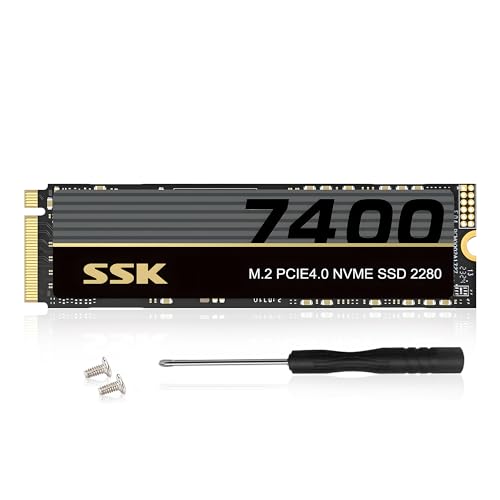
Capacity per dollar is another huge win for DRAMless architecture. When organizing large digital archives, photo libraries, or smart home security footage, raw storage space often takes precedence over sustained write speeds. High-capacity options like the SSK M.2 NVMe SSD 2TB PCIe Gen 4.0 x4 M.2 2280 Internal SSD (around $280) and the massive SSK M.2 NVMe SSD 4TB PCIe Gen 4.0 x4 M.2 2280 Internal SSD (around $490) demonstrate how DRAMless drives can provide massive, high-speed storage pools under 7,400 MB/s without forcing homeowners into expensive enterprise-tier pricing. For 90% of everyday tasks—booting Windows, opening desktop apps, streaming 4K movies, and launching video games—a DRAMless HMB drive feels completely indistinguishable from its more expensive counterparts.
Where Dram Nvme Ssds Wins
While DRAMless drives excel at burst performance and daily task management, DRAM-equipped NVMe SSDs remain the undisputed kings of sustained, uninterrupted performance. An onboard DRAM chip functions as an ultra-fast, dedicated highway map for your drive’s NAND flash memory. It allows the drive controller to immediately know where data lives without having to communicate back and forth with the system RAM across the PCIe bus.
This dedicated memory pool becomes essential during long, uninterrupted write operations. When exporting a 100GB 4K video project in your home studio, unzipping large compressed archives, or transferring a massive game library, a DRAMless drive will eventually fill its temporary SLC cache and drop in speed—sometimes down to SATA-level speeds of 300 to 500 MB/s. In contrast, a drive with a dedicated onboard DRAM cache maintains rapid, uniform transfer rates throughout the entire process.
DRAM-equipped drives also shine in heavy multitasking environments and modern gaming hardware. A prime example is the Predator M.2 SSD 2TB GM7000 with DRAM cache NVMe 1.4 (around $370), which pairs ultra-high-speed performance (maximum read: 7400MB/s, max write: 6700MB/s) with onboard cache memory. This hardware configuration is specifically designed to meet the rigorous demands of sustained high-speed data delivery, making it ideal for high-end gaming rigs and console expansion slots like the PS5 Pro. Furthermore, dedicated DRAM reduces write amplification on the flash memory chips, extending overall drive life and long-term data integrity for critical work files.
Cost Over 5 Years
When calculating the true cost of home technology investments, it is helpful to look beyond the sticker price and consider a five-year ownership horizon. Looking ahead through 2026, storage demands for multi-gigabyte applications and high-resolution camera media will only increase, making long-term value vital.
DRAMless drives present a very low initial acquisition cost ($150 to $489 across standard capacities) and consume roughly 1.5 to 2 watts less operational power under active loads. Over five years in a home server or always-on desktop, this power difference equals modest energy savings while keeping internal case temperatures lower, extending the lifespan of neighboring components like power supplies and graphics cards.
Conversely, DRAM-equipped drives carry a 20% to 35% price premium up front ($360+ for high-performance 2TB models). However, their superior drive write endurance (measured in Terabytes Written or TBW) means they are far less likely to wear out under continuous, heavy creative work. If your home workflow involves daily heavy file writes, spending more initially on a DRAM-backed drive prevents premature drive failure and avoids the cost and hassle of replacing drives mid-lifecycle.
Which One for Your Home
Small Apartment
In a compact apartment or studio setting where space is tight, quiet operation and minimal heat output are essential. A DRAMless NVMe SSD installed in a small-form-factor mini PC or modern ultra-thin laptop keeps system fans quiet, allowing you to work or watch movies peacefully without intrusive cooling noise.
Family with Kids/Pets
For a shared family computer or living room media center that handles homework, web browsing, streaming, and casual gaming, durability and value are key. A mid-to-high capacity DRAMless drive like a 2TB or 4TB model provides plenty of space for family photos, school projects, and shared entertainment libraries without overspending on professional workstation features.
Rental
If you live in a rental home where you might move your tech setup frequently, versatility matters. A single-sided DRAMless drive fits easily into almost any system, including external USB-C drive enclosures, making it simple to pack up, back up, and transfer your personal data across different machines wherever you move.
Long-Term Home
If you own a dedicated home office, creative studio, or custom-built entertainment theater, stability and uncompromised performance take priority. Installing a high-tier DRAM-equipped drive like the Predator GM7000 as your primary boot drive ensures your workstation handles massive video renders, continuous background backups, and high-end gaming seamlessly for years to come.
FAQ
Do DRAMless NVMe drives slow down when they get full?
Yes, DRAMless drives can experience performance slowdowns when filled beyond 85% to 90% capacity. Because they rely on a temporary SLC cache created from free flash space, running out of free capacity reduces their ability to cushion large file writes, causing transfer speeds to drop until the drive completes background garbage collection.
Can I use a DRAMless SSD in a PlayStation 5 or PS5 Pro console?
While some fast Gen4 DRAMless drives meet the raw read speed requirements for PS5 expansion, Sony recommends drives with robust thermal management and sustained transfer consistency. A DRAM-equipped Gen4 drive with an integrated heatsink remains the ideal choice to prevent stuttering during intense, asset-heavy gameplay sessions.
Does Host Memory Buffer (HMB) slow down my computer’s main RAM?
No, HMB uses an imperceptible amount of system RAM—typically between 16MB and 64MB out of your system’s 16GB or 32GB total memory. The impact on system memory performance or available memory bandwidth is completely negligible during everyday home computing tasks.
How do I know if an SSD has DRAM or is DRAMless?
Manufacturers usually highlight onboard DRAM in product specifications (e.g., “DDR4 Cache” or “DRAM Cache”). If a drive listing emphasizes “HMB Tech,” “Host Memory Buffer,” or leaves out any mention of memory cache chips entirely, it is almost certainly a DRAMless drive design.









