
When your primary broadband connection drops during a work video call or a critical upload, the clock becomes the enemy. Most home users discover their internet redundancy options too late, scrambling to tether a phone while a deadline evaporates. The best LTE5G backup routers for home internet redundancy solve a specific problem: they keep your network alive when your ISP fails, without requiring you to reconfigure every device on your LAN.
What separates a genuinely useful backup router from a pocket hotspot you will forget in a drawer comes down to three things. First, it needs to integrate with your existing router via Ethernet, not force you onto a separate Wi-Fi network. Second, it should trigger automatically or near-instantly when your primary connection fails. Third, it must sustain enough throughput for the applications you actually rely on. Many products in this category are honest pocket hotspots; a few are proper failover gateways, and understanding which is which matters more than raw speed claims.
As an Amazon Associate we earn from qualifying purchases at no extra cost to you.


Our Top Picks




Top 3 picks at a glance
Quick Picks
| Product | Best for | Price |
|---|---|---|
| RedLINK Internet Gateway | Integrated home failover | Check on Amazon |
| Cudy LT500 | Full router replacement with 4G | Check on Amazon |
| TM-RTL0102 (Renewed) | T-Mobile prepaid backup on a budget | Check on Amazon |
| KiwiSIM 4G LTE | Portable backup with starter data | Check on Amazon |
| 4G LTE USB Modem | Emergency backup via existing router | Check on Amazon |
| KuWFi 4G LTE Hotspot | Multi-band roaming and travel | Check on Amazon |
| Netgear Unite Express Explorer 2 | AT&T GSM unlocked reliability | $53 |
| Verizon LTE Home Router (Renewed) | Verizon prepaid failover | n/a |
How We Compared
We evaluated each product on failover readiness (does it have Ethernet WAN and can it slot into your existing network?), sustained real-world throughput, and setup friction. Carrier lock and band support matter enormously because a backup router is worthless if it cannot reach a cell tower in your specific area. We also weighted whether the unit includes its own Wi-Fi or requires an upstream router, since that distinction determines whether you are buying a gateway or a dongle.
The 8 Best LTE5G Backup Routers For Home Internet Redundancy in 2026
RedLINK Internet Gateway
The RedLINK is the closest thing on this list to a purpose-built failover gateway. It is designed to sit between your main router and your ISP modem, monitoring the primary connection and switching to cellular when it drops. This means your existing Wi-Fi network, device IPs, and smart-home integrations stay untouched during a failover event.
- Pro: True automatic failover without reconfiguring your LAN.
- Pro: Form factor and port layout suit a shelf or rack mount next to existing gear.
- Con: Premium price point relative to the others here, and it requires a separate data plan.
Skip this if your primary need is a portable hotspot for travel rather than a stationary home backup. It is overkill for users who just want a phone-tether alternative.
Cudy 4G Cat 4 AC1200 Wi-Fi 5 Router, LT500
The Cudy LT500 functions as a complete router with a built-in 4G Cat 4 modem. It gives you AC1200-class Wi-Fi across dual bands and four Fast Ethernet ports, so it can replace your primary router entirely while providing cellular as either the main or backup uplink. For the price, the feature set is remarkably generous.
- Pro: Full router functionality means one device handles Wi-Fi, switching, and cellular failover.
- Pro: Fast Ethernet ports cover basic needs; no additional switch required for small networks.
- Con: Cat 4 caps you at 150 Mbps down; not suitable for bandwidth-heavy households.
Skip this if you need Gigabit Ethernet or Wi-Fi 6 for a large home. It fits apartments and small offices best.
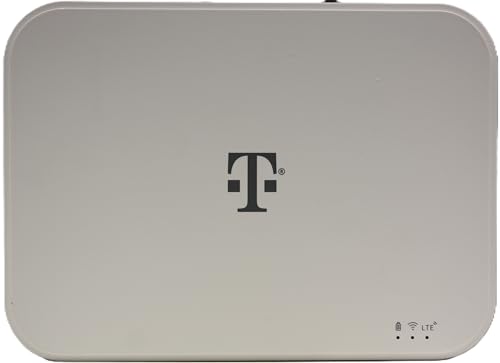
LTE Wi-Fi Gateway Router TM-RTL0102 (Renewed)
This renewed T-Mobile gateway is a straightforward, no-frills option for anyone already on T-Mobile’s network. It plugs in, you activate a SIM, and you get Wi-Fi for your local network. At under forty dollars renewed, the value proposition is hard to argue with for basic redundancy.
- Pro: Lowest entry cost for a gateway-class device with Wi-Fi included.
- Pro: T-Mobile lock means simple activation if you already have their service.
- Con: Renewed units carry battery and cosmetic risks; no warranty clarity beyond seller policy.
Skip this if you are not on T-Mobile or need multi-carrier flexibility. The carrier lock is absolute.
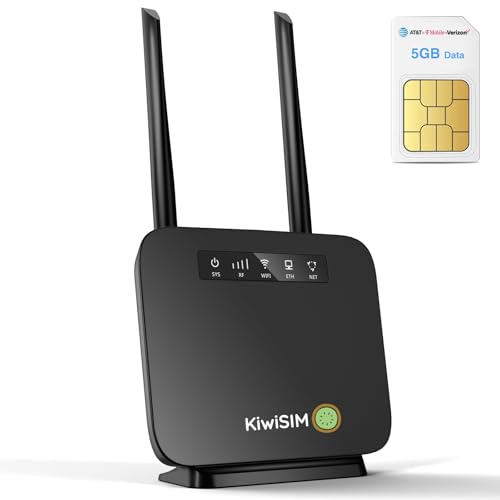
KiwiSIM 4G LTE WiFi Router with 5GB Data Card
The KiwiSIM bundles a portable 4G router with a starter 5GB data card, making it one of the few options where you can test the concept before committing to a monthly plan. It advertises 300 Mbps throughput and supports multiple connected devices.
- Pro: Bundled data card removes the “what plan do I need?” friction for first-time buyers.
- Pro: Compact and truly portable; useful beyond the home as a travel companion.
- Con: No Ethernet port means it cannot feed a wired router or switch directly.
Skip this if your redundancy needs are stationary and you want to integrate it into a wired LAN without Wi-Fi reconnection.
4G LTE USB Modem
This is a USB dongle that pairs with a compatible router or a laptop, adding cellular internet to devices that already have Wi-Fi. It supports up to 10 connected devices and includes a SIM card slot. At twenty dollars, it is the cheapest entry point on this list.
- Pro: Extremely low cost makes it a reasonable emergency backup that costs less than a single month of data.
- Pro: Compatible with many routers that accept USB modems, adding redundancy to gear you already own.
- Con: Router compatibility is hit-or-miss; you must verify your router supports it before purchasing.
Skip this if your router does not have a USB port or confirmed modem support. Without that pairing, it is just a USB Wi-Fi stick with a SIM.
KuWFi 4G LTE Mobile WiFi Hotspot
The KuWFi hotspot stands out for its broad band support: B1, B3, B5, B7, B8, and B20, with explicit mention of Europe, Caribbean, and Africa coverage. For users who travel or who live in areas where a US carrier’s bands do not align with local towers, this unlocked multi-band capability is a genuine differentiator.
- Pro: Six-band LTE support gives it the widest international roaming compatibility here.
- Pro: Unlocked design means you can swap SIMs freely across carriers.
- Con: Hotspot form factor limits it to a small number of clients; not a home-network replacement.
Skip this if your primary need is a stationary home gateway. It excels as a travel or secondary backup, not a whole-home failover.
Netgear Unite Express Explorer 2 AirCard 797S
Netgear’s branding carries weight in networking, and the Unite Express Explorer 2 is an AT&T GSM-unlocked hotspot. It is a known quantity with established firmware and a service history that budget brands cannot match. For buyers who prioritize brand reliability over novelty, it makes sense.
- Pro: Netgear’s firmware update history means the device is less likely to be abandoned.
- Pro: GSM unlocked adds flexibility beyond AT&T-only operation.
- Con: Older hardware platform; maximum throughput trails newer Cat 6 or Cat 12 modems.
Skip this if you need the highest possible speeds or plan to use it as a primary connection. It is best as a known-reliable backup.
Verizon LTE Home Router ASK-RTL108 (Renewed)
The Verizon ASK-RTL108 fills the carrier-specific gateway role for Verizon prepaid customers. Like the T-Mobile option, it provides Wi-Fi from a cellular uplink in a single box. Renewed pricing keeps it accessible, and Verizon’s national coverage map makes it practical in rural areas where other carriers thin out.
- Pro: Verizon’s coverage footprint reduces dead-zone risk compared to smaller carriers.
- Pro: Gateway form factor provides Wi-Fi without needing a separate router.
- Con: Renewed unit condition is uncertain, and Verizon lock limits SIM flexibility.
Skip this if you are not a Verizon subscriber or need carrier-agnostic hardware. It is the Verizon mirror of the T-Mobile option.
Buying Guide
Ethernet WAN vs. Hotspot-Only
The single most important distinction is whether the device has an Ethernet port that can connect to your existing router. Products like the RedLINK, Cudy LT500, and the carrier gateways provide this, allowing you to maintain a single Wi-Fi network. Hotspot-only devices force your phones and laptops onto a new SSID, creating friction during the exact moment you want zero friction.
Cat Level and Band Support
Cat 4 modems top out at 150 Mbps download. Cat 6 doubles that. If your video calls and file uploads need more than a few Mbps, verify the Cat level matches your ISP’s speed tier for failover adequacy. Band support matters geographically: rural areas may depend on B71 or B12, and not every device in this roundup lists them.
Activation and Carrier Lock
A backup router that requires carrier-specific activation or is locked to one network is only useful if that network has signal at your address. Renewed carrier units are cheapest but carry the most lock-in risk. Unlocked devices give you the freedom to try multiple carriers until one delivers reliable signal at your location.
Our Verdict
The RedLINK Internet Gateway is our top pick for anyone who needs true automatic failover without disrupting their existing home network. It does the job a proper backup router should do. For a budget-conscious buyer who simply wants to stay online during outages, the Cudy LT500 delivers the most complete feature set under a hundred dollars. However, if your primary requirement is international travel rather than stationary home use, the KuWFi’s multi-band unlocked design makes it the obvious choice over the others on this list.
FAQ
Will a 4G LTE backup router handle video calls?
Yes, comfortably. Most video calls require one to two Mbps of sustained bandwidth, which even a Cat 4 connection provides at the low end. The limiting factor is latency and jitter, not raw throughput, and cellular connections handle moderate video conferencing well for their intended failover duration.
Do I need a separate data plan for a backup router?
In most cases yes, unless you use a shared hotspot plan from your phone carrier. Dedicated data plans for routers tend to offer more generous high-speed allowances than phone tethering caps, so a modest monthly plan ensures your backup does not throttle during the first ten minutes of use.
Is Wi-Fi 6 important in a backup router?
Not critically. Your backup connection is limited by cellular throughput, which in this product set never exceeds the practical range where Wi-Fi 5 becomes a bottleneck. Wi-Fi 6 matters for local device throughput between your clients and the router, but since your internet source is the bottleneck, Wi-Fi 5 is sufficient.
Can I use a renewed carrier gateway as a daily driver?
You can, but renewed units carry unknown battery health and cosmetic wear, and carrier-locked gateways often lack firmware update support beyond the carrier’s timeline. For a backup that activates only during outages, the risk is low. For daily use where uptime matters, consider the cost of a new unit.









