
Choosing between a DRAMless SSD and an SSD with a DRAM cache is less about chasing the highest advertised read speed and more about matching the drive to the way your home technology is used. A drive may store family photos, run a desktop computer, expand a game console, or hold a media library shared across several people. Those jobs place different demands on sustained speed, responsiveness, capacity, heat, and price.
Both types can be excellent upgrades over a hard-disk drive. The real decision is whether you need consistently responsive performance during heavy, repeated transfers or whether you mainly want affordable, quiet, low-power storage for everyday tasks. Form factor matters, too: most modern M.2 NVMe drives measure 22 by 80 mm, or 2280, but your computer, enclosure, or console must support the drive’s interface and size.
As an Amazon Associate we earn from qualifying purchases at no extra cost to you.


Our Top Picks


Top 3 picks at a glance
Quick Verdict
Choose a DRAMless SSD for a laptop, basic desktop, secondary game library, or budget-conscious home upgrade. It usually costs less, uses little power, and delivers fast boot times and application loading. Modern DRAMless drives often use Host Memory Buffer, or HMB, which lets the SSD borrow a small amount of system memory to improve its address mapping.
Choose an SSD with a DRAM cache for a main desktop, home server, video workstation, or any computer that regularly handles large files. Dedicated DRAM helps the drive manage data locations without relying as heavily on system memory. The result is generally smoother performance during multitasking and long write sessions, although the controller, NAND type, cooling, and firmware also matter.
Side by Side
| Factor | DRAMless SSD | SSD with DRAM cache |
|---|---|---|
| Comfort | Quiet, cool, and unobtrusive in daily use | Also silent, but may need better airflow under heavy workloads |
| Everyday speed | Fast for booting, browsing, office work, and light gaming | Fast and typically more consistent with multitasking |
| Large transfers | May slow more noticeably after its write cache fills | Usually handles sustained workloads more smoothly |
| Durability | Depends mainly on NAND, controller, cooling, and rated TBW | Can be an excellent long-term choice, but DRAM alone does not guarantee longer life |
| Price range | About $60–$300 for common 1TB–4TB consumer models | About $90–$400 or more for common 1TB–4TB models |
| Maintenance | Keep free space available and update firmware when needed | Needs the same care; a heatsink may help in sustained use |
| Space needed | Usually 22 × 80 mm for an M.2 2280 drive | Usually the same 22 × 80 mm size, with possible heatsink clearance |
| Power draw | Typically about 2–6 watts when active, depending on workload | Typically about 3–8 watts when active, depending on controller and speed |
| Look | Plain labels or compact heat spreaders suit concealed installations | May include a larger heat spreader or more noticeable branding |
| Resale | Capacity, health, and warranty usually matter more than DRAM status | Can appeal to performance buyers, but used-drive value still depends on health |
| Best for | Budget PCs, laptops, secondary storage, and general home use | Main PCs, creative work, frequent transfers, and demanding storage |
Where DRAMless SSD Wins
The strongest advantage of a DRAMless SSD is value. Removing dedicated DRAM lowers the bill of materials, and that saving can make it easier to buy a larger capacity. For a home computer, moving from 500GB to 1TB or from 1TB to 2TB often makes a more noticeable difference than moving from a basic SSD to a premium model.
DRAMless drives are also a good fit for thin laptops and small home-office PCs. They generally produce little noise because SSDs have no moving parts, and their lower active power requirements can help reduce heat inside a confined chassis. The difference in battery life will vary by computer and workload, but low-power storage is sensible when a system spends much of its time reading modest amounts of data.
For normal tasks—starting Windows, opening documents, browsing, managing photos, and loading games—a good PCIe 4.0 DRAMless SSD can feel extremely quick. The Kingston NV3 1TB, listed at $156 and rated for read speeds up to 6,000 MB/s, illustrates the kind of capacity and interface buyers may consider in this category. Advertised sequential speed is only one specification, however; random performance and sustained behavior are more relevant to many household tasks.
DRAMless storage can also work well as a secondary game drive or a place for downloads and media. If the drive will not be filled and rewritten constantly, the disadvantages of a missing dedicated cache may never be obvious. Leave roughly 10% to 20% of the drive empty when practical, and keep important files backed up regardless of the SSD type.
Where SSD with DRAM Cache Wins
An SSD with a DRAM cache has dedicated memory for its flash translation layer, the map that helps the controller locate data on the NAND. That can reduce the need to repeatedly retrieve mapping information from the flash itself. In practical terms, it is most useful when a computer is juggling many files, applications, and background tasks.
DRAM-equipped models are particularly attractive for photo and video projects, large game installations, virtual machines, software development, and home servers. They can maintain more consistent responsiveness during long transfers, although every SSD eventually has limits. When a drive’s temporary write cache fills, write speed may fall substantially even if the drive has DRAM.
The Predator M.2 SSD 2TB GM7000 is an example of the performance-oriented options shoppers may encounter. It includes a DRAM cache, uses PCIe 4.0, and is listed at around $370 with advertised maximum read and write speeds of 7,400 MB/s and 6,700 MB/s. A drive like this may make sense for a demanding main system, provided the motherboard supports the interface and the installation has adequate cooling.
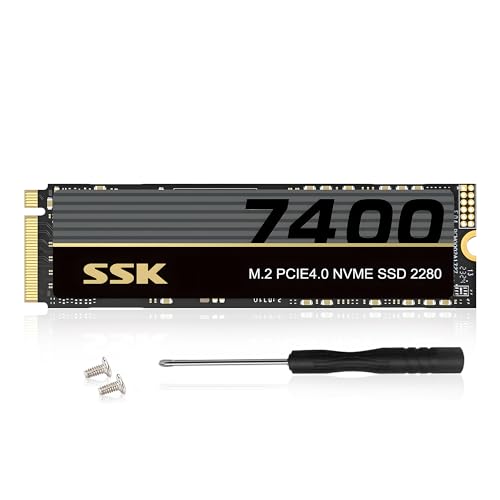
Capacity can matter more than cache design for a family computer. A 2TB model may provide comfortable room for games, photos, and documents without constant cleanup. The SSK 2TB PCIe 4.0 model is listed at around $280, while its 4TB counterpart is listed at around $490. Those prices show how quickly capacity changes the budget, and they also show why a buyer should compare total space rather than focusing only on whether a model has DRAM.
Cost Over 5 Years
A five-year comparison should include more than the purchase price. Assume a 1TB–2TB drive costs $120–$280 for a DRAMless model and $180–$370 for a DRAM-equipped model. The initial difference is therefore commonly about $40–$100, though sales and capacity can move those numbers considerably.
Electricity is usually a minor part of ownership. If an SSD averages 4 watts while active for two hours per day, it uses about 2.9 kilowatt-hours per year. At around $0 per kilowatt-hour, that is less than $3 per year. Even a five-year difference of several watts is unlikely to outweigh the purchase-price gap for most homes.
The larger financial risk is replacing a drive because it is too small, not because it lacks DRAM. Spending an extra $50 on capacity can be sensible if it prevents an early upgrade. Check the manufacturer’s warranty period, TBW rating, intended workload, and backup plan. TBW is a useful endurance reference, but it is not a promise that a drive will fail at that number or last beyond it.
Which One for Your Home
Small apartment
Choose a DRAMless SSD for a compact laptop, mini PC, or everyday desktop unless you edit large media files. Its low noise, modest heat output, and lower price suit limited spaces. A 1TB drive is a practical starting point for office work and entertainment; choose 2TB if the computer stores a growing photo or game collection.
Family with kids or pets
Prioritize capacity, warranty, and backups over cache type. A 2TB drive can reduce arguments over deleted games and full photo folders. DRAMless is sufficient for most shared computers, while a DRAM-equipped model is worthwhile for a family workstation that frequently copies videos or runs several demanding programs at once.
Rental
For a rental home, select a drive that is easy to move between systems and does not require unusual cooling. A standard 2280 NVMe model can work well, but verify compatibility before installation. DRAMless is usually the better value for a basic laptop or desktop; spend more on DRAM only when the computer’s workload justifies it.
Long-term home
For a primary computer expected to serve for many years, an SSD with DRAM cache is a sensible premium if the budget allows. It offers more headroom for growing workloads and frequent transfers. Still, select a reputable model with suitable firmware support, keep at least one independent backup, and avoid placing a high-speed drive in a poorly ventilated enclosure.
FAQ
Is a DRAMless SSD slower than one with DRAM?
Not always. A DRAMless SSD can be very fast for short, everyday tasks, and some models advertise higher sequential speeds than older DRAM-equipped drives. The main difference usually appears during sustained writes, multitasking, or repeated access to a nearly full drive.
Is DRAM necessary for gaming?
No. DRAMless storage can load games quickly, especially when the drive has a modern controller and PCIe 4.0 interface. DRAM becomes more useful if the same drive also stores large installations, records gameplay, runs applications, or serves as the main system drive.
Does DRAM make an SSD last longer?
Not by itself. Endurance depends more on NAND type, controller design, workload, temperature, and the manufacturer’s specifications. A DRAM-equipped drive may handle some workloads more efficiently, but it still needs backups and sensible free space.
Can I install either type in a PS5 or desktop?
Only if the drive meets the device’s requirements. Check the supported form factor, PCIe generation, capacity limits, endurance guidance, and heatsink clearance. For a PS5-compatible installation, a heatsink is commonly required, and the console’s documented specifications should take priority over the drive’s advertised maximum speed.









