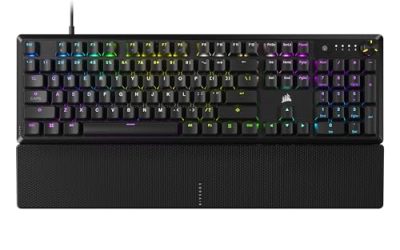
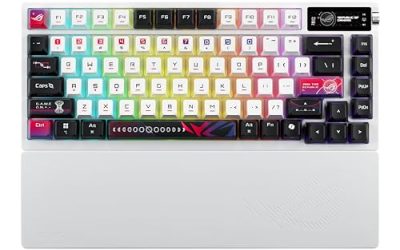
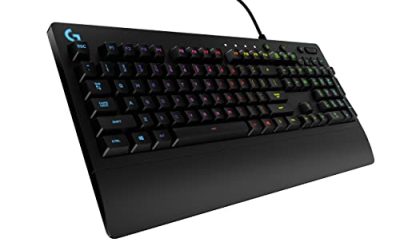
If you searched for “AC/DC keyboards,” the useful meaning is keyboards that work both plugged in and on battery: dual-mode wired and wireless models that run on USB power or on a built-in rechargeable cell. The best of these combine a low-latency 2.4 GHz wireless link, Bluetooth for other devices and a USB-C cable that keeps typing even when the battery is empty. Below are the types to consider, a battery runtime calculation and settings that matter.
Quick comparison of wired and wireless keyboard picks
| Pick | Best for | Key specs | Price range |
|---|---|---|---|
| Logitech G915 X Lightspeed | Best overall for gaming | Low-profile mechanical switches, Lightspeed 2.4 GHz, Bluetooth, USB-C charging | Usually $200-$250 |
| Corsair K100 Air Wireless | Best premium slim board | Slim mechanical switches, 2.4 GHz, Bluetooth, USB-C wired mode | Usually $200-$280 |
| Keychron K8 Pro (Bluetooth and wired) | Best for typing and mixed use | Hot-swappable switches, Mac and Windows layout, Bluetooth 5.1, USB-C | Usually $90-$120 |
| Tenkeyless 2.4 GHz and Bluetooth mechanical board | Best budget wireless | Tri-mode connection, 3,000-4,000 mAh battery class | Usually $60-$110 |
| Wired-only 60% hall-effect keyboard | Best if you only need a cable | Adjustable actuation, rapid trigger, 1,000 Hz or higher polling | Usually $120-$200 |
Confirm the exact connection modes on the manufacturer’s spec sheet, since some models in a product family are wired-only while a sibling adds wireless.
Best overall: Logitech G915 X Lightspeed class
This is a low-profile mechanical keyboard with a 2.4 GHz receiver for gaming, Bluetooth for laptops and tablets, and a USB-C cable for charging and wired use. Its main advantage is the dedicated wireless protocol, which is designed to rival wired response. The trade-offs are price and the slim switches, which some typists find shallow compared with full-height switches.
Best premium slim board: Corsair K100 Air class
A thin aluminum-style frame, dedicated media controls and tri-mode connectivity make this class a good desk keyboard that also travels. It suits players who want a premium feel and software-based key remapping. Expect to pay the most in this segment and check battery life claims, which fall quickly with RGB at full brightness.
Best for typing and mixed use: Keychron K8 Pro class
Keychron’s wireless boards use Bluetooth with a wired USB-C option and hot-swappable switches, so you can change switch types without soldering. The Bluetooth link adds a little latency compared with a 2.4 GHz dongle, which most office users never notice but competitive gamers might. It is the best value pick for people who split time between work and play.
Best budget wireless: tri-mode tenkeyless boards
Many brands now sell tri-mode (wired, 2.4 GHz and Bluetooth) mechanical keyboards at modest prices. They tend to offer good build quality, though software and quality control vary. Look for a battery of at least 3,000 mAh if you want weeks of use with the lighting off.
Worked calculation: how long will the battery last?
Battery runtime is capacity divided by average current draw. Use a hypothetical board with a 4,000 mAh battery:
- Lighting off, wireless active: about 2 mA average draw gives 4,000 / 2 = 2,000 hours, which is about 83 days of continuous operation, or around 10 weeks at 8 hours daily.
- RGB at 50 percent: about 25 mA gives 4,000 / 25 = 160 hours, so about 20 days at 8 hours daily.
- RGB at full brightness: about 60 mA gives 4,000 / 60 = 67 hours, so about 8 days at 8 hours daily.
Real boards differ, and manufacturers publish their own runtime figures that depend on lighting and polling rate. The point is that lighting dominates battery life, so turning brightness down is the biggest single saver. Bluetooth usually draws less than 2.4 GHz at a 1,000 Hz polling rate, which is why Bluetooth mode often lasts longer.
Compatibility and decision matrix
| Your situation | Best connection mode | Why |
|---|---|---|
| Competitive gaming on a desktop | 2.4 GHz dongle or the USB cable | Lowest latency, polling up to 1,000 Hz |
| Laptop and tablet work | Bluetooth | No dongle, pairs with multiple devices |
| Battery empty mid-session | USB-C wired mode | Keeps working while charging |
| Streaming or tournaments | Wired | Avoids radio interference |
| BIOS access | Wired or 2.4 GHz, per manual | Bluetooth often does not work before the OS loads |
Settings that make a dual-mode keyboard better
- Set the polling rate to 1,000 Hz for gaming in 2.4 GHz or wired mode. Higher rates (4,000 Hz and up on some models) shorten input delay slightly but use more power.
- Reduce RGB brightness or use an auto-off timer, because lighting uses the most energy.
- Keep the 2.4 GHz receiver on a USB extension near the keyboard, away from USB 3.0 hubs and Wi-Fi routers, which can cause radio interference.
- Update the firmware through the manufacturer’s software, since updates often fix connection drops.
- Use the wired cable for charging overnight. Avoid leaving a lithium cell at zero percent for long periods.
What to check before buying
- Which modes exist: wired only, 2.4 GHz, Bluetooth or all three.
- Battery capacity in mAh and the manufacturer’s runtime with lighting on and off.
- Switch type, hot-swap support and layout (full-size, tenkeyless, 75 percent, 60 percent).
- Software that does not need an account for basic remapping.
- Replaceable keycaps and cable type (USB-C, detachable preferred).
Latency and polling: what the numbers mean
Polling rate is how often the keyboard reports its state to the PC. At 125 Hz the interval is 8 ms, at 500 Hz it is 2 ms, and at 1,000 Hz it is 1 ms. Moving from 125 Hz to 1,000 Hz therefore removes up to 7 ms of worst-case delay. Going from 1,000 Hz to 4,000 Hz saves at most another 0.75 ms, which is below what nearly anyone can feel. Bluetooth connections usually run at a lower effective rate and add connection-interval delay of around 7.5 to 15 ms, which is why gaming brands push proprietary 2.4 GHz links.
| Mode | Typical report interval | Battery impact | Best use |
|---|---|---|---|
| USB wired | 1 ms (1,000 Hz) | None, charges the battery | Competitive play, streaming |
| 2.4 GHz dongle | 1 ms (1,000 Hz) | Moderate | Everyday gaming without a cable |
| Bluetooth | About 7.5-15 ms interval | Lowest | Office, tablets, travel |
Troubleshooting wireless dropouts
If keystrokes lag or drop, work through the causes in order. First, check the battery, because many boards reduce radio power below 10 to 15 percent charge. Second, move the receiver to a front-panel or extension port within about 1 meter of the keyboard. Third, move other 2.4 GHz devices such as wireless mice or headsets farther away, or switch your Wi-Fi router to a different channel. Fourth, update firmware, and finally re-pair the keyboard. If the problem disappears on a cable, the cause is radio interference or battery state, not the switches.
Frequently Asked Questions
Is a wireless keyboard good enough for gaming?
Yes, if it uses a 2.4 GHz gaming-grade link. Modern wireless gaming keyboards are designed to match wired latency in practice. Bluetooth is usually fine for casual play but adds more delay.
Can I use a dual-mode keyboard while it is charging?
In most cases yes. Connect the USB-C cable and the keyboard works in wired mode while the battery charges. Check the manual because a few models disable wireless while plugged in.
How often do I need to charge a wireless keyboard?
It depends on lighting. With backlighting off, many boards last weeks to months. With bright RGB, expect days to a couple of weeks of daily use.
Are wired keyboards still better?
Wired boards never need charging and have the simplest connection, which is why many tournament players prefer them. For everyone else, modern wireless is close enough that convenience can win.
What does AC/DC mean for a keyboard?
Keyboards are low-voltage USB devices, so there is no AC or DC choice for the user. The phrase usually refers to wired (powered by the USB port) versus wireless (battery-powered) operation, which is what dual-mode keyboards offer.
Related guides
More from Amazon
Programs that pair well with the guide above. Offers and eligibility are set by Amazon and may change.
A free business account with business pricing and bulk-buying tools for work, shop or home office.
Create a business accountFree shipping on eligible items, Prime Video and more. Eligible new members can start with a free trial.
Start a Prime free trialAudiobooks and podcasts to listen to on the go. Eligible new members can start with a free trial.
Try Audible freeAd-free music streaming. Eligible new subscribers can start with a free trial.
Try Music Unlimited freeAs an Amazon Associate we earn from qualifying purchases.