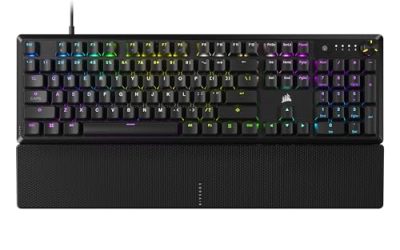
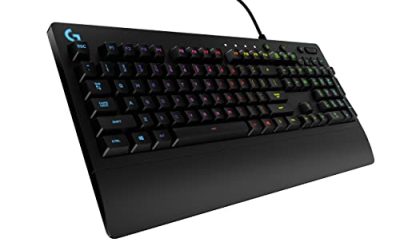
Our Short List of 3

- Layout: 75 percent
- Switches: ROG NX Snow V2 linear, pre-lubed, hot-swappable
- Keycaps: PBT, three-sided translucent design
- Mount: Silicone gasket mount with FR4 plate and five-layer dampening

- Layout: Full-size with number pad
- Switches: Low-profile Gateron Brown tactile, hot-swappable
- Keycaps: Double-shot PBT, non-shine-through
- Connectivity: 2.4 GHz wireless, Bluetooth 5.1, wired USB-C

- Layout: Full-size
- Switches: Cherry MX Blue, clicky, hot-swappable sockets
- Keycaps: Double-shot PBT
- Connectivity: Wired, detachable USB-C cable
All 3 Picks at a Glance
| Product | Specs | Action |
|---|---|---|
| ASUS ROG Azoth X |
| Check price on Amazon |
| Keychron K5 Max |
| Check price on Amazon |
| Ducky One 3 |
| Check price on Amazon |
Writers ask different things from a keyboard than competitive players do. A board that spends eight hours under a manuscript needs a switch feel that stays comfortable across long sessions, keycaps that do not turn glossy or slippery, a layout that keeps editing keys within reach, and acoustics that will not wear out the person typing or anyone sharing the room. Gaming keyboards happen to cover that brief well: they use durable mechanical switches, double-shot PBT keycaps, sturdy frames, and fast wired or wireless links, and the current generation adds gasket mounts and low-profile designs that soften each keystroke.
This guide rounds up five gaming keyboards that suit writing work, from a low-profile full-size wireless board to a gasket-mounted custom-style deck and a classic clicky wired model. Each pick is matched to a writing style, with the published specifications that matter for long-form typing set out under every product.
As an Amazon Associate, we earn from qualifying purchases.
Top 3 picks at a glance
Quick Answer
For most writers, the Logitech G915 X Lightspeed is the safest pick: low-profile tactile switches, a full-size layout, and tri-mode wireless keep long sessions comfortable. The ASUS ROG Azoth X offers the softest, quietest keystrokes, while the Keychron K5 Max adds remapping for writers who live in shortcuts. The HyperX Alloy Origins Core is the value wired option, and the Ducky One 3 suits writers who want a clicky feel.
Table of Contents
- Logitech G915 X Lightspeed
- ASUS ROG Azoth X
- Keychron K5 Max
- HyperX Alloy Origins Core
- Ducky One 3
- How to Choose
- Who Should Skip
- FAQ
- Conclusion
Logitech G915 X Lightspeed
The G915 X Lightspeed is the easiest recommendation for writers who want one keyboard for the desk and nothing to think about afterward. It is a full-size board, so the number pad, navigation cluster, and dedicated media controls are all present, and its low-profile GL tactile switches actuate at just 1.3 millimeters, which keeps key travel short and fingers moving quickly across long drafts. The low 23 millimeter profile also means most writers can type comfortably without adding a wrist rest. Tri-mode connectivity covers a Lightspeed wireless dongle, Bluetooth, and a wired mode, so the same board can move between a desktop and a laptop. Nine programmable G keys and Logitech’s Keycontrol layer, which supports up to fifteen functions per key, give writers room for text-expansion and editing macros.
Specs
- Layout: Full-size, 104 keys plus 9 dedicated G keys
- Switches: Logitech GL Brown tactile, low-profile, 1.3 mm actuation point
- Keycaps: Double-shot PBT
- Connectivity: Lightspeed 2.4 GHz wireless, Bluetooth, wired USB-C
- Battery life: Up to 36 hours of continuous use per the listing; recharges in about 4 hours
- Frame: Brushed aluminum alloy top plate
- Extras: Cast metal volume roller, soft-touch media keys, per-key LIGHTSYNC RGB
- Weight: 38 ounces
- Model number: 920-012670
- Tier: Premium
ASUS ROG Azoth X
- Layout: 75 percent
- Switches: ROG NX Snow V2 linear, pre-lubed, hot-swappable
- Keycaps: PBT, three-sided translucent design
- Mount: Silicone gasket mount with FR4 plate and five-layer dampening
Writers who care most about how each keystroke feels and sounds should look at the Azoth X. It is a compact 75 percent board built like a custom keyboard: a silicone gasket mount, an FR4 positioning plate, and five layers of dampening foam cushion every press, while the pre-lubed ROG NX Snow V2 linear switches are hot-swappable, so a worn or unwanted switch can be replaced in seconds. The smooth, quiet action suits shared offices and late-night drafting. A two-inch OLED display and a three-way control knob handle volume and settings without leaving the document, and the bundled wrist rest supports longer sessions. Tri-mode SpeedNova wireless stretches to more than 1,600 hours with the lighting and display off, and Bluetooth can pair with three devices at once.
Keychron K5 Max
- Layout: Full-size with number pad
- Switches: Low-profile Gateron Brown tactile, hot-swappable
- Keycaps: Double-shot PBT, non-shine-through
- Connectivity: 2.4 GHz wireless, Bluetooth 5.1, wired USB-C
The K5 Max is the pick for writers who treat the keyboard as a tool to be tuned. It pairs a full-size layout and number pad with low-profile Gateron Brown tactile switches, so it stays slim on the desk while keeping every key a spreadsheet or manuscript might need. Its real strength is QMK and VIA support: every key can be remapped and layered in a browser-based tool, which makes it simple to build writing-specific shortcuts, move modifiers, or set up a dedicated editing layer. This white-backlight variant keeps the lighting simple and office-friendly. Connectivity covers 2.4 GHz wireless, Bluetooth for up to three devices, and wired USB-C, and the board works with both Windows and macOS, with keycaps for each in the box.
HyperX Alloy Origins Core
The Alloy Origins Core is the straightforward wired choice for writers who want a compact desk footprint and a firm, confidence-inspiring keystroke. Its HyperX Aqua switches are tactile with a defined bump, and HyperX rates them for 80 million keypresses, which suits a keyboard that will absorb years of daily drafting. The tenkeyless layout drops the number pad so the mouse sits closer and shoulders stay relaxed, and the full aircraft-grade aluminum body keeps the board planted and flex-free while typing quickly. Double-shot PBT keycaps resist the shine that develops on heavily used home-row keys. Three tilt angles, a detachable braided USB-C cable, onboard memory for three profiles, and full anti-ghosting with N-key rollover round out a board that asks for no charging and no fuss.
Specs
- Layout: Tenkeyless
- Switches: HyperX Aqua tactile, rated for 80 million keypresses
- Keycaps: Double-shot PBT
- Connectivity: Wired, detachable braided USB-C cable
- Frame: Full aircraft-grade aluminum body
- Tilt: Three angles, 3, 7, or 11 degrees
- Software: HyperX NGENUITY for macros and per-key RGB
- Onboard memory: 3 profiles
- Dimensions: 14.1 x 5.1 x 1.4 inches
- Weight: 1.98 pounds
- Model number: HX-KB7AQX-US
- Tier: Budget
Ducky One 3
- Layout: Full-size
- Switches: Cherry MX Blue, clicky, hot-swappable sockets
- Keycaps: Double-shot PBT
- Connectivity: Wired, detachable USB-C cable
Some writers still think best with an audible click confirming every word, and the full-size Ducky One 3 with Cherry MX Blue switches is built exactly for them. The clicky switches give unmistakable feedback that helps some typists hold a rhythm, and the sockets are hot-swappable if tastes change later. Ducky’s double-shot PBT keycaps and solid frame are made for heavy daily use, the 1,000 Hz polling rate keeps input immediate, and the detachable USB-C cable makes the wired setup easy to move or replace. There is no battery and no wireless, which many writers will count as a benefit: the board simply works every time the computer wakes. Writers in shared spaces should note the click is genuinely loud before choosing this one.
How to Choose
Start with switch feel, because it shapes every hour at the keyboard. Tactile switches, like the GL Brown, Gateron Brown, and HyperX Aqua picks here, give a small bump that confirms the press without noise, and they suit most writers. Linear switches feel smoothest and quietest, especially in a gasket-mounted board like the Azoth X. Clicky switches add rhythm and feedback but are hard to live with in shared rooms.
Next, pick a layout honestly. Full-size boards keep the number pad and a complete navigation cluster, which helps writers who handle figures or edit heavily. Tenkeyless and 75 percent boards trade those keys for a shorter reach to the mouse and a smaller footprint. Then decide on connectivity: wireless boards clear cable clutter and move between machines, while wired boards never need charging. Finally, look for double-shot PBT keycaps, which resist shine and keep legends readable for years, and consider remapping support if your writing workflow leans on shortcuts and macros.
Who Should Skip
Skip this category if you need a split or fully ergonomic keyboard for a diagnosed wrist or shoulder condition; all five boards here use a traditional straight layout, and a specialist ergonomic model is the better tool. Writers who work mainly on a tablet or phone should also pass, since these are full mechanical boards designed for a desk. If you only type occasionally and never game, a quieter membrane office keyboard will cost less and make less noise. And if your writing happens in a shared or open-plan space, skip the clicky Ducky One 3 in particular, whatever its other merits.
FAQ
Which switch type is best for long writing sessions?
For most writers, a tactile switch is the balanced choice: the gentle bump confirms each keystroke, which reduces missed letters and bottoming out, without the noise of a clicky switch. Linear switches in a damped, gasket-mounted board are the quietest option, while clicky switches suit writers who work alone and like audible feedback.
Do writers need a full-size keyboard with a number pad?
Only if the work involves figures, data entry, or spreadsheet editing. For prose, essays, and scripts, a tenkeyless or 75 percent board covers every essential key and leaves more desk room, which can keep shoulders more relaxed during long sessions. The navigation cluster matters more than the number pad for most editing work.
Is wireless reliable enough for full-time writing?
Yes. Modern 2.4 GHz wireless links on gaming keyboards, such as Lightspeed and SpeedNova, are effectively indistinguishable from wired for typing, and Bluetooth is fine for a second machine. The real trade-off is battery management: a wired board never needs charging, while a wireless board needs an occasional top-up between drafts.
How can a gaming keyboard be made quieter for writing?
Choose linear or tactile switches rather than clicky ones, look for gasket mounts and internal foam, which boards like the Azoth X include, and type with a lighter touch so keys do not bottom out hard. Turning off per-key lighting also extends wireless battery life, though it does not change the sound.
Conclusion
The right gaming keyboard for a writer is the one that disappears during a long draft. The Logitech G915 X Lightspeed covers the most writers with its slim full-size layout and dependable wireless, the ASUS ROG Azoth X delivers the softest and quietest keystrokes, and the Keychron K5 Max rewards anyone who remaps keys around their workflow. The HyperX Alloy Origins Core keeps things simple and wired at a friendlier tier, and the Ducky One 3 keeps the classic click alive. Match the switch and layout to your habits, and any of the five will serve a manuscript well.
Product and ASIN Reference
| Product | ASIN |
|---|---|
| Logitech G915 X Lightspeed (GL Tactile, Black) | B0DB1WNZJY |
| ASUS ROG Azoth X (NX Snow V2, White) | B0FCPMS1R3 |
| Keychron K5 Max (Gateron Brown, White Backlight) | B0D5V7LPQS |
| HyperX Alloy Origins Core (Aqua Tactile) | B084GYSFDT |
| Ducky One 3 Full-Size (Cherry MX Blue) | B09Y2GR6P9 |
Related guides
More from Amazon
Programs that pair well with the guide above. Offers and eligibility are set by Amazon and may change.
A free business account with business pricing and bulk-buying tools for work, shop or home office.
Create a business accountFree shipping on eligible items, Prime Video and more. Eligible new members can start with a free trial.
Start a Prime free trialAudiobooks and podcasts to listen to on the go. Eligible new members can start with a free trial.
Try Audible freeAd-free music streaming. Eligible new subscribers can start with a free trial.
Try Music Unlimited freeAs an Amazon Associate we earn from qualifying purchases.