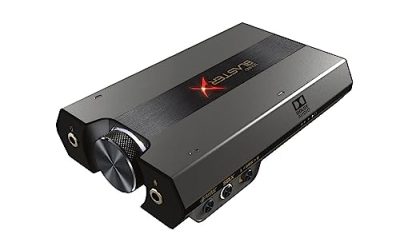
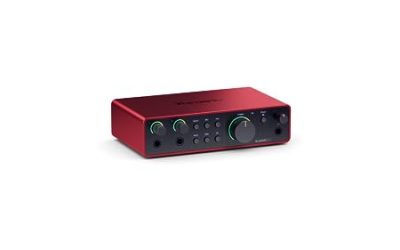
The best USB sound card for most PC gamers in 2026 is a small external USB DAC and headphone amp, such as the Creative Sound Blaster X5, the FiiO K11 or the Apple-style dongle class of USB-C DACs under $50, because they bypass noisy motherboard audio and drive headphones with more power. If you use a basic gaming headset with a 3.5 mm plug, a USB DAC mainly cleans up noise and improves volume headroom, while for higher-impedance headphones it can be the difference between thin and full sound.
Quick comparison of USB sound cards and DACs
| Pick | Best for | Key specs (per manufacturer) | Typical price |
|---|---|---|---|
| Creative Sound Blaster X5 | Best feature-rich desktop unit | 32-bit/384 kHz, balanced out, optical in/out, 5 inputs | $250-$330 |
| FiiO K11 | Best value desktop DAC/amp | Balanced 4.4 mm and 6.35 mm out, up to 32-bit/384 kHz, USB-C | $100-$140 |
| Creative Sound BlasterX G6 | Best for console and PC gaming | Virtual surround, 130 dB class DNR, optical in, 3.5 mm | $100-$150 |
| Apple USB-C to 3.5 mm adapter class | Best budget dongle | 24-bit DAC, tiny, low-power headphone out | $9-$35 |
| FiiO KA3 class portable DAC | Best portable | Balanced out, USB-C, 32-bit/384 kHz | $70-$100 |
| Internal PCIe sound card (Sound Blaster AE-7 class) | Best for desktop with amp | 32-bit/384 kHz, 127 dB SNR class, headphone amp up to 600 ohm | $150-$230 |
When a USB sound card is worth buying
Motherboard audio has improved, and many boards use a Realtek ALC4080-class codec that sounds fine for casual listening. A USB sound card helps in four situations.
- Electrical noise. If you hear buzz, hiss or GPU coil whine in your headphones when you move the mouse, an external USB DAC moves the conversion stage outside the case.
- Hard-to-drive headphones. Headphones above about 100 ohms or with low sensitivity need more voltage than a motherboard jack usually provides.
- More inputs. Some units add optical, line-in or a microphone preamp for a streaming setup.
- Front-panel or laptop limitations. A laptop with a poor jack gains a lot from a $30-$100 USB DAC.
If your headset is already USB, it has its own DAC, and an additional sound card adds nothing.
Best desktop: Creative Sound Blaster X5
The X5 is a full desktop box with a headphone amplifier, a balanced output and a dial for volume. It supports DSD and high resolution playback, and Creative’s software offers EQ and a virtual surround option. It suits players who also listen to music through speakers and headphones from the same unit.
Trade-off: large, expensive, and the software is more complex than most gamers need.
Best value desktop: FiiO K11
FiiO sells measured performance rather than marketing. The K11 is a compact aluminum box with a clean DAC, a strong amplifier and both balanced and single-ended outputs. It has a simple front knob and no required software.
Trade-off: minimal gaming extras, such as virtual surround or a mic input.
Best for gaming: Sound Blaster X G6
The G6 is aimed at PC and consoles, with optical input from a PlayStation or Xbox, a mic input and a 3.5 mm headphone output. The virtual 7.1 mode is a feature people either love or disable, so try it with your own games before leaving it on.
Trade-off: USB powered amp has limits with very hard-to-drive headphones.
Best budget: USB-C dongle DAC
Cheap adapters in the $9-$35 range, including Apple’s USB-C to 3.5 mm adapter and similar units from Apple-compatible brands, use a competent DAC chip and are enough for gaming headsets. They are useful for laptops and handhelds and rarely drive demanding headphones loudly.
Best portable: FiiO KA3 class
Portable DAC/amps of $70-$100 provide balanced outputs and more power than dongles. They are worth getting if you travel with studio headphones or gaming handhelds.
Best internal option: PCIe sound card class
If you want to keep the cable clutter away, a PCIe card such as the Sound Blaster AE-7 class offers a headphone amp and software features. It sits inside the case, so it can still pick up some electrical noise, but shielding is better than most motherboards.
Worked example: does your headphone need more power?
You can estimate this with the headphone’s impedance and sensitivity. Take a 250-ohm headphone with sensitivity of 100 dB SPL per volt. To reach 100 dB at your ears, you need 1 V RMS. A typical motherboard jack outputs between about 1 and 2 V RMS, so a 250-ohm headphone reaches 100 dB on a good board, but not with much headroom for dynamic peaks.
Now take a 32-ohm gaming headset rated at 110 dB per mW. To reach 100 dB it needs about 0.1 mW, which is tiny; a USB dongle supplies far more. A 600-ohm studio headphone at 96 dB per V needs about 1.6 V for 100 dB, which pushes a motherboard jack and is better matched to an amp with a 4-6 V swing. A rule of thumb from this calculation: if impedance is below 80 ohms, a dongle is enough; above 150 ohms, choose a desktop DAC/amp that lists output above 3 V.
| Headphone impedance | Typical need | Suitable USB device |
|---|---|---|
| 16-50 ohm | Under 1 V | Dongle DAC or motherboard jack |
| 50-100 ohm | 1-2 V | Portable DAC/amp |
| 150-300 ohm | 2-4 V | Desktop DAC/amp such as FiiO K11 class |
| 300-600 ohm | 4-6 V | High power desktop amp or balanced output |
Settings to check after installing
- In Windows Sound settings, set the USB DAC as the default playback device and choose 24-bit, 48,000 Hz. Gaming audio is mixed at 48 kHz, so higher rates give no benefit in games.
- Turn off enhancements and spatial sound if you notice a hollow tone; test them one at a time.
- Use the DAC’s hardware volume at about 50-60 percent and the Windows volume near 100 percent, which keeps the signal cleaner.
- Plug into a rear USB port on the motherboard to avoid hub-related noise.
What reddit threads usually get right and wrong
Community advice often recommends measured DACs from FiiO, Topping or JDS Labs. That advice is sound for sound quality, since measurements like SINAD above 100 dB are well beyond human hearing limits. The common mistake is overbuying: a $400 DAC will not sound audibly different from a $100 one when properly level matched. Spend extra only for inputs, outputs or power that you will use.
Frequently Asked Questions
Is a USB sound card better than motherboard audio?
It is better if you hear noise, own demanding headphones, or need extra inputs. On modern boards with good codecs and easy-to-drive headphones, the difference can be small.
Do USB sound cards reduce latency?
Not noticeably. USB audio adds a few milliseconds that are not perceivable in gaming. Their main benefit is audio quality and power.
Do I need a sound card with a USB gaming headset?
No. A USB headset already includes a DAC and an amp inside, so an extra sound card is redundant unless it adds features you want.
What is the difference between a DAC and an amp?
A DAC converts digital data to an analog signal, and an amp raises that signal to drive headphones. Most USB sound cards combine both in one device.
Will virtual surround from a sound card improve gaming?
It can help some players locate sounds, but results vary by game and headphone. Try it in your usual games and keep it only if it makes direction easier to judge.
Related guides
More from Amazon
Programs that pair well with the guide above. Offers and eligibility are set by Amazon and may change.
A free business account with business pricing and bulk-buying tools for work, shop or home office.
Create a business accountFree shipping on eligible items, Prime Video and more. Eligible new members can start with a free trial.
Start a Prime free trialAudiobooks and podcasts to listen to on the go. Eligible new members can start with a free trial.
Try Audible freeAd-free music streaming. Eligible new subscribers can start with a free trial.
Try Music Unlimited freeAs an Amazon Associate we earn from qualifying purchases.