The best split-screen Xbox Game Pass games in 2026 are Minecraft for flexible four-player building, It Takes Two for a two-player story, Dirt 5 for four-player racing, TMNT: Shredder’s Revenge for arcade action, and Gears 5 for a serious two-player campaign.
Game Pass availability differs by plan, region, platform, and month. The list below focuses on Xbox console games that support local multiplayer on one screen and have been included in Game Pass or EA Play through Game Pass during the current generation. Check the game’s Xbox Store listing before downloading, especially if you use PC Game Pass: local console multiplayer does not automatically mean local split-screen on PC.
As an Amazon Associate we earn from qualifying purchases at no extra cost to you.
Our Top Picks


Top 3 picks at a glance
Best split-screen Xbox Game Pass games by local player count
| Game | Local players | Split-screen or shared screen | Best for | Typical session |
|---|---|---|---|---|
| Minecraft | Up to 4 | Split-screen | Building and survival | 30 minutes to several hours |
| Dirt 5 | Up to 4 | Split-screen racing | Competitive groups | 10–45 minutes |
| TMNT: Shredder’s Revenge | Up to 4 | Shared screen | Arcade co-op | 20–60 minutes |
| Minecraft Dungeons | Up to 4 | Shared screen | Drop-in action RPG co-op | 20–90 minutes |
| Overcooked! 2 | Up to 4 | Shared screen | Chaotic teamwork | 10–30 minutes |
| It Takes Two | 2 | Split-screen | Story-focused co-op | 2–3 hours per sitting |
| Gears 5 | 2 locally | Split-screen | Campaign and tactical shooting | 45–120 minutes |
| A Way Out | 2 | Permanent split-screen | Cinematic co-op | 6–8 hours total |
Best four-player choices
Minecraft: the most adaptable four-player option
Minecraft is the safest recommendation when everyone wants a different kind of activity. One player can gather materials, another can build, and the rest can explore or mine. Its local console mode supports up to four players on the same display, although the exact feature set depends on the Xbox version, world settings, and account setup.
Choose Minecraft when your group may play for weeks rather than finish a campaign. Survival mode gives the clearest shared objective, while Creative mode removes resource pressure for younger players or casual building sessions. The main limitation is screen space: four-way split-screen becomes harder to read on smaller televisions, so a 55-inch display or larger is considerably more comfortable.
Dirt 5: the best four-player split-screen racer
Dirt 5 supports up to four local racers, making it a strong choice for a living-room tournament. Its handling is accessible enough for mixed-skill groups, and short races mean a player can recover from a bad result without waiting through a long championship.
Use standard cars and shorter tracks for a party session. Turn off or reduce driving assists only after everyone understands the controls; otherwise, experienced players can gain too much of an advantage through braking and cornering rather than racing skill. Dirt 5 is a better fit than a simulation racer when the group includes people who rarely play driving games.
TMNT: Shredder’s Revenge: simple, immediate arcade co-op
Teenage Mutant Ninja Turtles: Shredder’s Revenge supports up to four players locally and uses a shared screen rather than traditional split-screen. That distinction matters: the camera keeps the group together, so nobody can wander off and leave another player navigating a separate half of the display.
It is an excellent low-explanation game. Pick a turtle, learn a small set of attacks, and start clearing stages. The campaign is approachable, while harder difficulties and character progression give returning groups a reason to replay it.
Minecraft Dungeons: four-player loot without an online lobby
Minecraft Dungeons turns the familiar Minecraft style into a compact action RPG. Up to four players can clear missions together, collect equipment, and experiment with melee, ranged, and artifact-based builds. The shared-screen design works better than a four-way split-screen interface because the party stays in one combat space.
This is the best pick when your group wants character upgrades but does not want the complexity of Diablo-style skill trees. Keep difficulty close to the recommended mission level at first. If one player is much stronger, increase the difficulty gradually rather than jumping several tiers; otherwise, weaker characters may be defeated repeatedly before they can learn enemy patterns.
Overcooked! 2: the best party game for coordinated groups
Overcooked! 2 supports up to four local players and turns basic cooking tasks into a communication challenge. Players must divide chopping, cooking, washing, and serving while kitchens change shape or introduce hazards.
It is cooperative in objective but competitive in practice: the team shares the score, yet individual mistakes are immediately visible. Give each player a job during the first attempt, then rotate roles. This reduces the common problem where everyone reaches for the same ingredient while nobody washes dishes.
Best two-player split-screen games
It Takes Two: the strongest all-around co-op campaign
It Takes Two is designed for exactly two players and requires cooperation throughout its platforming, puzzle, and action sequences. The split-screen presentation lets both players see their own character, even when the game temporarily separates the pair.
Pick it when the two players want a guided adventure rather than an endlessly replayable sandbox. Its abilities change frequently, so neither player is locked into being “the combat character” or “the puzzle character.” The game also supports the Friend’s Pass model, but local play still requires two controllers and two players on the same console.
Gears 5: the best serious campaign option
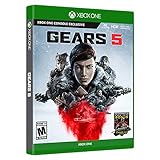
Gears 5 offers local split-screen co-op for two players in its campaign. It is a good choice for players who want cover shooting, set-piece battles, and a more substantial action campaign than an arcade beat-’em-up.
Choose a lower difficulty if one player is new to third-person shooters. The game’s cover system rewards patience, and a second player can revive a downed teammate, but rushing ahead can still separate the pair and trigger difficult encounters. Campaign co-op is the main local reason to choose Gears 5; some other modes have different player limits and local support.
A Way Out: permanent split-screen built around cooperation
A Way Out is a two-player cinematic adventure with permanent split-screen. Both players follow two prisoners escaping captivity, with each side of the screen showing a different viewpoint, task, or interaction.
It works best when both players are comfortable with a linear story and are willing to follow the game’s pacing. This is not the right choice for a group that wants quick rounds or freedom to ignore objectives. It is a particularly good evening-length option because the campaign has a clear ending and does not require learning a large inventory or progression system.
Choose by setup, not just by genre
| Your situation | Best choice | Why | Watch out for |
|---|---|---|---|
| Four players, mixed experience | TMNT: Shredder’s Revenge | Simple controls and quick restarts | Shared-screen crowding during large fights |
| Four players who like competition | Dirt 5 | Short races and clear results | Driving skill gaps can become obvious |
| Two players seeking a story | It Takes Two | Purpose-built two-player mechanics | Requires a regular time commitment |
| Players joining and leaving casually | Minecraft Dungeons | Mission-based structure and drop-in progression | Equipment levels can become uneven |
| One player is much more experienced | Minecraft | Flexible goals and adjustable pressure | Four-way split-screen can be small |
| Two players want a shooter | Gears 5 | Revives and cover make teamwork meaningful | Less suitable for very young players |
How to set up local multiplayer on Xbox
- Connect and test every controller. Turn on each Xbox Wireless Controller before launching the game. A controller that is connected but assigned to the wrong guest account can prevent the second player from joining.
- Sign in each player separately when possible. Separate profiles preserve progress and reduce confusion over unlocks. Use a guest account for a one-session party.
- Start the game’s local mode from its main menu. Look for labels such as Local Play, Couch Co-op, Split-Screen, Versus, or Campaign Co-op. Do not assume that an online co-op menu also supports the same local player count.
- Check the player limit before inviting everyone. Four controllers being connected does not mean every mode supports four local players. For example, a game may allow four-player local arcade action but only two-player campaign co-op.
- Adjust the display for readability. On a four-player split-screen game, sit closer or use a larger display. If text is difficult to read, reduce motion blur where the game offers that setting and choose a less visually busy mode.
A useful space calculation explains why screen size matters. A 55-inch 16:9 television has an image height of roughly 27 inches. In four-way split-screen, each horizontal half is about 13.5 inches high before menus and borders reduce the usable area. A 65-inch television provides about 31.9 inches of image height, or roughly 16 inches per horizontal half. That extra 2.5 inches can make subtitles, minimaps, and racing markers noticeably easier to read.
Game Pass plan and catalog checks
Console local multiplayer normally does not require an internet connection after the game and required content are installed, but the first launch may require account or license verification. EA Play titles such as It Takes Two and A Way Out are generally tied to Game Pass plans that include EA Play, rather than every Game Pass tier.
Before planning a group night, verify three details on the current Xbox listing: whether the game is included in your specific plan, whether it supports Xbox One as well as Xbox Series X|S, and whether the chosen mode supports your intended number of local players. Catalog membership can change even when the game’s local multiplayer features remain unchanged.
Frequently asked questions
Does every Game Pass plan include these local multiplayer games?
No, availability can differ by plan, region, platform, and month. The article focuses on Xbox console games that have been included in Game Pass or EA Play through Game Pass during the current generation. Check the game’s Xbox Store listing before downloading, particularly when using PC Game Pass, because console local multiplayer does not automatically mean local split-screen on PC.
Can four players use any mode in a game that supports four-player local play?
No, the supported player count can vary by mode. A game may allow four-player local arcade action but only two-player campaign co-op. Connect the controllers, start the game’s local mode, and check the player limit before inviting everyone. The number of connected controllers alone does not confirm that every mode supports four local players.
Do all of these games use traditional split-screen?
No, some use a shared screen instead. TMNT: Shredder’s Revenge and Minecraft Dungeons keep the group in one shared combat or play space, while Minecraft, Dirt 5, It Takes Two, Gears 5, and A Way Out use split-screen as described in the article. Shared-screen games keep players together, so nobody can wander into a separate half of the display.
Can players join using guest accounts?
Yes, a guest account can work for a one-session party, although signing in each player separately is preferable when possible. Separate profiles preserve progress and reduce confusion over unlocks. Before launching the game, turn on every Xbox Wireless Controller and check that each controller is assigned correctly, because a controller connected to the wrong guest account can prevent another player from joining.
What should I do if four-player split-screen text is difficult to read?
Use a larger display or sit closer to the screen. The article notes that a 55-inch 16:9 television has an image height of roughly 27 inches, and four-way split-screen divides each horizontal half to about 13.5 inches before menus and borders reduce usable space. You can also reduce motion blur where available and choose a less visually busy mode.