Starting a smart home with a light bulb sounds simple, and it is, until the first bulb refuses to connect. One needs a hub you do not own, another only speaks to a voice assistant you have never set up, and a third pairs fine but then vanishes from the app the moment your router restarts. The real choice for a beginner is not the cleverest bulb on the shelf, but the one that screws in, connects in minutes, and still works the next morning without any fiddling.
This guide is for first-time buyers, renters trying one smart device, and households that want to test smart lighting before committing to a whole system. It also suits anyone buying a first bulb as a gift. Every bulb below was chosen from the product names and specifications listed on Amazon, so you can verify the same details yourself before ordering.
Top 3 picks at a glance


Quick Picks
As an Amazon Associate we earn from qualifying purchases
| Product | Best for | Key spec from title |
|---|---|---|
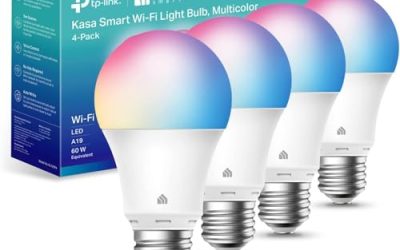
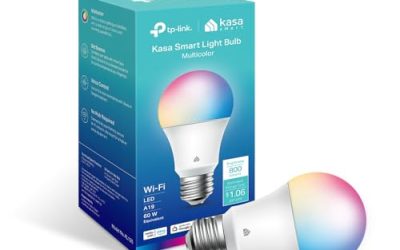
| Kasa Smart KL125, 1-Pack | Your very first smart bulb | 9W, 800 lumens, no hub required |
| Sengled S1 Auto Pairing Smart Bulb, 4-Pack | The easiest Alexa setup here | 60W equivalent, 800 lumens, Bluetooth Mesh |
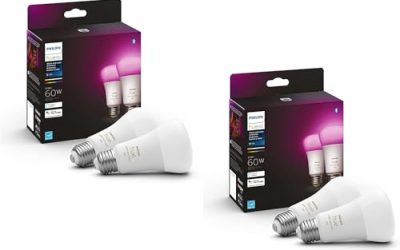
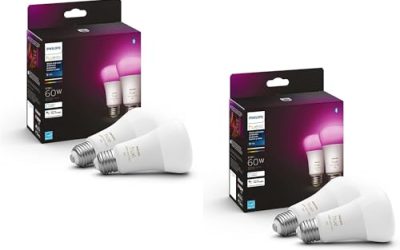
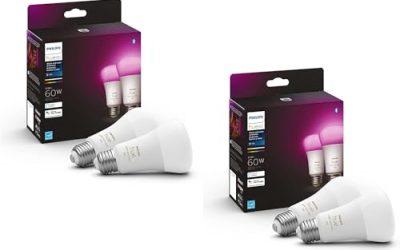
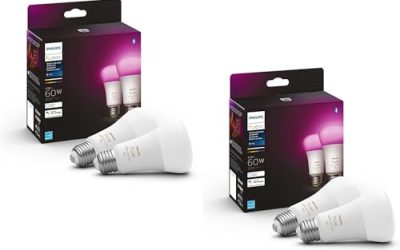
| Philips Hue White and Color Ambiance A19 60W, 4-Pack | A starter set that grows with you | 60W equivalent, 800 lumens, E26 |
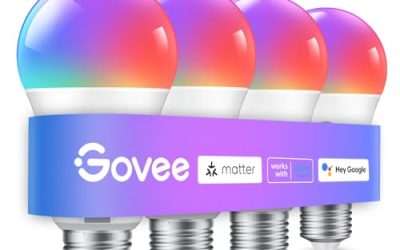
| Govee Smart Light Bulbs, 1-Pack | One bulb with scenes built in | 800 lumens, RGBWW, Wi-Fi and Bluetooth |
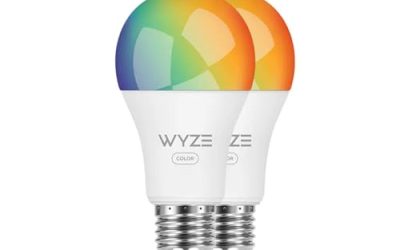
| Wyze Bulb Color, 2-Pack | A bright pair for two matching lamps | 1100 lumens, Wi-Fi RGB and tunable white |
How to Choose
Buy a bulb that works the day it arrives
The single biggest beginner trap is buying a bulb that needs a hub, bridge or separate controller you do not own. Wi-Fi bulbs connect straight to your router, and Bluetooth bulbs pair directly with your phone, so either one works on the day it arrives. Zigbee bulbs are the ones to watch: they need a hub or a compatible Echo device with a hub built in, and without it they simply will not connect. Read the connectivity line in the listing before anything else, and treat the words no hub required as the green light for a first purchase.
Measure the fitting before you order
Look at the lamp before you look at the listings. A standard table lamp or floor lamp in the US takes an A19 bulb on an E26 screw base, and every bulb in this guide is built that way. The trouble comes from the fittings that look standard and are not: a chandelier with slim candelabra sockets, a ceiling light with a closed cover that traps heat, or a recessed can that wants a flood-shaped bulb. A quick check of the socket size and the shade depth now saves a return later, and it costs nothing.
Choose the remote you will actually use
A first bulb should answer to whatever you already use, not force you to learn a new system. If you own an Echo or a Google speaker, pick a bulb that works with that assistant so you can say turn off the light and be done. If you mostly use your phone, check that the bulb’s app is straightforward and that schedules are easy to find. Bluetooth control is handy when the Wi-Fi wobbles, while Wi-Fi control lets you switch the light off from outside the house. Choose the control path first, then the bulb.
Learn what warm white means in practice
Beginners often judge a bulb by its colour tricks and then live with white light they dislike. A bulb advertised with 16 million colours still spends most of its life showing white, so judge it on that. Warm white around 2700K feels cosy in the evening, while cooler white around 4000K to 5000K feels alert and suits a kitchen or a desk. A bulb with tunable white covers both, so one purchase suits a bedroom lamp today and a desk lamp tomorrow. Read the white range first, and the colour count second.
The 5 Best Options
Kasa Smart KL125, 1-Pack

One bulb, one app and no extra hardware: that is the whole pitch here. The KL125 screws into a standard E26 fitting, joins the home Wi-Fi on its own, and gives full colour and dimming from the Kasa app or a voice assistant. Its 800 lumens match the 60W bulb it replaces, which is plenty for a bedside lamp or a desk lamp. Sold singly, it is also the cheapest way to learn whether smart lighting fits your habits before spending on a whole room.
Specs
- 9W, 800 lumens
- A19 shape, E26 base
- Full colour changing, dimmable
- 2.4GHz Wi-Fi only, no hub required
- Works with Alexa and Google Home
- 1-pack
Best for: Trying one smart bulb in a single lamp.
Watch out for: The bulb joins Wi-Fi on the 2.4GHz band only, so confirm the router broadcasts one before setup.
Sengled S1 Auto Pairing Smart Bulb, 4-Pack
Setup is the selling point of this four-pack. The S1 finds a nearby Alexa device over Bluetooth Mesh and pairs itself, so most of the usual app routine disappears: no hunting for the bulb in a menu, no typing a Wi-Fi password. Each bulb gives 800 lumens with colour changing and dimming, and voice control runs through Alexa. Four bulbs in one box cover a living room of lamps in a single afternoon, which suits a beginner who wants the whole room working at once.
Specs
- 60W equivalent, 800 lumens
- A19 shape, E26 base
- Bluetooth Mesh, auto pairing with Alexa
- Colour changing, dimmable
- No hub required
- 4-pack
Best for: The fastest setup in this guide, for Alexa households.
Watch out for: Auto pairing is built around Alexa, so check that you have an Alexa device nearby before counting on the hands-free setup.
Philips Hue White and Color Ambiance A19 60W, 4-Pack
This four-pack is for the beginner who already suspects one bulb will turn into many. Each bulb covers the full white range plus the full colour range, so a bedroom lamp and a desk lamp can share one system instead of two apps. The Hue app handles rooms, zones, schedules and routines, voice control works with Alexa, Google Assistant and Apple HomeKit, and Bluetooth means the bulbs work from a phone before any hub enters the picture. Later, the same system takes strips, lamps and sensors.
Specs
- 60W equivalent, 800 lumens
- A19 shape, E26 base
- White and Color Ambiance range
- Bluetooth control, Hue app
- Works with Alexa, Google Assistant and Apple HomeKit
- 4-pack
Best for: Fitting out several rooms with one matched set that can grow.
Watch out for: Bluetooth runs the bulbs on their own, but a Hue Bridge is needed for some features, so check which ones matter to you before buying.
Govee Smart Light Bulbs, 1-Pack

One bulb is enough to test whether colour scenes are your thing. The Govee app holds 54 preset scene modes plus a music sync setting that shifts the light with the sound in the room, so a bedroom or a gaming desk can change mood in one tap. Underneath the extras, the bulb does the basics: 800 lumens, RGBWW colour with tunable white, and control over Wi-Fi and Bluetooth. Voice control covers Alexa and Google Assistant, and the single-bulb pack keeps the first purchase small.
Specs
- 800 lumens, A19 shape
- RGBWW colour, 16 million colours
- Wi-Fi and Bluetooth control
- 54 preset scene modes, music sync
- Works with Alexa and Google Assistant
- 1-pack
Best for: One bulb with colour scenes and music sync built in.
Watch out for: Music sync listens through the phone’s microphone in the Govee app, so the effect stops when the app is closed or the phone leaves the room.
Wyze Bulb Color, 2-Pack
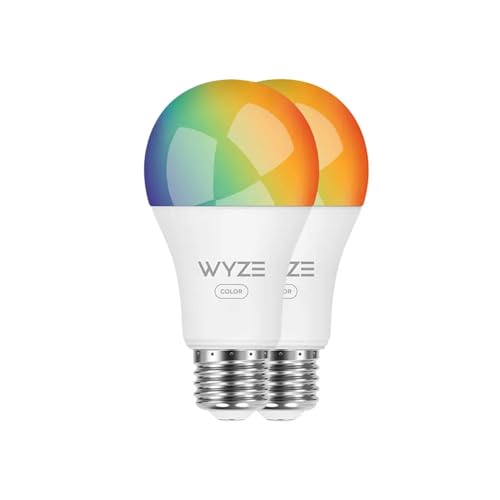
Output is the reason to pick this two-pack. Each bulb delivers 1100 lumens, roughly a 75W replacement, which is a visible step up from the 800-lumen bulbs in this guide. It still drops to a faint 30-lumen glow for the evening, and colour control spans 16 million colours plus tunable white, with presets in the Wyze app for switching scenes in one tap. Voice control covers Alexa and Google Assistant. Two bulbs cover a pair of bedside lamps or a living room lamp plus a hallway fitting.
Specs
- 1100 lumens, A19 shape
- Wi-Fi RGB and tunable white
- Dims from 1100 lumens to 30 lumens
- 16 million colours, custom presets in the Wyze app
- Works with Alexa and Google Assistant
- 2-pack
Best for: The brightest colour bulb in this guide, for two matching lamps.
Watch out for: At 1100 lumens the bulb runs warmer than most, so use an open or ventilated fitting rather than a small enclosed shade.
Which One Fits Your Situation
Setting up a first smart home from scratch
Take the Kasa KL125. One bulb, no hub and a straightforward app are all it takes to learn how smart lighting works, and the 800-lumen output matches the bulb it replaces. If the trial goes well, the same app and the same bulb family cover the rest of the house later, so nothing about the first purchase is wasted.
Wanting the warmest, best-looking first bulb
Take the Philips Hue four-pack. The wide white range and the polished Hue app make it easy to find a warm evening setting that actually looks good, and four matched bulbs mean the living room and bedroom can share the same look. Bluetooth control works from day one, and a Bridge can be added later if you want more.
Trying smart bulbs in two rooms at once
Take the Wyze two-pack. Two bright 1100-lumen bulbs cover a bedroom lamp and a living room lamp in one order, and the app presets make switching scenes a one-tap job. The pair costs no more attention than a single bulb to set up, since both join Wi-Fi the same way.
Adding voice control to one favourite lamp
Take the Sengled S1 four-pack if you have Alexa, or the Govee single if you do not. The S1 pairs itself with a nearby Echo, so the lamp answers to your voice within minutes of screwing it in. The Govee single is the better choice for a Google household or for someone who wants colour scenes from one bulb.
Common Mistakes
- Ordering a Zigbee bulb and discovering at setup that it needs a hub you do not own.
- Picking an A19 bulb for a candelabra fitting that needs the smaller E12 base.
- Expecting the bulb to join 5GHz Wi-Fi, when most of them only speak to the 2.4GHz band.
- Shopping by colour count while ignoring the white range and the maximum brightness.
- Putting a smart bulb on a wall dimmer, which can leave it flickering, buzzing or dropping off the network.
Frequently Asked Questions
Do smart LED bulbs need a hub for a beginner?
For a first bulb, no. Every pick in this guide except the Zigbee ones connects straight to Wi-Fi or Bluetooth, so there is nothing extra to buy or plug in. Hue bulbs work over Bluetooth from your phone, and a Hue Bridge is only needed later if you want routines that run while you are out. Before ordering any bulb, read its connectivity line.
Can a beginner dim a smart bulb?
Yes, and it is easier than with a normal bulb. Smart bulbs dim themselves through the app or voice control, so you say dim the light or drag a slider instead of touching a switch. Keep any wall dimmer at full brightness or replace it with a standard switch, since a wall dimmer can make a smart bulb flicker or drop off the network.
Will a smart bulb work with Alexa?
Most of the bulbs in this guide work with Alexa, including the Kasa, Sengled, Govee, Wyze and Hue picks. The Sengled S1 goes further and pairs itself with a nearby Echo over Bluetooth Mesh. Check the listing for the words Works with Alexa, and confirm the bulb connects on your 2.4GHz Wi-Fi network during setup.
How bright should a first smart bulb be?
800 lumens is enough for a bedside lamp, a desk lamp or a living room lamp, since it matches a 60W bulb. For a main ceiling light, a tall floor lamp or a room with dark walls, step up to 1000 lumens or more: the 1100-lumen Wyze pick in this guide is the brightest here. The shade matters too, since a dark shade swallows more light than a pale one.
Related guides
More from Amazon
Programs that pair well with the guide above. Offers and eligibility are set by Amazon and may change.
A free business account with business pricing and bulk-buying tools for work, shop or home office.
Create a business accountFree shipping on eligible items, Prime Video and more. Eligible new members can start with a free trial.
Start a Prime free trialAudiobooks and podcasts to listen to on the go. Eligible new members can start with a free trial.
Try Audible freeAd-free music streaming. Eligible new subscribers can start with a free trial.
Try Music Unlimited freeAs an Amazon Associate we earn from qualifying purchases.