A home office asks more of a light bulb than any other room in the house. The same lamp has to flatter your face on a video call at nine in the morning, stay bright and cool enough to keep you alert through a long afternoon of focused work, and then soften into warm light when the working day ends. Get it wrong and you end up with glare on the screen, a dim corner that strains your eyes, or a room that still feels like an office at ten at night.
This guide is for remote workers, hybrid workers and anyone whose desk shares space with the rest of the house. It covers people setting up a spare room, a corner of a bedroom or a shared kitchen table. Every bulb below was picked from the product names and specifications listed on Amazon, so you can check the same details before you buy.
Top 3 picks at a glance


Quick Picks
As an Amazon Associate we earn from qualifying purchases
| Product | Best for | Key spec from title |
|---|---|---|
| Philips Hue White and Color Ambiance A19 60W, 4-Pack | A matched set for an office and a spare room | 60W equivalent, 800 lumens, E26 |
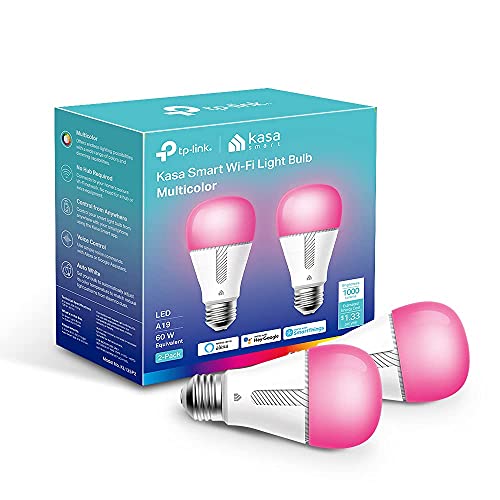
| Kasa Smart KL135P2, 2-Pack | Bright, wide white range for a desk lamp | 11W, 1000 lumens, 2500K to 9000K |
| LIFX Color A19, 1-Pack | One bulb that answers every voice assistant | 800 lumens, Wi-Fi, no bridge required |
| Wyze Bulb Color, 2-Pack | The brightest bulb for a large or dark office | 1100 lumens, Wi-Fi RGB and tunable white |
| Sengled Smart Light Bulb WiFi, 1-Pack | A single no-hub bulb for a small desk | A19, RGB colour, Wi-Fi, no hub required |
How to Choose
Tune the white, not just the brightness
A home office bulb earns its keep by changing colour temperature through the day, not by changing colour. Cool white around daylight keeps you alert while you work through documents and email, while warm white in the evening tells your brain the working day is over. Look for a wide white range, such as 2500K to 9000K, so one bulb can cover both ends of the day. A bulb fixed on a single warm white will feel sleepy at noon, and one stuck on cool white will feel harsh after dark. Check the stated white range before the colour count.
Brightness is a desk problem
Office lighting fails most often because the bulb is too dim for the distance between the lamp and the desk. An 800-lumen bulb matches a 60W bulb and suits a small desk lamp close to your keyboard, but a tall floor lamp across the room or a desk against a dark wall needs more. Look for 1000 lumens or above when the lamp sits far from where you work, or when the room has dark paint that soaks up light. A second lamp usually helps more than a brighter single bulb, since two sources cut shadows on the desk and on your face during calls.
Check how the bulb behaves on camera
A bulb that looks fine to your eyes can look poor on a video call. Flicker at low brightness, a green cast in the white light, or a colour temperature that makes skin look washed out all show up on camera before they bother you in person. Colour rendering matters here: a bulb with a high colour rendering index keeps skin tones and the room behind you looking natural. Smooth dimming matters too, since a bulb that steps down in visible jumps is hard to set to the exact level that flatters your face without washing out the screen.
Pick control that does not interrupt work
The best office bulb is the one you never have to think about during the working day. Schedules that switch the light to cool white at nine and warm white at six, routines that turn the desk lamp on with your first meeting, and voice control for when your hands are full all beat opening an app every time. Most Wi-Fi bulbs only use the 2.4GHz band, so check that your router broadcasts it before ordering. If your household already runs a smart home system, a bulb that joins it directly will cause fewer surprises than one that needs its own separate app.
The 5 Best Options
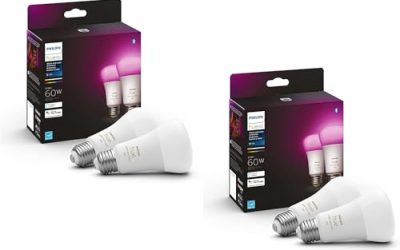
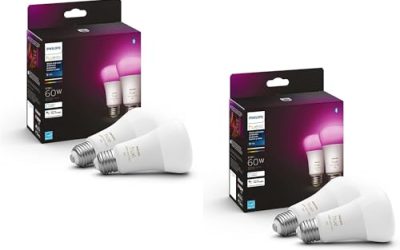
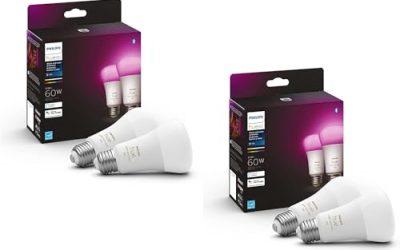
Philips Hue White and Color Ambiance A19 60W, 4-Pack
Four bulbs in one box change the maths of an office upgrade. The desk lamp can run cool white while you work, the floor lamp warms up when the laptop closes, and the two spares cover a hallway or a bedroom without another order. Each bulb spans the full white range plus the full colour range, the Hue app handles rooms and schedules without fuss, and voice control covers Alexa, Google Assistant and Apple HomeKit. Bluetooth means the set works from a phone on day one, and a Bridge can be added later for routines that run while you are away.
Specs
- 60W equivalent, 800 lumens
- A19 shape, E26 base
- White and Color Ambiance range
- Bluetooth control, Hue app
- Works with Alexa, Google Assistant and Apple HomeKit
- 4-pack
Best for: Fitting out a whole home office and spare room with one matched set.
Watch out for: The bulbs work over Bluetooth on their own, but some Hue features need a Hue Bridge, so check which features you want before assuming the pack alone covers them.
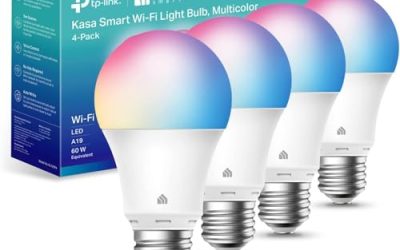
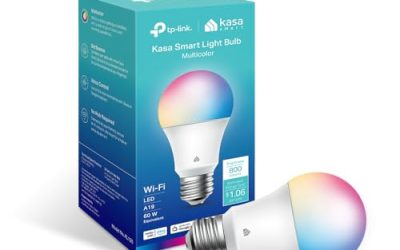
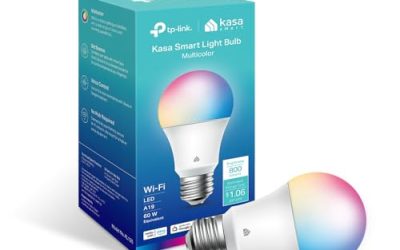
Kasa Smart KL135P2, 2-Pack
A desk lamp earns its keep by being bright enough to work under and flexible enough to change with the day. Each bulb in this pair puts out 1000 lumens, a clear step up from a standard 60W replacement, and the white range runs from a warm 2500K to a crisp 9000K. Morning focus gets cool light, late work gets warm light, and neither needs the lamp touched. Both bulbs join 2.4GHz Wi-Fi with no hub, and the Kasa app covers dimming, colour and schedules for the pair.
Specs
- 11W, 1000 lumens
- A19 shape, E26 base
- 16 million colours, dimmable
- White range 2500K to 9000K
- 2.4GHz Wi-Fi only, no hub required
- Works with Alexa and Google Home
- 2-pack
Best for: A bright desk lamp and a second lamp in the same office.
Watch out for: It only connects on the 2.4GHz band, so check that your router broadcasts a 2.4GHz network or lets you split the bands during setup.
LIFX Color A19, 1-Pack
This single bulb keeps the setup to one screw-in and one app. Wi-Fi lives inside the bulb itself, so there is no bridge to find a socket for and no hub to buy, and it answers to Alexa, Google, HomeKit and Siri alike. Output sits at 800 lumens with a wide colour and white range, and the dimming fades to a faint glow that suits late-night work when the rest of the house is dark. For a desk lamp in a household that mixes Apple and Android gear, that combination of no extra hardware and every assistant covered is hard to beat.
Specs
- 800 lumens, A19 shape
- Wi-Fi smart LED, no bridge required
- Billions of colours and whites
- Dims down to 1 percent
- Works with Alexa, Google, HomeKit and Siri
- 1-pack
Best for: A single desk lamp that works with every major voice assistant.
Watch out for: Like most Wi-Fi bulbs it needs a 2.4GHz network, so confirm your router settings if setup stalls on a combined-band network.
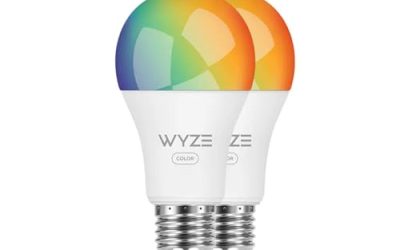
Wyze Bulb Color, 2-Pack
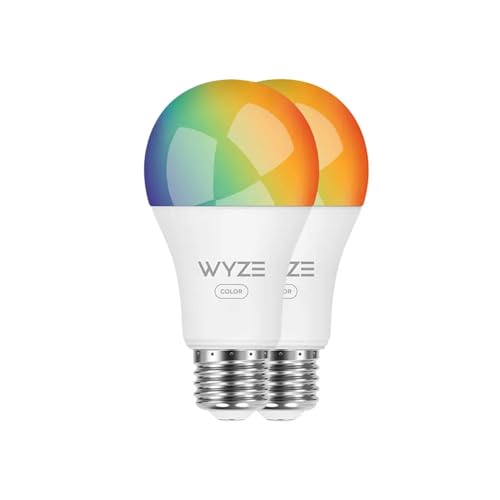
Brightness is the reason to pick this two-pack. Each bulb puts out 1100 lumens, roughly a 75W replacement, which shows in a large office or a tall floor lamp that sits far from the desk. It still dims to a faint 30-lumen glow for the evening, and colour control spans 16 million colours plus tunable white, with presets in the Wyze app for switching scenes in one tap. Voice control covers Alexa and Google Assistant. Two bulbs cover a desk lamp and a floor lamp, so the whole office gets the same bright treatment.
Specs
- 1100 lumens, A19 shape
- Wi-Fi RGB and tunable white
- Dims from 1100 lumens to 30 lumens
- 16 million colours, custom presets in the Wyze app
- Works with Alexa and Google Assistant
- 2-pack
Best for: The brightest colour bulb in this guide, for a large or dark office.
Watch out for: The extra brightness means more heat in a small enclosed shade, so check the fitting is open or ventilated before fitting one.
Sengled Smart Light Bulb WiFi, 1-Pack
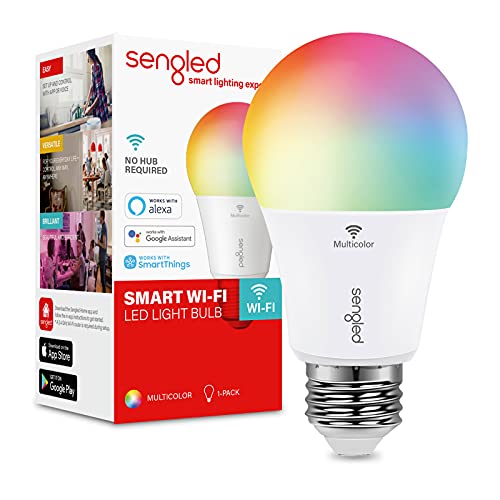
This single bulb is the lowest-commitment way to add smart light to a desk. It screws into any standard E26 fitting, joins Wi-Fi with no hub, and gives colour changing plus dimming from the Sengled app or a voice assistant. Sold singly, it makes sense as a trial bulb for a desk lamp, or as a spare for a room with weak Wi-Fi where you want to test coverage before buying a multi-pack. The A19 shape and RGB colour cover the basics, and the setup takes minutes with no extra hardware to find a home for.
Specs
- A19 shape, RGB colour
- Wi-Fi, no hub required
- Colour changing, dimmable
- Works with Alexa and Google Home
- 1-pack
Best for: Trying one smart bulb on a single desk lamp.
Watch out for: As a single bulb it will not light a whole office on its own, so plan a second lamp if the room is large or has dark walls.
Which One Fits Your Situation
Your desk sits in a shared living space
Take the Philips Hue four-pack. One bulb can run cool white at the desk while the others warm the rest of the room, and schedules switch the whole set to warm light when work ends. The matched set keeps the room looking like a living room rather than a collection of mismatched lamps, and Bluetooth control means it works from day one.
You spend all day on video calls
Take the Kasa KL135P2 two-pack. The 1000-lumen output and the wide 2500K to 9000K white range let you set a flattering, natural light for your face, while the second bulb lights the background so you do not sit in a dark box. Smooth dimming helps you find the exact level that suits the camera.
Your office is a small spare room with one lamp
Take the LIFX Color A19. One bulb, no bridge and no hub keep the setup short, and the wide assistant support means it answers to whatever phone or speaker is already on the desk. Dimming down to a faint glow suits late work, and the single-bulb commitment fits a room that may change purpose later.
You work in a large room with dark walls
Take the Wyze two-pack. Its 1100-lumen output beats every other bulb in this guide, which shows when the lamp sits far from the desk or the walls soak up light. Two bulbs let you light the desk and a second corner, and the 30-lumen minimum keeps the pair usable as a gentle night light after hours.
Common Mistakes
- Buying an 800-lumen bulb for a tall floor lamp across a large office, then wondering why the desk feels dim.
- Putting a smart bulb on a wall dimmer circuit, which can leave it flickering, buzzing or dropping off the network.
- Expecting every smart bulb to join 5GHz Wi-Fi, when most of them only speak to the 2.4GHz band.
- Picking a bulb for its colour count while ignoring the white range and how it renders skin on camera.
- Leaving the light on cool white all evening, so the office never feels like it has closed for the day.
Frequently Asked Questions
What colour temperature is best for a home office?
Cool white in the 4000K to 5000K range suits focused work, since it feels alert and close to daylight. Warmer light around 2700K suits video calls and evening wind-down, because it flatters skin tones and feels calmer. A bulb with a wide tunable white range covers both, so you can switch from cool mornings to warm evenings without changing the bulb.
How bright should a home office bulb be?
For a desk lamp close to your keyboard, 800 lumens is enough and matches a 60W bulb. For a floor lamp across the room, a desk against a dark wall or a large office, look for 1000 lumens or more, such as the 1000-lumen Kasa or the 1100-lumen Wyze pick in this guide. A second lamp usually helps more than one very bright bulb.
Will a smart bulb flicker on video calls?
It can, if the bulb dims in visible steps or the wall dimmer interferes with it. Choose a bulb known for smooth dimming, keep any wall dimmer at full brightness or replace it with a standard switch, and set the bulb from the app instead. A high colour rendering index also keeps your face looking natural rather than washed out on camera.
Do I need a hub for office smart bulbs?
Usually not. The Kasa, LIFX, Wyze and Sengled bulbs join Wi-Fi directly, so they work with no extra hardware. Hue bulbs run over Bluetooth on their own, and a Hue Bridge only becomes necessary for routines that run while you are away. The exception is Zigbee: those bulbs need a hub or an Echo with one built in, so read the connectivity line in the listing before you buy.
Related guides
More from Amazon
Programs that pair well with the guide above. Offers and eligibility are set by Amazon and may change.
A free business account with business pricing and bulk-buying tools for work, shop or home office.
Create a business accountFree shipping on eligible items, Prime Video and more. Eligible new members can start with a free trial.
Start a Prime free trialAudiobooks and podcasts to listen to on the go. Eligible new members can start with a free trial.
Try Audible freeAd-free music streaming. Eligible new subscribers can start with a free trial.
Try Music Unlimited freeAs an Amazon Associate we earn from qualifying purchases.