
Ray tracing makes lighting, reflections, and shadows look more realistic, but it is one of the fastest ways to expose a graphics card’s limits. The best ray tracing GPU is not necessarily the card with the highest traditional rasterization performance. You also need enough VRAM, a strong upscaling system, and reasonable power consumption.
For most buyers, NVIDIA is the safest choice for ray-traced gaming because its dedicated ray-tracing hardware and DLSS support are widely available. AMD can be the better value when prices are lower, while Intel is worth considering mainly for budget buyers who accept more variable results.
As an Amazon Associate we earn from qualifying purchases at no extra cost to you.


Our Top Picks
 GIGABYTE Radeon RX 9070 XT Gaming OC 16GRADEON9070XT11.34 x 5.2 x 2.2 Inches3.9 PoundsCheck on Amazon
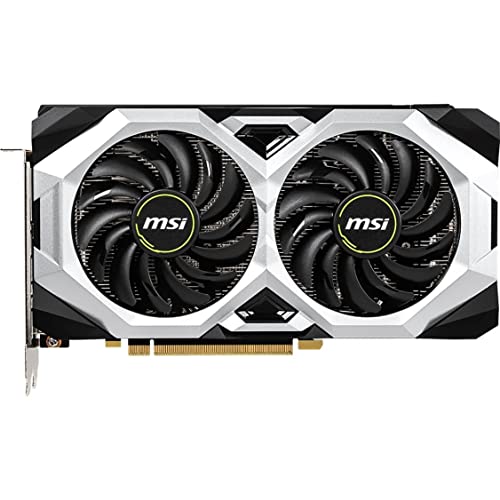 msi Gaming GeForce RTX 2060 6GB GDRR6 192-bit1.6"x5"x8.9"9.1 x 1.7 x 5 inches1.68 PoundsCheck on Amazon
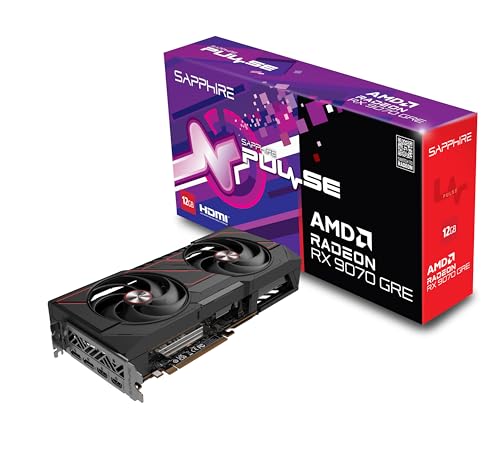

Top 3 picks at a glance
Quick picks
| Best for | What to buy | Why | Main drawback |
|---|---|---|---|
| Best overall ray tracing | Upper-midrange or high-end NVIDIA GPU | Strong ray tracing, DLSS, frame generation, and broad game support | Usually costs more than comparable AMD cards |
| Best value | AMD GPU with at least 12GB VRAM | Good conventional performance and often better price per frame | Ray tracing and upscaling are generally weaker |
| Best budget experiment | Intel Arc GPU with 8GB or more VRAM | Competitive features and improving drivers at low prices | More game-to-game performance variation |
| Best for 4K ray tracing | High-end NVIDIA GPU with 16GB or more VRAM | More rendering headroom and better performance with demanding effects | High purchase price, power use, and diminishing value |
Best overall: an upper-midrange NVIDIA GPU
If ray tracing is your priority, start with NVIDIA ray tracing graphics cards. They tend to deliver the most consistent results across games, particularly when you enable demanding effects such as full-scene path tracing. NVIDIA’s DLSS upscaling can also recover much of the frame rate lost to ray tracing, and supported frame-generation features can make a demanding game feel smoother.
An upper-midrange card is the sensible target for most 1440p players. It should handle conventional 1440p gaming easily and give you room to enable ray-traced shadows, reflections, or global illumination without immediately dropping to unpleasant frame rates. You do not need the most expensive card unless you are targeting 4K, a very high refresh rate, or path tracing in the latest games.
The main failure mode is buying a card that is powerful enough for ordinary 1440p gaming but has too little VRAM for your intended settings. Ray tracing often increases memory pressure, especially alongside high-resolution textures. Check independent benchmarks for the games you actually play rather than relying on a single average score.
When a high-end NVIDIA card is worth it
Move up to a high-end NVIDIA GPU with 16GB VRAM or more if you want 4K ray tracing, path-traced lighting, or a card that should remain comfortable for several years. Extra performance matters because upscaling cannot fix every bottleneck. At very high settings, you can still encounter limits from shader workload, memory capacity, or CPU performance.
There are trade-offs. High-end cards are expensive, large, and power-hungry. You may need a stronger power supply, a spacious case, and adequate airflow. They also provide poor value if you mostly play esports games, older titles, or games without ray tracing. A cheaper card with high rasterization performance is fine for those workloads.
Best value: AMD when the discount is substantial
AMD is a good choice when you care about total gaming performance more than maximum ray-tracing quality. A suitable AMD Radeon graphics card with 12GB or more VRAM can be an excellent 1440p purchase, particularly if it costs noticeably less than the closest NVIDIA alternative.
AMD cards often offer strong traditional rendering performance and generous memory at their price points. That makes them attractive for games where ray tracing is optional or disabled. They are also less dependent on proprietary upscaling support: if you prefer native resolution, the extra rasterization performance can be useful.
The compromise appears when ray tracing becomes central to the game. AMD’s ray-tracing performance is usually less competitive at the same price, and its upscaling and frame-generation support may be less consistent from game to game. This does not make AMD a bad purchase. It means you should decide whether ray tracing is a feature you occasionally enable or the main reason you are upgrading.
Choose AMD if you usually play at 1440p, want the most conventional performance per dollar, and are comfortable reducing ray-tracing quality or using a more aggressive upscaling mode.
Best cheap option: Intel Arc, with conditions
Intel Arc can make sense for a tight budget, especially when discounted Intel Arc graphics cards offer more memory or features than similarly priced alternatives. Intel’s modern cards support hardware ray tracing and can perform well in newer games using current graphics APIs.
However, Intel remains the option I would research most carefully before buying. Performance can vary more between games, older DirectX titles may behave less predictably, and driver improvements do not guarantee that every troublesome game will be fixed. Your motherboard should also support Resizable BAR for the best results.
Intel is a reasonable gift or budget build choice for someone who plays a known list of modern games and is willing to keep drivers updated. It is a weaker choice for a family PC with unknown software, an older CPU platform, or someone who wants everything to work with minimal troubleshooting.
What to check before buying
Resolution and refresh rate: At 1080p, a midrange GPU is usually enough, even with moderate ray tracing. At 1440p, upper-midrange hardware gives a better balance. At 4K, ray tracing quickly pushes you toward high-end cards and upscaling.
VRAM: Eight gigabytes can still work for many games, but it leaves less room for high-resolution textures and future releases. Twelve gigabytes is a more comfortable floor for a new 1440p purchase; 16GB or more is preferable for 4K or long-term use.
Upscaling quality: DLSS, FSR, and XeSS can substantially change the experience. Look for reviews that test image quality, not just frame-rate charts. Ultra-performance modes may produce distracting blur or shimmering, particularly at 1080p.
Frame generation: Generated frames can improve perceived smoothness, but they do not remove the input delay of a low native frame rate. If the GPU renders only 30 frames per second before generation, the result may still feel sluggish. Treat frame generation as an enhancement, not a substitute for adequate base performance.
Power and size: Check the card’s length, thickness, power connector, and recommended power supply. A bargain card is not a bargain if it cannot fit your case or forces an expensive power-supply upgrade.
FAQ
Is NVIDIA always better for ray tracing?
No, but it is usually the safer choice. AMD can offer better value, while Intel can be competitive in selected games. NVIDIA has the advantage in consistency, upscaling support, and demanding path-traced workloads.
How much VRAM do I need for ray tracing?
For a new 1440p card, 12GB is a sensible minimum target. Choose 16GB or more for 4K, heavy texture packs, or a longer ownership period.
Is ray tracing worth enabling?
It depends on the game. Reflections and lighting can look excellent in some titles, while the performance cost is barely worthwhile in others. Use it selectively rather than treating it as an essential setting.
Should I buy a cheaper GPU and use upscaling?
Yes, if its native performance remains adequate. Upscaling can make a midrange card feel much faster, but it cannot compensate for insufficient VRAM, severe stutter, or a very low base frame rate.



