The best medical alert smartwatch for most people in 2026 is the Apple Watch Series 11 for iPhone owners and the Samsung Galaxy Watch8 or Google Pixel Watch 4 for Android owners. All three combine automatic fall detection, one-press emergency calling and cellular options. If the wearer has no smartphone, or needs trained agents answering every alert, a dedicated medical alert smartwatch with a monitoring subscription is the safer choice than a mainstream watch.
This guide is for people shopping for themselves or for an older relative. It focuses on the decisions that decide whether an alert actually reaches someone: phone ecosystem, cellular connectivity, fall detection behavior, battery routine and who answers the call.
As an Amazon Associate we earn from qualifying purchases at no extra cost to you.
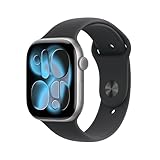


Our Top Picks
Top 3 picks at a glance
Quick comparison of the best medical alert smartwatches
| Pick | Best for | Key safety specs | Price tier |
|---|---|---|---|
| Apple Watch Series 11 (GPS + Cellular) | iPhone users, best overall | Fall detection, Emergency SOS, crash detection, Medical ID, ECG, cellular | Premium |
| Apple Watch SE 3 (GPS + Cellular) | Budget iPhone setup, Family Setup for a relative | Fall detection, Emergency SOS, Medical ID, cellular | Mid-range |
| Samsung Galaxy Watch8 (LTE) | Android users, especially Samsung phone owners | Fall detection, SOS press sequence, LTE, health sensors | Mid-range to premium |
| Google Pixel Watch 4 (LTE) | Pixel phone owners wanting extra safety features | Fall detection, Safety Check, Loss of Pulse Detection (where available), LTE, satellite SOS | Premium |
| Garmin Venu 4 / Vivoactive 6 | Multi-day battery, active seniors | Incident detection and assistance (phone-connected), long battery life | Mid-range to premium |
| Dedicated medical alert smartwatch (for example Lively Wearable 2 or Bay Alarm Medical’s SOS smartwatch) | No smartphone, monitored response | Built-in cellular, 24/7 call center, fall detection as an add-on, simple interface | Low upfront cost plus monthly fee |
Features and regional availability vary by country and software version, so confirm the details against the manufacturer’s spec sheet before buying.
Best overall: Apple Watch Series 11
The Apple Watch Series 11 has the most mature safety stack of any mainstream watch. It offers fall detection, Emergency SOS with a side-button hold, crash detection, a Medical ID that first responders can open from the lock screen, and ECG and irregular rhythm notifications. The cellular model can place an emergency call and notify contacts without the iPhone nearby, provided there is a carrier plan and signal.
Who it suits: anyone who already has an iPhone and will charge a watch every day.
Main trade-off: it is the most expensive route among the mainstream picks, and it needs a daily charging habit. A watch on the nightstand cannot detect a fall in the bathroom.
Best budget: Apple Watch SE 3
The Apple Watch SE 3 carries the core alert features (fall detection, Emergency SOS, Medical ID, cellular option) at a lower tier than the Series 11. It also supports Family Setup, which lets a relative use a cellular Apple Watch without owning an iPhone. A family member manages it from their own iPhone. That makes it the cheapest realistic way to give an older parent an alert watch with an ecosystem you can already manage.
Main trade-off: it leaves out some higher-end health sensors, and a Family Setup watch still needs a cellular plan.
Best for Android: Samsung Galaxy Watch8
The Galaxy Watch8 is the pick for Android owners. It supports fall detection and an emergency SOS sequence, which is a rapid press of the Home button, and the LTE version works without the phone nearby. It pairs only with Android phones, so it will not work for an iPhone user.
Main trade-off: battery life is a day or two at best with the always-on display and sleep tracking, so the charging routine matters just as much as on an Apple Watch.
Best for Pixel owners: Google Pixel Watch 4
The Pixel Watch 4 adds safety features aimed at the people most likely to need them: fall detection, Safety Check timers, Loss of Pulse Detection in supported regions, and satellite-based SOS. It is the most interesting pick for someone who hikes or lives in an area with patchy cell coverage.
Main trade-off: it needs an Android phone, and some safety features depend on country and plan.
Best battery life: Garmin Venu 4 or Vivoactive 6
Garmin watches last days rather than hours, which solves the most common failure of all: a dead watch. Garmin’s incident detection and assistance feature can send your location to emergency contacts, but it relies on a connected phone and the Garmin Connect app. It is not a standalone cellular calling device.
Who it suits: an active, phone-carrying senior who forgets to charge.
Main trade-off: no independent emergency calling, so a watch away from its phone cannot call for help.
Best for monitored response: dedicated medical alert smartwatches
This spec class has built-in cellular and a subscription that routes each alert to a 24/7 response center. Agents can speak through the watch, check your profile and dispatch help. Some models include a simple display, step counting and medication reminders, and fall detection is often an extra monthly option. They are the right choice when the wearer will not manage a smartphone.
Main trade-off: a mainstream watch calls emergency services directly or notifies contacts, while a dedicated one gets a person on the line, but you pay a recurring fee and lose the app ecosystem.
How to choose: a situation-to-watch matrix
| Your situation | Choose | Why |
|---|---|---|
| Wearer has an iPhone and charges daily | Apple Watch Series 11 | Fullest feature set and Medical ID |
| Wearer has no iPhone, but a relative does | Apple Watch SE 3 cellular with Family Setup | Managed from the relative’s iPhone |
| Wearer has a Samsung phone | Galaxy Watch8 LTE | Best integration with Galaxy phones |
| Wearer has a Pixel phone or lives rurally | Pixel Watch 4 LTE | Satellite SOS and Safety Check |
| Wearer forgets to charge | Garmin Venu 4 / Vivoactive 6 | Multi-day battery |
| Wearer has no smartphone or has memory issues | Dedicated monitored smartwatch | A person answers every alert |
Worked example: a battery budget that avoids a dead watch
Illustrative numbers, since real drain varies by model, brightness and signal. Assume a watch loses about 3.5% of its battery per hour while awake, 2% per hour during overnight sleep tracking, and 10% for a 30-minute GPS walk.
- Awake for 16 hours at 3.5% per hour: 56%
- Sleep tracking for 8 hours at 2% per hour: 16%
- One GPS walk: 10%
- Total: 82%, leaving an 18% reserve
That reserve is thin. A few cellular calls or weak signal can use it up. Wearing the watch overnight is only safe with a charging window of roughly 30 to 45 minutes each day, so pick a fixed slot, such as breakfast, when the watch is charged and the wearer is not in the shower or walking alone. A watch that needs a full evening on the charger will leave gaps in protection. A multi-day Garmin or a dedicated device with several days of battery makes this problem smaller.
Cellular, coverage and plan checks
- Choose the cellular model and confirm the carrier supports watch plans in the wearer’s area. Emergency calls usually work on any available network, but contact messages and location sharing need data.
- Check indoor signal in the wearer’s own home, since many falls happen in bathrooms and basements.
- Enable Wi-Fi calling if the watch supports it.
Fall detection: what it does and does not catch
Fall detection looks for a hard impact followed by lack of movement. According to manufacturer documentation, it is designed for hard falls, so a slow slide down a wall or a fall onto a soft surface may not trigger it. Treat it as one layer, with the manual SOS button as the primary method. Set fall detection to always on, not just during workouts, which is the default setting for some watches only when the wearer’s age is entered as 55 or older.
Setup steps that matter more than the model
- Fill in the Medical ID or health profile: conditions, allergies, medications and emergency contacts. First responders can read it without unlocking the watch.
- Set at least two emergency contacts: one may not answer.
- Turn fall detection to always on: daytime wear is where most falls happen.
- Practice the SOS gesture once: cancel it before the call connects, so the wearer knows the sequence.
- Use a soft, secure band: a loose watch gives worse sensor readings and can be left off at night.
Frequently Asked Questions
Is an Apple Watch or Galaxy Watch a real replacement for a medical alert system?
For many independent adults, yes. They provide automatic fall detection and quick emergency calling. They do not give you a 24/7 monitored call center. If the wearer might be unable to speak, forgets to charge, or lives alone with serious conditions, a dedicated monitored service is the more dependable choice.
Do medical alert smartwatches need a monthly fee?
Mainstream smartwatches need a cellular plan only if you want them to work away from the phone, usually a modest add-on to an existing phone plan. Dedicated medical alert watches charge a monitoring subscription, and fall detection is often a separate add-on. Always check what the fee covers before buying.
Can an older person use an Apple Watch without an iPhone?
Yes, with a cellular Apple Watch set up through Family Setup. A family member manages it from their iPhone, and the wearer can call, send messages and use Emergency SOS from the watch. It needs a supported cellular plan and a compatible Apple Watch model.
Does fall detection work every time?
No. It is built to detect hard falls and can miss gentle or slow ones, and it can also trigger false alarms during sudden movements. That is why the manual SOS method and a regular check-in routine still matter.
How long should the battery last for a safety watch?
Plan on at least a full day with a reserve, and prefer more if the wearer is unlikely to keep up a charging routine. Mainstream smartwatches typically need daily charging, while Garmin models and some dedicated alert devices last several days. A longer-lasting battery means fewer gaps in protection.
Which watch is best for someone with dementia or memory problems?
A dedicated medical alert watch with a monitoring service is usually the better fit, because it has a simpler interface, can include location sharing for caregivers, and gets a trained person on the line. Mainstream watches are still workable if a caregiver manages charging and settings, but they depend on the wearer remembering to wear and charge them.
Related guides
More from Amazon
Programs that pair well with the guide above. Offers and eligibility are set by Amazon and may change.
A free business account with business pricing and bulk-buying tools for work, shop or home office.
Create a business accountFree shipping on eligible items, Prime Video and more. Eligible new members can start with a free trial.
Start a Prime free trialAudiobooks and podcasts to listen to on the go. Eligible new members can start with a free trial.
Try Audible freeAd-free music streaming. Eligible new subscribers can start with a free trial.
Try Music Unlimited freeAs an Amazon Associate we earn from qualifying purchases.


