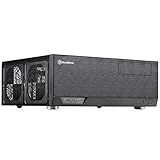
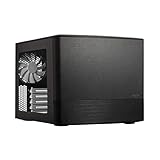
The best horizontal PC case for most people in 2026 is a compact, flat-laying ITX chassis such as the Fractal Design Node 202. If you need a full-size graphics card and ATX parts, a wide HTPC-style case like the SilverStone Grandia GD09 is the safer pick. Horizontal cases only work well if the shelf height, GPU orientation and airflow path all suit your setup, so this guide ranks picks by decision criteria and not by looks.
As an Amazon Associate we earn from qualifying purchases at no extra cost to you.

Top 3 picks at a glance
Quick comparison of the best horizontal PC cases
| Pick | Best for | Key specs (check the manufacturer’s spec sheet) | Price tier |
|---|---|---|---|
| Fractal Design Node 202 | Living-room and shelf builds, small footprint | About 10.2 L, mini-ITX, SFX-class PSU, 2-slot GPU, riser-based layout | Mid-range |
| SilverStone Grandia GD09 | Full ATX builds in an AV-style chassis | HTPC form factor, ATX board support, multiple drive bays, front-panel I/O | Mid-range to premium |
| Thermaltake Core P3 (open frame) | Showpiece or bench-style builds, big GPUs and custom loops | Open-frame ATX chassis, panoramic layout, wall or table placement | Premium |
| Lian Li DK-04 series desk case | Desk-integrated workstation and gaming rigs | Case built into a desk, horizontal motherboard tray, large-component support | Premium |
| Rack-mount 4U class (e.g. SilverStone RM-series) | Server-style, storage-heavy, or rack-based systems | ATX-class, many drive bays, front-to-back airflow, rack ears | Budget to mid-range |
What “horizontal” really means for a gaming PC
A horizontal case lays the motherboard flat or nearly flat, like a console or AV receiver. The case is wide and low, which changes three things versus a tower: how the GPU is mounted, how heat leaves the case, and how much cooler height you get. Hot air naturally rises, so in a flat case it rises toward the lid. A top-mounted exhaust or a mesh lid matters more than it does in a tower.
Best overall: Fractal Design Node 202
The Node 202 is the best all-round horizontal case because it is genuinely small, at roughly 10 L, and it fits on a TV stand or shelf. It uses a riser-style GPU layout so a two-slot card can sit beside the motherboard instead of on top of it.
Who it suits: mini-ITX builders who want a console-sized PC for a living room or small desk.
Main trade-off: the space is tight. You need an SFX-class PSU, a low-profile CPU cooler and a GPU that fits the card-length and thickness limits on the spec sheet. Cable routing is fiddly, and cooling is limited if you pick a hot, high-wattage GPU.
Best for full-size parts: SilverStone Grandia GD09
If you want ATX parts, a standard PSU and room for several drives in a horizontal shape, an HTPC-style case like the GD09 is the practical answer. It is wider and deeper than the Node 202, so it is easier to build in and easier to cool.
Who it suits: media-center-plus-gaming builds, and anyone who wants upgradeability without moving to a tower.
Main trade-off: it needs a wide cabinet or a desk surface. Check the maximum CPU cooler height and GPU length against your parts, because HTPC cases often limit both compared with a tower.
Best for showpiece builds: Thermaltake Core P3
An open-frame chassis like the Core P3 has no airflow problem in the usual sense, since there is no lid to trap heat. It handles large GPUs and custom liquid loops well, and it can be placed flat or mounted according to the manufacturer’s options.
Main trade-off: dust and noise. Nothing contains fan sound, and the parts are exposed to pets, drinks and cleaning cloths. It also needs a clean, stable surface.
Best for desk integration: Lian Li DK-04 series
The DK-04 family builds the PC into a desk with the motherboard flat under a glass or panel top. It suits people who want a single piece of furniture with the hardware on display.
Main trade-off: it is a premium purchase and very large. Because the case is the desk, a future upgrade of the chassis means replacing the desk as well.
Best for storage-heavy and server-style builds: 4U rack cases
A 4U rack-mount chassis is the cheapest way to get an ATX-class horizontal case with many drive bays. It also takes full-height cards and standard PSUs, and it has strong front-to-back airflow.
Main trade-off: acoustics. Rack cases often ship with small, fast fans that are loud in a living space. Plan to swap them for larger, slower ones.
How to choose: decision criteria with numbers
1. Measure shelf height before anything else
Add the case height to a 25 to 50 mm ventilation gap above it. A case that is 100 mm tall on a shelf with 115 mm of clearance will recirculate its own exhaust. The same case needs 130 to 150 mm of clearance if the lid is a mesh intake or exhaust.
2. Work out the airflow you need
A common rule is: airflow in CFM ≈ 1.76 × heat in watts ÷ allowed temperature rise in °C. Take a system with an 180 W GPU and a 70 W CPU, which is about 250 W of heat under gaming load, and a target of 10 °C of air rise inside the case. That is 1.76 × 250 ÷ 10 ≈ 44 CFM of real, delivered airflow. Fans rarely deliver more than 40 to 60 percent of their rated CFM once they push through mesh and dust filters. So you want roughly 75 to 110 CFM of rated fan capacity, which means two or three 80 to 120 mm fans in the right positions. A compact case with a single small fan on a 250 W build will run hot or loud.
3. Match the GPU to the case orientation
In a flat case the GPU often sits vertically on a riser, or lies horizontally on the board. Sag matters less if the card is held flat in a low profile. The real concern is intake: a vertical card needs a side panel with venting and at least 10 to 15 mm of gap between the fans and the panel.
4. Check PCIe riser generation
If the case uses a riser, confirm whether it is PCIe 3.0 or 4.0 rated. A 4.0 card on a 3.0 riser may fall back to 3.0 speeds or show instability. An x16 slot at PCIe 3.0 offers about 15.8 GB/s per direction, while 4.0 doubles that to about 31.5 GB/s. Most games lose only a few percent from the lower figure on mid-range cards, but a flaky link is worse than a slow one.
5. Verify CPU cooler height and PSU type
Low-profile coolers of 40 to 60 mm are common in HTPC cases. A tower cooler of 150 mm will not fit. For PSUs, ITX cases need SFX or SFX-L. HTPC ATX cases often take only certain PSU lengths, so check the depth.
Decision matrix: which horizontal case fits your situation
| Your situation | Best choice | Watch out for |
|---|---|---|
| TV stand with 100–120 mm clearance, console-style PC | Compact ITX like Node 202 | GPU length and thickness limits, SFX PSU |
| Wide AV cabinet, want ATX parts and drives | HTPC ATX case like GD09 | Cooler height limits, cabinet ventilation |
| Open desk, want a showpiece with a large GPU | Open frame like Core P3 | Dust, noise, cleanliness |
| Want the PC to be the desk | Desk case like DK-04 series | Size, weight, upgrading the chassis later |
| Storage server or workstation in a rack | 4U rack case | Fan noise, depth of the rack |
Common mistakes with horizontal cases
- Placing the case inside a closed cabinet. Even a 100 W system will heat the enclosure over a few hours.
- Buying a thick GPU without checking the case’s slot-width limit.
- Assuming a tower cooler will fit. In HTPC cases the maximum cooler height is a hard limit.
- Ignoring fan noise. Small fans at high RPM are what make flat cases loud.
- Putting the case on carpet, which blocks bottom intakes.
Frequently Asked Questions
Are horizontal PC cases worse for cooling than towers?
Usually yes, at the same volume, because they have less height for convection and smaller fans. A well-designed flat case with mesh panels and good intake can still keep a mid-range GPU and CPU in a safe range. The more power the parts draw, the more a tower helps.
Can I lay a normal tower case on its side?
You can, but it is not designed for that. Feet, ventilation and the GPU or cooler weight may be wrong for flat use. Some towers explicitly support horizontal placement, so check the manufacturer’s manual before doing it.
Do horizontal cases fit full-size graphics cards?
Only some do. ATX HTPC cases, open frames and rack cases can take large cards, while ITX cases like the Node 202 limit length and thickness. Always compare your card’s length and slot width against the case’s spec sheet.
Is a horizontal case good for a living-room gaming PC?
Yes, if you pick a compact design and leave clearance around it. Prioritize quiet fans and a lid that does not block exhaust. A mid-range GPU with a modest power limit is easier to keep quiet in this form factor.
What size shelf do I need?
Take the case height and add at least 25 to 50 mm above it, plus some space at the rear and sides. For mesh-top designs allow more. If the shelf is enclosed, add a fan or leave the back open to avoid heat build-up.
Related guides
More from Amazon
Programs that pair well with the guide above. Offers and eligibility are set by Amazon and may change.
A free business account with business pricing and bulk-buying tools for work, shop or home office.
Create a business accountFree shipping on eligible items, Prime Video and more. Eligible new members can start with a free trial.
Start a Prime free trialAudiobooks and podcasts to listen to on the go. Eligible new members can start with a free trial.
Try Audible freeAd-free music streaming. Eligible new subscribers can start with a free trial.
Try Music Unlimited freeAs an Amazon Associate we earn from qualifying purchases.


