The best “hard drive” for Satisfactory on PC is a 1 TB NVMe SSD, such as the Samsung 990 Pro, WD_Black SN850X or Crucial P310, because it shortens load times and smooths world streaming in large saves. A spinning hard disk still runs the game but is the weakest option. If you meant the in-game Hard Drive item from crashed drop pods, the best ones to research are the alternate recipes that fix your current bottleneck. Both readings are covered below.
As an Amazon Associate we earn from qualifying purchases at no extra cost to you.



Our Top Picks
 Toshiba Canvio Basics 2TB Portable External Hard Drive2TB4.3 x 3.1 x 0.55 inches0.3 poundsCheck on Amazon
Top 3 picks at a glance
Quick comparison: drives for a Satisfactory PC
| Pick | Best for | Key specs (per manufacturer spec sheets) | Price range |
|---|---|---|---|
| Samsung 990 Pro (1 TB / 2 TB) | Best overall, fast loads and heavy saves | PCIe 4.0 x4 NVMe, up to about 7,450 MB/s sequential read, M.2 2280 | Mid-range to premium |
| WD_Black SN850X (1 TB / 2 TB) | Best for a combined game and work drive | PCIe 4.0 x4 NVMe, up to about 7,300 MB/s sequential read, M.2 2280 | Mid-range to premium |
| Crucial P310 (1 TB / 2 TB) | Best value NVMe | PCIe 4.0 x4 NVMe, up to about 7,100 MB/s sequential read, M.2 2280 | Budget to mid-range |
| Crucial MX500 (1 TB) | Best for older PCs without an M.2 slot | SATA III 2.5-inch, about 560 MB/s read, 510 MB/s write | Budget |
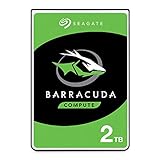
| Seagate Barracuda (2 TB+) | Best for bulk backups and screenshots only | 7,200 rpm class 3.5-inch HDD, SATA III, about 190–250 MB/s sustained | Budget |
Why storage matters less than your CPU in Satisfactory
Satisfactory’s slowdowns in late-game factories are usually limited by CPU and RAM, not the drive. A faster SSD will not raise your frame rate in a 2,000-machine base. What the drive changes is how long the game takes to start, how fast a big save loads, how long autosaves stall, and how smoothly the world streams in as you move. Those effects are most noticeable on a hard disk and shrink as you move up the SSD tiers.
That has a practical consequence. The gap between a SATA SSD and a fast NVMe SSD is small for this game. The gap between any SSD and a spinning hard disk is large. Spend your money on getting off the hard disk first, and only then consider a premium NVMe model.
Best overall: Samsung 990 Pro
The 990 Pro suits players who keep a large library and want the least waiting on big saves. Its PCIe 4.0 interface and strong sustained performance, per Samsung’s spec sheet, keep it consistent when you copy or load large files. The trade-off is price: you pay a premium for speed that Satisfactory cannot fully use. Choose it if the same drive also handles video editing or other heavy tasks.
Best for a combined game and work drive: WD_Black SN850X
The SN850X offers similar performance to the 990 Pro, with capacities that go beyond 2 TB if you want one large drive. It is a good choice if you install many games next to Satisfactory and do not want to juggle two drives. The trade-off is the same as above: you pay extra for speed the game does not need. Models with a heatsink are worth considering if your M.2 slot sits directly under a hot GPU.
Best value: Crucial P310
For a Satisfactory-focused PC, the P310 is the sensible pick. It is a PCIe 4.0 drive with quoted read speeds around 7,100 MB/s. Real-world load times with it will be close to those of drives that cost noticeably more. The trade-off is that it is a lower tier for sustained heavy writes, which matters for video capture or large file transfers but not for gameplay.
Best for older PCs: Crucial MX500 (SATA)
If your motherboard has no free M.2 slot, or it is an older platform with only SATA ports, a SATA SSD removes the hard disk’s biggest weakness: slow random reads. You lose raw sequential speed against NVMe, but for a game like this that rarely shows up as a real difference. The trade-off is the speed ceiling of roughly 560 MB/s, which only matters if you also move large files often.
Where a hard disk still makes sense: Seagate Barracuda class
Use a 7,200 rpm hard disk for backups of your save folder, screenshots, blueprints and video clips, not for the installed game. If it is your only drive, expect long first loads and more stutter when the game streams assets. The trade-off is speed in exchange for cheap capacity.
Worked example: how much capacity do you need?
Here is a sample budget. The figures are assumptions for illustration, so check your own folder sizes.
- Windows and apps: about 100 GB.
- Satisfactory install: assume 30 GB to leave headroom for patches (check the current size on the store page).
- Saves: a late-game save can reach 100 MB or more. With a few autosaves and 20 manual saves at 100 MB each, that is about 2–3 GB.
- Mods and the mod manager cache: assume 5 GB.
- Other games: five at 60 GB each is 300 GB.
The total is about 440 GB. A “1 TB” drive formats to roughly 930 GB usable, and SSDs perform better with 10–20% free space, so you would keep about 750 GB usable for data. That leaves around 300 GB of spare room, so 1 TB is enough. Choose 2 TB if you keep more than eight large games installed.
Decision matrix: match your situation to a drive
| Your situation | Choose | Why |
|---|---|---|
| Currently running the game from a hard disk | Any 1 TB SSD, SATA or NVMe | Removes the largest load-time and streaming penalty |
| Free M.2 slot, tight budget | Crucial P310 1 TB | PCIe 4.0 speeds at a lower price |
| Only SATA ports available | Crucial MX500 1 TB | Fits older boards, avoids hard disk behavior |
| Large library plus video work | Samsung 990 Pro or WD_Black SN850X 2 TB | Higher sustained performance and more space |
| Hoarding backups and clips | Add a 2 TB+ 7,200 rpm hard disk | Cheap bulk storage, kept apart from the game drive |
| PCIe 3.0 motherboard | Any NVMe, including PCIe 4.0 models | They run at PCIe 3.0 speeds, which is still plenty for this game |
The other meaning: Hard Drives inside Satisfactory
In the game, Hard Drives are items found in crashed drop pods. You analyze them in the MAM, which offers a choice of alternate recipes. You can only unlock one of the offered options per drive, so each drive is worth spending on a recipe that fixes a real bottleneck. Recipe availability and names can change between game versions, so check the in-game list before you commit.
| Your bottleneck | Alternate to prioritize | Reason |
|---|---|---|
| Early iron supply | Pure Iron Ingot | Gets more ingots from the same ore using water |
| Screws eating iron rods | Cast Screw or Steel Screw | Cuts the cost of a very common part |
| Steel throughput | Solid Steel Ingot | Simplifies the steel chain with iron ingots and coal |
| Copper supply | Pure Copper Ingot | Raises yield per ore node |
| Wire and cable demand | Fused Wire | Reduces the copper needed for a common part |
| Concrete shortage | Wet Concrete | Uses water to boost output from limestone |
Tip: when a drive offers three options, take a recipe that saves a scarce raw resource over one that merely adds variety. Also, do not skip pods that need power or other items to open. They count toward your total drives.
How to set up the drive for Satisfactory
- Install the game on the SSD. Pick the SSD library folder in your launcher. This gives the streaming benefit.
- Back up the save folder. Copy your saves to the hard disk or cloud on a schedule. Factory saves represent many hours of work.
- Leave free space. Keep at least 10–20% of the SSD empty so it keeps its write speed.
- Put the SSD in the fastest slot. Check your motherboard manual, since some M.2 slots share bandwidth with SATA ports.
- Check the drive’s temperature. Use the heatsink that comes with the board or drive if the SSD runs hot under a GPU.
Frequently Asked Questions
Can I play Satisfactory from a hard disk?
Yes, the game will run, but expect longer startup and load times and more stutter when the world streams in. A SATA SSD is the cheapest fix and makes a bigger difference than any other storage change.
Is an NVMe SSD worth it over a SATA SSD for Satisfactory?
Only slightly. The game’s load times are limited by CPU and decompression as much as raw drive speed, so the gain is small. Buy NVMe if you have the slot and the price is close, but do not pay a large premium for it.
How much storage does Satisfactory need?
The install is modest compared with many modern games, and saves are only a few hundred megabytes at most. A 1 TB drive covers it comfortably alongside several other games, but check the current install size on the store page.
Does a faster SSD improve FPS in big factories?
Not meaningfully. Frame rates in large bases depend mostly on CPU performance, memory speed and the game’s settings. The drive influences loading and streaming, not the steady frame rate.
Which Hard Drive alternate recipes should I research first in-game?
Choose the ones that save your scarcest resource. For many players that means Pure Iron Ingot, a screw alternate or Solid Steel Ingot early on. The right pick depends on your map, nearby nodes and the part you are short of.
Should I put my save files on a different drive?
Keep the active saves on the SSD for fast loading, and copy backups to a second drive or cloud storage. That protects you from a drive failure without slowing the game.
Related guides
More from Amazon
Programs that pair well with the guide above. Offers and eligibility are set by Amazon and may change.
A free business account with business pricing and bulk-buying tools for work, shop or home office.
Create a business accountFree shipping on eligible items, Prime Video and more. Eligible new members can start with a free trial.
Start a Prime free trialAudiobooks and podcasts to listen to on the go. Eligible new members can start with a free trial.
Try Audible freeAd-free music streaming. Eligible new subscribers can start with a free trial.
Try Music Unlimited freeAs an Amazon Associate we earn from qualifying purchases.


