
The i9-9900K is still a capable gaming CPU in 2026, but it changes how you should shop for a GPU. With 8 cores / 16 threads and strong single-thread performance for its age, it can drive 120+ fps in most games at 1440p, but it lacks PCIe 4.0 and DDR5, and Resizable BAR support depends on the Z390 board and BIOS version. That means you want a card that saturates 1440p and entry-level 4K without paying for bandwidth and CPU overhead you cannot use.
In practice, the sweet spot is the upper-midrange from the last two generations. Anything around RTX 3070 to RTX 3080 / RX 6800 to RX 6800 XT performance is ideal. Go much lower and you leave the 9900K bored. Go much higher and you pay for frames the CPU cannot consistently deliver, especially at 1080p.
Updated October 2026 – current-generation cards added and older advice rechecked against published specifications.
Our Top Picks
 GIGABYTE Radeon RX 9070 XT Gaming OC 16GRADEON9070XT11.34 x 5.2 x 2.2 Inches3.9 PoundsCheck on Amazon
 ASUS Dual Radeon RX 9060 XT 16GB GDDR6RX9060XT|16GB|Black8 x 4.7 x 1.9 inches1.3 poundsCheck on Amazon
 ASUS ROG Strix NVIDIA GeForce RTX 3080 V22.3"x5.5"x12.5"12.53 x 5.51 x 2.27 Inches3.9 poundsCheck on Amazon


Top 3 picks at a glance
Best GPU for i9 9900K: Quick Answer
The best GPU for an i9 9900K is a card in the RTX 3070 to RTX 3080 or RX 6800 to RX 9070 class, aimed at 1440p. Our top three picks by full name are the AMD Radeon RX 9070 Challenger 16GB for new-card value, the GIGABYTE GeForce RTX 4070 WINDFORCE OC 12G for efficiency, and a used RTX 3080 or RX 6800 XT for the lowest cost per frame. The 9900K only supports PCIe 3.0, so prefer cards with a full x16 link.
Top Picks at a Glance
| Pick | Best for | VRAM and bus | PCIe link |
|---|---|---|---|
| ASRock Radeon RX 9070 Challenger 16GB OC | New 1440p ultra | 16GB GDDR6, 256-bit | x16 |
| GIGABYTE Radeon RX 9070 XT Gaming OC 16G | High-refresh 1440p and 4K | 16GB GDDR6 | x16 |
| ASRock Radeon RX 7800 XT Challenger 16GB OC | Value 16GB card | 16GB GDDR6, 256-bit | x16 |
| GIGABYTE GeForce RTX 4070 Super WINDFORCE OC 12G | Efficient 1440p | 12GB GDDR6X, 192-bit | x16 |
| ASUS Dual Radeon RX 9060 XT 16GB | Mid-range 1440p | 16GB GDDR6 | x16 |
| MSI GeForce RTX 3060 Ventus 2X 12G OC | Budget 1080p to 1440p | 12GB GDDR6, 192-bit | x16 |
What to expect from a 9900K in modern games
At 1080p high-refresh, the 9900K will bottleneck almost any fast modern GPU in competitive shooters and open-world games. You will see high average fps but more 1% low stutters than a modern i5-13400F or Ryzen 7600. That does not mean pairing it with a strong card is wrong, it means you should target 1440p where the load shifts to the GPU.
At 1440p ultra, a 9900K with fast DDR4-3200 or better and a decent overclock to 4.8-5.0 GHz holds up well. Expect 100-144 fps in Call of Duty, Apex, Fortnite, and 70-110 fps in Cyberpunk 2077, Alan Wake 2, and Starfield with upscaling. At 4K, the CPU matters very little – even an RTX 3080 or RX 6800 XT will be 99% GPU-bound, which is exactly what you want with this chip.
One practical limit is PCIe 3.0 x16 on Z390 boards. For 16-lane cards like the RTX 3080 or RX 6800 XT, you lose 1-3% versus PCIe 4.0, which is noise. For 8-lane cards like the RTX 4060, RTX 4060 Ti, and RX 7600 XT, the penalty can be 5-10% when VRAM overflows and textures stream from system RAM. If you stay on Z390, favor full x16 cards.
Best pairings compared
This is the short list we would shortlist for a 9900K system with a good 650-750W power supply and decent airflow. Prices are for used / discounted new stock, since most of these are previous-gen.
| GPU | VRAM / Bus | Best for | PSU needed | Trade-off |
|---|---|---|---|---|
| RTX 3060 Ti / RTX 4060 Ti 8GB | 8GB | 1080p 144Hz, 1440p medium-high | 550-650W | Cheapest new, but 8GB is already tight |
| RTX 3070 / RX 6800 | 8GB / 16GB | 1440p high 100+ fps | 650W | 3070 has better RT/DLSS, 6800 has double VRAM |
| RTX 3080 10GB / RX 6800 XT | 10GB / 16GB | 1440p ultra 144Hz, entry 4K 60 | 750W | Best balance, high power draw and heat |
| RTX 4070 / RX 7800 XT | 12GB / 16GB | 1440p ultra, efficient 4K | 650-750W | More efficient, but CPU limits the uplift at 1080p |
Balanced pick: RTX 3080 10GB or RX 6800 XT
For most 9900K owners gaming at 1440p, a used RTX 3080 is the ceiling that makes sense. It gives you a large step up from the GTX 1080 Ti many of these systems shipped with, excellent DLSS 2 support, and enough headroom for 144Hz monitors. The failure mode is well known: it is a 320W card that runs hot and loud in a cramped case, and the 10GB VRAM buffer can fill up at 4K ultra textures with ray tracing on. Undervolt it by 50-80mV and you keep 97% of the performance with 15% less heat, which matters with a 9900K also dumping 150-180W overclocked.
The RX 6800 XT is the AMD twin. It is noticeably slower in ray tracing but close to the RTX 3080 in raster at 1440p, and its 16GB VRAM ages better for modded games like Skyrim, Fallout 4, and Microsoft Flight Simulator. The catch with a 9900K is Smart Access Memory / Resizable BAR. Resizable BAR on Z390 depends on the board maker shipping a BIOS update, so check your board’s support page; without it you miss the small gain Ryzen systems see. Buy it for the VRAM and raster speed, not for features. Avoid blower-style reference models if your case sits on a desk – coil whine plus 9900K fan noise gets tiring.
Who should skip both? If you only play esports at 1080p 240Hz, these are overkill and your CPU will be the limit anyway. Save the money and power.
Value pick: RTX 3070 or RX 6800
This is where honesty matters: for 1440p 75-120Hz gaming, the cheaper option is fine. An RTX 3070 matches a 2080 Ti and will push 90-120 fps at 1440p high in most titles with DLSS Quality. It draws 220W versus 320W for a 3080, fits in smaller cases, and works fine on a quality 650W unit. The trade-off is 8GB VRAM. In 2024-2025 ports like Hogwarts Legacy, The Last of Us Part I, and Alan Wake 2, you will need to drop textures from Ultra to High at 1440p to avoid stutter. If you keep cards for 4+ years, that limitation will grow.
That is why the RX 6800, often found for similar used money, is arguably the smarter 9900K value card. You lose DLSS 3 Frame Generation and Nvidia’s better ray tracing and encoding, but you gain 16GB VRAM on a full 256-bit bus. For a PCIe 3.0 system you plan to keep until it dies, VRAM matters more than frame generation that needs CPU headroom you do not have. Check length and thickness – Sapphire Nitro+ and PowerColor Red Dragon models are 2.5-3 slots and will not fit in old compact mid-towers without removing drive cages.
Efficient and new: RTX 4070 or RX 7800 XT
If you do not want to buy used, a discounted RTX 4070 is the most sensible new card for a 9900K. It performs like a 3080 while using only 200W, which your PSU and cooling will appreciate. You also get DLSS 3 Frame Generation and AV1 encoding for streaming. The problem is price-to-CPU balance: at 1080p you will be heavily CPU-limited, so you are paying a premium over a used 3080 for a small gain in usable fps. It only makes sense if you value warranty, low noise, and power efficiency, or you plan to carry the GPU forward to a future CPU upgrade.
The RX 7800 XT is similar, usually cheaper with 16GB VRAM. Pair either card with 32GB DDR4 if you multitask – the 9900K can stutter when Windows starts paging with only 16GB and a modern GPU feeding it.
Best New Graphics Cards for the i9-9900K in 2026
If you would rather buy new with a warranty, the current generation offers more VRAM and better efficiency than the used market. The rule from earlier still applies: the 9900K limits you to PCIe 3.0, so cards with a full x16 link lose very little, while x8 cards lose more. Each pick below includes one spec line and a note on what the CPU does to it.
ASRock Radeon RX 9070 Challenger 16GB OC – Best new card for 1440p ultra
As an Amazon Associate we earn from qualifying purchases at no extra cost to you.

This is the best new match for a 9900K owner who games at 1440p and wants a card that will outlast the CPU. Its 256-bit memory bus and 16GB of VRAM avoid the texture problems of 8GB cards, and its full x16 link suits a PCIe 3.0 board.
- RDNA 4 architecture, 2520MHz boost
- 16GB GDDR6 on a 256-bit bus
- PCIe 5.0 x16 interface (runs at 3.0 on Z390)
- Triple fans with a 0dB silent mode
Pros: large VRAM; strong 1440p ultra; quiet at idle. Cons: the 9900K will limit minimum frame rates at 1080p; a long triple-fan card needs case clearance. Skip it if you only play esports at 1080p.
GIGABYTE Radeon RX 9070 XT Gaming OC 16G – Best for 4K and high-refresh 1440p

The 9070 XT is the top end we would pair with a 9900K. At 4K the GPU is the limit, so the old CPU matters little.
- 16GB GDDR6
- PCIe 5.0 x16 interface
- Gaming OC factory overclock
- Needs a quality 750W or larger power supply
Pros: strong 4K performance; ample VRAM; full x16 link. Cons: expensive for this platform; high power demand; frame rates at 1080p are CPU limited. Skip it if your monitor is 1080p.
ASUS Dual Radeon RX 9060 XT 16GB – Best new mid-range 1440p card

A balanced pick for a 9900K system at 1440p medium to high. The 16GB model avoids the VRAM worry of an 8GB card and uses a full x16 link.
- 16GB GDDR6
- PCIe 5.0 interface
- 2.5-slot design with Axial-tech fans
- 0dB technology for fan-off idle
Pros: low cost per frame; more VRAM than rivals at the same tier; quiet. Cons: less headroom for 4K; 128-bit bus. Skip it if you want 4K or ultra settings in demanding titles.
ASUS Dual GeForce RTX 5060 Ti 16GB – Best NVIDIA mid-range, with a PCIe caveat

This card brings DLSS 4 and 16GB of VRAM, but it uses an x8 PCIe interface. On a 9900K that means PCIe 3.0 x8 bandwidth, which can cost frame rates when VRAM overflows.
- 16GB GDDR7
- PCIe 5.0 interface
- 2.5-slot design, 0dB technology, dual BIOS
Pros: DLSS 4 and frame generation; 16GB limits VRAM overflow; efficient. Cons: x8 link on a PCIe 3.0 platform; higher price than an RX 9060 XT. Skip it if you cannot upgrade the motherboard soon.
Best Value GPU for i9 9900K: Used and Previous-Generation Picks
These previous-generation cards remain the best fps per dollar for a 9900K when bought in good condition. Prices change often, so compare current listings and keep the seller’s return window in mind.
ASRock Radeon RX 7800 XT Challenger 16GB OC – Best value 16GB card

The RX 7800 XT is a sensible alternative to the RTX 4070 for 1440p ultra with extra VRAM.
- RDNA 3, 2475MHz boost
- 16GB GDDR6 on a 256-bit bus
- PCIe 4.0 x16 interface
- Dual fans with 0dB silent mode
Pros: 16GB VRAM; strong raster at 1440p; full x16 link. Cons: weaker ray tracing than NVIDIA; no DLSS. Skip it if you want ray tracing or NVIDIA features.
GIGABYTE GeForce RTX 4070 Super WINDFORCE OC 12G – Best efficient new NVIDIA card

A step above the RTX 4070 featured earlier in this guide, with the same low-power approach.
- 12GB GDDR6X on a 192-bit bus
- Triple WINDFORCE fans
- Supports DLSS 3 frame generation
- PCIe 4.0 x16 interface
Pros: efficient; quiet; DLSS 3. Cons: 12GB VRAM is modest for 4K; premium price over used cards. Skip it if you are happy buying used.
MSI GeForce RTX 3070 Gaming (Ventus 2X 8G OC LHR) – Best used-market 1440p value
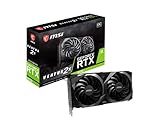
The RTX 3070 is a proven pairing for the 9900K. Its 8GB limit means turning textures down in the heaviest modern titles.
- 8GB GDDR6, 256-bit
- Ampere architecture with DLSS 2
- Torx twin-fan cooler
- LHR model
Pros: low cost; efficient; full x16 link. Cons: 8GB VRAM is tight in newer games; older architecture. Skip it if you want to keep the card for four years or more.
MSI GeForce RTX 3060 Ventus 2X 12G OC – Best budget GPU for i9 9900K

For 1080p to 1440p gaming on a tight budget, this card pairs well because the CPU rarely holds it back.
- 12GB GDDR6, 192-bit
- 15 Gbps memory
- Ampere architecture with DLSS
- Dual-fan cooler
Pros: 12GB of VRAM; low power; inexpensive. Cons: limited for 1440p ultra; older generation. Skip it if you want high-refresh 1440p.
Best GPU for i9 9900K by Resolution
- 1080p high refresh: RTX 3060 12GB or RX 9060 XT · CPU-limited above 144 fps · 650W PSU
- 1440p high: RTX 4070 Super or RX 7800 XT · 12GB to 16GB VRAM · 650W to 750W PSU
- 1440p ultra: RX 9070 or used RTX 3080 · 16GB or 10GB VRAM · 750W PSU
- 4K: RX 9070 XT · 16GB VRAM · 750W or larger PSU
What to avoid with this CPU
Do not buy an RTX 4080, 4080 Super, 4090, or RX 7900 XTX just for a 9900K gaming rig. The same money is better split between a used GPU and a platform upgrade fund.
Also avoid 8-lane budget cards like the RTX 4060 and RX 7600 as a long-term 1440p solution on Z390. They are efficient and fine for 1080p, but the PCIe 3.0 x8 link plus 8GB VRAM causes noticeable texture pop-in and 1% low drops once you push settings. If you must buy new on a tight budget, accept you will be running medium-high settings, not ultra.
Finally, check your power supply before ordering. Many 9900K builds from 2018-2019 have a 550-650W Bronze unit that handled a GTX 1070 fine but cannot handle transient spikes from a 3080 / 6800 XT. If your PSU is more than 6 years old, has only two 6+2 pin connectors on a single daisy-chained cable, or shuts down under load, replace it. A quality 750W Gold with separate PCIe cables is the minimum we would trust for the top picks.
How We Chose These Graphics Cards for the i9 9900K
This guide is built from research, not personal use of the products. We compared manufacturer specifications, published CPU and GPU reviews, bottleneck discussions and recurring buyer feedback. We did not run our own benchmarks, so frame-rate statements are general expectations for a 9900K at the stated resolution.
- Link width: full x16 cards are preferred because the 9900K runs PCIe 3.0.
- VRAM: 12GB to 16GB is favored for 1440p ultra and for keeping the card longer.
- Power: candidates must run on a quality 650W to 750W supply with separate PCIe cables.
- Value: the used market is included because most 9900K owners upgrade on a budget.
Buying Guide: What Matters Most With a 9900K
Resolution decides everything
At 1080p the 9900K is often the limit with any card above a mid-range model. At 1440p the load shifts to the GPU, and at 4K the CPU barely matters. Choose your card for the resolution you play, not the CPU.
PCIe 3.0 x16 versus x8
The 9900K has no PCIe 4.0 or 5.0. A full x16 card typically loses only a few percent on a 3.0 link. An x8 card such as the RTX 5060 Ti, RTX 4060 Ti or RX 7600 XT can lose more, especially when VRAM overflows.
VRAM thresholds
8GB is acceptable for 1080p and for 1440p high with reduced textures. 12GB suits 1440p high to ultra. 16GB is the safest choice for 1440p ultra, modded games and long-term use.
Power supply and cables
Use a quality 650W unit for an RTX 3070 or RX 7800 XT class card, and a quality 750W for an RTX 3080, RX 6800 XT or RX 9070 XT. Use separate PCIe cables instead of one daisy-chained cable.
Case fit and cooling
Many 2018 to 2019 cases are short on clearance. Check card length, thickness and whether your front fans can feed a triple-fan cooler. A 9900K plus a hot GPU in a small case needs good airflow.
Which GPU Should You Buy? Decision Scenarios
- You game at 1440p and want to buy new: ASRock Radeon RX 9070 Challenger 16GB OC or GIGABYTE GeForce RTX 4070 Super WINDFORCE OC 12G.
- You want 4K: GIGABYTE Radeon RX 9070 XT Gaming OC 16G.
- You have a small budget and play at 1080p: MSI GeForce RTX 3060 Ventus 2X 12G OC.
- You want the most fps per dollar: a used RTX 3080 or RX 6800 XT in good condition.
- You plan a CPU upgrade soon: buy the card you want long term and accept that the 9900K will limit it for now.
Is It Better to Upgrade the CPU or the GPU First?
If you play at 1440p or 4K, upgrade the GPU first because the 9900K can still feed it. If you play competitive games at 1080p high refresh and already have a strong card, a new platform helps more. A new CPU also needs a new motherboard and usually DDR5 memory, so the full cost is much higher than a GPU swap.
Getting the Most From an i9 9900K and a New Graphics Card
A new graphics card is only half the upgrade. The 9900K platform has a few settings that decide whether you get the frame rates the card is capable of.
Update the motherboard BIOS and chipset drivers
Z390 boards received several BIOS releases after launch, and some added Resizable BAR options. Open your board maker’s support page, read the release notes and update before you install a modern card. Always keep a note of your current settings, because a BIOS flash resets them.
Enable XMP and use fast DDR4
The 9900K uses DDR4, and memory speed affects minimum frame rates more on this older chip than on newer platforms. A DDR4-3200 or faster kit with XMP enabled is a sensible baseline, and 16GB is the floor for modern games while 32GB helps if you multitask.
Check the CPU cooler and clocks
A 9900K running at its all-core boost draws considerable power and needs a capable cooler. If your cooler is old, replace thermal paste or consider a larger air cooler or liquid cooler before blaming the GPU for stutter. A throttling CPU limits any card you add.
Clean-install the graphics driver
When switching between NVIDIA and AMD, remove the old driver with a clean-install tool before installing the new one. This avoids black screens and settings conflicts.
Cap frame rates in CPU-limited games
If a competitive game is CPU-limited at 1080p, a frame cap just below your monitor’s refresh rate usually gives smoother frame times than an uncapped rate. At 1440p and above, the GPU becomes the limit and a cap is rarely needed.
Plan your next upgrade path
A card with 16GB of VRAM and a full x16 link will transfer cleanly to a future platform. If you expect to move to a newer CPU within a year or two, buy the card you want long term and let the 9900K carry it until then. This avoids paying twice for GPU upgrades.
Monitor choice matters
A 1440p monitor at 144Hz is the sweet spot for a 9900K. A 1080p 240Hz monitor asks more of the CPU than the GPU, while a 4K monitor lets the GPU do most of the work. Match the monitor to the strengths of the platform before spending on a new card.
FAQ
Will a 9900K bottleneck an RTX 3080?
At 1080p yes, often by 15-25% in CPU-heavy games versus a modern CPU. At 1440p ultra and 4K, rarely – the GPU is the limit, which is ideal. If you play at 1440p or higher, do not worry about it.
Is 10GB VRAM enough for RTX 3080 with a 9900K?
For 1440p high, yes for most games if you avoid ultra textures with ray tracing. For 4K ultra or heavily modded games, no. If you want to keep the card 3-4 years at 1440p ultra, a 16GB RX 6800 XT is safer.
Should I buy used or new for this old system?
Used usually wins. A used RTX 3080 or RX 6800 XT in good condition typically offers far more fps per dollar than a current-generation card at the same level, and the 9900K cannot exploit new features like DLSS 3 fully anyway. Buy from sellers with return policy, test with FurMark + a real game, and repaste if hotspot temps exceed 95C.
Do I need to upgrade my power supply?
For RTX 3070 / RX 6800, a good 650W unit with two separate PCIe cables is enough. For RTX 3080 / RX 6800 XT, use a quality 750W Gold. If your PSU is old, loud, or only has daisy-chained cables, upgrade it first – transient spikes will cause black-screen restarts.
What is the best GPU for an i9 9900K in 2026?
For most owners it is a 16GB card such as the Radeon RX 9070 or RX 7800 XT at 1440p, or a used RTX 3080 for the lowest cost. At 4K the RX 9070 XT is the better fit.
Is an RTX 5060 Ti a good match for a 9900K?
It can work, but it uses an x8 link, so a PCIe 3.0 board limits its bandwidth. A full x16 card such as the RX 9060 XT or RX 9070 loses less on this platform.
Is the i9 9900K still good for gaming in 2026?
Yes at 1440p and 4K, where the GPU is the limit. At 1080p high refresh in CPU-heavy games it can hold back fast cards, so choose a card that matches your resolution.



