The best CPU for Monster Hunter Wilds is the AMD Ryzen 7 9800X3D, or its slightly faster sibling the Ryzen 7 9850X3D, because the game leans heavily on the processor in busy hubs, large fights and open areas full of wildlife. For a tighter budget, a Ryzen 7 7800X3D or a modern six-core like the Ryzen 5 7600 handles 60 fps well, and AM4 owners get a big lift from a Ryzen 7 5700X3D or 5800X3D. Capcom’s 2025 and 2026 patches reduced CPU load noticeably, but Wilds still rewards a strong CPU more than most action games.
Our Top Picks



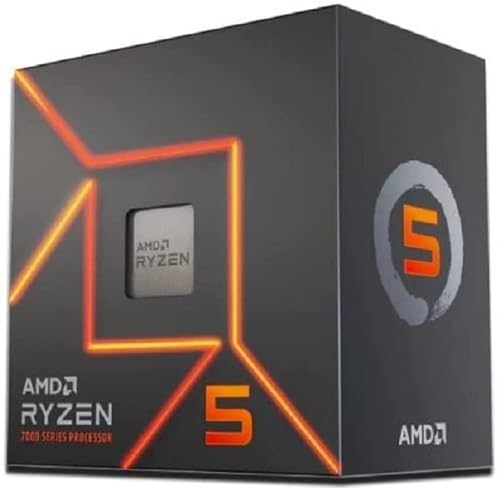

Top 3 picks at a glance



Verdict at a glance
- Best overall: Ryzen 7 9800X3D. Large 3D V-Cache smooths the CPU-heavy moments that cause stutter in Wilds.
- Fastest option: Ryzen 7 9850X3D. Up to a few percent faster than the 9800X3D per TechPowerUp, at higher power.
- Best value high-refresh: Ryzen 7 7800X3D. Previous-generation X3D that still excels in cache-sensitive games.
- Best budget: Ryzen 5 7600 or 9600X. Comfortably above Capcom’s Ultra-tier CPU requirements.
- Best AM4 upgrade: Ryzen 7 5700X3D or 5800X3D. HotHardware and RKBlog both found the 5800X3D among the most consistent CPUs in Wilds.
- Best Intel: Core Ultra 7 270K Plus, which TechPowerUp called Intel’s fastest gaming CPU at launch.
Why Monster Hunter Wilds is so CPU-heavy
Wilds simulates large open regions with roaming monsters, packs of small creatures, Seikret mounts, NPC hunters and dynamic weather, all running on Capcom’s RE Engine. Much of that work lands on the CPU. DSOGaming’s analysis found the game can effectively use up to 12 CPU cores, and that while average frame rates in the benchmark tool are largely GPU-bound, the minimum frame rates in town areas are where CPU differences show.
At launch in early 2025, players on even top-tier hardware reported dips in the desert and in the Grand Hub. ResetEra’s PC performance thread summed it up: with a modern GPU, benchmark scores tended to converge once the CPU became the limit. HotHardware’s beta testing produced a surprising result: the Ryzen 7 5800X3D delivered the most consistent frame rates of its CPU group, with 1% lows above 60 fps, ahead of the Core Ultra 9 285K, while a Zen 2 Ryzen 7 3700X struggled with 1% lows around 34 fps.
The common thread is cache and latency. AMD’s X3D chips carry 96 MB of L3 cache, which keeps more of the game’s simulation data close to the cores. That helps exactly the scenes where Wilds struggles: crowded hubs and large-scale fights.
What changed with Capcom’s 2025 and 2026 patches
Capcom spent the year after launch working on PC performance, and any CPU advice based purely on launch-era results is now partly outdated.
| Update | Date | CPU-relevant changes | Source |
|---|---|---|---|
| Title Update 4 | December 16, 2025 | CPU and GPU optimization with more than 100 behind-the-scenes improvements | Capcom, DSOGaming |
| Ver. 1.040.03.01 (Steam) | January 28, 2026 | New CPU tab in Options; less CPU use during shader warming; fixed a bug that raised CPU load near the Support Desk and Grand Hub; Volumetric Fog expanded to five levels; lower VRAM use | Capcom patch notes, DSOGaming |
| Ver. 1.041.00.00 | February 18, 2026 | Optimized monster and endemic life spawn processing, effect caching and rendering to lower CPU load; LOD changes to reduce GPU load | Capcom, DSOGaming |
YouTuber Daniel Owen, as reported by DSOGaming, measured about 10% higher average CPU performance after Ver. 1.041 compared with Title Update 4. Windows Central reported that Steam user reviews turned largely positive after the January patch. The result: mid-range CPUs now hold 60 fps far more reliably than at launch, but high-refresh play in busy areas still favours the fastest chips.
Capcom’s official CPU requirements
Capcom lowered the system requirements shortly before launch. The current official CPU list, as summarized by Corsair, Club386 and Micro Center, is:
| Tier | Target | CPU | Example GPU |
|---|---|---|---|
| Minimum | 1080p (upscaled from 720p), 30 fps, Lowest | Core i5-10400, Core i3-12100 or Ryzen 5 3600 | GTX 1660 / RX 5500 XT |
| Recommended | 1080p upscaled, 60 fps with frame generation, Medium | Core i5-10400, Core i3-12100 or Ryzen 5 3600 | RTX 2060 Super / RX 6600 |
| High | 1440p upscaled, 60 fps with frame generation | Core i5-10400, Core i3-12100 or Ryzen 5 3600 | RTX 4060 Ti / RX 6700 XT |
| Ultra | Higher settings, 60 fps with frame generation | Core i5-11600K, Core i5-12400, Ryzen 7 5800X or Ryzen 7 7700 | RTX 4070 Ti class |
Two caveats matter. First, Capcom’s 60 fps targets assume frame generation is on, which Club386 highlighted as a weakness of the spec sheet. Second, these CPUs reach the targets in typical play, not necessarily in the busiest hub moments. If you want a native 60 fps or higher without frame generation, aim above the Ultra CPU tier.
Best CPUs for Monster Hunter Wilds by tier
| Tier | CPU | Cores / threads | L3 cache | Who it suits |
|---|---|---|---|---|
| Budget | Ryzen 5 7600 / 9600X | 6 / 12 | 32 MB | 60 fps at 1080p and 1440p with a mid-range GPU |
| Budget Intel | Core i5-14400F / Core Ultra 5 250K Plus | 10 to 18 cores | 20 to 30 MB class | Intel builds targeting 60 fps |
| AM4 upgrade | Ryzen 7 5700X3D / 5800X3D | 8 / 16 | 96 MB | Existing AM4 owners |
| Mid-range | Ryzen 7 7800X3D | 8 / 16 | 96 MB | High-refresh 1440p |
| High-end Intel | Core Ultra 7 270K Plus | 24 / 24 | 36 MB | Gaming plus heavy multi-threaded work |
| Best overall | Ryzen 7 9800X3D | 8 / 16 | 96 MB | Smoothest hubs and fights at any resolution |
| Fastest | Ryzen 7 9850X3D | 8 / 16 | 96 MB | Top-end builds with high-refresh monitors |
Ryzen 7 9800X3D (best overall)
The 9800X3D became the reference CPU for Wilds almost immediately after launch. Wccftech’s early benchmark run paired it with an RTX 5090 at 4K, and ResetEra users repeatedly noted that once a 9800X3D was in the system, the GPU decided the result. Its 96 MB of L3 cache is the key advantage in the game’s busiest scenes.
Reasons to pick: the most consistent frame times in hubs and big fights; efficient at roughly 80 W while gaming per TechPowerUp; AM5 upgrade path.
Reasons to skip: if you play at 4K with a mid-range GPU, the graphics card will be the limit and a cheaper CPU gives nearly the same result.
The catch: even the 9800X3D saw dips in the desert at launch, so patches and settings still matter.
Ryzen 7 9850X3D (fastest)
Released in January 2026, the 9850X3D is a higher-binned 9800X3D that boosts to 5.6 GHz instead of 5.2 GHz. TechPowerUp measured it 0.5% to 2.5% faster in games than the 9800X3D, while drawing around 20 W more while gaming. It is the fastest gaming CPU you can buy for Wilds, but by a slim margin.
Reasons to pick: best-in-class gaming speed; same platform and memory as the 9800X3D.
Reasons to skip: the gain over the 9800X3D is tiny, and GamersNexus found it runs several degrees hotter.
The catch: you need an AM5 BIOS with 9850X3D support (AGESA 1.2.8.0 or newer).
Ryzen 7 7800X3D (best value high-refresh)
The 7800X3D shares the same 96 MB total L3 cache as the newer chips and remains one of the most efficient gaming CPUs ever made, using about half the gaming power of the 9850X3D per TechPowerUp. In a cache-hungry game like Wilds, it delivers much of the 9800X3D experience.
Reasons to pick: excellent frame-time consistency; very efficient; cool and quiet.
Reasons to skip: availability has thinned as AMD shifted to Zen 5; if prices are close, the 9800X3D is the better buy.
The catch: slightly slower in heavily threaded work than Zen 5 chips.
Ryzen 7 5700X3D / 5800X3D (best AM4 upgrade)
For AM4 owners on a Ryzen 5 3600 or similar, this is the single most effective upgrade for Wilds. HotHardware’s beta data showed the 5800X3D with the most consistent frame rates of its group, ahead of a Core Ultra 9 285K, and RKBlog’s testing also put the 5800X3D on top, with the 5900X close behind. RKBlog also noted that older chips like the Core i5-9400F and Ryzen 5 3500X struggled to stream assets in time.
Reasons to pick: drop-in upgrade with a BIOS update; keeps your DDR4 memory, which matters with DDR5 prices very high in 2026.
Reasons to skip: no upgrade path beyond AM4; the 5800X3D is now hard to find new, with the 5700X3D the more common option.
The catch: the 5700X3D clocks lower than the 5800X3D, so expect slightly lower results.
Ryzen 5 7600 / 9600X (best budget)
These six-core AM5 chips sit comfortably above the Ryzen 5 3600 and Ryzen 7 5800X listed in Capcom’s requirements, and DSOGaming’s analysis found a modern six-core is enough for 60 fps. They pair well with RTX 5060 Ti or RX 9060 XT-class cards.
Reasons to pick: low cost; AM5 platform with upgrade path to X3D later.
Reasons to skip: with only 32 MB of L3 cache, they show bigger dips in hubs than X3D chips.
The catch: use the new CPU tab settings to keep hub areas smooth.
Core Ultra 7 270K Plus (best Intel)
Intel’s Arrow Lake Refresh chip arrived in March 2026 with 8 P-cores and 16 E-cores, faster die-to-die links and DDR5-7200 support. TechPowerUp called it Intel’s fastest gaming CPU at launch, helped by the Binary Optimization Tool. In Wilds specifically, HotHardware noted Intel’s Core Ultra game optimization work showed results, though Zen 5 still led.
Reasons to pick: strong all-round chip for gaming plus streaming or content creation.
Reasons to skip: X3D chips are still faster in cache-sensitive games like Wilds.
The catch: LGA1851 has no future upgrade path; Intel’s next generation moves to a new socket.
Match the CPU to your GPU and resolution
| Your GPU class | Resolution | Sensible CPU | Why |
|---|---|---|---|
| RTX 5060 / RX 9060 XT | 1080p | Ryzen 5 7600 or 5700X3D | GPU sets the limit most of the time |
| RTX 5060 Ti 16 GB / RX 9070 | 1440p | Ryzen 7 7800X3D or Ryzen 5 9600X | Balanced; X3D smooths hubs |
| RTX 5070 Ti / RX 9070 XT | 1440p high refresh | Ryzen 7 9800X3D | CPU limits appear above 90 fps |
| RTX 5080 / 5090 | 4K or 1440p high refresh | Ryzen 7 9800X3D or 9850X3D | Fastest CPU avoids wasting GPU headroom |
CPU settings to change in Monster Hunter Wilds
The CPU tab added in Ver. 1.040.03.01 is the best tool for smoothing CPU-limited scenes, whichever processor you own. Capcom’s official account highlighted options like Monster Frame Skip, and guides such as Deltia’s Gaming documented the full list.
| CPU tab setting | Entry CPU (Ryzen 5 3600 class) | Mid CPU (Ryzen 5 7600 / 5700X3D) | High CPU (9800X3D class) |
|---|---|---|---|
| Animation Quality | Reduced | Default | Default |
| Effect Quality | Low | Medium | High |
| Monster Frame Skip | On | On | Off |
| Handler Frame Skip | On | On | Off |
| Endemic Life Display Count | Reduced | Default | Default |
| Small Monster Quality | Default or lower | Default | Default |
| Background Decoration Motion | Reduced | Default | Default |
| Players Displayed in Lobby | Lower | Default | Default |
A Steam community explanation notes that Monster and Handler Frame Skip animate distant monsters or your Handler at a lower rate when you are not focused on them, and do not affect the monster you are fighting. That makes them an easy win on weaker CPUs. Capcom also confirmed that hub areas such as the Support Desk and Grand Hub were a source of extra CPU load, so lowering Players Displayed in Lobby helps there.
Frame generation and CPU limits
Capcom’s requirements assume frame generation. When the CPU is the bottleneck, frame generation can nearly double the displayed frame rate because the GPU has spare capacity to create extra frames. When the GPU is already the limit, the gain is smaller. As forum users pointed out, frame generation also adds input latency and cannot fix a low base frame rate. Aim for at least 50 to 60 fps before frame generation for a responsive feel, which on most systems means a CPU at or above the Ryzen 5 7600 class.
Memory and storage matter too
CPU choice is only part of a smooth Wilds experience. Capcom lists 16 GB of RAM as the requirement at every tier, but 32 GB in dual channel leaves room for the game, its high-resolution texture pack and background apps. On AM5, DDR5-6000 is the sweet spot; on X3D chips, TechPowerUp’s memory-scaling work shows slower kits cost only a little, so do not overspend on RAM at today’s high prices. Capcom also requires an SSD, and RKBlog’s testing showed slower systems failing to load assets in time, leaving parts of the scene low-resolution. An NVMe drive avoids that and shortens load times between regions.
If you are deciding where to spend a fixed budget, the order that helps Wilds most is: a CPU at or above the Ryzen 5 7600 class, then a GPU with enough VRAM for the high-resolution texture pack (Capcom originally called for 16 GB, and the January 2026 patch reduced its memory use), then 32 GB of RAM, then a fast NVMe SSD. Once the CPU reaches 9800X3D level, additional money goes further on the graphics card.
Common mistakes
- Judging your CPU by the benchmark tool alone. Players noted the benchmark includes cutscenes that pad the average; hubs and big fights are harder on the CPU.
- Running old game versions. Make sure you have Ver. 1.041 or later; the CPU improvements are significant.
- Using single-channel memory. One RAM stick hurts CPU-bound games badly; always use two.
- Upgrading the GPU when the CPU is the limit. If GPU usage sits well below 90% in hubs, the CPU is the bottleneck.
- Ignoring background apps. Browsers, overlays and capture tools steal CPU time in an already heavy game.
Products Mentioned in This Guide
These are the specific processors discussed above for Monster Hunter Wilds, from the best overall X3D chip to budget and Intel options.
AMD Ryzen 7 9800X3D
As an Amazon Associate we earn from qualifying purchases at no extra cost to you.
Best overall: its 96 MB of L3 cache gives the most consistent frame times in the game’s busy hubs and big fights.
AMD Ryzen 7 9850X3D
The fastest option, a higher-binned 9800X3D that is a few percent quicker in games at higher power.
AMD Ryzen 7 7800X3D
Best value for high refresh: the same 96 MB of L3 cache delivers much of the 9800X3D experience in a cache-hungry game like Wilds.
AMD Ryzen 7 5800X3D

The best AM4 upgrade: it delivered some of the most consistent frame rates in Wilds testing reported by HotHardware.
AMD Ryzen 5 7600

Best budget: a modern six-core that sits comfortably above Capcom’s Ultra-tier CPU requirements and handles 60 fps well.
Intel Core Ultra 7 270K Plus

Best Intel: 24 cores for gaming plus heavy multi-threaded work, described by TechPowerUp as Intel’s fastest gaming CPU at launch.
How we compared
We compared these processors using manufacturer specifications, Capcom’s official requirements and patch notes, CPU analysis from DSOGaming, HotHardware and RKBlog, CPU reviews from TechPowerUp and GamersNexus, coverage from Wccftech, Windows Central and Club386, and owner reports from ResetEra and Steam forums. We did not bench-test these CPUs ourselves.
Sources
- Capcom, Monster Hunter Wilds update information and Our Commitment to Improving Stability and Performance
- DSOGaming, Monster Hunter Wilds PC performance analysis and patch coverage
- HotHardware, Monster Hunter Wilds benchmark deep dive and beta benchmarks
- RKBlog, Monster Hunter Wilds performance overview
- Wccftech, Monster Hunter Wilds benchmark and updated PC requirements
- Club386 and Corsair, Monster Hunter Wilds system requirements coverage
- Windows Central, Monster Hunter Wilds PC performance patch coverage
- TechPowerUp, Ryzen 7 9850X3D and Core Ultra 7 270K Plus reviews
- GamersNexus, Ryzen 7 9850X3D review
- Deltia’s Gaming, Monster Hunter Wilds PC optimization guide
- ResetEra and Steam community performance threads
Frequently Asked Questions
Is Monster Hunter Wilds CPU or GPU heavy?
Both, but it is unusually CPU-heavy in hubs, busy open areas and large fights. DSOGaming found the game can use up to 12 cores, and its minimum frame rates scale with CPU performance.
Is the Ryzen 5 3600 still enough for Monster Hunter Wilds?
It meets Capcom’s minimum and recommended requirements, but those targets assume frame generation. Expect dips in hubs; a Ryzen 5 5700X3D or 5800X3D upgrade on the same board helps a lot.
Is the 9800X3D worth it for Monster Hunter Wilds?
Yes, if you want high refresh rates or the smoothest hubs. It became the go-to CPU for Wilds because its large cache reduces CPU-bound dips.
Did Capcom fix Monster Hunter Wilds PC performance?
Largely improved it. Title Update 4, the January 2026 Steam patch and Ver. 1.041 cut CPU load, added a CPU settings tab and reduced VRAM use. Daniel Owen measured about 10% more CPU performance after Ver. 1.041 versus TU4.
What is the best budget CPU for Monster Hunter Wilds?
A Ryzen 5 7600 or 9600X for new AM5 builds, or a Ryzen 7 5700X3D for AM4 upgrades.
Does Monster Hunter Wilds use more than 8 cores?
It can use up to around 12 cores, per DSOGaming, but an 8-core X3D chip still beats higher-core-count CPUs thanks to its cache.
Is Intel or AMD better for Monster Hunter Wilds?
AMD’s X3D chips lead. HotHardware’s early results showed even a 5800X3D outpacing a Core Ultra 9 285K in consistency, though Intel’s newer 270K Plus narrowed the gap.
Which in-game settings reduce CPU load the most?
Turn on Monster Frame Skip and Handler Frame Skip, reduce Endemic Life Display Count and Animation Quality, and lower Players Displayed in Lobby for hubs.