The best consumer hard drive for most people in 2026 is a CMR-based 3.5-inch drive in the 4TB to 12TB range, such as a WD Red Plus or Seagate IronWolf for a NAS or always-on PC, or a Toshiba P300 or CMR Seagate BarraCuda for a desktop game library. Judge drives on cost per terabyte, recording technology (CMR or SMR), workload rating and warranty, not on rpm or cache size. For portable backups, a WD Elements or Seagate Expansion external is usually enough.
As an Amazon Associate we earn from qualifying purchases at no extra cost to you.
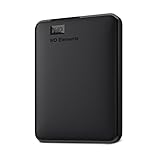


Our Top Picks
 Western Digital WD 5TB Elements Portable External Hard5TB4.35 x 3.23 x 0.82 inches0.52 poundsCheck on Amazon
 Western Digital 8TB Elements Desktop External Hard Drive8TB5.31 x 1.89 x 6.53 inches2.09 poundsCheck on Amazon
 WD 2TB Elements Portable External Hard Drive for2TB4.35 x 3.23 x 0.59 inches0.29 poundsCheck on Amazon

Top 3 picks at a glance
Quick comparison of the best consumer hard drive classes
| Pick | Best for | Key specs (per manufacturer spec sheets) | Typical price range |
|---|---|---|---|
| WD Red Plus | Home NAS, quiet 24/7 storage | 3.5″, CMR, 3-year warranty, 180 TB/year workload rating | $20–$30 per TB at common sizes |
| Seagate IronWolf | NAS and multi-drive PCs | 3.5″, CMR, 3-year warranty, 180 TB/year, rotational vibration sensors | $20–$30 per TB |
| Toshiba P300 | Desktop game library, general storage | 3.5″, 7,200 rpm class, desktop workload | $20–$35 per TB at smaller sizes |
| Seagate BarraCuda (check model) | Budget bulk storage in a desktop | 3.5″, desktop use, 55 TB/year rating, some models are SMR | $18–$30 per TB |
| Seagate Exos / WD Ultrastar class | Lowest cost per TB, 16TB+ archives | Enterprise-class, 5-year warranty, louder, higher power | $13–$20 per TB |
| WD Red Pro / IronWolf Pro | 4+ bay NAS, heavy workloads | 7,200 rpm class, 300 TB/year, 5-year warranty | $25–$40 per TB |
| WD Elements / Seagate Expansion (external) | Plug-and-play backups and archives | USB 3.x, bus-powered portable or AC-powered desktop | $15–$30 per TB for desktop models; portables cost more per TB |
Prices move constantly and depend on capacity, so treat these as general market ranges. Higher-capacity drives almost always cost less per terabyte, and 1–2TB drives are usually the worst value.
What “consumer” hard drive actually means
A consumer hard drive is a mechanical drive sold for home PCs, small NAS boxes and external backups, rather than data-center racks. It is rated for fewer drive-writes and fewer simultaneous drives than enterprise models, and it costs less. Even so, the category splits into three tiers: desktop drives, NAS drives, and high-capacity enterprise-class drives sold through retail.
Decision criteria that matter more than rpm
1. CMR vs. SMR recording
CMR (conventional) drives write tracks independently. SMR (shingled) drives overlap tracks to fit more data, which makes sustained random writes slow because tracks must be rewritten. SMR is acceptable for write-once archives and backups. It is a poor fit for RAID or ZFS rebuilds, torrenting, or a game drive that gets patched often. Both WD and Seagate have shipped SMR models in lines people assumed were CMR, so check the exact model number on the manufacturer’s spec sheet before buying. This applies especially to WD Blue and Seagate BarraCuda, which have mixed lineups.
2. Workload rating and warranty
Manufacturers publish an annual workload rating in terabytes transferred. Desktop drives are commonly rated around 55 TB/year, NAS drives 180 TB/year and Pro NAS drives 300 TB/year. Warranty length follows the tier: typically two years for budget desktop drives, three for standard NAS drives and five for Pro and enterprise lines. Take the warranty as a rough indicator of the maker’s confidence.
3. Noise, heat and vibration
Drives with 7,200 rpm platters and high capacities run louder and hotter. In a small case with several drives, a 5,400 rpm-class NAS drive is far easier to live with. Multi-bay NAS units benefit from drives designed for vibration tolerance, such as IronWolf and Red Pro.
4. Interface and form factor
Internal 3.5-inch drives use SATA III (6 Gb/s), which is far faster than any HDD can use. A modern HDD’s sequential speed tops out around 200–280 MB/s, depending on capacity and platter density. You need a free 3.5-inch bay and a SATA power connector. Portable 2.5-inch drives are slower, thinner and cost more per TB.
Best overall: WD Red Plus or Seagate IronWolf
These two NAS-class CMR lines are the safest all-round purchase. They are built for 24/7 operation, have clear CMR specifications, carry a three-year warranty and are widely available at 4TB to 12TB and above. They also work in an ordinary gaming PC as a media or game-library drive. The main trade-off is that they cost more per TB than bare desktop or enterprise-class drives, and they are not quieter than other 3.5-inch drives. Pick Red Plus for lower noise and a steady-state profile, and IronWolf if you want the optional recovery service and health-monitoring tools Seagate bundles with some models.
Best for a desktop game library: Toshiba P300 or a CMR BarraCuda
For a Steam or Epic library, you mostly want fast sequential reads, large capacity and a low price. A 7,200 rpm desktop drive such as the Toshiba P300 suits that use, as does a Seagate BarraCuda, provided you have confirmed the specific model is CMR. The trade-off is clear: no desktop HDD will give you SSD-style load times. Open-world loading, shader compiles and asset streaming in modern games suffer on an HDD, and some titles list an SSD as a requirement. Use an HDD for older or slower-loading games and keep your current favorites on an NVMe SSD.
Best for the lowest cost per TB: enterprise-class 16TB+ drives
Seagate Exos and WD Ultrastar-class drives often offer the lowest price per terabyte at 16TB and above, and they usually carry five-year warranties. The trade-offs are louder seeks, higher idle and active power, and fewer consumer-oriented extras, such as no bundled software. They suit a basement NAS or a closed-case PC with good airflow, not a quiet desk under your monitor.
Best for heavier NAS use: WD Red Pro or IronWolf Pro
If your NAS has four or more bays, runs Plex transcodes, hosts security-camera footage or sees constant writes, the Pro tiers’ 300 TB/year rating and five-year warranty are worth the premium. They are 7,200 rpm-class and louder than standard NAS drives. For a two-bay home NAS that mostly serves media, you are paying for headroom you will not use.
Best for backups and portability: WD Elements or Seagate Expansion
For a one-off backup, an external USB drive is simpler than installing an internal one. Desktop externals (AC-powered, 3.5-inch inside) cost less per TB, while portable 2.5-inch models are bus-powered and pocketable but slower and usually pricier per TB. Neither is a substitute for a real backup plan. A single external drive is one copy, and you still need a second one off-site or in cloud storage.
Worked example: cost per TB, power and transfer time
Use these formulas with your own prices.
- Cost per TB: a $90 4TB drive costs $22.50/TB. A $240 16TB drive costs $15/TB. Using illustrative prices, the larger drive saves about $7.50 per TB, which is $120 across 16TB, but it concentrates 16TB of data on one device.
- Yearly power: a 3.5-inch drive averaging about 6 W (idle and active mixed) uses 6 W × 24 h × 365 = 52.6 kWh. At $0.17/kWh, that is roughly $9 per year per drive. A four-drive NAS therefore adds about $36 per year, which matters little against purchase price but is worth knowing for 8+ bay setups.
- Full-drive copy or rebuild time: 16TB is 16,000,000 MB. At an average of 200 MB/s, that is 80,000 seconds, or about 22 hours. If the array is also serving files, expect it to take longer. Large drives mean long rebuild windows, which is why RAID 6 or two-drive redundancy makes sense above roughly 12TB per disk.
- Game library fit: a 4TB drive holds about 26 titles of 150 GB, or around 4,000 GB ÷ 150 GB. Keep 10–15% free space for best performance.
Decision matrix: match your situation to a drive
| Your situation | Choose | Why | Avoid |
|---|---|---|---|
| Gaming PC, extra library space | 7,200 rpm desktop CMR drive, 2–6TB | Low price, fast sequential reads | SMR models if you patch games often |
| 2-bay home NAS, mostly media | WD Red Plus or IronWolf, 4–12TB | CMR, designed for 24/7 use, 3-year warranty | Bare desktop drives |
| 4+ bay NAS, cameras, many users | Red Pro or IronWolf Pro | 300 TB/year rating, 5-year warranty | SMR of any kind |
| Cold archive, 16TB+ | Exos or Ultrastar class | Lowest cost per TB | Quiet-room installs |
| Occasional backup | External desktop USB drive | No install, cheap per TB | Treating it as your only copy |
| Laptop or travel | Portable USB 2.5″ drive, or a portable SSD | Bus-powered, compact | Large 3.5″ externals that need an adapter |
Buying checklist
- Look up the exact model number and confirm CMR on the manufacturer spec sheet.
- Compare cost per TB across at least three capacities. The sweet spot is often not the biggest drive.
- Check the warranty length and workload rating for your use case.
- Confirm you have a free 3.5-inch bay and a SATA data and power connector.
- Buy drives for a RAID or NAS array in different batches, or at least ask the store to ship different lots.
- Plan the backup first: the 3-2-1 approach means three copies, two media types and one off-site.
Frequently Asked Questions
Are hard drives still worth buying in 2026?
Yes, for bulk storage. HDDs still cost far less per terabyte than SSDs at large capacities, which makes them a sensible choice for media libraries, backups and NAS storage. They are not the right choice for your operating system or the games you play most.
What is the difference between CMR and SMR?
CMR writes data tracks side by side, so random writes stay consistent. SMR overlaps tracks to increase capacity, and rewrites can slow dramatically during sustained writes. SMR works for archival storage, but it is a poor fit for RAID arrays, frequent patching or heavy downloading.
Can I use a NAS drive in a gaming PC?
Yes. NAS drives work in any SATA-equipped desktop, and they are well suited to long-term storage. They are generally not faster than desktop drives, and some run at 5,400 rpm-class speeds, so game load times may be slightly slower than on a 7,200 rpm desktop model.
How long do consumer hard drives last?
Many last five years or more, but failure can happen at any time, and lifespan depends on heat, vibration and workload. Warranties of two to five years show the manufacturer’s expectations. Treat any single drive as temporary and keep backups.
Is a bigger hard drive always better value?
Not always. Cost per terabyte usually falls as capacity rises, but the savings flatten at the largest sizes, and a single large drive means a bigger loss and a longer rebuild if it fails. For many home users, two mid-size drives with one acting as backup are safer than one giant drive.
Should I buy an internal or external hard drive?
Choose internal if you have a free bay and want the best price per TB and a permanent library. Choose external if you need to move data between machines or want a backup you can unplug and store separately. Desktop externals are often cheap, but opening them to extract the drive can void the warranty.
Related guides
More from Amazon
Programs that pair well with the guide above. Offers and eligibility are set by Amazon and may change.
A free business account with business pricing and bulk-buying tools for work, shop or home office.
Create a business accountFree shipping on eligible items, Prime Video and more. Eligible new members can start with a free trial.
Start a Prime free trialAudiobooks and podcasts to listen to on the go. Eligible new members can start with a free trial.
Try Audible freeAd-free music streaming. Eligible new subscribers can start with a free trial.
Try Music Unlimited freeAs an Amazon Associate we earn from qualifying purchases.


