Spending under 500 dollars on a business desktop forces a trade, and the smart buyer picks the trade on purpose. You can have a brand-new machine with a modest processor, a renewed office workhorse with proven parts and a few years of age, or a tower that packs a lot of specifications on paper. Each path gives up something different: newness, support life, storage speed or brand reputation. The listings below show all three paths, so you can see what each compromise looks like in practice.
This guide is for people equipping a small office, a home business, a school office or a second desk where the work is documents, email, web apps and video calls. It is not for rendering, gaming or heavy databases. All details come from the product titles, which are often shortened, so the sections on checking the listing matter as much as the picks. Think of the shortlist as a map for 2026 shopping rather than a verdict on any single seller.
Our Top Picks
Top 3 picks at a glance
Quick Picks
As an Amazon Associate we earn from qualifying purchases at no extra cost to you.





| Product | Best for | Key spec from the title |
|---|---|---|
| Acer Aspire Business Desktop | Lots of storage on a budget | Intel 4-core i3, 16GB DDR5, 512GB SSD plus 500GB HDD |
| HP EliteDesk 800 G2 Desktop Mini (Renewed) | Proven small office box | Quad-Core i5-6500T, 16GB DDR4, 240GB SSD, Win 11 Pro |
| HP ProDesk 600 G3 Desktop Mini with monitor | Complete desk in one purchase | Quad Core i5-6500T, 16GB DDR4, 256GB SSD, 21.5″ FHD monitor |
| ASUS V500 Business Tower | Strongest processor on the list | 10-core Intel Core i7-13620H, 16GB DDR5, 512GB SSD |
| Dell OptiPlex 5060 SFF | Stepping up to an 8th generation Core | Core i5-8500, 16GB DDR4, 128GB SSD plus 500GB HDD |
| HP Business Mini Desktop PC | Dual-monitor desks in a tiny case | Intel Core i5, 8GB DDR4, 256GB PCIe SSD, Windows 11 Pro |
| HP OmniDesk Business Tower | Modern AMD platform with graphics included | Ryzen 5 8500G, 16GB DDR5, 1TB storage |
The 7 Best Options
Two listings were set aside to keep the guide to a readable length: the 32GB HP Business Tower, which belongs in a higher budget bracket, and the ProDesk 600 G3 mini tower with a 500GB hard drive and no SSD, which is the weakest storage setup of the group. Neither is excluded for being off-topic.
Acer Aspire Business Desktop
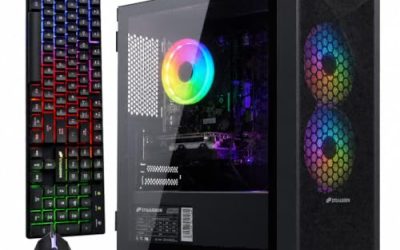
The Aspire is the answer for a buyer who counts gigabytes. The title lists 16GB of DDR5 memory, 1TB of total storage split between a 512GB SSD and a 500GB hard drive, an Intel 4-core i3, Wi-Fi 6 with Bluetooth 5.1, and a keyboard and mouse. That is a new-generation memory type and a quick boot drive alongside a roomy second drive for archives, which is a sensible layout for an office.
The title includes a comparison with another processor, which should be treated as marketing; read the actual i3 specification instead. A four-core chip is perfectly fine for documents, browsing and calls, and the DDR5 memory suggests a more recent platform than the renewed mini PCs below.
In practice the layout is the main draw. Keep the operating system and programs on the solid-state drive, put shared folders and scanned paperwork on the hard drive, and the machine feels fast where it counts while still holding a large archive. That split is hard to find at this budget on a new computer.
- 16GB of DDR5 memory is generous for this budget tier.
- An SSD for the system plus a hard drive for bulk files balances speed and capacity.
- Keyboard, mouse and modern wireless are included in the listing.
- A four-core i3 limits heavy multitasking and long exports.
- The hard drive is slower and adds a moving part that can fail.
Skip it if you want the strongest processor possible or a silent, small machine. Compared with the HP EliteDesk next, the Acer is new and more modern, while the HP is smaller and has a stronger track record in offices.
HP EliteDesk 800 G2 Desktop Mini (Renewed)
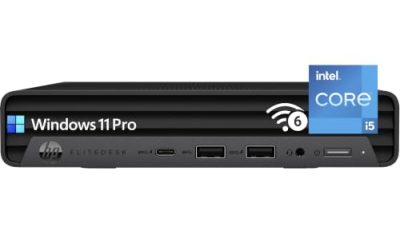
The EliteDesk 800 G2 is a classic office mini PC. The title lists a quad-core Intel i5-6500T that boosts up to 3.1 GHz, 16GB of DDR4 memory, a 240GB SSD, VGA and DisplayPort outputs, and Windows 11 Pro in 64-bit form. The word “Renewed” tells you it is a refurbished unit, so you are buying a machine with a past life and should look at the seller’s warranty.
The i5-6500T is a sixth-generation part, which makes it old by current standards. It is more than quick enough for ordinary office tasks, but Microsoft’s official Windows 11 requirements list newer processor generations, so the title’s Windows 11 Pro claim deserves a check on how the system is licensed and updated.
Office managers who have run fleets of these small HP boxes tend to value how easy they are to service. The case opens without tools in most models of this family, and memory and storage can be changed in minutes, which is why renewed examples remain popular for reception desks and back-office roles.
- Business-class mini chassis is tiny and built for desks and VESA mounts.
- 16GB of RAM and an SSD give a snappy feel for everyday work.
- VGA plus DisplayPort suits a mix of older and newer monitors.
- A sixth-generation processor is outside Microsoft’s official Windows 11 list.
- A 240GB drive fills quickly if you store files locally.
Skip it if you want a long guaranteed update life. Against the ProDesk 600 G3 next, it is nearly the same idea without a monitor, which is a fair trade if you already own screens.
HP ProDesk 600 G3 Desktop Mini with 21.5″ Monitor
This listing bundles the computer with a 21.5-inch FHD monitor, which is a convenience for new desks. The title lists a quad-core i5-6500T, 16GB of DDR4 memory, a 256GB SSD, DisplayPort, Wi-Fi and Bluetooth. Buying everything in one box removes the guesswork of matching a screen to the machine.
The processor and the likely age of the monitor are the main risks. A bundled screen is rarely a premium model, but for a document-based desk it is perfectly serviceable. The same generation caution applies as for the EliteDesk, and the title cuts off at “Windows,” so confirm which version is installed.
- A monitor in the package makes this the closest thing to a complete desk.
- 16GB of RAM and a 256GB SSD provide a comfortable base for office work.
- A mini chassis leaves the desk clear.
- Older processor generation, with the same Windows 11 caveat.
- Bundled monitors are usually basic, with limited adjustment.
Skip it if you already own good monitors. Compared with the ASUS V500 next, this one is the cost-first option while the ASUS is the performance-first one.
ASUS V500 Business Tower
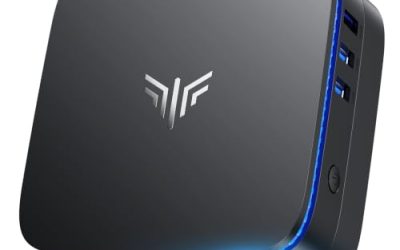
The ASUS stands out because of its processor. The title lists a 10-core Intel Core i7-13620H, 16GB of DDR5 memory, a 512GB SSD, Office 365 for the web, HDMI and DisplayPort outputs, and Wi-Fi. A 13th-generation i7 is far ahead of the older chips in this guide, which gives it room to handle many applications at once and to stay useful for years.
The H-series name suggests a part originally designed for laptops, now used in a tower. That is not a flaw on its own, but it means you should confirm cooling and warranty details on the product page. The Office 365 for the web mention refers to browser-based Office apps, not a full installed suite.
A buyer choosing this model is paying for headroom: a spreadsheet with many formulas, a browser full of web apps and a video call can all run together without the machine slowing. If your work is light, that headroom is wasted, and one of the cheaper options below will do the same job.
- A 10-core i7 processor is the most powerful on the list.
- DDR5 and a 512GB SSD form a modern, fast base.
- HDMI and DisplayPort make dual monitors straightforward.
- Office 365 for the web is not the same as the installed desktop apps.
- Less established as a business-desktop brand than HP or Dell.
Skip it if you only need basic tasks and want the lowest ongoing cost. Next to the Dell OptiPlex, it offers far more raw performance while the Dell offers a more traditional office pedigree.
Dell OptiPlex 5060 SFF Desktop
The OptiPlex 5060 is a long-running office workhorse from Dell. The title lists an Intel Core i5-8500 (8th generation), 16GB of DDR4 RAM, a 128GB SSD with a 500GB hard drive, a keyboard and mouse, Wi-Fi and a business focus. The 8th-generation processor is notable because it sits at the line Microsoft’s official Windows 11 requirements begin to accept, which makes it a safer choice than the sixth-generation parts.
A 128GB SSD is small, so expect the hard drive to hold documents and the SSD to hold the operating system and applications. That arrangement works for an office as long as you manage the space.
The OptiPlex family is widely used in offices, so manuals, drivers and replacement parts are easy to find. That support ecosystem is a hidden benefit of buying a mainstream business model, even when the unit itself is renewed or older.
- The Core i5-8500 is a step up from the sixth-generation chips on the list.
- 16GB of DDR4 and a keyboard and mouse are included.
- Small form factor leaves room for a hard drive and expansion.
- 128GB SSD fills quickly and leaves little spare room.
- Older platform with DDR4 and an aging chassis.
Skip it if you want new components or the quickest storage. Compared with the HP Business Mini next, the Dell has the stronger processor and the HP has the more modern storage.
HP Business Mini Desktop PC (1L)
This is the smallest machine in the group, described as a 1L compact computer. The title lists an Intel Core i5 (generation unspecified), 8GB of DDR4 RAM, a 256GB PCIe SSD, Wi-Fi, Bluetooth, dual DisplayPort and Windows 11 Pro. The two DisplayPort outputs are the key feature, allowing a two-monitor desk from a box small enough to hide behind a screen.
The weak spot is memory. Eight gigabytes works for light use but feels limited once several browser tabs and an office suite are open. Because the title does not name the processor generation, check the product page before assuming how current it is.
One practical use is a two-screen desk for someone who works with a document on one monitor and a web app or reference on the other. The box mounts behind a display, so the desk keeps only a keyboard, a mouse and two screens, which suits a cramped counter.
- A 1L chassis uses minimal desk space and can mount behind a monitor.
- Dual DisplayPort outputs support a two-screen desk.
- PCIe SSD and Windows 11 Pro round out a business-ready package.
- 8GB of RAM is on the low side for heavy multitasking.
- The i5 generation is not stated.
Skip it if you multitask heavily or want to upgrade internals easily. It differs from the HP OmniDesk, which is a larger tower with more modern platform features.
HP OmniDesk Business Tower (Ryzen 5 8500G)
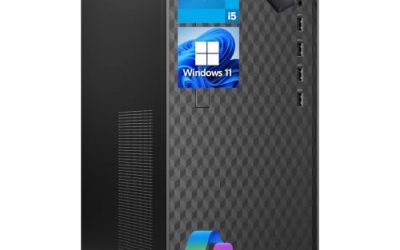
The OmniDesk takes a different route with an AMD Ryzen 5 8500G that boosts up to 5GHz, 16GB of DDR5 memory, 1TB of storage described as a 512GB SSD plus a 512GB external drive, Wi-Fi 6, Bluetooth 5.4 and Radeon 740 graphics. Ryzen 8000G chips include integrated graphics, so there is no need for a separate graphics card in an office machine.
The storage description needs attention: half of the 1TB is an external drive, so the internal SSD is 512GB. That is still a good size. A recent platform with DDR5 and modern wireless suggests a long service life.
If you pick this model, treat the external drive as a backup or archive rather than part of the main system. That setup gives a built-in safeguard against drive failure, which small offices often neglect until it is too late.
- Recent AMD processor with integrated graphics suits office and light creative work.
- 16GB of DDR5 and 512GB of internal SSD form a modern base.
- Wi-Fi 6 and Bluetooth 5.4 are current standards.
- Part of the listed storage is an external drive, not internal.
- A tower takes more space than the mini machines.
Skip it if you want the smallest possible footprint. It is the best-balanced modern platform in the group, trading the compact size of the minis for a newer processor and memory type.
Who Gets Value from a Sub-500 Business PC
This budget is tight, but it is enough for most paperwork and web work. The key is to match the machine to the job instead of aiming for the biggest specification list.
New businesses furnishing several desks
If you need three or four identical machines, a renewed mini PC with 16GB and an SSD lets you equip a team inexpensively. Standardize on one model, keep a spare, and plan for a replacement cycle in a few years.
Keep receipts, serial numbers and the seller’s warranty paperwork in one shared folder. When a machine fails in month fourteen, being able to prove the purchase date and the warranty terms in minutes is worth more than the small savings of a mystery listing.
Home offices and side businesses
A single worker handling bookkeeping, email and video calls will be best served by a newer platform such as the Acer or HP OmniDesk, which has a longer expected software life. If your work involves larger files, the ASUS offers the processing room.
Home users should also consider noise and heat. A tower with a large fan is often quieter under load than a tiny box with a small one, and a desk beside a bed or in a living room benefits from a calm machine.
Reception, kiosk and training desks
These roles rarely need speed. A renewed mini PC with an included monitor is an economical fit, and the ability to swap a failed unit quickly matters more than raw performance.
A tip for these roles is to lock the machine down. Create a standard user account, disable unneeded launch-at-login items and enable automatic updates so the computer needs little attention. A simple, locked setup is more reliable than a powerful one that anyone can change.
How to Choose a Business Desktop Under 500 Dollars
Processor age matters more than the model suffix
At this budget, the generation of the processor is the single best predictor of how long a computer stays useful. Sixth-generation chips like the i5-6500T are old and fall outside Microsoft’s official Windows 11 list. Eighth-generation chips and later are supported. For a machine you expect to use for several years, favor eighth generation or newer, or a modern AMD part.
Suffixes such as T indicate lower-power versions of a processor, which run cooler and quieter in small cases. They are fine for office work, but they are not the same as the standard versions, so compare model numbers carefully. A newer generation with a modest core count usually beats an older generation with the same count.
Memory: 16GB as the working target
Eight gigabytes is the floor, but 16GB is the sweet spot for modern browsers and office suites. At this budget, DDR4 versus DDR5 matters less than capacity. Check for free memory slots if a machine ships with 8GB, since adding a module later is a cheap upgrade.
Dual-channel operation also helps. Two matched modules are faster than one of the same total capacity, so a machine with two 8GB sticks often behaves better than one with a single 16GB stick would in some tasks, although capacity is the priority for most office users.
Storage: SSD first, hard drive second
An SSD makes a computer feel fast regardless of the processor. A 128GB SSD is the absolute minimum, and 256GB or more is better. A hard drive alongside an SSD is useful for bulk storage but slower and more fragile, so keep backups. Be careful with listings that count an external drive toward the total storage.
If a listing mentions a PCIe SSD, that points to a faster interface than older SATA drives. For office tasks the speed difference is small, but a PCIe drive often signals a newer platform. Always confirm the capacity, as some titles show a combined number.
Renewed versus new
Renewed machines offer business-class build quality for a low cost, but you depend on the seller’s inspection and warranty. New budget machines offer a clean warranty and modern parts but may use plainer cases. Check the warranty length and who provides it. A short return window is not a warranty.
Ask whether the renewer replaces worn parts, such as batteries in the system clock or thermal paste, and whether a fresh copy of Windows is installed with a valid license. Those details separate careful refurbishers from sellers who only wipe the drive.
Ports and displays
Look for DisplayPort or HDMI outputs matching your monitors, and for enough USB ports for your devices. Dual DisplayPort models suit two-screen desks. VGA-only outputs are a sign of older design and may need adapters for modern monitors.
Count cables as well as ports. A desk with two monitors, a headset, a webcam and a card reader can use six or more connections, and a mini PC with only a handful of USB ports will need a hub. A powered hub is more dependable than an unpowered one when several devices draw current at the same time.
Windows edition and what to ignore
Windows 11 Pro supports domain joining and drive encryption, which small businesses often need. Ignore flashy comparison claims in titles, such as one processor beating another, and focus on the stated model, memory and storage. Budget machines usually cut corners on included accessories, wireless quality and warranty length.
Also be skeptical of bundled software claims. A listing that mentions web-based office apps is not offering the installed suite, and any trial software should be treated as a trial. Plan your productivity software separately, and budget time for installing updates on the first day.
Renewed Mini PC Versus New Budget Tower
The big decision at this budget is whether to buy a renewed small machine or a new tower. The table lays out the contrast using the listings above.
| Factor | Renewed mini PC | New budget tower or desktop |
|---|---|---|
| Examples | HP EliteDesk 800 G2, ProDesk 600 G3 | Acer Aspire, ASUS V500, HP OmniDesk |
| Processor age | Sixth to eighth generation Intel | Recent Intel or AMD platforms |
| Memory type | DDR4 | DDR5 on several listings |
| Footprint | Very small | Larger tower |
| Warranty | Depends on the renewer | Typically cleaner and clearer |
When renewed makes sense
Renewed business PCs are built to last in offices, and their parts are widely available. If the work is light and you value a small footprint, they are a thrifty choice. The risk is the update horizon, so plan to replace them sooner.
When new makes sense
If you want a longer service life, a clean warranty and a modern platform, a new desktop is the better investment. The extra space a tower takes is a fair trade for DDR5 memory, a newer processor and years of software support ahead.
A new machine is also a safer choice when several staff share the computer and downtime is costly. A clear warranty and a recent platform reduce the chance that you will be scrambling for a replacement during a busy week.
Setup, Compatibility and Upgrade Tips
What to check before buying
Read the full listing, because titles drop details. Confirm the processor model, the memory type, the exact storage layout and the warranty terms. For renewed machines, ask what inspection and cleaning the seller performs and what the return policy is. Verify that your monitors have a connector that matches the outputs.
Look at photographs for the rear panel as well, since the ports you see there are the ports you get. A listing with a clear picture of the back of the computer lets you count video outputs and USB sockets before you buy, while a vague image is a reason to ask the seller.
What to upgrade first
If a machine ships with 8GB or a small SSD, upgrade those first. Memory and storage are usually the cheapest parts to replace and make the biggest difference in daily feel. Add a backup drive early, since small SSDs and old hard drives are the most likely parts to fail.
A short, practical order helps: update the firmware and Windows, install your security software, copy your files across, and only then judge whether the machine needs more memory. Many perceived slowdowns turn out to be background updates that finish within a day.
Common compatibility traps
Small and mini cases often use proprietary power supplies, so replacements must match. Some mini PCs support only low-profile or laptop-style parts. Make sure any drive you add uses a connection the machine supports, such as M.2 or SATA, and that an included Wi-Fi card is not the only network option you need.
A last trap is the keyboard and mouse. Some packages include wireless sets that need a receiver in a USB port, and a machine with few ports can run short. Wired accessories are more reliable for a business desk and never need batteries.
Wi-Fi cards sometimes limit speed on mini PCs, so if your office has a wired network, use the Ethernet port and leave the wireless card as a backup. Power supplies on small units are often external bricks, and a lost or underpowered replacement can cause random shutdowns.
Which One Fits Your Situation
You need a complete desk for a new hire
The HP ProDesk 600 G3 Desktop Mini with its 21.5-inch monitor covers the computer and screen in one package.
If the new hire also needs a second screen, the HP Business Mini with dual DisplayPort outputs is the follow-up option, though its 8GB of memory is a limit.
You want the most capable machine at this budget
The ASUS V500 Business Tower, with its 10-core i7 and DDR5 memory, gives the most performance.
You store many files locally
The Acer Aspire Business Desktop pairs a 512GB SSD with a 500GB hard drive and 16GB of DDR5.
You want a long service life with modern parts
The HP OmniDesk with the Ryzen 5 8500G is a recent platform with integrated graphics, while the Dell OptiPlex 5060 is the safer pick if you prefer an established office model.
Common Mistakes
- Choosing a machine for its core count and ignoring that its processor is several generations old.
- Counting an external drive as internal storage when comparing totals.
- Buying a renewed machine without reading the seller’s warranty terms.
- Assuming a Windows 11 label means the hardware officially supports the operating system.
- Accepting 8GB of memory on a computer that will run many browser tabs.
- Skipping a backup plan on a machine with a small SSD or an aging hard drive.
Related guides
- Replacement Cables For Gaming Mice And Headsets
- Nvidia Control Panel Best Settings For Gaming
- How To Test Gpu Stability After Overclocking
Frequently Asked Questions
Is a renewed business desktop a good idea?
It can be, since business-class machines are built to last and parts are widely available. The seller’s warranty and inspection process matter a lot. Prefer listings that spell out what was checked and for how long coverage lasts.
Can an i5-6500T run Windows 11?
It is outside Microsoft’s official processor list, so support is unofficial. Some machines run it with workarounds, but updates may not be guaranteed. Eighth-generation chips and newer are the safer choice.
How much memory do I need?
Sixteen gigabytes is a good target for office work and web apps. Eight gigabytes can work for very light use. Check whether extra memory slots are free before buying a low-memory machine.
Is a hard drive acceptable in a business PC?
As secondary storage, yes. As the only drive, it makes the machine feel slow. Prefer a system with an SSD for the operating system and treat any hard drive as bulk storage that needs backups.
Does integrated graphics matter for office work?
Not much. Modern processors with integrated graphics handle documents, video calls and multiple monitors easily. A separate graphics card is only needed for design, video work or gaming.
Is a mini PC powerful enough for business use?
For documents, email, web apps and calls, yes. The limits show with heavy multitasking or large files. Mini PCs with more memory and a recent processor handle those better.
Final Words
A business desktop under 500 dollars works best when you buy to your actual workload and read beyond the title. Favor 16GB of memory, an SSD and a processor from the eighth generation or later, unless you are knowingly buying a short-term renewed machine. Choose the Acer or HP OmniDesk for a modern base, the ASUS for headroom, and a renewed HP mini when space and cost lead. Verify the warranty, confirm the Windows edition and keep a backup, and the machine should serve a small office well.