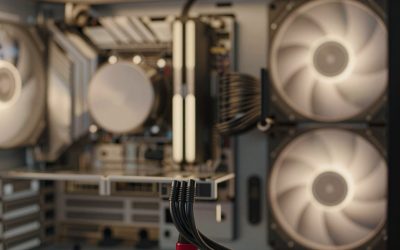
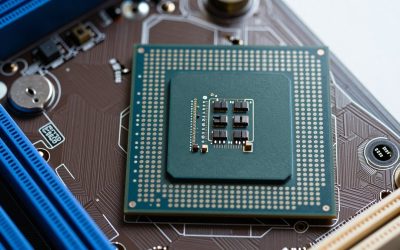
Not every build is a gaming powerhouse. Office PCs, home-theater PCs, and general family computers just need to be reliable and quiet, and on those machines DDR4 remains a smart, cheap choice long after DDR5 took over the enthusiast spotlight. Picking budget DDR4 well means matching a few sensible specs rather than paying for speed you will never use.
As an Amazon Associate we earn from qualifying purchases at no extra cost to you.


Our Top Picks
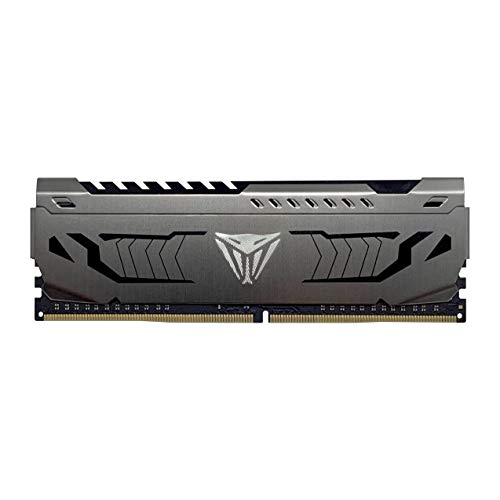
 CORSAIR VENGEANCE LPX DDR4 RAM 16GB16GB Kit (2x8GB)6.74 x 3.55 x 0.61 inches0.2 PoundsCheck on Amazon

Top 3 picks at a glance
Why DDR4 Still Makes Sense Here
DDR4 platforms — older Intel and AMD AM4 boards and CPUs — are inexpensive, mature, and completely adequate for productivity and media playback. An office or HTPC workload is bottlenecked by almost nothing, so spending on exotic memory is wasted. DDR4 lets you build a competent, silent machine for a fraction of a modern gaming rig’s memory cost.
| Use | Recommended capacity | Recommended speed |
|---|---|---|
| Basic office / web / email | 8GB (or 2x4GB) | DDR4-2666–3200 |
| Multitasking office / light photo | 16GB (2x8GB) | DDR4-3200 |
| HTPC / 4K media playback | 8–16GB | DDR4-3200 |
| HTPC with light gaming | 16GB (2x8GB) | DDR4-3200–3600 |
How Much Capacity to Buy
For a pure office or media box, 8GB gets the job done, though 16GB is the more future-proof pick and costs little more on DDR4. 16GB comfortably handles a browser with many tabs, an office suite, and background updates at once. There is no reason to go beyond 16GB for these roles unless you have crept into content creation or virtualization.
Speed and Timings on a Budget
DDR4-3200 is the value sweet spot — it is cheap, widely available, and officially supported by most DDR4 platforms without overclocking. Faster kits like 3600 exist and help Ryzen gaming slightly, but for office and HTPC use the difference is invisible. Do not overpay for low CAS latency here; a standard CL16 or CL18 3200 kit is plenty.
Dual Channel and the Little Things
Even on a budget box, buy two matching sticks rather than one, because dual channel meaningfully improves responsiveness and matters a lot if the system uses integrated graphics for display and media decode. Pick low-profile modules without tall heat spreaders for small HTPC cases so they clear the cooler, skip RGB to save money and avoid distracting lights in a living room, and enable the XMP profile so the RAM runs at its rated 3200 rather than a slower default.
Frequently Asked Questions
Is 8GB enough for an office PC?
For basic web, email, and documents, 8GB is workable, especially in dual channel. But 16GB is inexpensive on DDR4 and gives real breathing room for many browser tabs and background apps, so it is the better long-term buy for anything beyond the lightest use.
Does RAM speed matter for an HTPC?
Barely. Media playback and 4K decode are handled mostly by dedicated hardware, so DDR4-3200 is more than enough. The one exception is if the HTPC relies on integrated graphics for light gaming, where faster RAM helps the iGPU a little.
Bottom Line
For an office or HTPC build, budget DDR4 is the sensible choice: a matched 16GB (2x8GB) DDR4-3200 kit at standard timings covers virtually every non-gaming task with room to spare, and 8GB works for the lightest boxes. Buy dual channel, choose low-profile sticks for small cases, skip RGB and exotic speeds, and enable XMP. That gets you a quiet, reliable machine without spending a cent on performance you would never notice.