The best Black Friday projector for most gamers is a 4K-input DLP model with low input lag and 3,000+ ANSI lumens, such as the BenQ TK700 or the Optoma UHD38. For a dedicated dark room, a 3LCD set like the Epson Home Cinema 2350 gives better color for movies. Pick by room light and throw distance first, then by discount, because a deep markdown on the wrong projector is still the wrong projector.
As an Amazon Associate we earn from qualifying purchases at no extra cost to you.
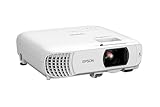


Our Top Picks
Top 3 picks at a glance
Quick comparison of the picks
| Pick | Best for | Key specs (per manufacturer) | Price range |
|---|---|---|---|
| BenQ TK700 | Best overall for gaming | 4K input, about 3,000 ANSI lumens, DLP, low-lag game mode | Mid-range |
| Optoma UHD38 | Best for bright rooms | 4K input, about 4,000 lumens, 1080p high-refresh mode | Mid-range |
| Epson Home Cinema 2350 | Best for movies in a dim room | 3LCD, about 2,800 lumens, 4K enhancement, wide lens shift | Mid-range |
| BenQ X3100i | Best premium gaming pick | 4K, 4-LED light source, about 3,300 lumens, very low 1080p lag | Premium |
| XGIMI Horizon Ultra | Best smart, no-fuss 4K | 4K, roughly 2,300 ISO lumens, built-in streaming OS, auto setup | Premium |
| Samsung The Freestyle (2nd Gen) | Best portable | 1080p, low lumens, rotating stand, built-in apps | Budget to mid-range |
| Budget native 1080p LED/lamp class | Best budget | 1080p, 2,000-3,500 lumens, 1080p input at 60Hz | Budget |
Best overall: BenQ TK700
The TK700 is a 4K-input DLP projector aimed at console and PC players. Per the manufacturer’s spec sheet, it accepts 4K at 60Hz and 1080p at 120Hz, with input lag of roughly 16ms at 4K60 and about 8ms at 1080p120. It is bright enough (about 3,000 ANSI lumens) to be usable with a lamp on.
Trade-off: DLP projectors can show the “rainbow effect” to sensitive viewers, and the native panel is not true 4K, since it uses pixel shifting. Blacks are decent but not cinema-grade without a dark room.
Best for bright rooms: Optoma UHD38
The UHD38 pushes about 4,000 lumens and offers a high-refresh 1080p mode that Optoma lists at around 4ms lag. That suits a living room where you cannot kill every light. Trade-off: contrast looks washed out in a fully dark room next to 3LCD or LED rivals, and fan noise is noticeable in bright mode.
Best for movies: Epson Home Cinema 2350
3LCD projectors show full-brightness color with no rainbow effect, and Epson rates both color and white brightness at about 2,800 lumens. Lens shift makes ceiling or shelf mounting far easier. Trade-off: it is built for movies and streaming, so it is not the pick for competitive play, and the lamp needs eventual replacement.
Best premium gaming pick: BenQ X3100i
The X3100i uses a 4-LED light source, so there is no lamp to replace, and BenQ lists input lag as low as about 4ms at 1080p 240Hz. It is the one to look at if you play fast shooters on a big screen. Trade-off: it costs noticeably more than the TK700, and at 4K the lag returns to the roughly 16ms range.
Best smart 4K: XGIMI Horizon Ultra
XGIMI’s Horizon Ultra bundles autofocus, keystone and obstacle avoidance with an Android TV-based interface, so setup is minimal. Brightness is lower than the Optoma or BenQ units (about 2,300 ISO lumens per XGIMI), so it favors dimmer rooms. Trade-off: you pay for the convenience, and lag is geared toward casual gaming.
Best portable: Samsung The Freestyle (2nd Gen)
This is a small 1080p projector with a rotating stand and built-in streaming apps. It is excellent for bedrooms, trips and a 40-80 inch image in the dark. Trade-off: low brightness means it needs a nearly dark room, and it is not the projector for a 120-inch screen.
Best budget: a native 1080p class
If you are shopping on a tight budget, skip cheap “4K supported” models with a 720p panel. Look for native 1080p, 2,000+ ANSI lumens (not “LED lumens” or “Lux”), HDMI input lag stated under 30ms, and lens throw that fits your room. Be cautious of unbranded listings with inflated lumen claims of 10,000 or more; honest ANSI figures for that class are usually a fraction of that.
How to choose: the numbers that matter
Step 1: Work out the throw distance
Throw distance equals throw ratio multiplied by screen width. A 100-inch 16:9 screen is about 87.2 inches wide. With a 1.5 throw ratio, the projector must sit about 87.2 × 1.5 = 131 inches (roughly 10.9 feet) from the screen. With a short 1.2 ratio, that drops to about 105 inches (8.7 feet). If your couch is 9 feet from the wall, a long-throw model will not fit without a bigger room.
Step 2: Calculate the lumens you need
A 100-inch screen is about 87.2 × 49 inches, which is roughly 29.7 square feet. A common target for a dark room is about 16 foot-lamberts. On a 1.0-gain screen, that is 16 × 29.7 ≈ 475 effective lumens. Real projectors lose light to color modes and lamp aging, so in practice you want about 2x to 3x that figure in claimed ANSI lumens, which is why 1,500+ ANSI is the floor for a dark room.
For a room with moderate ambient light, aim for about 30 foot-lamberts: 30 × 29.7 ≈ 890 effective lumens. That points to 3,000+ ANSI lumens, which is why the BenQ TK700 and Optoma UHD38 are the living-room picks.
Step 3: Match lag to how you play
- Single-player and console at 4K60: about 16ms lag is fine for most players.
- Competitive shooters on PC: prioritize a 1080p 120-240Hz mode with lag around 4-8ms.
- Movies and streaming only: lag is irrelevant; prioritize contrast and color.
Decision matrix
| Your situation | Choose | Why |
|---|---|---|
| Living room, lights on, 100-120 inch | Optoma UHD38 or BenQ TK700 | 3,000-4,000 lumens beats ambient light |
| Dark basement, movies first | Epson Home Cinema 2350 | 3LCD color, lens shift, no rainbow effect |
| Competitive PC gaming on a big screen | BenQ X3100i | Lowest 1080p high-refresh lag in this list |
| Rental, no mounting, easy setup | XGIMI Horizon Ultra | Auto focus and keystone, built-in streaming |
| Bedroom or travel | Samsung The Freestyle (2nd Gen) | Small, rotates to project on a wall or ceiling |
| Tight budget | Native 1080p, 2,000+ ANSI lumens | Real panel resolution matters more than “4K supported” |
Black Friday shopping tips for projectors
- Check the exact model number. Retailers sometimes run “Black Friday editions” with a different lamp, fewer accessories or older firmware than the standard model.
- Look for ANSI lumens. Terms like “LED lumens”, “Lux” or “peak brightness” are not comparable.
- Factor in the screen. A painted white wall works, but a proper screen, especially an ambient-light-rejecting type, can matter more than 500 extra lumens.
- Check lamp life. Lamp-based models need replacements every few thousand hours; LED and laser models do not, which can justify a higher sticker price.
- Look at the return window. Projectors can have dust blobs, dead pixels or fan noise. Make sure you can return one if it arrives with a defect.
- Do not trust “4K” labels. Most consumer DLP and 3LCD models at this level use 1080p chips with pixel shifting. That is acceptable, but it is not native 4K.
Frequently Asked Questions
Is Black Friday a good time to buy a projector?
Yes, especially for mid-range models from BenQ, Epson and Optoma, which are regularly discounted during the November sales. Discounts on brand-new releases are usually small, so last year’s models often offer the best value. Compare against the model’s typical selling price rather than the “list price” shown in the deal.
How many lumens do I need for a projector?
For a fully dark room, about 1,500-2,000 ANSI lumens is workable for a 100-inch image. For a living room with some light, aim for 3,000 or more. Higher lumens help, but a screen with good ambient-light rejection helps just as much.
Is a 4K projector worth it for gaming?
For consoles and single-player games, 4K input with HDR gives a noticeable improvement on a large screen, even when the projector uses pixel shifting. For competitive play, a projector with a fast 1080p 120-240Hz mode is more important than the 4K badge, because lag and motion clarity matter more than resolution there.
Can I use a projector instead of a TV for PC gaming?
Yes, if you accept the trade-offs: you need a controlled room, usually a longer HDMI run, and slightly higher input lag than a gaming monitor or OLED TV. Projectors work best for casual, cinematic and co-op games where a huge image matters more than raw responsiveness.
Do projectors need a special screen?
No, a smooth, matte white wall works for starters. A dedicated screen improves contrast and uniformity, and an ambient-light-rejecting screen can noticeably improve a bright-room image. It is usually the best upgrade after the projector itself.
What is the difference between DLP, 3LCD and LED projectors?
DLP projectors are compact, sharp and often have lower lag, but some viewers see rainbow artifacts. 3LCD projectors offer brighter color and no rainbow effect. LED describes the light source rather than the imaging chip, and it offers long life without lamp replacement but is generally less bright than lamp or laser models at the same price class.
Related guides
More from Amazon
Programs that pair well with the guide above. Offers and eligibility are set by Amazon and may change.
Send a Prime gift membership to someone who would use free shipping and Prime Video.
Gift Amazon PrimeGive audiobooks to someone who loves to listen. Plans and prices are set by Amazon.
Gift AudibleA free business account with business pricing and bulk-buying tools for work, shop or home office.
Create a business accountFree shipping on eligible items, Prime Video and more. Eligible new members can start with a free trial.
Start a Prime free trialAs an Amazon Associate we earn from qualifying purchases.


