The best Black Friday business laptop is usually a 14-inch ThinkPad T14, HP EliteBook 8-series or Dell Latitude/Dell Pro 14 with 16 GB of RAM, a 512 GB SSD, a 400-nit or brighter display and a three-year on-site warranty. Apple’s MacBook Air 13-inch (M4) is the strongest choice if your business runs on macOS. The deal that matters is the configuration under the discount, because Black Friday stock often includes stripped-down SKUs that look like premium models.
As an Amazon Associate we earn from qualifying purchases at no extra cost to you.


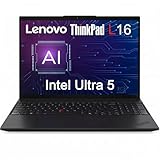

Top 3 picks at a glance
Quick comparison of the picks
| Pick | Best for | Key specs (typical configs) | Price range |
|---|---|---|---|
| Lenovo ThinkPad T14 (Gen 5 or newer) | Best overall, general office and field work | 14-inch 16:10, 16–32 GB RAM, 512 GB–1 TB SSD, about 1.4 kg, Intel Core Ultra or AMD Ryzen PRO | Mid-range |
| Lenovo ThinkPad X1 Carbon (Gen 12 or newer) | Best premium ultralight for travellers | 14-inch, about 1.1 kg, 32 GB soldered RAM options, OLED or 2.8K panel options | Premium |
| HP EliteBook 8-series / 840 G11 | Best for IT-managed fleets and security features | 14-inch, Core Ultra or Ryzen PRO, 16–32 GB RAM, optional Sure View privacy screen | Mid-range to premium |
| Dell Latitude 7450 / Dell Pro 14 | Best for Dell-managed deployments and ProSupport | 14-inch, about 1.3 kg, 16–32 GB RAM, optional LPDDR5x, ExpressSign-in presence sensing | Mid-range to premium |
| Apple MacBook Air 13-inch (M4) | Best for macOS shops, battery life and silence | 16 GB base unified memory, 256 GB–2 TB SSD, about 1.24 kg, fanless, roughly 54 Wh battery | Mid-range |
| ThinkPad E14 / HP ProBook / Dell Pro Essential class | Best budget for small teams | 14-inch, 16 GB RAM (check it), 512 GB SSD, plastic or mixed chassis, about 1.5 kg | Budget |
Model names and generations change each year. Treat the series as the pick and confirm the exact generation and configuration on the retailer’s spec sheet.
Best overall: ThinkPad T14 class
The T14 is the default recommendation for a reason. It has a good keyboard, a repairable chassis, a full port selection (USB-A, USB-C/Thunderbolt, HDMI and often Ethernet through a dock or adapter), and an optional on-site warranty. It suits accountants, consultants, managers and anyone who types for hours.
Trade-off: the base display options on discounted units are often 250-nit panels. Look for the 400-nit option, because a dim screen is the first thing users complain about near a window.
Best premium ultralight: ThinkPad X1 Carbon class
The X1 Carbon is for people who carry a laptop daily. It weighs about 1.1 kg, has a strong keyboard and offers high-resolution panels. It’s the best fit for sales staff and executives who travel.
Trade-off: RAM is soldered, so the 16 GB versus 32 GB decision is final at purchase. Repair options are also more limited than on the T14.
Best for managed fleets: HP EliteBook 8-series
HP’s EliteBook line is built around security and manageability: a camera shutter, optional integrated privacy screen, a TPM, and firmware-level protection tools described on HP’s spec sheets. It suits regulated environments such as legal, finance and healthcare admin.
Trade-off: many HP security features are tied to specific configurations. A cheaper Black Friday SKU may lack the privacy screen or the fingerprint reader, so check the exact part number.
Best for Dell shops: Latitude 7450 / Dell Pro 14
Dell’s business line is strong where IT already uses Dell management tools and ProSupport. The 14-inch chassis is light, and the presence-detection sign-in is useful in shared offices.
Trade-off: Dell has been renaming its business lines, so product names can vary between retailers. Compare specifications rather than names.
Best for macOS: MacBook Air 13-inch (M4)
With 16 GB of memory as the base configuration, the MacBook Air handles typical business multitasking comfortably, runs silently and lasts a full workday. It suits creative agencies, founders and software teams on macOS.
Trade-off: limited ports (two Thunderbolt/USB-C plus MagSafe), no touch screen, and some line-of-business Windows software won’t run natively. Check your accounting, CAD or ERP tools before buying.
Best budget: 14-inch essentials class
ThinkPad E-series, HP ProBook and Dell’s essential tier suit small businesses equipping several staff members. They run the same Windows 11 Pro software as pricier models.
Trade-off: these models often have dimmer screens, plastic chassis and shorter warranties. Some Black Friday SKUs ship with 8 GB of RAM, which is the single biggest regret in this class.
How to choose: the numbers that matter
Memory budget: why 16 GB is the floor
Typical working-set sizes (rough approximations; they vary by software version):
- Windows 11 plus background services and a security agent: about 4–5 GB
- Teams or Zoom during a video call: about 1–1.5 GB
- Browser with 30 tabs, including web apps: about 3–5 GB
- Outlook and Office documents, including a large Excel workbook: about 2–3 GB
Total: roughly 10–14.5 GB. An 8 GB laptop will swap to disk constantly, and a 16 GB machine leaves a little headroom. If you keep a laptop for four or more years, 32 GB is reasonable for heavy spreadsheet or virtual machine use. On soldered-RAM models, choose now because you can’t upgrade later.
Battery runtime calculation
Runtime is battery capacity divided by average system draw. Take a laptop with a 57 Wh battery:
- Light use (documents, email) at about 7 W: 57 ÷ 7 ≈ 8.1 hours
- Mixed use with video calls at about 12 W: 57 ÷ 12 ≈ 4.8 hours
- Heavy use at about 20 W: 57 ÷ 20 ≈ 2.9 hours
After two years the battery may hold around 85–90% of its capacity, so the mixed-use figure drops to roughly 4.1–4.3 hours. If your day is mostly video calls, the “all-day battery” claim on a spec sheet is not the number to plan around. Manufacturers’ rated hours generally come from light-use tests.
Decision matrix: match your situation to a pick
| Your situation | Choose | Minimum config | Skip if |
|---|---|---|---|
| Office-based, long typing sessions | ThinkPad T14 class | 16 GB, 512 GB, 400-nit display | Display is the 250-nit option |
| Travels weekly, carries it all day | X1 Carbon or MacBook Air | 16 GB, 512 GB (X1: 32 GB if heavy multitasking) | Weight is above about 1.5 kg |
| Regulated data, shared public spaces | HP EliteBook with privacy screen | 16 GB, TPM 2.0, fingerprint or IR camera | No privacy-screen option on that SKU |
| Equipping 5–10 staff on a tight budget | Essentials class, 14-inch | 16 GB, 512 GB, 3-year warranty | RAM is 8 GB or the warranty is 1 year |
| Runs macOS-only workflows | MacBook Air M4 | 16 GB, 512 GB if you store local files | Your key software is Windows-only |
How to spot a real Black Friday business laptop deal
- Read the full part number. The same model name is often sold in several configurations, and the deal usually applies to the lowest. Matching the processor, RAM and storage to a manufacturer’s spec sheet shows what you’re really getting.
- Check RAM configuration. Single-channel 8 GB versus dual-channel 16 GB makes a noticeable difference in integrated-graphics performance.
- Check the display. You want at least 1920×1200 (16:10) and 400 nits for office use. 1366×768 and 250-nit panels should be avoided.
- Confirm Windows 11 Pro, not Home. Pro adds BitLocker device encryption management, domain join and Group Policy, which businesses need.
- Look at the warranty. A three-year on-site warranty can be worth more than a modest discount, because a laptop in the repair queue costs you working days. Business upgrades are often cheaper at the time of purchase than later.
- Prefer last-generation business models. Black Friday is when previous-generation EliteBook, ThinkPad and Latitude stock gets cleared, and the performance difference year to year is often small for office tasks.
- Check return and invoice terms. Make sure you can get a business invoice with your company details, and ask your accountant how the purchase is treated for tax.
Features worth paying for, and ones to skip
- Worth it: 16 GB or more RAM, a 400-nit display, a good keyboard, Thunderbolt/USB4, Wi-Fi 6E or Wi-Fi 7, a fingerprint reader or IR camera, and on-site warranty.
- Often worth it: optional 5G/LTE modem for field staff, privacy screen, and a 1080p webcam with a shutter.
- Usually not worth it for office work: a discrete GPU, 4K panels (they cost battery life), and large SSDs when files live in cloud storage.
Frequently Asked Questions
Is Black Friday a good time to buy business laptops?
Yes, especially for previous-generation models and for small-business purchases of several units. Manufacturers and resellers clear stock, and business lines like ThinkPad, EliteBook and Latitude are commonly discounted. Always compare the exact configuration, because the advertised price may apply only to the entry-level model.
How much RAM does a business laptop need?
16 GB is the practical minimum in 2026 for video calls, many browser tabs and Office apps together. Choose 32 GB for large spreadsheets, virtual machines, data analysis or a machine you plan to use for five years or more. Check whether the RAM is soldered, as it can’t be upgraded afterward.
Should I buy a consumer laptop instead of a business model?
Consumer laptops can be fine for light use, but business models typically add better keyboards, Windows 11 Pro, security hardware, easier repair and longer warranty options. Those matter most when you have employees, sensitive data or need fast repair. For a solo user with simple needs, a well-specified consumer laptop can be adequate.
Windows or Mac for a business laptop?
Choose based on your software. The MacBook Air with M4 offers excellent battery life and a quiet design, while Windows business laptops offer wider software compatibility, more port options and stronger fleet-management support for many IT departments. Verify that your accounting, ERP and industry tools run on your chosen platform before buying.
When do Black Friday business laptop deals start?
Many retailers and manufacturers begin discounts in early November and continue through Cyber Monday. Business stock can be limited, particularly for popular configurations, so it helps to decide your minimum specs in advance and watch for the model rather than browsing broadly.
Are refurbished business laptops a better deal than new ones?
They can be, if you buy from a reputable seller with a clear warranty and battery health information. A new previous-generation model at Black Friday pricing often closes the gap and includes a full manufacturer warranty, so compare both before deciding.
Related guides
More from Amazon
Programs that pair well with the guide above. Offers and eligibility are set by Amazon and may change.
Send a Prime gift membership to someone who would use free shipping and Prime Video.
Gift Amazon PrimeGive audiobooks to someone who loves to listen. Plans and prices are set by Amazon.
Gift AudibleA free business account with business pricing and bulk-buying tools for work, shop or home office.
Create a business accountFree shipping on eligible items, Prime Video and more. Eligible new members can start with a free trial.
Start a Prime free trialAs an Amazon Associate we earn from qualifying purchases.


