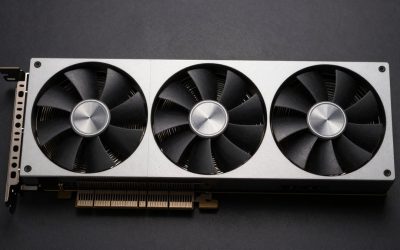
A “75W GPU” is a graphics card designed to draw no more than 75 watts from the PCIe slot. That matters if your power supply has no spare PCIe power connector, your case is small, or you want a simple upgrade. It does not guarantee that a card will fit every PC or run without issues: check its length, slot width, PSU capacity and the computer’s BIOS before buying.
For most new gaming builds, 75W is a tight limit. The best choice depends on whether you need modern features and driver support, or whether a used card’s extra performance is worth its age and risk.
As an Amazon Associate we earn from qualifying purchases at no extra cost to you.

Best 75W GPU options
Best for a new, low-power gaming PC: a low-profile Intel Arc A310. It is a modern option for light gaming, media use and hardware video encoding. Its main catch is compatibility: Arc cards work best with Resizable BAR enabled, and performance can suffer on older systems that lack it. Confirm the exact card’s power requirements and dimensions; board designs can vary.
Best for a small upgrade on a tight budget: a low-profile GeForce GTX 1650. Some versions draw power entirely from the slot and stay within 75W, but not all GTX 1650 cards do. Check the manufacturer’s specifications rather than relying on the GPU name. It is a reasonable fit for older games and modest 1080p settings, but lacks newer features and may be a poor value at inflated used prices. Check current slot-powered GTX 1650 options.
Best used alternative for older games: a low-profile GeForce GTX 1050 Ti. It can be useful in office PCs with limited power, but it is an older card. Expect weaker performance in newer games, and check that the listing is for a genuine card in working condition—not a misleading or refurbished listing with unclear parts.
Best for display output and basic use: a low-profile Radeon RX 6400. It is a low-power, modern card that can suit a compact PC, but its narrow PCIe interface can reduce performance in systems limited to PCIe 3.0. It is also not a strong choice for demanding games or workloads that need broad software support. Look for a specific board’s dimensions and power details before ordering.
How the options compare
| Option | Best suited to | Main advantage | Important drawback |
|---|---|---|---|
| Intel Arc A310 | Newer compact PCs, media and light gaming | Modern video features | Resizable BAR and system compatibility matter |
| GeForce GTX 1650 (slot-powered version) | Older PCs and entry-level 1080p gaming | Useful performance without a power cable | Some versions need a PCIe power plug; older features |
| GeForce GTX 1050 Ti | Low-cost used upgrades | Often works in basic systems | Age, condition and newer-game performance |
| Radeon RX 6400 | Compact PCs for light gaming and display use | Low power draw and small-card availability | PCIe 3.0 systems can limit performance |
What to check before buying
Verify the power draw of the exact card. A GPU family name is not a guarantee that every board uses only the PCIe slot. Some manufacturers sell overclocked or differently designed versions that need a six-pin power connector. If your PC has no such cable, choose a card whose specification explicitly says it is slot-powered.
Check the case and motherboard. Small-form-factor PCs often need a low-profile bracket, and some have room for only a single-slot card. Measure clearance around the slot, including nearby cables and drive cages. A card can be low-profile but still too long or too thick for the case.
Check system compatibility. Prebuilt office computers can have BIOS restrictions, limited cooling, or power supplies that are not designed for a graphics upgrade. Intel Arc in particular benefits from Resizable BAR; check that your CPU, motherboard and BIOS support it. For the RX 6400, PCIe 3.0 is a relevant limitation because the card uses a narrow link.
Be realistic about gaming. These cards are for light or older games, lower settings, and modest expectations—not high-refresh 1440p or demanding new releases. Integrated graphics may be enough for office work and video playback. If gaming is the goal and your PSU can be replaced, a stronger card with its own power connector may be a better long-term purchase. Compare low-profile 75W graphics cards.
For used cards, ask for the exact model number and clear photos of the card’s power sockets and bracket. Avoid listings that promise a specific performance level but omit the manufacturer or model. A low price is not a bargain if the card needs a power connector your PC lacks, does not fit the case, or has no return option.
Which one should you buy?
Choose an Arc A310 if you have a compatible, relatively recent PC and want a modern low-power card for light use. Choose a slot-powered GTX 1650 if you find a fairly priced, verified model and want the stronger gaming option among these picks. A used GTX 1050 Ti makes sense only when it is substantially cheaper and your games are undemanding. Consider the RX 6400 for a compact system, especially if it has PCIe 4.0, but compare its price carefully against alternatives.
If your computer is an older office prebuilt, verify power, fit and BIOS support before choosing any card. When those checks are uncertain, a retailer with a clear return policy is worth paying a little more for.
How the 75W Limit Works
The 75W figure comes from the PCI Express card specification, which allows a full-height x16 slot to deliver up to 75 watts. About 66 watts of that arrives on the 12V rail and the rest on the 3.3V rail. A six-pin connector would add another 75 watts, which is why slot-powered cards are the ones that work in prebuilts with no spare cable. A card rated at 75W or less can, in principle, run on the slot alone, but the manufacturer’s sheet for that exact model is what settles it.
Specs That Separate These Four Cards
| Card | Board power | Memory and bus | PCIe link |
|---|---|---|---|
| Intel Arc A310 | 75W | 4GB GDDR6, 64-bit (about 124 GB/s) | 4.0 x8 |
| Radeon RX 6400 | 53W | 4GB GDDR6, 64-bit (about 128 GB/s) | 4.0 x4 |
| GeForce GTX 1650 | 75W | 4GB, 128-bit on the original version | 3.0 x16 |
| GeForce GTX 1050 Ti | 75W | 4GB GDDR5, 128-bit (112 GB/s) | 3.0 x16 |
Two details matter most. First, the A310 and RX 6400 use narrow links, x8 and x4, and both are PCIe 4.0 designs. In a PCIe 3.0 slot an x4 link carries roughly 3.9 GB/s instead of 7.9 GB/s, which explains the RX 6400’s reputation for losing performance on older boards. Second, the two older GeForce cards use full x16 links and a wider memory bus, so they are less sensitive to the motherboard generation.
A Worked Power Budget for an Office Prebuilt
Suppose the label on the original supply reads 300W. Assume a 65W processor, about 50W for the board, memory, drive and fans, and the full 75W for the graphics card. That sums to 190W of peak load. A common planning habit is to keep sustained load under about 70 percent of the rating, which is 210W here, leaving roughly 20W of margin. The slot itself would draw up to 66W from the 12V rail, which is 5.5 amps, so also check the supply label for its 12V amperage. These are assumptions, not measurements of your machine, so substitute your own processor and supply figures.
Reading the Power Label on a Product Page
Listings use several terms for power, and they are not interchangeable. Total board power or total graphics power describes what the whole card draws. A line reading “additional power connector: none” is the clearest sign that a model is slot-powered. A recommended system power figure is a guideline for the whole PC rather than the card’s own draw, so a card can be a 75W part and still list a larger supply recommendation. When two listings for the same chip disagree, trust the manufacturer’s product page over a reseller’s summary.
First-Boot Checklist After Installing
- Power down, unplug the supply, and seat the card fully until the slot latch clicks.
- Fit the correct bracket height before inserting the card; swapping it later risks scratching the board.
- Plug the monitor cable into the new card, not the motherboard outputs.
- Enter the BIOS and confirm the primary display is set to the PCIe device; for an Intel Arc card, enable Resizable BAR if the option exists.
- Install the manufacturer’s current driver, then confirm the card’s reported link speed in a monitoring utility.
Troubleshooting a Low-Power Upgrade
- No picture at boot: Reseat the card, try another cable, and check that the integrated graphics output is not the selected source.
- Frame rates lower than expected: Check the PCIe link speed, since a card on a narrow link in an older slot can lose noticeable performance.
- Fans that stop at idle: Many compact cards run fanless at low load by design; this is normal unless temperatures climb during games.
- Random shutdowns under load: Suspect the supply first, especially an aging unit with a low 12V rating.
Common Mistakes With Low-Power Cards
Most returns in this category trace back to a handful of avoidable errors, so run through this list before checkout.
- Assuming every card from a given family is slot-powered.
- Ignoring PCIe generation on x4 and x8 cards.
- Buying a low-profile card without confirming the bracket is included.
- Expecting a 75W limit to deliver modern high-settings gaming.
- Overlooking the PC maker’s own upgrade notes, which sometimes list supported cards for small prebuilts.
FAQ
Can a 75W GPU run without a PCIe power cable?
Yes, if that specific card is designed to take all its power from the motherboard’s PCIe slot. Check the card’s official specifications; the GPU name alone is not enough.
Is a 75W GPU good for 1080p gaming?
It can handle older or lighter games at 1080p, usually with reduced settings. Performance in demanding modern games will be limited.
Will a low-profile GPU fit any small PC?
No. Check card length, thickness, bracket height, available slot space and the case’s clearance. Also confirm that the PC can support the card.
Should I buy a used GTX 1050 Ti?
Only if the price is low, the card is verified and your games are modest. Its age makes condition and return options especially important.
Related guides
More from Amazon
Programs that pair well with the guide above. Offers and eligibility are set by Amazon and may change.
A free business account with business pricing and bulk-buying tools for work, shop or home office.
Create a business accountFree shipping on eligible items, Prime Video and more. Eligible new members can start with a free trial.
Start a Prime free trialAudiobooks and podcasts to listen to on the go. Eligible new members can start with a free trial.
Try Audible freeAd-free music streaming. Eligible new subscribers can start with a free trial.
Try Music Unlimited freeAs an Amazon Associate we earn from qualifying purchases.