
If you are shopping for an RTX 3000 series card in 2026, you are almost always buying used or old new-stock. That changes the math. Raw FPS charts still favor the bigger cards, but VRAM, power draw, and card condition matter more now than a 10 percent gap in benchmarks.
Here’s the short version: the RTX 3060 12GB is still the safe 1080p buy, the RTX 3070 / 3070 Ti only makes sense if the price is right for high-refresh 1080p and 1440p, and the RTX 3080 12GB is the only 3000-series card I’d buy for 4K today. The RTX 3090 is fast but usually a bad gaming value because of price, size, and power.
As an Amazon Associate we earn from qualifying purchases at no extra cost to you.


Our Top Picks
 GIGABYTE Radeon RX 9070 XT Gaming OC 16GRADEON9070XT11.34 x 5.2 x 2.2 Inches3.9 PoundsCheck on Amazon


Top 3 picks at a glance
The stack at a glance
NVIDIA packed a lot of cards into this generation and the names are confusing. The 3060 Ti beats the 3060 by a wide margin despite the similar name, and the 3080 10GB and 3080 12GB are not the same card. Use this as a reality check before you look at listings:
| GPU | VRAM | Realistic target | Board power | Who it suits |
|---|---|---|---|---|
| RTX 3060 12GB | 12GB | 1080p high / 1440p medium | 170W | Budget builds, small PSUs, esports + AAA mix |
| RTX 3060 Ti | 8GB | 1080p ultra / 1440p high | 200W | High-refresh 1080p if priced near 3060 |
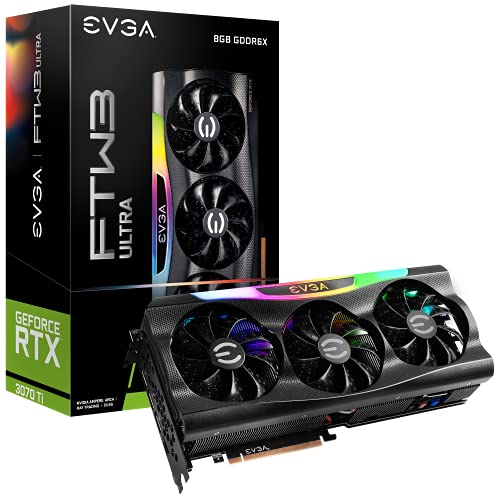
| RTX 3070 / 3070 Ti | 8GB | 1440p high, 144Hz in esports | 220W / 290W | 1440p gamers who use DLSS |
| RTX 3080 10GB | 10GB | 1440p ultra / 4K 60 with DLSS | 320W | Good only at a clear discount vs 12GB |
| RTX 3080 12GB | 12GB | 1440p ultra / 4K with DLSS | 350W | Best all-round used pick for high-end |
| RTX 3090 / 3090 Ti | 24GB | 4K + creative work | 350W / 450W | Only if you need VRAM for work |
Notice the pattern: performance goes up, but VRAM does not always follow. That is the main failure mode for this generation over time. An 8GB card can still post good average FPS today, then stutter in a new open-world game with high textures at 1440p.
Best for 1080p: RTX 3060 12GB
For most 1080p gamers this is still the sensible 3000-series buy. It is slower than a 3060 Ti or 3070, usually 20-30 percent behind in raster, but the 12GB buffer means it ages better. In Hogwarts Legacy, Alan Wake 2, and modded Fallout 4 / Skyrim setups, I have seen 8GB 3070-class cards hit VRAM walls that the plain 3060 sails through at lower but steadier frame rates, especially with high textures.
Trade-offs are real. You will not hold 144Hz+ in demanding AAA games without DLSS Quality + tuned settings. Ray tracing is usable in light games like Shadow of the Tomb Raider or Fortnite, but forget path tracing. It also wants a clean driver install and realistic expectations: this is a 1080p high, 1440p medium card.
Who it suits: 550-650W PSU builds, ITX cases, and anyone upgrading from a GTX 1660 / RX 580 who wants DLSS 2 and AV1 decode without rebuilding. If you mostly play Valorant, Apex, Fortnite, and older AAA titles, do not spend more. Check current listings for an RTX 3060 12GB and only step up if a 3060 Ti is within $20-30.
Best for 1440p: RTX 3070 if cheap, otherwise skip
The RTX 3070 was the 1440p sweet spot at launch, and on paper it still is. It matches or beats a 4060 in raw speed in many games and handles 1440p high at 90-120 fps with DLSS in most AAA titles. The problem is the 8GB VRAM. At 1440p ultra textures + ray tracing, Indiana Jones and the Great Circle, The Last of Us Part I, and heavily modded games can push past 8GB and cause 1% low stutters even when average FPS looks fine.
The 3070 Ti is about 8-10 percent faster but draws far more power and runs hotter for the same 8GB limit. I would only take one if it is cheaper than a 3070 or comes from a known-good system with a solid cooler. Both cards need at least a quality 650W PSU and good case airflow. Two-fan models with thin heatsinks tend to run loud and boost lower after 10-15 minutes.
Who it suits: 1440p 144-165Hz monitor owners who are comfortable using DLSS, dropping textures from Ultra to High, and capping ray tracing. If you refuse to tweak settings, save for a 12GB+ card instead of forcing a 3070. Browse RTX 3070 gaming GPU stock to gauge pricing, then compare against used prices locally – new old-stock is often overpriced.
Best for 4K and high-refresh 1440p: RTX 3080 12GB
If you want to stay on Ampere and play at 4K, this is the pick. The 12GB model has more cores than the 10GB model plus the extra VRAM, which is good for about 5-8 percent more speed and noticeably fewer texture streaming hitches at 4K. With DLSS Quality + Frame Generation mods or native DLSS 2, it holds 4K 60 in most AAA games at high settings. Without upscaling, expect to tune.
The cost is heat, noise, and power. This is a 320-350W card in practice, with transient spikes higher. You want a quality 750W PSU minimum, 850W if you have a high-end CPU, and a case that can actually exhaust that heat. Undervolting helps a lot – most 3080s will do 850-875mV at near-stock clocks and drop 40-60W.
Failure modes to check when buying used: dried thermal pads on the memory, rattling fans, and cards that were mined on in hot garages. Ask for photos of the card running a 10-minute FurMark or 3DMark Time Spy loop, not just an idle screenshot. Avoid cards with missing screws, stripped warranty stickers over core screws, or a strong cigarette / oil smell – you cannot clean that out of the fins easily. If the price is close to a new 4070 Super-class card, buy new instead. Otherwise look for an RTX 3080 12GB from a seller with returns.
RTX 3090 and what to avoid
The RTX 3090 is still fast, but as a pure gaming buy it rarely makes sense now. It is huge, often 3.5-4 slots, pulls 350W+, and used prices stay high because creators want the 24GB for Blender, Stable Diffusion, and video work. For gaming alone you get 10-15 percent over a 3080 12GB while paying a lot more in power, heat, and upfront cost. Only buy it if you will actually use the VRAM for work.
Also be careful with the RTX 3050 8GB and RTX 3080 Ti for gaming value. The 3050 is fine for a prebuilt rescue upgrade but too slow for the money versus a used 3060 12GB. The 3080 Ti is fast, but it is essentially a 3090 with half the VRAM and near-3090 power draw. Unless you find one cheaper than a 3080 12GB, skip it.
One last practical note: all 3000-series cards lack DLSS 3 Frame Generation support. You still get DLSS 2 Super Resolution, Reflex, and good ray tracing for the price, which is why they remain popular, but do not buy Ampere expecting the same frame-gen boost as RTX 4000 / 5000 cards.
How to buy without getting burned
Most good 3000-series deals are used. Ask the seller for the exact model, how long they gamed on it versus mined, max temps under load, and whether the pads or paste were replaced. A careful repad with quality pads is a plus; a sloppy repaste with paste oozing out is a red flag. Test on arrival with 3DMark, a 30-minute gaming loop, and a VRAM-heavy scene. Listen for coil whine at 200+ fps in menus – common on 3070 Ti / 3080 / 3090 and not fixable, though capping fps hides it.
Pairing matters too. A Ryzen 5 5600 or i5-12400F is enough for a 3060 / 3060 Ti at 1080p. For a 3070 and up at 1440p/4K, a Ryzen 7 5700X3D / i5-13600K class CPU avoids bottlenecks in Warzone, Cyberpunk in the city, and Flight Simulator. And do not reuse a 7-year-old budget 600W PSU on a 3080 – transient spikes will shut it down.
FAQ
Is an RTX 3060 still good in 2026?
Yes for 1080p. Expect 60-100+ fps at high settings with DLSS in most AAA games. It struggles with heavy ray tracing and 144Hz ultra settings, but the 12GB VRAM helps it stay smooth where 8GB cards stutter.
Is 8GB VRAM enough for 1440p?
It is workable if you use High instead of Ultra textures and turn on DLSS, but it is the main limit on the 3060 Ti, 3070, and 3070 Ti. If you keep games for years or use HD texture packs, 12GB is worth paying extra for.
Should I buy a used mining GPU?
Sometimes. A mining card run cool with undervolt and clean power can be fine, while a gaming card abused with heat cycles and no cleaning can be worse. Judge condition, temps under load, fan noise, and return policy, not just mining history.
RTX 3080 10GB vs 12GB – does it matter?
Yes. The 12GB version is slightly faster and holds up better at 1440p ultra and 4K. Buy the 10GB only if it is at least 15-20 percent cheaper and you mainly play at 1440p with DLSS.



