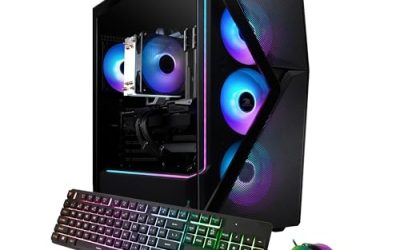
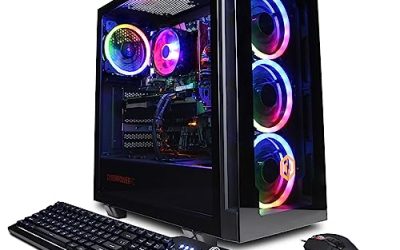
The best 144Hz laptop for most gamers is a 15- or 16-inch model with an RTX 4060 or RTX 5060 class GPU, 16GB of RAM and a 1080p or 1440p display at 144Hz or higher, usually $900-$1,300. Good examples include the Lenovo LOQ 15, ASUS TUF Gaming A15 and Acer Nitro V 16. A 144Hz panel is the entry point for smooth motion, and the real decision is whether your GPU can actually deliver 144 frames per second in the games you play.
Quick comparison of 144Hz laptop picks
| Pick | Best for | Key specs | Typical price range |
|---|---|---|---|
| Lenovo LOQ 15 | Best budget 144Hz | RTX 4050/4060 class GPU, 16GB RAM, 144Hz 1080p | $750-$1,050 |
| ASUS TUF Gaming A15 / A16 | Best overall value and durability | RTX 4060/5060 class, Ryzen 7, 144-165Hz, MIL-STD-810H build | $900-$1,250 |
| Acer Nitro V 16 | Best 16:10 screen for the price | RTX 4060/5060 class, 16GB RAM, 165Hz option | $900-$1,250 |
| HP Victus 15 / 16 | Best for quiet, everyday use | RTX 4050/4060 class, 144Hz panel, simple design | $800-$1,100 |
| MSI Katana 15 / Thin class | Best for light gaming and travel | RTX 4060 class, 144Hz, bright RGB keyboard | $850-$1,200 |
| ASUS ROG Strix G16 class | Best performance above $1,400 | RTX 4070+ class, 165-240Hz QHD, strong cooling | $1,400-$1,900 |
Prices are general market ranges that change with sales and GPU generation; specifications vary by configuration, so verify the exact GPU, wattage and screen before you buy.
Best budget: Lenovo LOQ 15
The LOQ 15 targets buyers who want a 144Hz screen without paying for premium extras. It usually pairs an RTX 4050 or 4060 class GPU with a 1080p 144Hz panel. It suits esports and mainstream titles, and it handles modern games at medium settings. The trade-off is plain styling, a middling keyboard and a screen that often covers only about 45-60% of the wide colour gamut, so it is not ideal for content creation.
Best overall: ASUS TUF Gaming A15 or A16
The TUF line balances performance, cooling and build quality. Its chassis is rated to the MIL-STD-810H durability standard by the manufacturer, it has a solid thermal design and the Ryzen 7 CPU performs well in games and multitasking. Many versions offer 144Hz or 165Hz displays. The trade-offs are weight (about 2.2-2.3kg) and battery life that is limited to a few hours under gaming load.
Best screen for the price: Acer Nitro V 16
The Nitro V 16 uses a 16:10 panel that gives extra vertical space for work and a taller view in many games. Some configurations offer 165Hz refresh. The trade-off is that fans can be loud at full load, and some units have uneven keyboard backlighting.
Best quiet pick: HP Victus 15 or 16
HP’s Victus line looks like a regular laptop rather than a gamer’s showpiece, which suits school or office. It usually offers RTX 4050 or 4060 class graphics and a 144Hz display. The trade-off is power limits that are usually lower than in ASUS or MSI models.
How to choose: match GPU and refresh rate
Worked example: does your GPU actually fill 144Hz?
A 144Hz screen refreshes every 6.9 milliseconds (1000 / 144). To benefit, the game must render at least 144 frames per second, which means each frame must take no more than 6.9 ms. A game running at 90 fps takes 11.1 ms per frame, so you only use about 62% of the panel’s capability (90 / 144). That is why GPU choice matters as much as refresh rate.
Typical published reviews suggest, very roughly, that an RTX 4050-class laptop GPU delivers around 60-100 fps in recent AAA games at 1080p high settings and 150+ fps in esports titles. An RTX 4060-class laptop GPU is often 10-25% higher. These ranges vary with settings, resolution, CPU, power limit and game patch, so treat them as rough guides.
| Game type | Typical 1080p target | GPU class that fits 144Hz |
|---|---|---|
| Esports (Valorant, CS2, Fortnite performance mode) | 144-300+ fps | RTX 4050 class or better |
| Mainstream online (Apex Legends, Overwatch 2) | 100-200 fps | RTX 4060 class |
| Modern AAA on high settings | 60-100 fps | RTX 4060-4070 class with DLSS |
| AAA with ray tracing | 45-80 fps | RTX 4070+ class, DLSS Frame Generation |
Check the GPU wattage
Two laptops with “RTX 4060” in the name can perform differently. The laptop GPU’s total graphics power (TGP) ranges from about 35W to 140W depending on the model. A 105-140W RTX 4060 can be 15-20% faster than a 60-80W version. Look for the TGP on the manufacturer’s spec sheet, and be wary if it is not listed.
1080p or 1440p?
A 1080p panel is easier on the GPU, so it reaches 144 fps more often. A 1440p panel at 144Hz or 165Hz gives a sharper image but needs about 78% more pixels (2560×1440 = 3.69 million vs 1920×1080 = 2.07 million). On an RTX 4060 class laptop, 1080p is generally the better match, and 1440p is best from RTX 4070 up or with DLSS.
Other specs worth checking
- RAM: 16GB minimum, dual-channel, ideally upgradeable SO-DIMM slots.
- Storage: 512GB NVMe SSD at least; modern games often exceed 100GB.
- Display type: IPS with 100% sRGB is better than a low-gamut panel; check response time (about 3-7 ms).
- MUX switch: lets the screen connect directly to the GPU, which helps frame rates by a few percent.
- Cooling and noise: look for two fans and several heat pipes.
Is 144Hz enough or should you pay for 165Hz or 240Hz?
For most players, 144Hz is the sweet spot because it is a 2.4x improvement over 60Hz. Going to 240Hz brings a smaller visible gain and requires 240 fps to be worthwhile, which only suits esports players with a powerful GPU. Prioritise a better GPU before a higher refresh rate.
Settings that help a 144Hz laptop reach its refresh rate
- Set the refresh rate manually: in Windows display settings, confirm the panel is set to 144Hz, because some laptops default to 60Hz out of the box.
- Use the performance power mode: plug in the charger and choose the manufacturer’s performance profile, since the GPU runs at a lower wattage on battery.
- Enable DLSS or FSR: upscaling renders at a lower internal resolution, which raises frame rates in demanding games with a small quality cost.
- Cap frame rates just below the refresh rate: a limit of 141 fps with Adaptive-Sync reduces tearing and heat.
- Raise the laptop for airflow: a stand or cooling pad can lower temperatures by several degrees and reduce throttling.
Frequently Asked Questions
Is a 144Hz laptop worth it?
Yes, if your GPU can reach at least 100-144 fps in the games you play. Motion looks noticeably smoother than on a 60Hz display, especially in shooters and racing games. If you mostly play slower story games at 60 fps, a 144Hz screen helps less.
What GPU do I need for 144Hz gaming?
For esports titles, an RTX 4050 class laptop GPU is enough. For modern AAA games at high settings, an RTX 4060 or 4070 class GPU with DLSS is more realistic. Results vary with settings, resolution and CPU.
Does 144Hz hurt battery life?
Slightly. A high refresh rate draws a little more power than 60Hz, and many laptops let you drop to 60Hz on battery to save energy. Gaming on battery is limited anyway because the GPU runs at lower power.
Do I need G-Sync or FreeSync on a laptop?
It helps but is not required. Many laptops use Adaptive-Sync with a MUX switch, which reduces tearing when frame rates fluctuate. Check the spec sheet for support.
How much should I spend on a 144Hz gaming laptop?
Most buyers find the best value between $900 and $1,300. Below $800 you usually compromise on GPU or build quality, while above $1,500 you gain a 1440p display, a more powerful GPU and better cooling.
Related guides
More from Amazon
Programs that pair well with the guide above. Offers and eligibility are set by Amazon and may change.
A free business account with business pricing and bulk-buying tools for work, shop or home office.
Create a business accountFree shipping on eligible items, Prime Video and more. Eligible new members can start with a free trial.
Start a Prime free trialAudiobooks and podcasts to listen to on the go. Eligible new members can start with a free trial.
Try Audible freeAd-free music streaming. Eligible new subscribers can start with a free trial.
Try Music Unlimited freeAs an Amazon Associate we earn from qualifying purchases.