Thinking about playing Besiege on PC and wondering what hardware you actually need? Besiege is a physics building game about constructing medieval machines to annihilate armies, obliterate castles and overcome challenging obstacles — and the good news is that it asks remarkably little of your PC. It arrived in February 2020 as an indie simulation title built on technology from years earlier, so it was designed to run on hardware far older than what most people own today. This guide breaks down the official PC system requirements for Besiege, what those numbers mean in practice, the best GPU for each resolution, and complete build recommendations for hitting your target frame rate.
As an Amazon Associate we earn from qualifying purchases at no extra cost to you.


Our Top Picks


Top 3 picks at a glance
How Demanding Is Besiege?
Not very, and the official numbers make that plain. Besiege’s minimum spec asks for a 2.2 GHz dual-core processor, 4 GB of RAM, a graphics card with 1 GB of dedicated VRAM and DirectX 9.0c — a bar that even a mid-2010s office desktop clears. The recommended spec is a 4 GHz quad-core CPU, 8 GB of RAM and 3 GB of dedicated VRAM under DirectX 11, which is roughly a mainstream gaming PC from several generations back. In practical terms, almost any machine with a dedicated GPU can run Besiege at 1080p with the settings turned up, and 1440p or 4K is limited far more by your monitor than by the game.
The thing that can slow Besiege down is not visual quality but scale. Every beam, wheel, hinge, spring and projectile in a machine is simulated, so a contraption built from hundreds of parts — or a busy multiplayer skirmish — leans hard on the processor. That makes Besiege noticeably more CPU-sensitive than GPU-sensitive once you start building big, which is the opposite of how most modern games behave. The official figures below are the ones to plan around.
Besiege Official PC System Requirements
| Component | Minimum (official) | Recommended (official) |
|---|---|---|
| OS | Windows XP 64bit (latest SP) | Windows 10 |
| Processor | 2.2Ghz Dual Core | 4Ghz Quad Core |
| Memory | 4 GB RAM | 8 GB RAM |
| Graphics | 1 GB Dedicated VRAM | 3 GB Dedicated VRAM |
| DirectX | Version 9.0c | Version 11 |
| Storage | 3 GB available space | 5 GB available space |
Source: the official Besiege Steam store listing (app 346010), checked October 2026. Publishers can update these specs after patches.
Best GPU for Besiege by Resolution
1080p
The official minimum of 1 GB of dedicated VRAM is cleared by essentially every graphics card released in the last decade, so 1080p is not a question of whether a card can run Besiege but of how much headroom you want. A modern mainstream card such as the AMD Radeon RX 7600 runs Besiege at maximum settings with an enormous margin to spare, and older cards that already beat the official spec — a GTX 1050 Ti, GTX 1650 or RX 570 — do exactly the same. If you own anything in that range, there is nothing to upgrade for 1080p.
1440p
Resolution is cheap in Besiege. The AMD Radeon RX 7600 and comparable cards handle 1440p at maximum settings without trouble, and newer options such as the AMD Radeon RX 9060 XT or NVIDIA GeForce RTX 5060 sit far above anything the game will ask for. Even a card from the RX 580 or GTX 1060 era clears the recommended 3 GB of VRAM and runs this resolution comfortably, so treat 1440p as a monitor decision rather than a graphics-card one.
4K
4K is not the wall it is in most modern titles. A card of the NVIDIA GeForce RTX 4060 class — or a newer RTX 5060, RTX 5070 or RX 9060 XT — has far more power than Besiege needs at 4K, and even older 6 GB and 8 GB cards from the GTX 10-series and RX 500-series generations can drive 4K at reduced settings. Because the game leans on simple geometry and light effects rather than heavy post-processing, there is little reason to reach for a flagship here: an RX 9070 or RTX 5070 is already well beyond anything Besiege will request, and the budget is better spent on a larger, sharper display.
CPU, RAM and Storage for Besiege
On paper the processor bar is low — the official recommended CPU is a 4 GHz quad core, which almost any desktop chip from the last decade meets. In practice the CPU is the component that decides how well Besiege copes with your biggest builds. The physics simulation is sensitive to per-core performance, so a AMD Ryzen 5 7600 or an Intel Core i5-14600K gives you enormous headroom for machines with hundreds of parts, while a gaming-focused chip such as the AMD Ryzen 7 7800X3D is about as fast as it gets if you want to throw truly enormous contraptions around without the simulation bogging down. None of that is required to play — it matters only if your idea of fun is a 500-part siege engine or a crowded multiplayer session.
Memory is just as forgiving. The official recommended figure is 8 GB of RAM, and 8 GB genuinely is enough for Besiege itself. 16 GB is the comfortable modern baseline if you keep a browser and other applications open alongside the game, while a 32 GB kit such as Corsair Vengeance DDR5 32GB is far more than the game will ever touch. Storage is a non-issue: Besiege needs 3 GB of free space at minimum and 5 GB at recommended, so it fits on any drive. An SSD like the Samsung 990 Pro 2TB NVMe SSD shortens load times, but it is a quality-of-life upgrade rather than a requirement.
Recommended PC Builds for Besiege
Because Besiege is so light, every build below is really a general-purpose gaming PC that happens to run it flawlessly — the question is what else you want to play on it.
1080p budget build: AMD Radeon RX 7600 + AMD Ryzen 5 7600 + 16 GB DDR5 — many times over the official recommended spec, and far more than maximum-settings 1080p requires.
1440p sweet-spot build: AMD Radeon RX 7600 + AMD Ryzen 7 7800X3D + 32 GB DDR5 + 2TB NVMe SSD — the processor is the interesting part here, since it keeps very large machines simulating smoothly.
4K high-end build: NVIDIA GeForce RTX 4060 + AMD Ryzen 7 7800X3D + 32 GB DDR5 + fast NVMe SSD — comfortably past what Besiege at 4K needs, with plenty left over for far heavier games.
Is It Worth Upgrading Your PC for Besiege?
Probably not, and that is the honest answer. The official requirements have stayed close to what they were when the game first appeared, so if your PC can run anything modern at all, it can run Besiege. Upgrading purely for this game makes sense in one scenario only: you are on an old dual-core or a low-power laptop chip and you want to build very large, physics-heavy machines, in which case a processor upgrade is the change that actually helps. A new graphics card will not make Besiege look better or run faster once you are past the official spec, and adding RAM beyond 8 GB or moving to an SSD will not lift the frame rate either. If you are upgrading anyway for heavier games, Besiege simply comes along for the ride — but it is not the title that should drive the decision.
Can You Play Besiege on a Laptop or Handheld?
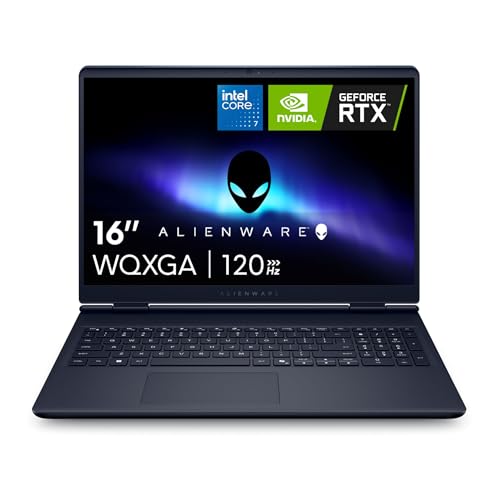
Yes, easily — this is close to a best-case scenario for portable play. A gaming laptop with a discrete GPU, such as an RTX 5060 or RTX 5070 class chip, runs Besiege at maximum settings without breaking a sweat, and because the game is light it draws far less power and produces far less heat than a modern blockbuster, so battery life is better than you might expect. Handhelds like the Steam Deck and the ROG Ally sit comfortably above the official requirements as well, making Besiege a good fit for short sessions on the move. If you are choosing a device, prioritise a decent processor and at least 8 GB of RAM rather than a high-end GPU — the game will not be the thing that stresses it.
How to Boost FPS in Besiege
If Besiege is running poorly, the cause is usually not the graphics card. Start with the basics: update your GPU drivers, close background applications, and make sure a laptop is plugged in and not stuck in a power-saving mode. Then look at the options — lowering shadow quality, anti-aliasing and other post-processing effects reduces the load on the GPU, and dropping the resolution or render scale helps further. In-game upscaling is not something to count on here, and the game is light enough that it is rarely needed anyway. The biggest lever in Besiege is the machine you have built: contraptions with a very large number of parts are simulated on the processor, so simplifying a build, or testing with fewer active objects, can raise the frame rate more than any graphics option. Holding a steady frame rate always feels better than chasing maximum visuals with stutter.
Graphics Settings That Matter Most in Besiege
Besiege’s options are simple compared with a modern blockbuster, and the heaviest items are the usual suspects: shadow quality, anti-aliasing, and post-processing effects such as ambient occlusion or bloom where they are present. Lower those first if the frame rate dips. Texture quality is cheap in this game and can usually stay high, since the official recommended spec asks for only 3 GB of VRAM and most cards carry far more than that.
Remember that visual settings only address the GPU side of the equation. If the frame rate collapses when a large machine is in motion, the limit is the physics simulation running on your processor, and no graphics option will fix it — reducing the part count, or capping the number of simultaneous objects, is what helps. Because the game is so undemanding, most players will find the default settings perfectly usable and never need to open the menu at all.
Frequently Asked Questions
Can my PC run Besiege?
Almost certainly. The official minimum is a 2.2 GHz dual-core processor, 4 GB of RAM, 1 GB of dedicated VRAM and DirectX 9.0c — hardware from roughly a decade ago. Any PC with a dedicated graphics card released since then, and most recent laptops with modern integrated graphics, can run Besiege at 1080p with the settings turned up. A card in the GTX 1050 / RX 560 class is already comfortably above the official requirement rather than the entry bar.
Is Besiege demanding on PC?
No. Besiege is a light, older indie simulation that runs well on modest hardware at 1080p, 1440p and even 4K. Only very large, physics-heavy machines push the processor hard.
What GPU do I need for Besiege at 1440p 60fps?
Far less than you might expect. A AMD Radeon RX 7600-class card is already well beyond what the game needs at 1440p, and older mid-range cards such as the GTX 1060 or RX 580 handle that resolution comfortably too. If you are buying a card for Besiege alone, buy for the other games you play instead.
How much RAM does Besiege need?
The official recommended figure is 8 GB, and 8 GB genuinely is enough for the game. 16 GB is a sensible modern baseline if you multitask while playing, and beyond that makes no measurable difference to Besiege. Faster memory does not change the picture either.
Do I need an SSD for Besiege?
No. The official storage requirement is 3 GB of free space, or 5 GB at recommended, so the game fits on any drive and loads quickly even from a mechanical hard disk. An SSD such as the Samsung 990 Pro is a nice upgrade for your whole library, but it is not needed for Besiege specifically.
Related guides
More from Amazon
Programs that pair well with the guide above. Offers and eligibility are set by Amazon and may change.
A free business account with business pricing and bulk-buying tools for work, shop or home office.
Create a business accountFree shipping on eligible items, Prime Video and more. Eligible new members can start with a free trial.
Start a Prime free trialAudiobooks and podcasts to listen to on the go. Eligible new members can start with a free trial.
Try Audible freeAd-free music streaming. Eligible new subscribers can start with a free trial.
Try Music Unlimited freeAs an Amazon Associate we earn from qualifying purchases.