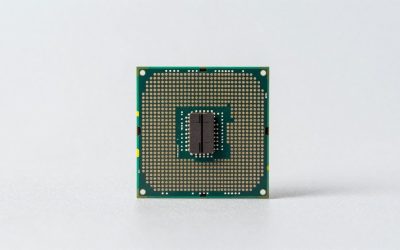
Thinking about playing DUSK on PC and wondering what hardware you actually need? DUSK is a 2018 retro first-person shooter in the spirit of the ’90s legends — you battle through an onslaught of mystical backwater cultists, possessed militants and even darker forces to find out what lurks beneath the Earth — and it was built to run on very modest hardware. Its official minimum asks for nothing more than a 2.4 GHz dual-core processor, 2 GB of RAM and a GeForce 9800GT-class graphics card, so the real question is rarely “can my PC run it” and more “how much headroom do I want”. This guide covers DUSK’s official PC requirements, sensible GPU choices for 1080p, 1440p and 4K, and complete build recommendations. The product cards below are general graphics-card picks rather than DUSK-specific requirements — the game itself needs far less than any of them.
As an Amazon Associate we earn from qualifying purchases at no extra cost to you.


Our Top Picks


Top 3 picks at a glance
How Demanding Is DUSK?
DUSK is one of the lightest games you can install on a PC. Its official minimum is a GeForce 9800GT or equivalent — a mid-range card from 2008 — paired with a 2.4 GHz dual-core processor and 2 GB of RAM, while the recommended tier only steps up to a GeForce GTX 460 and 4 GB of RAM. It’s a deliberately retro shooter with a DirectX 9 renderer, sprite-and-polygon enemies and compact, tightly designed levels, so there is no ray tracing, no heavy post-processing stack and no large simulation or big multiplayer load for your processor to chew through. That means the usual resolution worries don’t really apply: 1080p is trivial, 1440p and 4K are not a stretch, and upscaling tricks aren’t something you need to plan around. If your PC was built in the last decade — or even before that — DUSK will almost certainly run on it.
DUSK Official PC System Requirements
These are the developer-published requirements for DUSK, taken from the game’s official store listing. Notice how low the bar sits: the recommended graphics card is a GeForce GTX 460, a mid-range part from 2010, and the recommended memory figure is 4 GB.
| Component | Minimum (official) | Recommended (official) |
|---|---|---|
| OS | Windows 7 Or Later | Windows 10 |
| Processor | 2.4GHZ Dual Core Processor Or Higher | 2.4 GHZ Quad Core Processor Or Higher |
| Memory | 2 GB RAM | 4 GB RAM |
| Graphics | GeForce 9800GT Or Equivalent | Geforce GTX 460 Or Equivalent |
| DirectX | Version 9.0 | Version 9.0 |
| Storage | 2 GB available space | 2 GB available space |
Source: the official DUSK Steam store listing (app 519860), checked October 2026. Publishers can update these specs after patches.
Two details from the official notes are worth knowing. First, 32-bit Windows is supported alongside 64-bit, even though 64-bit is recommended — a rarity for a 2018 release. Second, the recommended notes sign off with a warning worth heeding: “Don’t go in the ruins.”
Best GPU for DUSK by Resolution
1080p
At 1080p the only real bar is DUSK’s official minimum, a GeForce 9800GT or equivalent, and practically anything sold today clears it — including the integrated graphics in a modern Ryzen or Intel desktop chip, and older budget cards such as the GTX 1050 Ti, GTX 1650 or RX 6400. If you’d rather buy a discrete card with room to spare, the AMD Radeon RX 7600 is many times faster than DUSK needs and will serve you well in far heavier games too.
1440p
Stepping up to 1440p barely changes the picture, because DUSK is a lightweight retro shooter rather than an effects-heavy modern title. The AMD Radeon RX 7600 remains a comfortable pick, and so does anything in that neighbourhood or below — a GTX 1660 Super or RX 6600 on the older side, or a current-generation RTX 5060 or RX 9060 XT, all of which sit far above the officially recommended GTX 460. This is the resolution most PC gamers target, and DUSK is simply not the game that will push any of these cards.
4K
4K is not a challenge for DUSK. The NVIDIA GeForce RTX 4060 and its current-generation successors — the RTX 5060 or RTX 5070 on the NVIDIA side, the RX 9060 XT or RX 9070 on AMD’s — are all far beyond what a DirectX 9 retro shooter asks for, and even older mid-range cards from the GTX 1000 era handle 4K without trouble. There’s no ray tracing to pay for and no heavy effects pipeline to fight, so there’s no need to lean on upscaling here; you can generally just run the game at your display’s native resolution.
CPU, RAM and Storage for DUSK
DUSK is not a CPU-heavy game. It’s a single-player-focused retro shooter with modest enemy counts and small levels, so there’s no large-scale simulation, no strategy layer and no big multiplayer load to feed — processor choice barely matters once you clear the official bar of a 2.4 GHz dual-core, with a 2.4 GHz quad-core as the recommended figure. In practice, almost any desktop CPU from the last decade is more than enough. If you’re building a general-purpose gaming PC anyway, the AMD Ryzen 5 7600 is excellent value, the AMD Ryzen 7 7800X3D is one of the fastest mainstream gaming CPUs, and Intel fans can look at the Intel Core i5-14600K — all three are vastly more than DUSK requires.
Memory is just as undemanding: the official minimum is 2 GB and the recommended figure is 4 GB. 8 GB is already more than the game will use, and 16 GB covers it with plenty of room to spare, so a kit like Corsair Vengeance DDR5 32GB is overkill for DUSK specifically — worth it only if you play much heavier games alongside it. Storage is a non-issue too: DUSK needs 2 GB of space, so it fits comfortably on any drive. An SSD shortens load times, but a mechanical drive runs it perfectly well, and an NVMe model like the Samsung 990 Pro 2TB NVMe SSD is far more than this game will ever call for.
Recommended PC Builds for DUSK
Every build below clears DUSK’s official requirements by a wide margin — the game will run happily on far less. Treat these as general-purpose gaming builds that happen to include DUSK, rather than hardware the game itself demands.
1080p budget build: AMD Radeon RX 7600 + AMD Ryzen 5 7600 + 16 GB DDR5 — comfortably beyond anything DUSK asks for at 1080p, with headroom for modern games at high settings.
1440p sweet-spot build: AMD Radeon RX 7600 + AMD Ryzen 7 7800X3D + 32 GB DDR5 + 2TB NVMe SSD — the setup most players should aim for if they want one machine for everything; DUSK itself will barely register on it.
4K high-end build: NVIDIA GeForce RTX 4060 + AMD Ryzen 7 7800X3D + 32 GB DDR5 + fast NVMe SSD — more than enough for DUSK at 4K, and specified with heavier titles in mind.
Is It Worth Upgrading Your PC for DUSK?
Honestly, DUSK is not a reason to upgrade on its own. If your current PC cannot run a game whose official minimum is a 2008-era graphics card, 2 GB of RAM and a 2.4 GHz dual-core, then that machine is a very long way behind — and a DUSK purchase won’t be what justifies replacing it. If you do want to upgrade, do it for the games you play alongside DUSK, and be strategic: the graphics card delivers by far the biggest jump in modern gaming performance, so upgrade the GPU first if you have to choose. Adding memory beyond 8 GB or moving the game to an SSD will make essentially no difference here, because DUSK uses 4 GB of RAM at most and installs in 2 GB of space. Target the weakest link in your build for the best value, and don’t spend extra on DUSK’s account.
Can You Play DUSK on a Laptop or Handheld?
Yes, and this is one of the best cases for it. DUSK’s official minimum is a GeForce 9800GT-class GPU, so laptops with modern integrated graphics handle it, and any gaming laptop with a discrete GPU is far beyond what it needs. Because the game is so light, you’ll also see longer battery life and less fan noise than in a demanding title. On handhelds like the Steam Deck and ROG Ally, DUSK runs comfortably and at low power draw, making it an excellent portable pick. If portability matters, prioritise a device with a decent screen and comfortable controls rather than a powerful GPU — and note that the game only needs 2 GB of storage, so a modest SSD or microSD card is plenty.
How to Boost FPS in DUSK
If frame rates are low on your machine, start with resolution: dropping to 1600×900 or 1280×720 is the single biggest performance gain available, and DUSK’s chunky retro look holds up well at lower resolutions. After that, turn down the options that add lighting and effects work before you touch anything else, since those are the most expensive settings in a game of this type. Keep your GPU drivers up to date, close background applications and browser tabs, and disable any overlay software you don’t need. If your frame rate is unstable rather than low, capping it to match your monitor’s refresh rate can smooth things out. On hardware this far below the game’s needs, a stable frame rate always feels better than chasing maxed-out visuals.
Graphics Settings That Matter Most in DUSK
DUSK’s presentation is deliberately retro, so there isn’t a long list of modern effects to fight with. If it isn’t hitting your target frame rate, resolution is the first and most effective lever; beyond that, the options governing lighting, shadows and other effect work are the ones worth lowering first. Texture quality is rarely a factor, since the game’s assets are small and its VRAM footprint is minimal, so you can leave those high on virtually any card.
You shouldn’t need upscaling technology here. DUSK’s official recommended card is a GeForce GTX 460, and any GPU that supports modern upscalers is already running the game with enormous headroom — if performance ever dips, simply lowering the resolution gives you the same result without any compatibility concerns.
Frequently Asked Questions
Can my PC run DUSK?
Almost certainly. The official minimum is a 2.4 GHz dual-core processor, 2 GB of RAM, a GeForce 9800GT or equivalent and 2 GB of storage on Windows 7 or later. Any modern desktop or laptop, including one relying on integrated graphics, meets or beats that. If you want extra headroom for heavier games at 1080p or 1440p, aim for a modern entry-level or mid-range discrete card, but DUSK itself will run on far less.
Is DUSK demanding on PC?
No. DUSK is one of the lightest games on Steam, with a 2010-era card as its recommended GPU and a 4 GB memory recommendation. 1080p, 1440p and even 4K are all comfortable on modest hardware.
What GPU do I need for DUSK at 1440p 60fps?
Any card at or above the officially recommended GeForce GTX 460 will do, and most modern integrated graphics clear that bar. If you want a discrete card with room to spare, an AMD Radeon RX 7600-class GPU is far beyond DUSK’s requirements at 1440p and gives you comfortable headroom for far heavier titles as well.
How much RAM does DUSK need?
The official minimum is 2 GB and the recommended figure is 4 GB. 8 GB is already more than the game will use, so there’s no need to buy more memory for DUSK’s sake — 16 GB only makes sense as a general baseline for other, heavier games.
Do I need an SSD for DUSK?
No. DUSK needs just 2 GB of space and runs fine from a mechanical drive; an SSD simply shortens the already brief load times. An NVMe drive like the Samsung 990 Pro is far more than this game requires, and is worth considering only for your wider library.
Related guides
More from Amazon
Programs that pair well with the guide above. Offers and eligibility are set by Amazon and may change.
A free business account with business pricing and bulk-buying tools for work, shop or home office.
Create a business accountFree shipping on eligible items, Prime Video and more. Eligible new members can start with a free trial.
Start a Prime free trialAudiobooks and podcasts to listen to on the go. Eligible new members can start with a free trial.
Try Audible freeAd-free music streaming. Eligible new subscribers can start with a free trial.
Try Music Unlimited freeAs an Amazon Associate we earn from qualifying purchases.