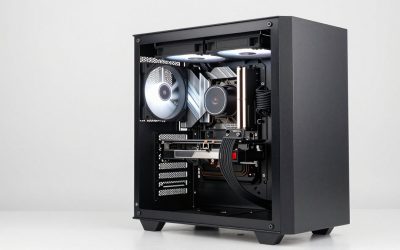
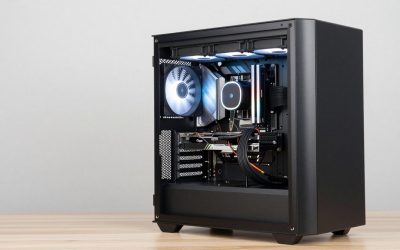
If your workstation will sit on an ordinary desktop motherboard, a 12-core or 16-core Ryzen 9 is the sensible target, and the 16-core Ryzen 9 9950X is the first chip to look at for rendering, big compiles and virtual machines. Everything below is a consumer desktop processor, not a Threadripper or Xeon W, so you get fewer memory channels and PCIe lanes than a true high-end desktop platform, in exchange for a much cheaper board and RAM bill. We cover ten chips from 6 to 16 cores and say who each one fits. The wider build matters too: see our workstation case picks before you size the cooler.
Our Top Picks




Top 3 picks at a glance

Quick picks
As an Amazon Associate we earn from qualifying purchases at no extra cost to you.


- Ryzen 9 9950X – best for threads-first work such as rendering and encoding
- Ryzen 9 9950X3D – best for one machine that mixes creator work with games
- Ryzen 9 9900X – best for 12-core value on the newer socket
- Ryzen 7 9800X3D – best for 8-core, cache-hungry interactive work
- Ryzen 9 5900XT – best for upgrading an older AM4 build
- Ryzen 7 9850X3D – best for buyers who confirm the specs first
- Ryzen 9 7900X – best for 12 cores on the previous AM5 generation
- Ryzen 5 9600X – best for an entry-level desk workstation
- Ryzen 9 9900X3D – best for 12 cores plus extra cache
- Ryzen 7 5800X3D – best for keeping an existing DDR4 platform alive
All ten side by side
| Model | Type | Key specs as stated in the title | Best for |
|---|---|---|---|
| Ryzen 9 9950X | Desktop CPU, Ryzen 9000 | 16 cores, 32 threads, unlocked | Rendering, encoding, many VMs |
| Ryzen 9 9950X3D | Desktop CPU, X3D | 16 cores; threads not stated | Creator work plus gaming |
| Ryzen 9 9900X | Desktop CPU, Ryzen 9000 | 12 cores, 24 threads, unlocked | Balanced multi-core value |
| Ryzen 7 9800X3D | Desktop CPU, X3D | 8 cores, 16 threads | Cache-sensitive, lightly threaded tasks |
| Ryzen 9 5900XT | Desktop CPU, Ryzen 5000 | 16 cores, 32 threads, unlocked | Upgrades on older AM4 boards |
| Ryzen 7 9850X3D | Desktop CPU, X3D | Cores and threads not stated – check the listing | Buyers who verify before ordering |
| Ryzen 9 7900X | Desktop CPU, Ryzen 7000 | 12 cores, 24 threads, unlocked | Lower-cost 12-core build |
| Ryzen 5 9600X | Desktop CPU, Ryzen 9000 | 6 cores, 12 threads, unlocked | Entry-level office and CAD seats |
| Ryzen 9 9900X3D | Desktop CPU, X3D | 12 cores; threads not stated | Mixed work with large cache |
| Ryzen 7 5800X3D | Desktop CPU, 3D V-Cache | 8 cores, 16 threads | Staying on DDR4 |
The ten processors, one by one
AMD Ryzen 9 9950X
The title promises 16 cores and 32 threads on an unlocked chip, which makes it the widest current-generation processor in this list without the X3D cache. Jobs that keep every thread busy, such as offline rendering, video encoding, large code builds and several virtual machines at once, are where those cores pay off. It belongs to the Ryzen 9000 family, which uses the AM5 socket and DDR5 memory, so the motherboard and RAM must match before you order.
The listing title says nothing about a bundled cooler, so check the listing and plan on a strong tower or liquid cooler regardless. As a consumer part it has no quad-channel memory or Threadripper-class lane count, a trade-off covered in the buying section below.
Pros
- Joint-highest core and thread count among the non-X3D picks
- Unlocked, so you can tune it if your board allows
Cons
- Needs an AM5 board and DDR5
- High price tier in this group
Who it’s for: Render artists, video editors and developers whose workload scales across many threads.
Who should skip it: Anyone who mostly runs lightly threaded software, where a cheaper chip performs about the same.
AMD Ryzen 9 9950X3D
Same 16-core headline as the 9950X, but the X3D suffix marks AMD’s stacked-cache design. The title says only 16-core processor, so thread count and clocks are not stated and you should confirm them on the listing. Cache-heavy tasks such as some simulation, code-analysis and game workloads can benefit from the extra cache; heavy rendering usually cares more about cores and sustained clocks, so the premium is not automatically worthwhile for a pure render box.
Because the title is brief, it is also worth checking that the listing is a new retail processor from a reputable seller and not a bundle with other parts. Expect to pair it with a high-end AM5 board and a cooler rated for sustained load.
Pros
- 16 cores in the title for heavy multi-core jobs
- Stacked-cache family suits mixed creative and gaming use
Cons
- Title omits threads, clocks and cooler details
- Costs more than the plain 9950X
Who it’s for: One-PC owners who edit, compile and game on the same machine.
Who should skip it: Dedicated render or transcode builds, where the standard 9950X is the cleaner buy.
AMD Ryzen 9 9900X
With 12 cores and 24 threads in the title, this chip sits one step under the 16-core parts while keeping the same Ryzen 9000 platform. For many people that is the best balance: enough threads to keep a timeline scrubbing smoothly while an export runs in the background, without paying for four additional cores. It shares AM5 and DDR5 with the 9950X, so a board bought now leaves room to move up later.
As with every chip here, cooling is separate unless the listing says otherwise. Check the listing before assuming a box cooler is inside. Fast DDR5 in two matched sticks is usually a simpler path to stability than four sticks at high speed.
Pros
- 12 cores and 24 threads at a lower tier than the 16-core chips
- Same platform as the larger Ryzen 9000 parts, so upgrades stay simple
Cons
- Still requires DDR5 and an AM5 board
- Fewer cores than the 9950X for heavy batch rendering
Who it’s for: Freelance creators and engineers who want strong multi-core performance without the top-end bill.
Who should skip it: Buyers who already know they saturate 32 threads daily.
AMD Ryzen 7 9800X3D
This is an 8-core, 16-thread processor with the X3D cache design. Eight cores is plenty for CAD, drafting, spreadsheets, coding and day-to-day creative work, and the large cache tends to help applications that repeatedly touch the same data. It will not out-render a 12- or 16-core chip, and the title gives no cooler or clock details, so read the listing.
Treat it as a responsive-desktop CPU first and a render engine second. If your deadline work is a long export, the extra cores in other picks save more time. Its lower core count also means a less demanding cooler and power budget, which can shrink the total build cost.
Pros
- 8 cores and 16 threads are enough for most single-user desk work
- X3D cache suits data-reuse-heavy applications
Cons
- Fewer cores than the Ryzen 9 options
- Costs more than an 8-core chip without the cache would
Who it’s for: Engineers, designers and developers who value snappy interactive performance.
Who should skip it: Video and 3D artists who batch-render for hours.
AMD Ryzen 9 5900XT
The title lists 16 cores and 32 threads, but the 5000 series is the older AM4 generation, which pairs with DDR4 rather than DDR5. That is its entire appeal: if you already own a compatible AM4 board and DDR4 memory, a many-core drop-in avoids a new motherboard and new RAM. Before ordering, check your board maker’s CPU support list, because some boards need a BIOS update for newer 5000-series chips.
For a new build we would normally lean toward AM5, since this socket has no further upgrade path. Core-for-core performance also trails the newer Ryzen 9000 chips, though for threaded jobs the 16 cores still count for a lot, and DDR4 kits are plentiful.
Pros
- 16 cores and 32 threads in the title
- Works with DDR4 and AM4 boards, saving a platform swap
Cons
- Older generation on a dead-end socket
- May need a BIOS update; no PCIe 5.0 on AM4 boards
Who it’s for: Owners of an existing AM4 workstation who want more threads without rebuilding.
Who should skip it: Anyone starting from scratch who wants a longer upgrade runway.
AMD Ryzen 7 9850X3D
The title gives only the brand, series and the words Desktop Processor, with no core count, thread count or clocks. Based on the naming it is an X3D chip in the Ryzen 7 tier, but you should confirm cores, threads and socket on the listing before spending money. Sparse titles are also where the wrong item sometimes slips in.
Because we cannot confirm the details from the title, we place it as a check-first option. If the listing supports an 8-core X3D part, it fits the same interactive-workstation niche as the 9800X3D. If it turns out to be a different configuration than you expected, simply move on to a better-documented option.
Pros
- Ryzen 7 X3D naming points to a cache-focused design
- Likely AM5 platform; confirm on the listing
Cons
- Title omits cores, threads and cooler details
- Hard to compare against the others without extra checking
Who it’s for: Detail-oriented buyers willing to compare the product page with the 9800X3D.
Who should skip it: Anyone who wants a clearly specified part from the title alone.
AMD Ryzen 9 7900X
A 12-core, 24-thread unlocked chip from the Ryzen 7000 family, which is AM5 and DDR5 like the 9000 series but one generation earlier. It lines up against the 9900X in core count, so the question is simply whether the older generation costs enough less to justify it. That depends on the listing, so compare the two side by side on the day you buy.
Boards that support the 9000 series generally accept this chip too, but confirm on the board vendor’s CPU support page. Because the 12-core count matches the 9900X, the decision is mostly about generation, price and what the seller is offering that day.
Pros
- 12 cores and 24 threads in the title
- Same AM5 platform as newer chips
Cons
- Older generation than the 9900X
- Cooler inclusion not stated; check the listing
Who it’s for: Budget-minded builders who want 12 cores and have AM5 in mind.
Who should skip it: Buyers who find the 9900X priced close; the newer chip is the safer pick.
AMD Ryzen 5 9600X
The entry point: 6 cores and 12 threads, unlocked, on the Ryzen 9000 platform. Spreadsheets, office suites, 2D drafting, web development and light photo editing do not need more cores, and this chip keeps the AM5 door open for a bigger processor later. Its limit shows up in long renders or when several heavy programs run together.
Pair it with ample RAM before anything else, since memory shortages hurt more than a missing pair of cores. Check the listing for cooler details. With only six cores it is also the easiest chip here to cool quietly, which suits a desk-side machine in a shared office.
Pros
- Lowest cost in the group
- Ryzen 9000 platform with a later upgrade path
Cons
- Only 6 cores for heavy multitasking
- Not a fit for long render queues
Who it’s for: Office, CAD-lite and development seats where cost matters.
Who should skip it: Anyone running renders, simulations or many virtual machines.
AMD Ryzen 9 9900X3D
Like the 9950X3D, the title is short: 12-core processor, with no thread count or clocks stated. The X3D name points to the stacked-cache design, and the 12 cores put it between the 9900X and the 16-core options. It suits users who want a mid-range core count plus extra cache for data-heavy tasks, and who accept paying more than the plain 9900X for that.
Verify the thread count and that the seller is reputable. Cooler is not mentioned in the title. As with the other cache models, compare the quoted clocks before assuming the cache gives a gain for your particular software.
Pros
- 12 cores plus stacked cache
- AM5 platform with DDR5 support
Cons
- Title lacks threads and clocks
- More expensive than the standard 9900X
Who it’s for: Buyers wanting a middle path between the 8-core X3D and 16-core options.
Who should skip it: Pure render users, who may get more for less from the 9900X or 9950X.
AMD Ryzen 7 5800X3D
The listing says 8 cores, 16 threads and AMD 3D V-Cache technology, on the older AM4 socket. It makes sense almost exclusively as an upgrade for an existing AM4 and DDR4 machine; for a new build you would be buying into a platform with no further processor upgrades. For CAD, coding and interactive creative apps it is capable, though newer Ryzen 7 chips have moved ahead.
Confirm board compatibility and BIOS support before ordering, and check whether a cooler is included. If your board is already on AM4, this swap can be the cheapest improvement available, as long as your tasks do not depend on many cores.
Pros
- 8 cores and 16 threads with 3D V-Cache in the title
- Reuses DDR4 and an AM4 board
Cons
- Old generation and a dead-end socket
- Not ideal for heavy multi-core rendering
Who it’s for: AM4 owners seeking a straightforward CPU-only upgrade.
Who should skip it: New builders, who should start on AM5.
How we picked these
We worked from the listing titles, published manufacturer specifications and buyer reviews, and we kept to desktop processors that a workstation builder might plausibly choose. Core and thread counts come only from the title; where it is silent we say to check the listing. Nobody on the team used or measured these units. We did not rank by popularity, and each pick is a shortlist entry, not a verified performance result. Prices change often, so we leave them out; the vendors and the listing page are the source of truth for availability, cooler inclusion and seller reliability.
What to look for in a workstation processor
Cores, threads and the work you actually do
Core count matters when the software can use it. Offline rendering, video encoding, compiling and scientific batch jobs scale well up to 16 cores and beyond. Photoshop, most CAD modelling, spreadsheets and many engineering tools lean on a few fast cores. Before you pay for 16 cores, decide which of those two groups describes your day, and check whether your key application documents a thread limit. A common mistake is paying for threads and then spending the workweek in an application that uses four.
Platform limits of a desktop chip
All ten chips use the mainstream platform: dual-channel memory and a modest number of PCIe lanes. Threadripper and Xeon W boards offer more memory channels, far more lanes for multiple GPUs and NVMe drives, and in many cases support for registered ECC memory. If you need a terabyte of RAM or four graphics cards, none of these will do. If you need 64GB to 128GB and one GPU, they are usually enough. Check the motherboard’s manual for its supported RAM capacity and speeds, and remember that four-stick configurations often run slower than two; our guide on whether Ryzen needs fast RAM covers the speed question in detail.
Cache-heavy X3D versus plain high-core chips
X3D parts add stacked L3 cache. That helps workloads that repeatedly re-read the same data, which includes some games, simulation and analysis tools. It does little for tasks bounded by raw core count. As a rule of thumb, pick plain chips for rendering and encoding, and X3D chips for interactive or mixed-use machines. Because manufacturers sometimes balance clocks differently on cache models, compare the stated clocks when the listing provides them. If the listing leaves clocks out, the manufacturer’s product page is the place to look.
Socket, memory and cooling
Ryzen 9000 and 7000 chips use AM5 and DDR5; Ryzen 5000 chips use AM4 and DDR4. They are not interchangeable. High-core processors also produce heat, and sustained workstation loads expose weak coolers faster than short bursts do. Match the cooler to the processor’s rated power, confirm it supports the socket, and make sure the case airflow suits it, and pair the processor with a power supply sized for any graphics card too, as in our workstation case guide.
Storage and memory around the chip
A fast processor cannot hide a slow drive. Plan for an NVMe SSD of at least 1TB for the system and active projects, plus a separate scratch drive if you work with large video or simulation files. DDR5 capacity usually matters more than speed for workstation tasks, because running out of RAM forces slow disk swapping. Choose a board with enough M.2 slots and USB ports for your peripherals, and check how many memory slots it has so a later upgrade does not mean replacing every stick.
Quick reference: workload to chip
| Workload | What matters most | Picks to consider |
|---|---|---|
| Rendering, encoding, many VMs | Core and thread count | 9950X, 9900X, 5900XT |
| CAD, drafting, coding | A few fast cores, cache | 9800X3D, 9600X, 9850X3D (verify) |
| Mixed creator and gaming | Cores plus cache | 9950X3D, 9900X3D |
| Upgrading an existing AM4 PC | Socket and BIOS support | 5900XT, 5800X3D |
Before ordering, run through this checklist on the listing page: confirm the exact model name, socket, whether a cooler is included, the seller, the warranty terms and the return policy. Then confirm the processor appears on the motherboard maker’s support list. Finally, decide your memory target: 32GB is a workable floor for creative work, and 64GB is common for virtual machines and large projects.
Mistakes buyers make
Buying a processor before choosing a board is the classic one: AM4 and AM5 chips do not fit each other’s sockets, and DDR4 and DDR5 are not interchangeable. Another is assuming a workstation needs an X3D chip; for rendering the plain high-core model is often the better spend. People also skimp on RAM and storage, forget that boxed coolers are often not included, and treat a short listing title as proof of specifications. When the title omits cores or threads, read the product page and compare it with the manufacturer’s page before paying. Finally, buying a used or opened processor from an unfamiliar seller invites a warranty headache, and reselling it later is harder when the retail packaging is missing. A last slip is ignoring the power supply: sustained all-core loads plus a graphics card need headroom, not a bare minimum.
Our verdict
The Ryzen 9 9950X is the most capable all-round pick for threads-first workstations, and the Ryzen 9 9900X is the sensible step down. For interactive work or mixed use, the X3D models earn their premium; for an AM4 upgrade, the 5900XT is the clear route. The Ryzen 5 9600X covers light-duty desks. The 9800X3D suits desks built around interactive speed, and the 9900X is the safest all-rounder. Whichever you choose, confirm socket, cooler and board support before you check out.
Related guides
- Nvidia Control Panel Best Settings For Gaming
- How To Test Gpu Stability After Overclocking
- Cpu Cores And Threads For Gaming Explained
Frequently asked questions
Are these the same as Threadripper or Xeon W processors?
No. These are mainstream desktop processors with dual-channel memory and fewer PCIe lanes. Threadripper and Xeon W target higher memory capacity, more lanes and sometimes registered ECC support. If your work needs hundreds of gigabytes of RAM or several GPUs, look at those platforms instead; for one GPU and up to 128GB of memory, a mainstream chip is usually adequate.
Do I need ECC memory for a workstation?
Only if your work cannot tolerate silent memory errors, such as long scientific runs or data-integrity-critical jobs. Support depends on both the processor and the motherboard, so check the board maker’s documentation rather than assuming it works. Many users run without ECC and accept the small risk.
Is 16 cores overkill for a single user?
It depends on the software. Rendering and encoding fill 16 cores easily; many CAD and office tools do not. If you rarely run parallel jobs, a 12-core or even 8-core chip will feel nearly as quick, and the money saved can go toward RAM or a faster drive.
Can I use an AM4 chip in a new build?
You can, but the socket and DDR4 memory are on the way out. The 5900XT and 5800X3D make most sense as upgrades to an existing AM4 machine rather than as the foundation of a new workstation. Check your board’s BIOS support first.
Are X3D chips better for rendering?
Usually not. Rendering depends mostly on core count and sustained clocks, while the extra cache helps data-reuse workloads. For a render-focused machine, compare a plain Ryzen 9 first, and choose an X3D model if you also game or run cache-sensitive tools.