The best AM4 motherboard for a Ryzen 5 5600 in this group is the GIGABYTE B550 Eagle WIFI6: a full-size ATX B550 board with a 10+3 phase power design, two M.2 slots, PCIe 4.0 and built-in Wi-Fi 6, all of which suit a 65-watt six-core chip. Builders on a tighter budget or in a compact case can choose the GIGABYTE B550M K in Micro-ATX. The Ryzen 5 5600 uses the AM4 socket with DDR4 memory, so the right board is a B550 model for PCIe 4.0 or an A520 model if you only need the basics.
Our Top Picks


Top 3 picks at a glance
Quick List
- GIGABYTE B550 Eagle WIFI6 – best overall for a full-size AM4 build with Wi-Fi and PCIe 4.0
- Ryzen 5 5600X3D (Micro Center boxed CPU) – runner-up for an upgrade path, because it is a processor, not a motherboard
- INLAND Ryzen 5 5600X with ASUS TUF Gaming B5-series bundle – best for buying the CPU, cooler and an ASUS board together
- GIGABYTE B550M K – best for a compact, no-frills Micro-ATX build
- Ryzen 5 5500 with ASUS TUF Gaming A520M-Plus – best for the lowest-cost entry combo
- Ryzen 5 5500 with GIGABYTE B550M DS3H AC R2 – best for a budget combo that still offers B550 and two M.2 slots
Which One Is Right for You?
| If you… | Choose |
|---|---|
| already own a Ryzen 5 5600 and want a full-size board with Wi-Fi | GIGABYTE B550 Eagle WIFI6 |
| already own the processor and want the smallest outlay on B550 | GIGABYTE B550M K |
| are starting from scratch and want a CPU, cooler and ASUS board in one | INLAND Ryzen 5 5600X with ASUS TUF Gaming bundle |
| want a cheap Micro-ATX combo with built-in wireless and two M.2 slots | Ryzen 5 5500 with GIGABYTE B550M DS3H AC R2 |
| need the lowest entry point and can live with A520 limits | Ryzen 5 5500 with ASUS TUF Gaming A520M-Plus |
| want to drop a faster gaming chip into an existing AM4 board | Ryzen 5 5600X3D boxed processor |
Pay attention to what each listing actually sells. Two entries are boards alone, two are processor-and-board combos built around a Ryzen 5 5500 rather than the 5600, one is a 5600X bundle with a board, and one is just a CPU. The 5500 combos are listed because their boards will accept a Ryzen 5 5600 later, but they ship with a different processor. If you already have a 5600, the two GIGABYTE boards are the cleanest fit.
All 6 Picks in Detail
1. GIGABYTE B550 Eagle WIFI6 – Best Overall for a Ryzen 5 5600
As an Amazon Associate we earn from qualifying purchases at no extra cost to you.

The B550 Eagle is the most complete motherboard in the set. It is a full-size ATX board with the B550 chipset, DDR4 memory, a 10+3 power phase design, two M.2 slots, PCIe 4.0 and USB-C, plus Wi-Fi 6 as the model name states. For a Ryzen 5 5600, which draws around 65 watts, the power delivery is more than enough, and the PCIe 4.0 support lets you use a modern graphics card and fast NVMe drive without compromises.
It fits someone building a long-lived AM4 system, perhaps with room to move up to a faster Ryzen 5000 processor later. The full ATX size also gives more expansion slots and headers than the Micro-ATX boards.
- B550 chipset, AM4 socket, ATX
- Supports Ryzen 5000, 4000 and 3000 processors, per the listing
- DDR4 memory
- 10+3 power phase design, two M.2 slots, PCIe 4.0, per the listing
- Wi-Fi 6 and USB-C named; Bluetooth version: confirm on listing
Pros
- Strong power design for a 65-watt chip
- Wi-Fi 6 included
- Full ATX layout with room to grow
Cons
- Needs a full-size ATX case
- Only two M.2 slots
Compared with the B550M K, it adds Wi-Fi, a stronger power stage and expansion slots in exchange for a larger footprint.
2. Ryzen 5 5600X3D (Micro Center Boxed) – Runner-Up Upgrade Path, Not a Motherboard

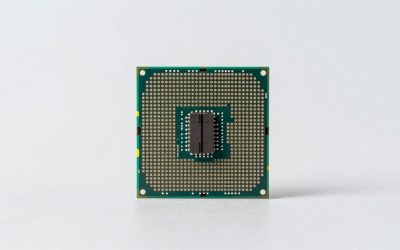
This listing is a processor, not a motherboard, so it does not belong in a motherboard ranking and we place it here as a runner-up. It is a six-core, 12-thread Vermeer chip with 3D V-Cache, a boxed unit with no heatsink included, PCIe 4.0 and a boost clock up to 4.4GHz as the listing states. It matters to this topic because many buyers with an AM4 board look for a drop-in gaming upgrade. You need a compatible cooler and a board with an up-to-date BIOS.
The reason it appears at all is that a Ryzen 5 5600 owner shopping for a board is often one upgrade away from a faster chip. If your board is already a B550 or X570 model with a current BIOS, this processor can slot in without replacing the board. Check the cooling too: the listing states that no heatsink is included, and a gaming processor with extra cache still needs a capable tower or liquid cooler to hold its boost clock.
- Ryzen 5 5600X3D, AM4, six cores and 12 threads
- Heatsink not included, per the listing
- PCIe 4.0 support named in the listing; actual speed depends on the board
- Boost clock up to 4.4GHz, per the listing
- Board compatibility: check your maker’s CPU support list
Pros
- Gaming-focused cache design
- Drop-in upgrade for compatible AM4 boards
Cons
- Not a motherboard and needs a separate cooler
- Needs a BIOS that recognizes it on older boards
It is the opposite of the combos: pair it with the GIGABYTE B550 Eagle if you want the strongest possible AM4 gaming pairing in this list.
3. INLAND Ryzen 5 5600X With ASUS TUF Gaming B5-Series Board – Best Complete Bundle

This bundle pairs a Ryzen 5 5600X, a six-core, 12-thread processor with the Wraith Stealth cooler, and an ASUS TUF Gaming B5-series motherboard. The listing text we have is cut off before the exact board model, so confirm the specific B550 variant, its size and its wireless options on the product page. It is the closest match to the topic because the 5600X is a faster sibling of the 5600 and the board is from a respected gaming line.
The Wraith Stealth cooler is a basic unit that handles a 65-watt processor at stock settings, though a larger aftermarket cooler is quieter. Because the board model is truncated in the listing name, a smart step before ordering is to read the full title on the product page, note the exact B550 or similar chipset, and then check the maker’s page for BIOS version, M.2 slots and Wi-Fi.
- Ryzen 5 5600X with Wraith Stealth cooler, six cores and 12 threads
- ASUS TUF Gaming B5-series AM4 motherboard
- DDR4 platform; PCIe 4.0 expected on B550 models
- Exact board model, M.2 count and Wi-Fi: confirm on listing
- Sold as a bundle, so one purchase covers CPU, cooler and board
Pros
- CPU, cooler and board in one purchase
- TUF line is known for durable components
Cons
- Board model not fully stated in the listing name
- Less useful if you already own a processor
Against the standalone GIGABYTE boards, it is better for a fresh build and worse for someone who just needs the motherboard.
4. GIGABYTE B550M K – Best Compact Value Pick

The B550M K is a Micro-ATX AM4 board with a 3+3 power phase design, two M.2 slots, PCIe 4.0 and USB support. It is the simplest and typically the most affordable B550 option here. A 3+3 phase design is modest, but a Ryzen 5 5600 at 65 watts does not stress it, so it suits a mainstream gaming or office PC. It does not include built-in Wi-Fi by its name, so plan on wired Ethernet or a separate wireless card.
It fits a small-form gaming PC or a family computer where the processor is a Ryzen 5 5600 and the graphics card is mid-range. Be sure the case supports Micro-ATX, and plan wireless separately if the desktop is not near a router. Because the board is simple, read the manual for fan headers and front-panel connectors so you know what is available before you build.
- B550 chipset, AM4 socket, Micro-ATX
- Supports Ryzen 5000, 4000 and 3000 processors, per the listing
- DDR4 memory
- 3+3 power phase design, two M.2 slots, PCIe 4.0, per the listing
- Wi-Fi not named; confirm on listing
Pros
- Small footprint for compact cases
- PCIe 4.0 and two M.2 slots at an entry level
Cons
- Lighter power stage, which suits 65-watt chips better than overclocked ones
- No wireless named
Next to the B550 Eagle, it gives up Wi-Fi and some power headroom for a smaller, simpler design.
5. Ryzen 5 5500 With ASUS TUF Gaming A520M-Plus – Best Lowest-Cost Entry Combo

This combo pairs a Ryzen 5 5500 with a Micro-ATX ASUS TUF Gaming A520M-Plus board and DDR4 support, with M.2 and wireless named in the listing. The chipset is A520, the entry tier, and AMD positions A520 as a PCIe 3.0 platform, so you will not get PCIe 4.0 speeds from it. The processor itself is a 5500, not a 5600, so you are buying a slightly slower six-core chip. The board remains useful later if you drop in a Ryzen 5 5600, but check the maker’s BIOS and CPU support page first.
This is a sensible choice for a cost-conscious builder who accepts PCIe 3.0 speeds and wants a simple system for school, office use and light gaming. If you later add a Ryzen 5 5600, you gain extra processor speed but remain limited by the A520 platform for storage and graphics bandwidth, which is something to weigh before choosing the cheapest board.
- Ryzen 5 5500 processor and ASUS TUF Gaming A520M-Plus board
- A520 chipset, AM4, Micro-ATX, DDR4
- M.2 support and 802.11 wireless named; exact standard: confirm on listing
- PCIe 3.0-class platform; confirm drive and GPU lane speeds on listing
- Board accepts a Ryzen 5 5600 with a compatible BIOS
Pros
- Lowest-cost way into AM4
- CPU and board arrive as a matched pair
Cons
- A520 lacks the PCIe 4.0 of B550
- The bundled processor is not a Ryzen 5 5600
Compared with the 5500 plus B550M DS3H combo, it saves on the board but gives up PCIe 4.0 and a second M.2 slot.
6. Ryzen 5 5500 With GIGABYTE B550M DS3H AC R2 – Best Budget Combo With B550

Here a Ryzen 5 5500 comes with a GIGABYTE B550M DS3H AC R2 board, which the listing names as Micro-ATX with DDR4, two M.2 slots and Wi-Fi 5. B550 is the better chipset for storage and graphics because it offers PCIe 4.0 on compatible processors, though the Ryzen 5 5500 itself is limited to PCIe 3.0 and a 5600 would unlock the faster speed. The “R2” board revision is worth checking for BIOS support of newer processors. If you buy the combo and later upgrade to a Ryzen 5 5600, the board will carry over.
For a first PC build, this combo reduces the decision load: the processor and board are already matched, the board has Wi-Fi, and B550 leaves room for a PCIe 4.0 NVMe drive later. The listing name also mentions an operating system, but the text is cut off, so confirm what is included and whether any license is a physical or digital item before relying on it.
- Ryzen 5 5500 and GIGABYTE B550M DS3H AC R2
- B550 chipset, AM4, Micro-ATX, DDR4
- Two M.2 slots and Wi-Fi 5, per the listing name
- Included operating system or license details: confirm on listing
- Upgrade path to a Ryzen 5 5600 with a compatible BIOS
Pros
- B550 board with wireless included
- Two M.2 slots for storage
Cons
- Bundled CPU is a 5500, with PCIe 3.0 and a smaller cache
- Wi-Fi 5 is older than Wi-Fi 6
Against the B550M K, it adds Wi-Fi and a bundled processor, which makes it a better starter than a bare board.
Specs Compared
| Product | Type | Chipset / socket | Size | Memory | M.2 slots | Wireless | CPU included |
|---|---|---|---|---|---|---|---|
| GIGABYTE B550 Eagle WIFI6 | Motherboard | B550 / AM4 | ATX | DDR4 | 2 | Wi-Fi 6 | No |
| Ryzen 5 5600X3D (boxed) | Processor only | AM4 | Not applicable | DDR4 platform | Not applicable | Not applicable | Is the CPU; no heatsink |
| INLAND Ryzen 5 5600X bundle | CPU, cooler and board | B5-series / AM4; confirm model | Confirm on listing | DDR4 | Confirm on listing | Confirm on listing | Ryzen 5 5600X with Wraith Stealth |
| GIGABYTE B550M K | Motherboard | B550 / AM4 | Micro-ATX | DDR4 | 2 | Not named | No |
| Ryzen 5 5500 and ASUS TUF Gaming A520M-Plus | Combo | A520 / AM4 | Micro-ATX | DDR4 | M.2 supported; count: confirm on listing | 802.11; confirm standard | Ryzen 5 5500 |
| Ryzen 5 5500 and GIGABYTE B550M DS3H AC R2 | Combo | B550 / AM4 | Micro-ATX | DDR4 | 2 | Wi-Fi 5 | Ryzen 5 5500 |
How We Chose These
This guide is built from research into the listings and manufacturer information, not from building with these parts. For each product in the current catalog set we read the listing name and, where possible, the maker’s specification page. We checked what is actually being sold (board, combo or processor), the chipset, board size, memory type, M.2 slot count and wireless support. Because the topic is boards for a Ryzen 5 5600, we ranked complete B550 boards first and clearly marked anything that is a processor or ships with a different processor. Where a listing was cut off or unclear, we wrote “confirm on listing” instead of guessing. We did not generate performance numbers.
What to Look For
Chipset: B550 versus A520 versus older boards
The Ryzen 5 5600 is a Zen 3 processor with six cores and 12 threads, a 65-watt rating and PCIe 4.0 support. B550 boards unlock that PCIe 4.0 for the graphics slot and at least one M.2 slot, while A520 boards are positioned as PCIe 3.0 entry-level platforms. In real use, a mid-range graphics card loses little on PCIe 3.0, but a PCIe 4.0 NVMe drive can read noticeably faster on B550. Older 400-series and 300-series boards can run Ryzen 5000 processors with a BIOS update, but they are PCIe 3.0 and the BIOS update can be awkward if you do not own an older chip to flash it.
BIOS support and the “R2” problem
A board must have a BIOS that recognizes Ryzen 5000. Many B550 boards ship with support, but older stock can carry an earlier BIOS. Look for a USB BIOS Flashback feature, which lets you update the BIOS without a working processor, or a board revision label that indicates newer firmware. Check the maker’s CPU support list for your exact board and processor, as a ready answer prevents a no-boot situation on arrival.
Size, power and expansion
Full ATX boards such as the B550 Eagle offer more PCIe slots, SATA ports and fan headers. Micro-ATX boards like the B550M K and B550M DS3H are cheaper and suit smaller cases but have fewer slots. For a 65-watt Ryzen 5 5600, power phases are not a bottleneck: a 10+3 design has headroom for upgrades, and a 3+3 design is acceptable for stock operation. If you plan to move up to a Ryzen 7 5800X3D or a Ryzen 9, favor a stronger power design.
Memory and storage
AM4 uses DDR4, and the sweet spot for Ryzen 5000 is typically a two-stick kit around DDR4-3200 to DDR4-3600 with low latency. A 2x8GB kit is the minimum for gaming today, and 2x16GB gives more headroom. For storage, a single PCIe 4.0 NVMe drive in the CPU-connected M.2 slot is the best use of B550. A rule of thumb: buy a board with at least two M.2 slots so a second drive can be added without a swap.
Combo or standalone?
If you already have a Ryzen 5 5600, buy a standalone board. If you are starting a build, a combo can reduce the number of purchases, but verify exactly which processor is included, because a 5500 differs from a 5600 in cache size and PCIe generation. Never assume a bundled CPU matches the topic you searched for.
Common AM4 buying mistakes
The first mistake is assuming every AM4 board supports every Ryzen 5000 chip out of the box. The second is buying a bundle because the board is cheap without noticing that the processor is a 5500 and not a 5600. A third is ignoring the cooler: some processors ship without a heatsink, and others come with a basic one. Finally, do not overspend on a feature-rich board for a 65-watt processor if the money would be better used on a larger SSD or a stronger graphics card. A balanced mid-range B550 board is enough for years of use.
A short pre-purchase checklist
Write down the exact processor you will install, the memory you plan to use, the case size and whether you need built-in wireless. Then open the maker’s CPU support page for the board, find the Ryzen 5 5600 and note the minimum BIOS version. If the board lists that version or newer as shipping stock, you are fine; if not, make sure it has BIOS Flashback. Finally, confirm the number of M.2 slots and SATA ports against the drives you own, so you do not have to buy adapters.
Questions
Is B550 worth it over A520 for a Ryzen 5 5600?
Usually yes, if the price gap is small. B550 gives you PCIe 4.0 for storage and graphics, a stronger power design and more connectivity.
Will a Ryzen 5 5600 work on any AM4 board?
Not automatically. The board needs a BIOS that supports Ryzen 5000, so check the maker’s CPU support list and look for BIOS Flashback.
Does the Ryzen 5 5600 need a cooler?
The 5600 is typically sold with a box cooler, but standalone listings may not include one. Check the product page, and buy a basic tower cooler if the processor ships without a heatsink.
What memory should I use?
DDR4 only. A two-stick kit at 3200 to 3600 MT/s with CL16 to CL18 timings is a safe choice for Ryzen 5000.
Is a Micro-ATX board too limiting?
For most gaming PCs it is fine. You lose some PCIe slots and headers, but a single graphics card and a couple of drives fit easily.
Can I upgrade from a Ryzen 5 5500 to a 5600 later?
Generally yes on boards that support Ryzen 5000, and the upgrade is a simple swap. Check the BIOS version first.
Update History
- October 20, 2026 – Initial publication; product set drawn from current catalog listings.
- Check the product page for current specifications and availability before buying.
Sources
- Manufacturer product and specification pages for GIGABYTE and ASUS
- Retailer listing titles and specification fields
- AMD processor specification summaries for Ryzen 5000 series