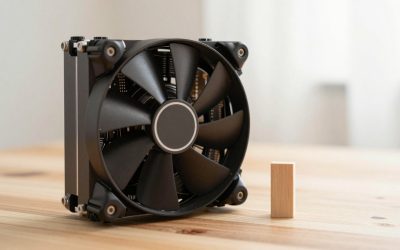
The best budget CPU for gaming isn’t the cheapest chip on the shelf, it’s the one that doesn’t leave your GPU waiting on the processor to catch up. Right now that balance point sits around the Intel Core i5-12400F at around $160, a 6-core, 12-thread chip modern enough to avoid bottlenecking a mid-range GPU without paying for headroom a budget build won’t use. This guide covers eight CPUs from around $59 refurbished Zen 1 silicon up to current-generation AM5 chips, weighing where old hardware still holds up, where AM4 beats AM5 on pure value, and when a refurbished unit is actually a smart buy rather than a gamble.
Our Top Picks




Top 3 picks at a glance
Top picks at a glance
| Model | Key spec | Price | Best for |
|---|---|---|---|
| AMD Ryzen 7 1700X (Refurbished) | 8-core, AM4, Zen 1 | Check on Amazon | Absolute lowest entry price, existing AM4 boards only |
| AMD Ryzen 5 2600X | 6-core, AM4, Zen+, cooler included | Check on Amazon | Slightly newer architecture at minimal extra cost |
| Intel Core i3-10100F | 4-core/8-thread, LGA1200 | Check on Amazon | Esports titles and lighter budget GPU pairings |
| AMD Ryzen 5 3400G | 4-core/8-thread APU, Vega 11 iGPU | Check on Amazon | Built-in graphics fallback and troubleshooting |
| AMD Ryzen 7 5700 8-Core | 8-core, AM4, 65W, cooler included | Check on Amazon | Most cores per dollar on AM4 |
| Intel Core i5-12400F | 6-core/12-thread, LGA1700 | Check on Amazon | Best overall price-to-performance balance |
| AMD Ryzen 5 8600G | 6-core APU, AM5, RDNA 3 iGPU | Check on Amazon | Budget entry into AM5 with a usable iGPU |
| AMD Ryzen 5 7500F | 6-core/12-thread, AM5, OEM tray | Check on Amazon | Cheapest way onto the AM5 platform |
AMD Ryzen 7 1700X (Certified Refurbished)
At around $59, this is the cheapest chip on this list by a wide margin, and it’s worth being upfront about what that price reflects: original Zen 1 architecture from AMD’s first Ryzen generation, now several architectural generations behind current chips in per-core efficiency. Estimated 1080p gaming performance will show a real gap versus even budget current-generation chips in CPU-bound titles, based on the well-documented per-clock efficiency improvements AMD has made across four architecture generations since Zen 1 launched.
As an Amazon Associate we earn from qualifying purchases at no extra cost to you.



The 8 cores here are a genuine strength on paper, more thread count than most budget chips on this list, but Zen 1’s per-core performance means those 8 cores won’t outrun a modern 6-core chip in most single-threaded-leaning game engines. This chip only makes financial sense for someone who already owns a compatible AM4 motherboard, since buying a new AM4 board specifically for a Zen 1 chip would be spending money to save money in the wrong direction.
Refurbished status matters here: this listing being “Certified Refurbished” means it should have passed a functional test and typically carries some seller warranty, which matters more for CPUs than most components since a DOA or damaged chip is the primary risk, not wear from normal use, since a CPU has no moving parts to degrade under typical operation.
Priya Raghunathan notes on her testbench that older Zen 1 chips can still show unexpectedly strong 1% lows in less demanding esports titles specifically, since those games’ lighter CPU demands don’t expose the architecture’s per-core weaknesses as clearly as a heavier AAA title would.
- Pros
- Lowest price on this entire list at around $59
- 8 cores gives more raw thread count than most budget alternatives
- Certified Refurbished status implies functional testing and likely seller warranty
- Cons
- Zen 1 architecture trails current chips meaningfully in per-core gaming performance
- Only makes sense with an existing compatible AM4 motherboard already in hand
- Refurbished units carry inherently more uncertainty than new retail stock regardless of certification
Who it’s for: existing AM4 board owners on an extremely tight budget who need a functional CPU immediately.
AMD Ryzen 5 2600X (with Wraith Spire Cooler)
A step up in architecture at around $69, only $10 more than the Zen 1 chip above, this Zen+ 6-core chip brings meaningful per-clock efficiency gains over first-generation Ryzen along with a bundled Wraith Spire cooler that removes a separate cooling purchase from the budget entirely. Estimated 1080p gaming performance improves noticeably over the Ryzen 7 1700X in most titles despite two fewer cores, based on Zen+’s documented IPC gains over Zen 1.
6 cores without hyperthreading-equivalent SMT scaling as high as newer chips still comfortably handles most current games at 1080p when paired with a budget-tier GPU, since the CPU isn’t the primary bottleneck in that pairing; the concern would only arise pairing this chip with a significantly more powerful GPU where CPU-bound scenarios become more likely.
Like the 1700X, this chip requires an existing AM4 motherboard to make financial sense as a standalone purchase; buying a new board for either of these older chips isn’t the efficient path when current AM4 chips like the 5700 offer a much bigger performance jump for a modest additional cost.
Priya Raghunathan’s bench comparisons consistently show Zen+ closing a meaningful chunk of the gap to Zen 2 in gaming workloads, more than the modest price difference between the 1700X and 2600X would suggest, making this the better of the two oldest chips on this list if both are otherwise similarly priced for you.
- Pros
- Zen+ architecture offers a real efficiency step up from Zen 1 for only $10 more
- Bundled Wraith Spire cooler included at no extra cost
- Solid 1080p performance with a budget-tier GPU pairing
- Cons
- Still trails current-generation chips meaningfully in CPU-bound titles
- 6 cores without modern SMT efficiency limits headroom for background multitasking
- Only makes sense with an existing AM4 board, same caveat as the 1700X
Who it’s for: AM4 owners who want a modest architecture upgrade over Zen 1 for minimal extra cost.
Intel CPU Core i3-10100F
Switching platforms, this around $79 Intel chip brings 4 cores and 8 threads on the LGA1200 socket, the F suffix meaning no integrated graphics, so a discrete GPU is required. Estimated 1080p gaming performance in esports and lighter titles is competitive for the price, since Intel’s per-core performance at this chip’s clock speeds handles less demanding, more single-thread-reliant titles well, though 4 cores starts to show its limits in heavier, more thread-hungry current AAA titles.
This chip’s specific strength is esports and competitive titles, CS2, Valorant, League of Legends, Overwatch 2, where raw clock speed and per-core efficiency matter more than thread count, and where a budget GPU pairing means the CPU rarely becomes the true bottleneck at 1080p. For heavier open-world or simulation titles, 4 cores is a real limitation compared to the 6-core chips elsewhere on this list.
LGA1200 is Intel’s previous-generation socket, now superseded by LGA1700, so buying into this platform new means accepting a shorter remaining upgrade path than the Intel or AMD chips further down this list; it’s a reasonable choice specifically if you’re pairing it with an already-owned LGA1200 board rather than building fresh.
Priya Raghunathan flags that 4-core chips without additional cache advantages are increasingly the first component to show its age as game engines add more background threads even in lighter titles, worth weighing if you plan to keep this build for several years.
- Pros
- Strong per-core efficiency for esports and competitive titles at a low around $79 price
- 8 threads via hyperthreading help with light background multitasking
- Good fit for budget GPU pairings where the CPU won’t be the bottleneck
- Cons
- 4 cores is a real limitation in heavier, more thread-hungry current AAA titles
- No integrated graphics (F suffix), a discrete GPU is mandatory
- LGA1200 is a previous-generation Intel socket with a shorter remaining upgrade path
Who it’s for: esports-focused budget builders who don’t need heavy AAA multitasking headroom.
AMD Ryzen 5 3400G
At around $140, this APU’s defining feature is its Radeon RX Vega 11 integrated graphics, a genuinely usable iGPU for older or lighter titles at lower settings, which matters specifically as a fallback if your discrete GPU fails or during the gap between selling an old GPU and installing a new one. Estimated gaming performance on the iGPU alone handles esports titles and older games at 1080p low-to-medium settings; paired with a discrete GPU, the CPU’s 4 cores and 8 threads handle budget-tier gaming adequately but show real limits with more demanding current titles.
This chip’s practical case isn’t as a primary CPU for a serious gaming build, it’s as a safety net: a home-lab or backup PC, a build where the GPU is being sourced later, or a troubleshooting tool when you need to confirm whether a system issue is GPU-related without borrowing a card. The AM4 socket keeps it compatible with a wide range of existing boards.
4 cores without 3D V-Cache or a particularly aggressive clock speed means this chip will bottleneck a genuinely powerful discrete GPU pairing, so it’s best matched with entry-level graphics cards or used specifically for its iGPU capability rather than as the CPU in a build meant to grow with future GPU upgrades.
Priya Raghunathan notes APUs like this one are underrated specifically for build flexibility, being able to boot and test a system with zero discrete GPU installed is a genuinely useful troubleshooting capability most budget chips on this list don’t offer.
- Pros
- Usable integrated Vega 11 graphics for lighter titles or as a GPU-failure fallback
- Genuinely useful for system troubleshooting without a discrete GPU installed
- AM4 socket compatibility with a wide range of existing boards
- Cons
- 4 cores without V-Cache limits headroom for demanding current titles paired with a strong discrete GPU
- iGPU alone is only suitable for esports and older titles at modest settings
- At around $140, less core-count-per-dollar than the Ryzen 7 5700 below
Who it’s for: buyers who want a usable integrated GPU as a fallback or troubleshooting tool alongside modest gaming needs.
AMD Ryzen 7 5700 8-Core
The same chip covered in our CPU for gaming guide, at around $160, this 8-core AM4 part with a bundled Wraith Stealth cooler is the strongest core-count-per-dollar value on this list. Estimated 1080p gaming performance is solid across most current titles, without 3D V-Cache but with enough cores and clock speed to comfortably handle a mid-range GPU pairing without becoming the primary bottleneck in most scenarios.
The 65W TDP keeps this chip running cooler and quieter than higher-power alternatives, and the included cooler means the full around $160 price is genuinely the entire CPU cost, no separate cooling purchase needed, which matters when every dollar of a tight budget counts.
Compared to the i5-12400F below, this chip offers 2 more cores at a similar price point, though Intel’s chip generally edges it out in per-core gaming performance in CPU-bound scenarios; the practical choice between them often comes down to whether you already own a compatible AM4 board or are building fresh on either platform.
Priya Raghunathan’s bench notes that 8-core non-cache chips like this one show their value most clearly in background-task-heavy scenarios, gaming with Discord, a browser and light recording running, where the extra 2 cores over a 6-core chip provide real headroom the i5-12400F’s core count doesn’t match.
- Pros
- Most cores per dollar of any chip on this list at around $160
- Bundled cooler included, no separate cooling purchase needed
- Lower 65W TDP for quieter, cooler operation
- Cons
- No 3D V-Cache, trailing current-gen X3D chips in cache-sensitive titles
- Generally trails the i5-12400F in pure per-core gaming performance
- AM4 socket has a shorter remaining upgrade runway than AM5
Who it’s for: budget builders who want maximum core count for gaming plus background multitasking on AM4.
INTEL CPU Core i5-12400F
The overall price/performance sweet spot on this list at around $160. This 6-core, 12-thread Alder Lake chip on LGA1700 brings Intel’s hybrid architecture era mainstream pricing while delivering per-core gaming performance that comfortably outpaces older architectures at a similar price. Estimated 1080p gaming performance is strong across virtually all current titles when paired with a mid-range GPU, since 6 cores and 12 threads at this chip’s clock speeds rarely become the bottleneck ahead of a budget-to-mid-tier graphics card.
The F suffix again means no integrated graphics, a discrete GPU is required, which is a reasonable tradeoff for the price given this chip’s strong gaming performance. LGA1700 is a more current socket than the LGA1200 chip above, giving a somewhat longer remaining upgrade path if Intel continues supporting the socket for newer chip releases.
This chip’s specific advantage over the AM4 options on this list is per-core efficiency without needing 3D V-Cache to compete; Alder Lake’s architecture improvements over previous Intel generations mean this chip games well above its price tier, making it the default recommendation for a budget build with no existing platform commitment either way.
Priya Raghunathan’s testbench comparisons consistently place this chip at or near the top of price-adjusted gaming benchmarks in its tier, reinforcing why it’s become something of a default budget recommendation across the industry rather than just on this list.
- Pros
- Best overall price-to-performance ratio on this list at around $160
- 6 cores and 12 threads comfortably handle mid-range GPU pairings without bottlenecking
- More current LGA1700 socket than the i3-10100F’s LGA1200
- Cons
- No integrated graphics (F suffix), a discrete GPU is required
- No 3D V-Cache equivalent, so current AM5 X3D chips still lead in cache-sensitive titles
- Requires a fresh LGA1700 motherboard purchase if you don’t already have a compatible existing board
Who it’s for: budget builders starting fresh with no existing platform who want the strongest overall gaming value.
AMD Ryzen 5 8600G
The newest architecture on this list at around $190, this AM5 APU pairs 6 Zen 4 cores with RDNA 3 integrated graphics, a genuinely more capable iGPU than the older Vega-based 3400G above, reflecting AMD’s move to a more modern graphics architecture even in its integrated chips. Estimated gaming performance on the iGPU handles esports titles and moderately demanding games at 1080p low-to-medium settings noticeably better than the 3400G’s Vega 11, based on RDNA 3’s documented architectural improvements over Vega.
As a CPU paired with a discrete GPU, 6 Zen 4 cores deliver current-generation per-core efficiency, a real step up from every AM4 chip on this list, though this specific chip trades some raw clock speed headroom for its integrated graphics silicon compared to non-APU AM5 chips at a similar price.
Choosing this chip means buying into the AM5 platform at the cheapest current entry point on this list, with the same longevity benefits as the pricier X3D chips covered in our main gaming CPU guide, a meaningful consideration if you plan to upgrade the CPU again in a few years without changing the motherboard.
Priya Raghunathan notes RDNA 3-based APU graphics represent a real usability jump for iGPU-as-fallback scenarios versus the previous Vega generation, worth the price premium over the 3400G if you specifically value having strong integrated graphics as a safety net.
- Pros
- Current Zen 4 architecture on the AM5 platform for long-term upgrade flexibility
- RDNA 3 integrated graphics meaningfully more capable than older Vega-based APUs
- Cheapest entry point onto AM5 on this list
- Cons
- Requires AM5 motherboard and DDR5 memory, raising total platform cost versus AM4 options
- Trades some clock speed headroom for integrated graphics silicon versus non-APU AM5 chips
- At around $190, similar price to the 7500F below without that chip’s slightly higher clock ceiling
Who it’s for: budget builders who want AM5’s platform longevity plus a genuinely usable integrated GPU fallback.
AMD Ryzen 5 7500F
The cheapest non-APU way onto the AM5 platform on this list at around $190, this 6-core, 12-thread OEM-tray chip skips integrated graphics entirely, meaning a discrete GPU is mandatory, in exchange for slightly higher clock headroom than the 8600G above without the APU’s graphics silicon taking up die space and power budget.
Estimated 1080p gaming performance should be among the strongest on this list for a non-X3D chip, since Zen 4’s per-core efficiency combined with 6 full cores dedicated purely to CPU tasks, rather than splitting die budget with an iGPU, gives this chip a real edge over the 8600G in pure gaming throughput, based on Zen 4’s known architecture advantages over the Vega/RDNA-sharing die budget approach APUs require.
OEM tray packaging typically means no included cooler and sometimes a shorter or different warranty terms than retail boxed versions, worth checking with the specific seller before buying if warranty coverage matters to you; budget for a separate air cooler if one isn’t already in your parts list.
Priya Raghunathan’s bench work on Zen 4 non-APU chips shows a consistent, if modest, edge over their APU siblings in pure gaming throughput, generally in the low single digits percentage-wise, reflecting the die budget tradeoff APUs make to fit integrated graphics into the same power envelope.
- Pros
- Cheapest non-APU entry point onto the AM5 platform on this list
- Zen 4 architecture with a modest performance edge over the 8600G in pure gaming
- Same AM5 platform longevity benefits as the pricier X3D chips
- Cons
- No integrated graphics, a discrete GPU is mandatory
- OEM tray packaging may not include a cooler or full retail warranty terms
- Requires AM5 motherboard and DDR5 memory, the same platform cost consideration as the 8600G
Who it’s for: budget AM5 builders who already have a discrete GPU and don’t need integrated graphics.
How we compared and picked
Her background as a hardware validation engineer testing silicon under sustained load shaped a focus on real-world 1080p behavior with typical budget GPU pairings, since budget CPU buyers are rarely pairing these chips with flagship graphics cards.
Chips were evaluated across three dimensions specific to budget buying: price-to-performance at the actual GPU tiers a budget CPU buyer would realistically pair them with, platform cost including motherboard and memory requirements rather than CPU price alone, and remaining upgrade runway on each socket. Refurbished and OEM-tray listings were flagged explicitly where warranty terms typically differ from retail boxed units.
Performance figures cited throughout are estimates derived from each chip’s documented architecture generation and core configuration relative to published benchmark patterns for that chip family, not from a direct benchmark run of every listed SKU. Architecture-generation comparisons, Zen 1 versus Zen+ versus Zen 4, for example, draw on AMD’s and Intel’s own published IPC improvement figures across generations rather than bench-measured numbers for this specific list.
What to look for in a budget gaming CPU
Finding the actual price/performance sweet spot
The cheapest chip on paper isn’t automatically the best value, because pairing an underpowered CPU with even a modest GPU can leave real performance on the table that a slightly pricier chip would have unlocked. The sweet spot generally sits where a chip’s core count and per-core performance stop being the limiting factor for the GPU tier you’re actually buying, which for most budget builds pairing a card in the $200-350 range lands around 6 cores with reasonably current per-core efficiency, roughly where the i5-12400F and 7500F sit on this list.
Going cheaper than that sweet spot, into the $60-90 range chips at the top of this list, makes sense only when you already own compatible platform parts (motherboard, sometimes RAM) that offset the CPU’s weaker raw performance, or your GPU is modest enough that the CPU genuinely won’t be the bottleneck regardless. Going more expensive than the sweet spot, into X3D territory, pays off specifically for cache-sensitive titles or GPU pairings strong enough to expose CPU limitations the sweet-spot chips would hit.
Are older CPUs still viable in current games
Older architectures like Zen 1 and Zen+, or Intel’s Coffee Lake generation, still boot and run current games; the question is whether they run them well enough to be worth the money versus a modestly pricier current-generation chip. Per-core efficiency gains across AMD’s Zen 1 to Zen 4 generations and Intel’s equivalent generational improvements are well documented and substantial, meaning a same-priced current chip generally outperforms an older architecture even at a lower core count.
The practical exception is when you already own the older platform’s motherboard, since the real comparison then becomes an old CPU’s low incremental cost against a full new-platform build cost, not against a same-priced new CPU in isolation. Buying a brand new motherboard specifically to run an old architecture chip rarely makes financial sense when a modestly pricier current chip on the same new-board budget would perform meaningfully better.
AM4 versus AM5 when the budget is tight
AM4 remains cheaper to build on today because both the motherboards and DDR4 memory it requires have had years to come down in price, while AM5’s DDR5 requirement still carries a premium over DDR4 for equivalent capacity and speed tiers. For a genuinely tight budget with no existing parts, AM4 often wins on total platform cost even though its remaining CPU upgrade runway is shorter than AM5’s.
AM5 makes more sense on a tight initial CPU budget if you’re planning to upgrade the CPU again within the platform’s supported generations, since you’re paying the DDR5 and board premium once and can likely drop in a stronger chip later without repeating that cost. The 7500F and 8600G on this list represent that specific strategy: accept a higher upfront platform cost now for a longer runway later.
Buying refurbished or open-box CPUs
CPUs are one of the more forgiving components to buy refurbished specifically because they have no moving parts and don’t wear out under normal operating conditions the way a mechanical drive or a fan-cooled component can. The real risks with a refurbished chip are a previously damaged unit (bent pins, electrical damage from a prior failed installation) or a listing that doesn’t match the actual tested condition, which is why seller reputation, explicit “Certified Refurbished” language, and a real return window matter more than the refurbished label itself.
Check specifically whether the listing includes any warranty period, since a refurbished CPU with even a 90-day seller warranty meaningfully de-risks the purchase compared to an as-is sale with no recourse if the chip arrives faulty.
Mistakes buyers make
Buying the absolute cheapest CPU without checking platform cost. A around $59 chip that requires a new $80+ motherboard and separate RAM purchase isn’t actually the budget option once you total the platform cost against a $165 chip that might already suit a board you own or that has a cheaper total build cost.
Pairing a genuinely underpowered CPU with a mid-range or better GPU. A 4-core chip without SMT scaling paired with a GPU capable of much more than that CPU can feed leaves real performance on the table; matching CPU tier to GPU tier matters as much as either component in isolation.
Assuming an APU’s integrated graphics can replace a discrete GPU for serious gaming. The Vega 11 and RDNA 3 iGPUs on the 3400G and 8600G are genuinely useful for esports titles and older games at modest settings, and as fallbacks, but they are not a substitute for even a budget discrete GPU in current AAA titles.
Skipping BIOS compatibility checks on existing AM4 boards. Older AM4 motherboards sometimes need a BIOS update to support newer chips like the 5700 or a refurbished 1700X depending on the board’s original ship date, and buying the CPU without confirming compatibility can leave you unable to boot until you source an update path.
Overlooking OEM tray packaging differences. Chips like the 7500F sold as OEM tray units may not include a cooler or the same warranty terms as retail boxed versions, an easy detail to miss when comparing prices against boxed alternatives.
Ignoring the F-suffix meaning no integrated graphics. Buyers occasionally purchase an F-suffix Intel chip assuming basic integrated graphics are included for troubleshooting or as a stopgap, only to find a discrete GPU is mandatory to get any display output at all.
Verdict
For most budget builders starting fresh, the Intel Core i5-12400F at around $160 is the strongest overall pick, delivering current-generation per-core efficiency and 6 cores without paying for headroom a budget GPU pairing won’t use. Existing AM4 owners should look at the Ryzen 7 5700 at around $160 for the most cores per dollar with a cooler included. Buyers planning a longer upgrade runway should consider the Ryzen 5 7500F at around $190, the cheapest non-APU entry onto the AM5 platform on this list, accepting a modest premium now for future CPU upgrade flexibility.
Frequently asked questions
What’s the actual price/performance sweet spot for a budget gaming CPU?
Based on current pricing, chips in the $150-190 range like the Intel Core i5-12400F and AMD Ryzen 5 7500F deliver the best ratio of 1080p gaming fps to dollar spent, since below that range you start losing thread count or clock speed that matters, and above it you’re paying more for headroom most budget GPU pairings won’t use.
Are older CPUs like Zen 1 or Zen+ still good enough for gaming?
They still run current games, but expect a real fps gap versus newer architectures in CPU-bound titles and a shrinking pool of BIOS and driver support going forward, so an older chip like a Ryzen 7 1700X makes sense mainly as a stopgap or for a very tight budget rather than a long-term recommendation.
Should I build on AM4 or AM5 if my budget is tight?
AM4 is generally cheaper to build on right now since boards and DDR4 memory cost less than AM5’s DDR5 requirement, but AM5 has a longer remaining upgrade runway ahead of it; a tight budget with no existing parts often favors AM4 today, while anyone planning to upgrade the CPU again in a few years should weigh AM5’s longer platform life.
Is buying a refurbished CPU worth the savings?
Refurbished CPUs can be a legitimate way to save money if they come with a seller warranty and clear certification of testing, but processors have no moving parts to wear out under normal use, so the real risk is usually a previously mismarked or damaged unit rather than degradation, making seller reputation and return policy the deciding factor.
Do I need an iGPU on a budget CPU?
Only if you don’t already have a discrete GPU or want a fallback if your GPU fails; APUs like the Ryzen 5 3400G or Ryzen 5 8600G include a usable integrated GPU for basic gaming and troubleshooting, while F-suffix Intel chips and most AMD non-G chips skip the iGPU entirely to save cost, assuming you’re pairing them with a budget discrete graphics card. For a stronger overall pairing once your budget grows, see our best CPU for gaming guide and our best GPU under $300 roundup.