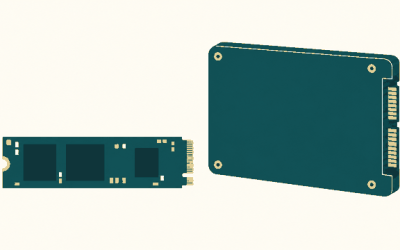
The Patriot Viper M.2 SSD RGB is the Viper VPR100, a PCIe 3.0 NVMe drive whose illuminated aluminium heatsink improves sustained temperature control only modestly while creating more clearance problems than a standard bare M.2 module.
Patriot Viper VPR100 RGB specifications
The VPR100 uses an M.2 2280 board, a four-lane PCIe 3.0 interface and NVMe protocol support. It is designed for desktop motherboards with an M.2 socket, rather than SATA M.2 slots or systems limited to two PCIe lanes. The RGB heatsink is factory-fitted, so it is not intended to be removed and replaced with a motherboard cover.
| Specification | VPR100 512GB | VPR100 1TB | What it means |
|---|---|---|---|
| Form factor | M.2 2280 | 80mm long, with the standard M-key layout | |
| Interface | PCIe 3.0 x4, NVMe | Up to roughly 3.94GB/s of raw one-way link bandwidth | |
| Sequential read | Up to 3,300MB/s | Up to 3,300MB/s | Manufacturer-rated peak |
| Sequential write | Up to 2,300MB/s | Up to 2,900MB/s | The 1TB model has the stronger write rating |
| Random read | Up to 550K IOPS | Up to 700K IOPS | Small-block queue-depth performance |
| Random write | Up to 500K IOPS | Up to 700K IOPS | Not the same as everyday low-queue-depth speed |
| Warranty | Five years, subject to the endurance limit | Keep the purchase documentation and check regional terms | |
Published figures can vary by capacity and firmware revision. They are also best-case sequential and random results, normally obtained with an empty or lightly filled drive. A nearly full SSD, a long transfer that exhausts its SLC cache, or a motherboard running the slot at PCIe 3.0 x2 can produce substantially lower numbers.
What performance should you actually expect?
For large-file transfers, the 1TB VPR100 can approach 3,000–3,300MB/s reads and roughly 2,500–2,900MB/s writes while its cache and spare area are available. The 512GB version is similar for reading but has a lower rated write ceiling. After the dynamic SLC cache is consumed, sustained write speed can fall sharply, as it does on many TLC-based consumer SSDs. The exact post-cache rate depends on remaining free space, transfer size, temperature and NAND management.
Random I/O ratings need careful interpretation. “700K IOPS” means 700,000 operations per second at a particular block size and queue depth, not that a game will load 700,000 assets per second. At a 4KB block size, 700,000 IOPS corresponds to:
700,000 × 4KB ÷ 1,000,000 ≈ 2,800MB/s.
That is a useful theoretical conversion, but desktop applications usually issue smaller queues and mixed reads. Game loading, Windows startup and application launches are more sensitive to latency, file layout and CPU decompression than to the headline random-IOPS number. In those tasks, the VPR100 is clearly faster than a SATA SSD but usually does not feel dramatically different from another competent PCIe 3.0 NVMe drive.
RGB heatsink: clearance is the real compatibility issue
The VPR100’s illuminated heatsink is thicker than a normal M.2 label and NAND package. The drive still occupies a standard 22mm-wide, 80mm-long slot, but its vertical height can interfere with motherboard hardware above it. This matters particularly in the primary M.2 position beneath the graphics card, where the card’s backplate or cooler may sit close to the SSD.
Before installation, check four dimensions rather than relying only on the words “M.2 compatible”:
- Socket position: confirm that the motherboard’s mounting standoff is set to 2280, not 2260 or another position.
- Vertical clearance: compare the VPR100’s heatsink height with the motherboard manual’s M.2 cover and component-clearance drawing. The cover should not be stacked on top of the VPR100.
- Graphics-card clearance: inspect the gap between the M.2 socket and the GPU backplate or cooler. A thick RGB drive can touch the card even when a bare M.2 module would fit.
- Adjacent connectors: check whether a SATA port, front-panel header, PCIe retention clip or chipset heatsink blocks the drive’s raised end.
Do not remove the VPR100’s heatsink simply to force it under a motherboard shield. The heatsink includes the drive’s thermal interface and the RGB assembly; removing it can damage the label, controller or warranty seal and may leave uneven cooling. If the slot has an integrated cover, choose a bare M.2 SSD instead, or use a different socket.
Thermals and RGB power
The aluminium cover gives the controller a larger surface for shedding heat, but it cannot overcome poor airflow or a cramped GPU area. During a long sequential transfer, the main benefit is delaying thermal throttling rather than increasing the drive’s peak benchmark score. Light gaming and normal desktop use generally do not generate enough sustained SSD activity for the RGB heatsink to make a major performance difference.
The LEDs add a small electrical load compared with the controller and NAND. As a practical estimate, assume about 0.5–1.5W for lighting and controller overhead combined, depending on brightness and activity. On a 5V addressable-RGB header, a 1.0W lighting load is:
1.0W ÷ 5V = 0.20A.
That is normally well below a motherboard header’s permitted current, but the motherboard’s manual is the authority. Connect the RGB lead to a compatible 5V 3-pin addressable header, not a 12V 4-pin RGB header. A 12V connection can destroy the lighting circuit. If the board lacks a suitable 5V header, leave the lighting cable disconnected; the SSD itself remains usable without illuminated effects.
Compatibility decision matrix
| Your situation | VPR100 RGB decision | Reason |
|---|---|---|
| Desktop with an uncovered PCIe 3.0 x4 M.2 socket | Good fit | Full interface bandwidth is available and clearance is easy to inspect |
| Motherboard M.2 slot is PCIe 3.0 x2 | Works, but not ideal | Sequential throughput is limited to roughly half of an x4 connection |
| PCIe 4.0 or PCIe 5.0 desktop board | Compatible at PCIe 3.0 speed | The SSD is backward-compatible, but it cannot use the newer generation’s extra bandwidth |
| Slot has a fixed motherboard heatsink cover | Usually avoid | The factory RGB heatsink may not fit beneath the cover |
| Notebook or compact system | Check carefully or avoid | Height, underside pressure and RGB-cable space are often restricted |
| No 5V 3-pin RGB header | Usable without lighting | RGB is optional; never adapt it to a 12V 4-pin header |
| Need maximum long-transfer write speed | Consider a newer high-end class | A PCIe 4.0 TLC drive generally offers higher sustained throughput |
Installation and setup checks
Power off the computer, switch off the power supply and discharge the system before fitting the drive. Install the VPR100 at a shallow angle, press it down onto the 2280 standoff and secure it with the correct screw. Do not overtighten the screw or bend the PCB to make the heatsink sit flat.
After booting, enter the UEFI and confirm that the drive is detected. In Windows, initialize and format a new drive in Disk Management, or migrate an existing installation with suitable cloning software. Leave at least 10–15% of its capacity unused. That spare area helps garbage collection and gives the controller room to maintain write performance.
For a PCIe 4.0 motherboard, the VPR100 should negotiate down to PCIe 3.0. If it appears as x1 or x2, reseat it and inspect the motherboard’s lane-sharing rules. Some secondary sockets disable lanes when particular SATA ports or PCIe slots are populated. A firmware update may also improve NVMe compatibility, but it will not turn this PCIe 3.0 drive into a PCIe 4.0 device.
Is the Patriot Viper M.2 SSD RGB worth choosing in 2026?
Choose the VPR100 when its RGB appearance matters, the price is close to other PCIe 3.0 NVMe models, and the motherboard has an uncovered 2280 socket with enough vertical space. The 1TB version is the preferable capacity for a gaming system because it has the stronger write and random-performance ratings and leaves more room for a modern game library.
Skip it when the drive must fit beneath a fixed motherboard shield, when the system has a very thin laptop-style M.2 bay, or when a PCIe 4.0 SSD in a similar general market range offers higher sustained performance. The RGB heatsink is primarily an aesthetic feature with a useful but limited thermal role; it should not outweigh slot clearance, capacity, controller behaviour and warranty terms.