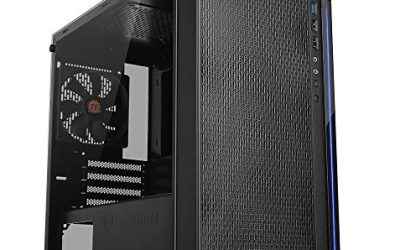
A water-cooled gaming PC lives or dies by its case. The radiator needs a home with room to breathe, the pump and reservoir need solid mounting points, and the tubing needs a clean path from the CPU block to the radiators. Pick a case that is too small and the build turns into a fight with brackets and hoses. Pick one with the wrong layout and the loop looks cramped even when it works, while the right case makes the whole loop simpler, quieter and easier to fill and drain.
This guide is for builders planning a custom loop or a large AIO, from first-time loop builders to experienced builders who want a second radiator. The five cases below were chosen from their names and specs on Amazon pages, with radiator support, pump and reservoir room, airflow and build clearance as the deciding factors.
Quick Picks
As an Amazon Associate we earn from qualifying purchases
| Product | Best for | Key spec from title |
|---|---|---|
| Lian Li O11 Dynamic EVO | Triple-radiator custom loops | Up to three 360 mm radiators |
| NZXT H7 Flow 2024 | A big front radiator and GPU cooling | 420 mm front radiator support |
| Fractal Design Meshify 2 | Mesh airflow with a large top radiator | 420 mm top radiator support |
| HYTE Y60 | A showcase build with a vertical GPU | PCIe 4.0 riser cable included |
| Corsair 5000D Airflow | Tidy cables in a roomy mid-tower | Multiple 360 mm radiators |
How to Choose
Radiator Space and Placement
Start with the radiators, not the case size. A single 360 mm radiator handles a CPU loop, while a CPU plus GPU loop stays quieter with two radiators, so count the mounts before anything else. Check where each radiator goes, because a top mount keeps the loop tidy and a front mount often fits thicker radiators. Measure thickness too: a slim radiator with standard fans fits almost anywhere, but a thick radiator plus push-pull fans can collide with tall memory or the motherboard tray. The cases in this guide all take at least one 360 mm radiator, and the best ones offer two or three mounting spots so the loop can grow later.
Pump and Reservoir Mounting
A custom loop needs a place for the pump and reservoir, and not every case gives you one. Look for a flat mounting surface near the bottom or the front, a pump bracket, or room for a distribution plate that bolts to the side panel. Dual-chamber cases help here, because the second chamber hides the power supply and cables while the main chamber keeps the loop parts visible and reachable. If you plan a tube reservoir, measure its length against the space between the bottom of the case and the graphics card. A reservoir that is too tall forces awkward bends, while a short one is easy to fill and easy to drain.
Airflow and Dust Filters
Water cooling still needs air moving through the case, because radiators dump heat into the airflow and the graphics card, memory and voltage regulators all rely on it. Mesh front panels pull in more air than solid glass fronts, so a mesh case suits builders who run long gaming sessions at high load. Check that every intake has a removable dust filter, since a loop build is harder to clean once the tubing is in place. Fan mounts matter as well: a case with nine or ten fan positions lets you run slow, quiet fans instead of a few fast ones, and slow fans keep a water-cooled build silent under load.
Build Clearance and Cable Room
Measure the graphics card, the power supply and the cable space before ordering. A long graphics card can block a front radiator, and a tall power supply shroud can block a bottom radiator, so read the clearance figures on the listing. Cable room matters more in a loop build than in an air-cooled build, because fan hubs, pump power and RGB cables all compete for space behind the motherboard tray. A case with wide cable channels and a hinged door saves time at the end of the build, when the loop is full and the last thing you want is to fight a side panel that will not close.
The 5 Best Options
Lian Li O11 Dynamic EVO
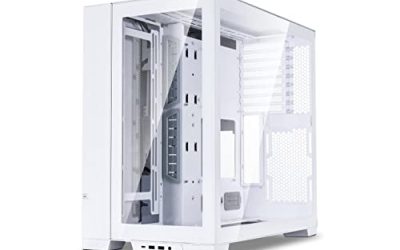
The O11 Dynamic EVO is the default choice for custom loops, and its layout explains why. The dual-chamber design puts the power supply and cables behind the motherboard tray, leaving the main chamber open for radiators, tubing and the reservoir. It supports up to three 360 mm radiators, so a CPU plus GPU loop fits with room to spare, and the case flips into reverse mode for builders who want the glass on the other side. The front and side tempered glass panels turn the loop into the centerpiece of the build.
Specs
- Radiator support: up to three 360 mm radiators
- Fan capacity: up to 10 fans
- Motherboard support: E-ATX, ATX, micro-ATX, Mini-ITX
- Panels: front and side tempered glass
- Layout: dual-chamber, reversible normal and reverse modes
- Drive mounts: 9 storage drive mounts
- Front I/O: USB Type-C port
Best for: builders planning a triple-radiator custom loop with a showpiece layout.
Watch out for: it ships with no fans, so budget for fans and a fan hub before the build.
ASIN: B09QMLS87T
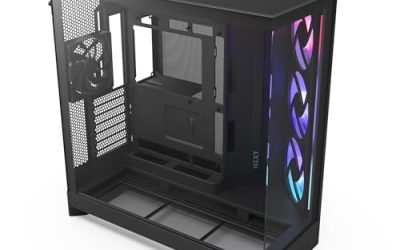
NZXT H7 Flow 2024
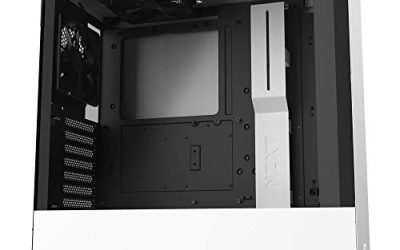
The H7 Flow 2024 is built around airflow, with a mesh front that feeds a large front radiator and three bottom fan mounts aimed straight at the graphics card. It takes a 420 mm radiator in the front and a 360 mm radiator on top, which covers a CPU plus GPU loop or a large AIO with room to spare. Three 120 mm front fans come in the box, so the case cools well on day one without extra purchases. The cable management system uses wide channels and straps, which keeps the back of the case tidy even with a pump, a hub and several fan cables.
Specs
- Radiator support: up to 420 mm front, 360 mm top
- Included fans: three 120 mm front fans
- GPU cooling: three bottom 120 mm fan mounts
- Motherboard support: ATX
- Expansion slots: 7
- Warranty: 2-year manufacturer warranty
- Dimensions: 18.43 x 9.6 x 21.42 inches
Best for: builders who want a big front radiator and direct airflow onto a hot graphics card.
Watch out for: the rear exhaust fan is not included, so add one for a balanced airflow setup.
ASIN: B0CV4RYKLF
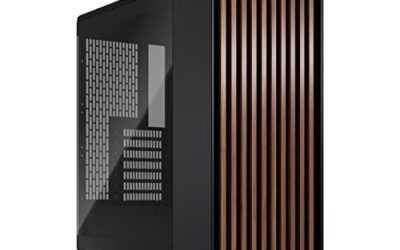
Fractal Design Meshify 2
The Meshify 2 is the forgiving option, with a hinged mesh front and an interior that exposes three sides. It fits a 360 mm radiator in the front, a 420 mm radiator on top and a 280 mm radiator in the base, so thick radiators and push-pull fan setups have room. The dual-layout interior adapts to E-ATX boards up to 285 mm wide or converts to a storage layout with room for 11 hard drives. A USB-C port on the front rounds out a case that is easy to build in and easy to live with.
Specs
- Radiator support: 360 mm front, 420 mm top, 280 mm base
- Motherboard support: up to 285 mm E-ATX
- Fan mounts: 9 x 120/140 mm
- Storage: up to 11 HDDs and 4 SSD mounts
- Front I/O: USB 3.1 Gen 2 Type-C
- Front panel: hinged mesh with removable nylon filter
Best for: builders who want mesh airflow, a thick top radiator and a roomy interior.
Watch out for: at 10.5 kg it is heavy, so plan the desk space before the build.
ASIN: B0822ZD9NP
HYTE Y60

The Y60 turns a water-cooled build into a display piece. Its three-piece panoramic glass design has no corner pillar, so the loop, the reservoir and the graphics card are visible from the front and the side. The vertical GPU mount comes with a PCIe 4.0 riser cable in the box, which keeps the graphics card on show while the radiator sits on top. Radiator support covers a 360 mm top mount and a 280 mm side mount, with a thick side radiator allowed up to 150 mm. The dual-chamber layout hides the power supply and cables in the rear chamber, keeping the glass side clean.
Specs
- Radiator support: 360 mm top, 280 mm side, 120 mm rear
- Included fans: three 120 mm fans
- GPU mount: vertical mount with PCIe 4.0 riser cable included
- GPU clearance: up to 375 mm long
- Motherboard support: ITX, micro-ATX, ATX, E-ATX
- Warranty: 3-year warranty
Best for: showcase builds where the loop and a vertical graphics card are the point.
Watch out for: the top radiator is limited to 28 mm thick, so check radiator thickness first.
ASIN: B0BVJ4ZFPZ
Corsair 5000D Airflow
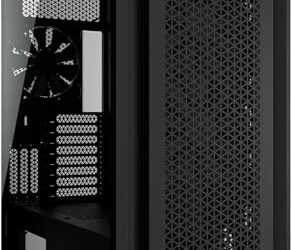
The 5000D Airflow is the roomy, practical pick in this group, with space for multiple 360 mm radiators and a steel mesh front that feeds them with cool air. Two 120 mm AirGuide fans come in the box, and a PWM fan repeater controls up to six fans from a single motherboard header. The RapidRoute cable system routes the main cables through one hidden channel behind a hinged door, with 25 mm of space behind the tray. A side-mount bracket takes three 120 mm fans or a 360 mm radiator, and vertical PCIe slots let the graphics card go on show when the loop is done.
Specs
- Radiator support: multiple 360 mm radiators
- Included fans: two 120 mm AirGuide fans
- Cable management: RapidRoute system with hinged door
- Fan control: PWM repeater for up to six fans
- Front I/O: USB 3.1 Type-C, 2 x USB 3.0, audio and microphone jack
- GPU mount: vertical PCIe slots included
Best for: builders who want a large, tidy mid-tower with flexible radiator mounts.
Watch out for: only two fans are included, so a full loop build needs extra fans.
ASIN: B08M49WW51
Which One Fits Your Situation
Building Your First Custom Loop
Pick the Lian Li O11 Dynamic EVO. Three radiator spots give a first loop room to grow, the dual-chamber layout keeps cables out of the way, and the reversible design lets you fix a layout mistake without starting over. Just remember it ships with no fans, so order the fans with the case.
Cooling a Hot GPU and a Big AIO
Pick the NZXT H7 Flow 2024. The 420 mm front radiator mount handles a large AIO, while the three bottom fan mounts push cool air straight onto the graphics card. The three included front fans mean the case performs well before you buy anything extra.
A Quiet Build with Thick Radiators
Pick the Fractal Design Meshify 2. The mesh front moves plenty of air at low fan speeds, and the 420 mm top mount takes a thick radiator with room for push-pull fans. The hinged front panel makes the build and later cleaning much easier.
A Display Build or a Tidy Build
Pick the HYTE Y60 for a display build, with its pillar-free glass and included vertical GPU riser. Pick the Corsair 5000D Airflow when tidy cables matter more than glass, since its RapidRoute channel and hinged door keep the back of the case clean.
Common Mistakes
- Buying the case before measuring radiator thickness plus fan thickness against the memory and motherboard tray.
- Mounting a top radiator that blocks tall memory sticks or the motherboard heatsinks.
- Forgetting a drain valve at the lowest point of the loop, which makes fluid changes messy.
- Letting the pump run dry during the first fill, which can damage the pump in minutes.
- Mixing an aluminum radiator with a copper CPU block without checking for galvanic corrosion.
Frequently Asked Questions
How many radiators does a gaming loop need?
One 360 mm radiator handles a CPU-only loop in most gaming builds. A CPU plus GPU loop runs quieter with two radiators, since each one works at lower fan speeds. Three radiators suit high-end builds with overclocked parts, but the extra radiator only helps when the fans and the case airflow can use it.
Do these cases include fans?
It varies by case. The NZXT H7 Flow 2024 includes three front fans, the HYTE Y60 includes three fans, and the Corsair 5000D Airflow includes two fans. The Lian Li O11 Dynamic EVO ships with no fans, so budget for fans and a hub.
Can I fit a thick radiator on top?
It depends on the case. The Meshify 2 takes a thick top radiator with room to spare, while the HYTE Y60 limits the top radiator to 28 mm thick. Always measure radiator thickness plus fan thickness against the memory height and the motherboard heatsinks before ordering parts.
Is a custom loop better than an AIO in these cases?
A custom loop cools the CPU and the graphics card together and lets you pick every part, but it costs more and needs maintenance. An AIO is simpler, cheaper and easier to install, and every case in this guide fits a large AIO. Start with an AIO if this is your first water-cooled build.
Related guides
More from Amazon
Programs that pair well with the guide above. Offers and eligibility are set by Amazon and may change.
A free business account with business pricing and bulk-buying tools for work, shop or home office.
Create a business accountFree shipping on eligible items, Prime Video and more. Eligible new members can start with a free trial.
Start a Prime free trialAudiobooks and podcasts to listen to on the go. Eligible new members can start with a free trial.
Try Audible freeAd-free music streaming. Eligible new subscribers can start with a free trial.
Try Music Unlimited freeAs an Amazon Associate we earn from qualifying purchases.