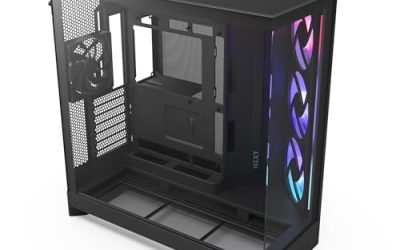
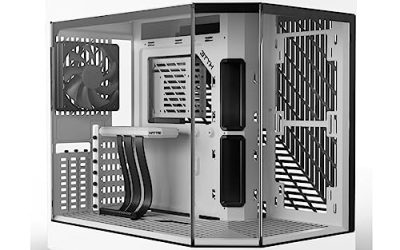
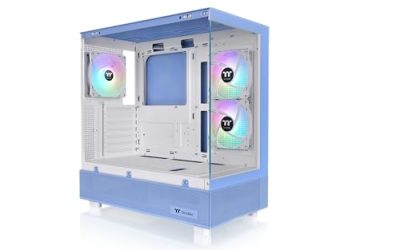
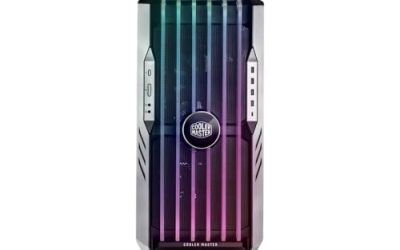
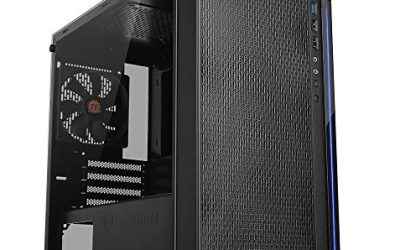
Some builders want a case whose front panel stays out of the way. A solid front door looks tidy on a desk, yet it forces intake air through narrow side gaps, and every time you need to clean a filter or reseat a fan you are swinging a hinged panel open first. An open front skips that step entirely: mesh, perforated steel, or spaced slats sit directly in front of the intake fans, so cool air reaches your components without detouring around a door.
This guide uses “no front door” in exactly that sense — a front panel that is fixed in place and lets air pass straight through, with nothing hinged covering the intake. The three cases below suit different builders: a first-time builder who wants a forgiving mid-tower, a gamer chasing strong GPU cooling in a roomy chassis, and someone whose PC sits in a living room and should look like furniture. Each pick comes from its Amazon listing title and specifications.
Quick Picks
As an Amazon Associate we earn from qualifying purchases
| Product | Best for | Key spec from title |
|---|---|---|
| Corsair 4000D Airflow | First builds and balanced cooling | Tempered glass mid-tower ATX case with two included 120mm fans |
| NZXT H7 Flow 2024 | GPU cooling and large radiators | Mid-tower ATX airflow case with three pre-installed 120mm fans |
| Fractal Design North | Living-room builds and quiet style | Walnut wood front, tempered glass, two 140mm Aspect PWM fans included |
How to Choose
Front panel material
The front panel decides how much air your intake fans can actually move. Perforated steel and fine mesh let air pass with little resistance, while a solid panel with side vents asks the fans to work harder for the same airflow. Wood slats look warm and distinctive, and the gaps between them still admit air, though a fine dust filter behind them adds a little resistance. Check whether the front filter slides out from the front or the top, because a filter you can remove without opening the side panel gets cleaned far more often. A case that hides its intake behind a door defeats the purpose here, so confirm the front is fixed and breathable before you buy.
Size and component clearance
Measure the longest parts you plan to install before you fall in love with a chassis. Graphics cards keep growing, and a long card plus a front radiator can collide in a compact mid-tower. The cases in this guide all fit full-size ATX boards and long graphics cards, yet their limits differ, so compare the maximum GPU length and cooler height against your parts list. Tall air coolers need vertical clearance too, and a thick front radiator shortens the space left for the card. Write down your card length, cooler height, and radiator plan, then match those numbers against the case specifications.
Included fans and fan mounts
A case ships with a starting set of fans, and that set shapes your first build more than any later upgrade. Two fans give you a basic intake and exhaust path, while three front fans push noticeably more air across the graphics card. Count the empty mounts as well, because a case with room for bottom fans can feed cool air straight to the GPU, which is where most gaming heat comes from. Check fan sizes too: 140mm fans move more air at lower noise than 120mm fans, so a case built around larger fans can run quieter at the same cooling level.
Dust, noise, and daily living
An open front admits air freely, and dust rides in with it, so filtration matters more here than in a sealed chassis. Look for a front filter you can reach easily and a bottom filter under the power supply, since those two catch most of what enters the case. Noise follows airflow: mesh fronts let a little more fan sound escape than solid panels, so larger, slower fans help keep things calm. Think about where the PC will sit as well, because a case beside a television or on an open desk is part of the room, and a wood or understated steel front blends in better than a flashy one.
The 3 Best Options
Corsair 4000D Airflow
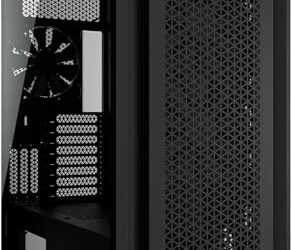
The 4000D Airflow is the safe starting point for a first build, and its appeal comes from doing the basics well rather than chasing a single flashy feature. Its perforated steel front panel feeds air straight to the intake fans, and the interior follows a proven layout with a full-length power supply shroud and a tempered glass side panel for viewing the build. Cable routing gets a dedicated channel behind the motherboard tray, which makes a tidy build easier even for someone assembling a PC for the first time. Two fans come in the box, so a basic intake and exhaust path works on day one.
Specs
- Mid-tower case supporting E-ATX, ATX, Micro-ATX, and Mini-ITX motherboards
- Perforated steel front panel with two included 120mm AirGuide fans
- Tempered glass side panel
- Radiator support up to 360mm in front and 280mm in the roof
- Front I/O with USB-C, USB-A, and a combined audio jack
- RapidRoute cable management system with 25mm of routing depth
Best for: first-time builders who want a forgiving mid-tower with strong out-of-the-box airflow.
Watch out for: only two fans are included, so a high-heat build should plan for extra intake fans.
NZXT H7 Flow 2024
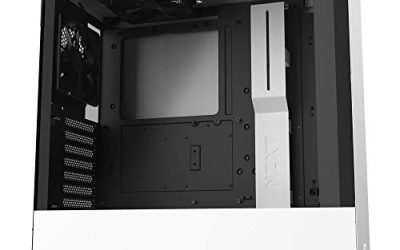
The H7 Flow 2024 suits builders who want room to grow, because its wider mid-tower frame leaves space for thick radiators and extra fans without forcing compromises elsewhere. Three 120mm fans arrive pre-installed across the front, and the bottom of the case accepts three more fans aimed directly at the graphics card, which is a thoughtful touch for gaming loads. A front radiator up to 420mm fits without crowding the interior, and the tempered glass side panel keeps the finished build visible. Cable management channels run behind the tray, so the extra fan wiring stays out of sight.
Specs
- Mid-tower ATX case with a perforated front panel
- Three pre-installed 120mm front fans
- Room for three 120mm bottom fans aimed at the graphics card
- Front radiator support up to 420mm
- Tempered glass side panel
- Dimensions 468 mm x 244 mm x 544 mm
Best for: gamers who want strong GPU cooling and room for a large front radiator.
Watch out for: the wider frame takes up more desk space than a compact mid-tower, so measure your spot first.
Fractal Design North

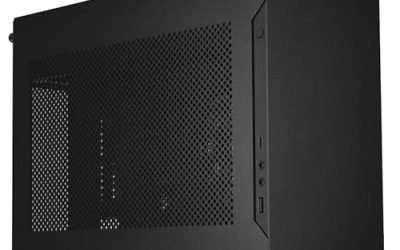
The North is the case for a PC that has to live in a shared room, because its front pairs genuine walnut wood slats with fine mesh for a look closer to furniture than to gaming hardware. Two 140mm Aspect PWM fans come included, and the larger fan size moves plenty of air while staying quiet at low speeds. The dark tinted tempered glass side panel shows the build without dominating the room, and the front I/O includes USB Type-C for modern peripherals. Seven bridgeless expansion slots keep the rear clean, and the interior fits full-size ATX boards with long graphics cards.
Specs
- Mid-tower ATX case with genuine walnut wood front slats
- Dark tinted tempered glass side panel
- Two included 140mm Aspect PWM fans
- USB Type-C on the front I/O
- Graphics cards up to 355mm long, or 300mm with a 360mm front radiator
- Seven bridgeless expansion slots
Best for: living-room and office builds where the case should look like furniture and run quietly.
Watch out for: the wood front costs more than a plain steel front, and the mesh side version trades the glass view for extra airflow.
Which One Fits Your Situation
Building your first PC
Pick the Corsair 4000D Airflow when you are building for the first time and want the fewest surprises. Its layout is straightforward, the cable channel hides mistakes, and the perforated front keeps temperatures sensible with only the two included fans. You can add intake fans later once you know how hot your parts actually run, rather than guessing before the first boot.
Cooling a hot graphics card
Pick the NZXT H7 Flow 2024 when your graphics card runs hot during long gaming sessions. The three front fans plus the bottom fan mounts push cool air directly at the card, and the wide frame leaves room for a large front radiator if you move to liquid cooling later. It is the roomiest of the three, so it suits builds with thick GPUs and tall coolers.
A PC in the living room
Pick the Fractal Design North when the computer sits beside a television or on an open desk where everyone sees it. The walnut slats and brass accents read as furniture, the 140mm fans stay quiet at low speeds, and the dark glass keeps the interior visible without glare. It still cools well, so you are not trading performance for looks.
A compact desk with limited space
Pick the Corsair 4000D Airflow again if desk space is tight, because it is the narrowest of the three and still fits a full ATX board. The NZXT H7 Flow needs a wider spot, and the North wants a little breathing room so its wood front can be seen. Measure the depth of your desk too, since a case that overhangs the edge is easy to knock.
Common Mistakes
- Buying a case with a solid front door and assuming the side vents will feed the intake fans enough air.
- Choosing a case before measuring the graphics card, then finding the card collides with a front radiator.
- Running only the included fans in a high-heat build and wondering why temperatures climb under load.
- Skipping the front filter cleaning for months, which slowly chokes the open front you paid for.
- Placing the case in a closed cabinet where the open front pulls in warm air instead of fresh room air.
Frequently Asked Questions
What does “no front door” mean for a PC case?
It means the front panel has no hinged door covering the intake. Instead, the front is a fixed mesh, perforated steel, or slatted panel that lets air pass straight through to the intake fans. You reach the fans and filter directly without swinging anything open, and the intake path stays short and unobstructed.
Do open-front cases let in more dust?
Yes, an open front admits more dust along with the extra air, so filtration matters. Look for a removable front filter and a bottom filter under the power supply, and clean both regularly. A filter you can slide out from the front or top gets cleaned far more often than one that requires removing a side panel.
Is a mesh front louder than a solid front?
A mesh or perforated front lets a little more fan noise escape than a solid panel, but the difference is small in practice. Larger 140mm fans running at lower speeds keep noise down, and a case with good airflow lets all the fans spin slower. Fan choice and speed settings matter more than the front material alone.
Can I fit a large graphics card in these cases?
Yes, all three cases fit full-size ATX boards and long graphics cards, though the exact limit differs. The North fits cards up to 355mm, or 300mm when a 360mm front radiator is installed. Check your card length against the case specifications before ordering, especially if you also plan a front radiator.
Related guides
More from Amazon
Programs that pair well with the guide above. Offers and eligibility are set by Amazon and may change.
A free business account with business pricing and bulk-buying tools for work, shop or home office.
Create a business accountFree shipping on eligible items, Prime Video and more. Eligible new members can start with a free trial.
Start a Prime free trialAudiobooks and podcasts to listen to on the go. Eligible new members can start with a free trial.
Try Audible freeAd-free music streaming. Eligible new subscribers can start with a free trial.
Try Music Unlimited freeAs an Amazon Associate we earn from qualifying purchases.