As an Amazon Associate we earn from qualifying purchases.
A B150 motherboard leaves you with one question: which case fits the board you already own, and how much case does a platform from 2015 need? B150 is a Skylake chipset on the LGA 1151 socket with DDR4 memory, and its boards shipped in ATX and micro-ATX sizes, so the case decision starts with form factor, not looks. Buy too small and the board will not mount; buy a huge full tower and you pay for space a single-GPU Skylake build will never fill. The right choice matches your board size, clears your graphics card and CPU cooler, and moves enough air to keep older hardware comfortable.
This guide is written for three groups: gamers reviving a Skylake rig, budget builders reusing a B150 board instead of buying a new platform, and anyone turning an old office PC into a home server or media box. It compares case types by fit, airflow, clearance and noise, so you can match a case to the build you have.
How to Choose
Match the Case to Your Board’s Form Factor
Start by checking whether your B150 board is ATX or micro-ATX, because that single fact narrows the field more than any other. Full ATX boards measure 305 by 244 millimetres and need a mid-tower or larger case with the matching standoff pattern, while micro-ATX boards measure 244 by 244 millimetres and also fit in compact cases built for the smaller size. A micro-ATX board fits in an ATX case, but the reverse is never true, so measure the board or look up its model before ordering. Check the case listing for supported form factors rather than trusting the word tower in the name, since some slim towers only accept micro-ATX.
Airflow for a Skylake-Era Build
Skylake processors themselves are modest on power, but many B150 builds pair them with older graphics cards that dump a lot of heat into the case, so airflow deserves attention. A mesh front panel with two or three intake fans beats a sealed glass front in most older builds, because it feeds cool air straight to the graphics card and the CPU cooler. Look for a case with a clear path from the front intakes to the rear exhaust, plus dust filters you can remove and wash without tools. If your build runs warm today, the case is often the cheapest fix, and a mesh design with room for at least two front fans is the simplest upgrade to make.
Graphics Card and CPU Cooler Clearance
Measure before you buy, because clearance is where B150 rebuilds most often go wrong. Take the length of your graphics card from its bracket to its far end, then compare it with the case’s maximum GPU length, remembering that a front radiator or a thick fan can eat into that number. Do the same for your CPU cooler: tower air coolers need a stated height limit, and anything taller than the limit will press against the side panel. Check drive cages as well, since a long card can collide with a fixed cage in older case layouts. A case that lists generous clearance figures gives you room to upgrade the graphics card later without replacing the case again.
Front I/O and Storage That Still Matter
B150 boards were built around USB 3.0, so a case with front USB 3.0 ports and the matching internal header cable is the useful pairing, while front USB-C is a bonus only if your board or an add-in card supports it. Count your drives before choosing: many Skylake-era builds still run a SATA SSD plus one or two hard drives, and those need 2.5-inch and 3.5-inch mounts with room for cables. A PSU shroud keeps the lower bay tidy and hides spare cables, which helps airflow as well as looks. Finally, check that the case has enough fan headers or a simple hub, since older B150 boards often carry only two or three fan headers.
Case Types That Suit a B150 Build
Mesh-Front Mid-Tower Cases
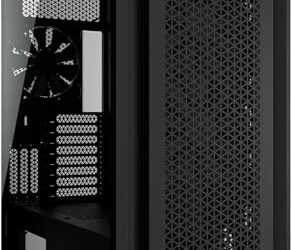
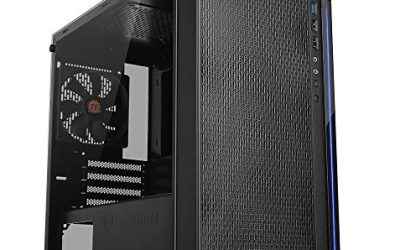
A mesh-front mid-tower is the default answer for most B150 builds, and it earns that spot by solving the two problems these builds actually have: heat and space. The perforated front feeds the intake fans directly, which keeps an older graphics card and a stock or tower CPU cooler working in cool air instead of recycled heat. Mid-towers take full ATX boards, long graphics cards and tall air coolers, and they usually leave room for a front radiator if you ever add liquid cooling. They also tend to include the practical extras Skylake builders need, such as two or three 3.5-inch bays, a PSU shroud and washable dust filters. The trade-off is size: a mid-tower is not a small box, so measure your desk space before committing to one.
Compact Micro-ATX Cases
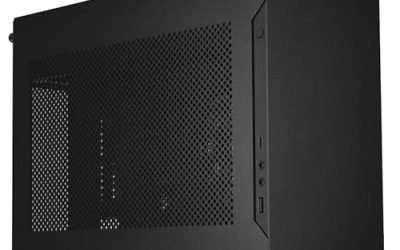
If your B150 board is micro-ATX, a compact case is the neatest fit, and it suits a desk where a full mid-tower would dominate the room. These cases keep the board, a standard ATX power supply and a full-length graphics card in a box that is noticeably shorter and shallower than a mid-tower, which makes the finished build easier to move and easier to place. The compromise is tighter working space: cable routing takes more patience, tall CPU coolers may not fit, and a long graphics card can sit close to the front fans. Check the stated GPU length and cooler height before ordering, and favour a compact case with a mesh front or side vents, since small boxes heat up faster when airflow is restricted.
Quiet, Solid-Panel Cases
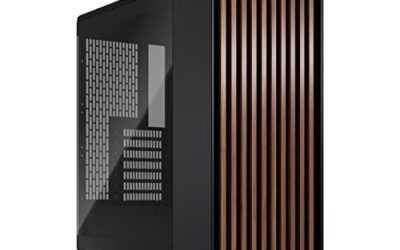
A quiet case suits a B150 build that lives in a bedroom, a shared office or a living room, where fan noise matters more than a view of the components. Solid side panels and sound-damping material on the front and sides cut the hum of spinning fans and hard drives, and a case designed for quiet running usually pairs that damping with slow, large fans rather than small fast ones. The catch is temperature: damping material and sealed panels restrict airflow, so a quiet case needs good fan placement and a graphics card that does not run hot. If your build uses a mechanical hard drive, the damping earns its keep; if it runs a hot graphics card under load, a mesh case will serve you better.
Tempered-Glass Showcase Cases
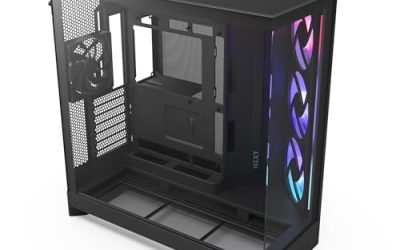
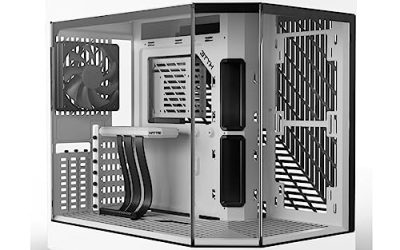
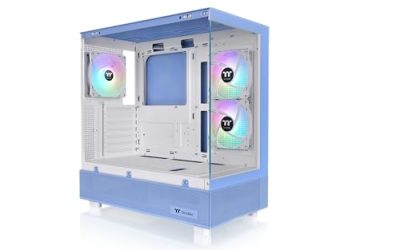
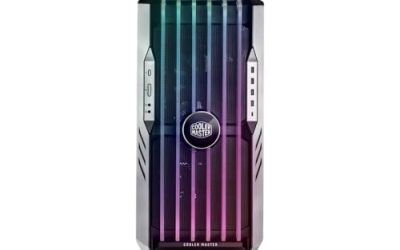
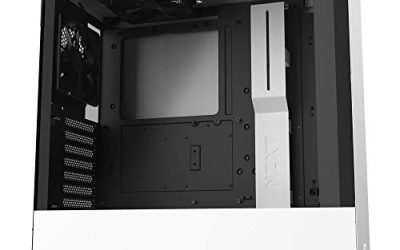
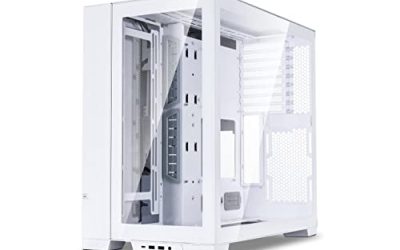
Glass-panel cases exist to show off a build, and they make sense for a B150 rig only when the parts inside are worth looking at and the cooling is planned around the glass. A tempered-glass side panel turns tidy cable routing and matching fans into part of the desk setup, which suits builders who enjoy the look of their machine. The risk is a solid glass front, which can choke the intake fans and push temperatures up on an older graphics card that already runs warm. If you want the showcase look, choose a case with a glass side but a mesh or vented front, so the display does not cost you airflow. Skip the glass front entirely if your graphics card is the hottest part of the build.
Which One Fits Your Situation
Reviving a Skylake Gaming PC
Pick a mesh-front mid-tower with room for a long graphics card and at least two front intake fans. This setup gives an older gaming rig the airflow its graphics card needs, leaves space for a taller CPU cooler later, and accepts a full ATX B150 board without compromise. Add a washable dust filter at the front and the build stays cooler for longer between cleans.
Building on a Tight Budget With Reused Parts
Choose the smallest case that still fits your board and graphics card, and spend the saving on a better fan or a solid-state drive. A compact micro-ATX case suits a reused micro-ATX board, while a plain mid-tower with a mesh front covers a reused ATX board. Skip glass panels and lighting, which add cost without improving the build, and check that the case includes at least one rear fan.
A Quiet PC for a Bedroom or Office
Go for a solid-panel case with sound damping and large, slow-spinning fans. This combination suits a B150 build used for work, study or media playback, where a constant fan hum is more annoying than a few extra degrees. Keep the graphics card modest, since a hot card will force the fans to spin faster and undo the quiet design. Place the case on a hard surface with space behind it for the exhaust.
A Compact Desk Setup With a Micro-ATX B150 Board
Take a compact micro-ATX case with a mesh front and a standard ATX power supply mount. It keeps a smaller footprint on the desk while still fitting a full-length graphics card and a couple of SATA drives, which is exactly what a reused micro-ATX B150 board needs. Measure the cooler height and graphics card length first, since compact cases forgive nothing, and route cables before mounting the board.
Common Mistakes
- Buying a case before confirming whether the B150 board is ATX or micro-ATX, then finding the standoffs do not line up.
- Choosing a sealed glass front for a build with a hot older graphics card, and wondering why temperatures climb under load.
- Forgetting to measure the graphics card and CPU cooler against the case limits, especially when a front radiator or fixed drive cage is in the way.
- Assuming the case includes a power supply: most cases ship without one, so check the PSU length limit and reuse a working ATX unit.
- Overspending on a large full tower for a single-GPU Skylake build that will never use the extra drive bays or radiator mounts.
Frequently Asked Questions
Do all ATX cases fit a B150 motherboard?
Most mid-tower and full-tower ATX cases fit an ATX B150 board, and any ATX case also fits a micro-ATX B150 board, because the smaller board uses a subset of the same mounting holes. The exception is a compact case built only for micro-ATX or mini-ITX, which cannot take a full ATX board. Always check the case listing for supported form factors before ordering.
Is a B150 build still worth using in 2026?
Yes, as a reused or budget build, but not as a new purchase. B150 is a 2015 Skylake platform with DDR4 memory and no upgrade path to current processors, so it makes sense when the board, CPU and memory are already in hand. For light gaming, office work and media playback it remains capable, while anyone buying new parts should choose a current platform instead.
Does a new case come with a power supply?
Almost never. PC cases are sold without a power supply unless the listing clearly says one is included, and most builders reuse their existing ATX unit. Before moving a B150 build into a new case, check that the power supply still works, that its cables reach the board in the new layout, and that the case lists a maximum PSU length your unit fits within.
Will a modern graphics card fit a case chosen for B150?
The chipset does not decide graphics card fit; the case does. B150 boards carry a standard PCIe x16 slot, so a modern card works electrically as long as the board’s BIOS and power supply support it. What matters is the case’s maximum GPU length and the thickness of the card, so measure both against the case specification before buying.
Related guides
More from Amazon
Programs that pair well with the guide above. Offers and eligibility are set by Amazon and may change.
A free business account with business pricing and bulk-buying tools for work, shop or home office.
Create a business accountFree shipping on eligible items, Prime Video and more. Eligible new members can start with a free trial.
Start a Prime free trialAudiobooks and podcasts to listen to on the go. Eligible new members can start with a free trial.
Try Audible freeAd-free music streaming. Eligible new subscribers can start with a free trial.
Try Music Unlimited freeAs an Amazon Associate we earn from qualifying purchases.