Our Short List of 3

- Best for: Players who want a light wireless mouse for supported shooters and easy switching between PS5 and PC.
- Sensor: HERO optical sensor, up to 12,000 DPI
- Tracking: 400 IPS (listing figure)
- Connectivity: LIGHTSPEED wireless via USB receiver, 1 ms report rate
- Battery life: 250 hours on one AA battery

- Best for: Desk-based PS5 players who want the largest button count and a weight they can tune.
- Sensor: HERO 25K optical sensor, 200 to 25,600 DPI
- Buttons: 11 programmable buttons
- Scroll wheel: Dual-mode hyper-fast scroll wheel
- Weight: 121 g, plus five 3.6 g tuning weights

- Best for: Palm-grip players who want a thumb rest, a tilt wheel and plenty of buttons for MMO sessions.
- Sensor: Focus+ 26K DPI optical sensor, up to 26,000 DPI
- Buttons: 11 programmable buttons
- Scroll wheel: HyperScroll tilt wheel with free-spin and tactile modes
- Switches: Razer Optical Mouse Switches Gen-2, rated for 70 million clicks, 0.2 ms actuation
All 4 Picks at a Glance
| Product | Specs | Action |
|---|---|---|
| Logitech G305 Lightspeed Wireless |
| Check price on Amazon |
| Logitech G502 HERO |
| Check price on Amazon |
| Razer Basilisk V3 |
| Check price on Amazon |
 Razer DeathAdder Essential |
| Check price on Amazon |
Buying a mouse for a PlayStation 5 is a different decision from buying one for a PC, because the console, not the mouse, decides how much of the hardware you can actually use. The PS5 accepts standard USB and Bluetooth mice, yet it only hands mouse control to you inside games whose developers enabled it, and it offers no software for remapping buttons or saving DPI stages. So the real question is not which sensor is fastest on paper, but which mouse works the moment you plug it in, holds settings you set elsewhere, and suits the handful of supported games you actually play.
This shortlist is for PS5 owners who play mouse-supported titles such as shooters, MMOs and strategy games, and for players who split time between console and PC. Every pick below is a standard gaming mouse sold on Amazon, chosen from the name and specifications on its product page, with wired USB, USB receiver and Bluetooth options kept separate so the connection limits stay clear.
Our Top Picks
Top 3 picks at a glance
Quick Picks
As an Amazon Associate we earn from qualifying purchases
| Product | Best for | Key spec from title |
|---|---|---|
| SteelSeries Rival 3 Wireless | Couch play with a listed PS5 mode | 18,000 CPI TrueMove Air sensor |
| Logitech G305 Lightspeed Wireless | Lightweight wireless on a single AA battery | HERO sensor up to 12,000 DPI |
| Logitech G502 HERO | Players who want many buttons at a desk | HERO 25K sensor, 25,600 DPI |
| Razer Basilisk V3 | Palm grip and a tilt scroll wheel | Focus+ 26K DPI optical sensor |
| Razer DeathAdder Essential | A simple wired starter mouse | 6,400 DPI optical sensor |
How to Choose
Start With the Games, Not the Mouse
Mouse support on PS5 is decided title by title, and that fact should shape the whole purchase. Fortnite, Final Fantasy XIV, several Call of Duty releases, Minecraft and War Thunder are among the games documented as accepting mouse input during play, while many big console releases remain controller-only no matter what you plug in. Check the settings menu or publisher notes for the two or three games you play most before spending anything. If none of them accepts a mouse, the device will still move through system menus and text fields, but it will not change how you play, and a controller upgrade would serve you better.
Pick the Connection the Console Handles Best
A wired USB mouse is the least complicated route: plug it into a front or rear USB port and the console sees a standard pointing device, with no pairing step and no battery to manage. A 2.4 GHz USB receiver works much the same way, because the dongle presents itself as a USB device. Bluetooth is the fussiest option, since pairing quality varies and some gaming mice reserve their low-latency mode for the receiver anyway. Players who sit close to the console can stay wired and forget the issue. Couch players should favour a receiver-based wireless mouse and keep Bluetooth as a backup rather than the main plan.
Set DPI and Buttons on a PC First
The PS5 gives you a pointer speed setting at system level, but it cannot run Logitech G HUB, Razer Synapse or SteelSeries software, so anything configured in those apps has to travel with the mouse itself. That makes on-board memory and hardware DPI buttons genuinely useful here rather than decorative. Before a console session, connect the mouse to a computer, choose two or three sensible DPI stages, map the side buttons, and save the profile to the device where the model supports it. Mice that depend entirely on software for basic changes will still track and click on PS5, yet they arrive stuck with whatever defaults the factory left in place.
Match Weight and Shape to a Couch or Desk Setup
Console mouse play often happens on a sofa arm, a lap tray or a small side table rather than a wide desk mat, and that changes what feels comfortable. A compact, lighter mouse is easier to lift and re-centre in a tight space, while a larger ergonomic shell with a thumb rest suits longer sessions at a desk where your wrist stays planted. Grip matters too: right-handed ergonomic shapes favour palm and relaxed claw grips, while smaller symmetrical shells give fingertip players more freedom. Think about the surface you will actually use, because a heavy mouse on a soft cushion quickly becomes tiring.
The 5 Best Options
SteelSeries Rival 3 Wireless
This is the easiest wireless recommendation for a PS5 because its Amazon listing names PlayStation 5 among its supported systems, which removes much of the guesswork that surrounds console peripherals. You get two ways to connect, a USB dongle for the low-latency 2.4 GHz mode and Bluetooth 5.0 as a second option, plus battery life long enough that charging or swapping cells rarely interrupts a week of play. Six buttons keep the layout simple for shooters and menu navigation, and the right-handed shell works in claw or fingertip grips at the desk or on a lap tray.
Specs
- Sensor: TrueMove Air optical sensor, up to 18,000 CPI
- Tracking: 400 IPS, 40G acceleration (listing figures)
- Connectivity: 2.4 GHz via USB dongle and Bluetooth 5.0
- Battery life: 400+ hours in high-efficiency mode (listing figure)
- Buttons: 6
- Switches: Mechanical switches rated for 60 million clicks
- Weight: 106 g with two AAA batteries, 95 g with one AAA battery
- Dimensions: 120.6 x 67.0 x 37.9 mm
- Model: 62521
Best for: Couch players who want wireless freedom and a listing that states PS5 support outright.
Watch out for: It runs on AAA batteries rather than a rechargeable cell, and the Bluetooth mode is the convenience option, not the gaming one.
ASIN: B08GB2PF71
Logitech G305 Lightspeed Wireless
- Best for: Players who want a light wireless mouse for supported shooters and easy switching between PS5 and PC.
- Sensor: HERO optical sensor, up to 12,000 DPI
- Tracking: 400 IPS (listing figure)
- Connectivity: LIGHTSPEED wireless via USB receiver, 1 ms report rate
- Battery life: 250 hours on one AA battery
Players who want a light wireless mouse for supported shooters and easy switching between PS5 and PC.
There is no Bluetooth mode, so the USB receiver must stay plugged into the console, and the compact shell can feel small in large palms.
The G305 suits PS5 players who want a small, light wireless mouse that disappears into a living-room setup. Its USB receiver plugs straight into the console and delivers the 1 ms LIGHTSPEED connection, so there is no pairing routine to repeat each time you sit down. A single AA battery keeps it running for months of casual sessions, and the receiver stores inside the shell when you travel between a console and a laptop. With six programmable buttons and on-board memory, the settings you prepare in G HUB on a computer stay with the mouse when it moves back to the PlayStation.
Logitech G502 HERO
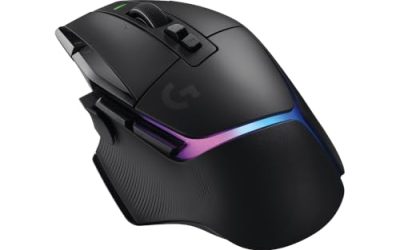
- Best for: Desk-based PS5 players who want the largest button count and a weight they can tune.
- Sensor: HERO 25K optical sensor, 200 to 25,600 DPI
- Buttons: 11 programmable buttons
- Scroll wheel: Dual-mode hyper-fast scroll wheel
- Weight: 121 g, plus five 3.6 g tuning weights
Desk-based PS5 players who want the largest button count and a weight they can tune.
At 121 g before added weights it is the heaviest pick here, and the cable is awkward for sofa play without a lap desk.
Choose the G502 HERO if your PS5 gaming happens at a desk and you lean on extra buttons. Eleven programmable controls give you room for abilities, pings and inventory shortcuts in the MMO and shooter titles that accept mouse input, and the dual-mode scroll wheel can free-spin through long menus or click through weapons in tactile steps. It is a wired mouse, which on a console is a strength: no batteries, no receiver taking up a port decision, just a cable into the front USB socket. The adjustable weight system also lets you settle on a heavier, planted feel that many palm-grip players prefer.
Razer Basilisk V3
- Best for: Palm-grip players who want a thumb rest, a tilt wheel and plenty of buttons for MMO sessions.
- Sensor: Focus+ 26K DPI optical sensor, up to 26,000 DPI
- Buttons: 11 programmable buttons
- Scroll wheel: HyperScroll tilt wheel with free-spin and tactile modes
- Switches: Razer Optical Mouse Switches Gen-2, rated for 70 million clicks, 0.2 ms actuation
Palm-grip players who want a thumb rest, a tilt wheel and plenty of buttons for MMO sessions.
It is wired and right-handed only, and its larger shell is less suited to small hands or fingertip grips.
The Basilisk V3 is built around comfort and control rather than low weight. Its right-handed shell includes a thumb rest that supports a relaxed palm grip through long sessions, and the HyperScroll tilt wheel adds sideways inputs alongside its free-spin and tactile modes, which helps in games with wide ability bars or long inventories. Eleven programmable buttons cover the main actions you would set up in Synapse on a PC beforehand. The optical switches are the other draw: they actuate with light rather than a metal contact, and Razer rates them for far more clicks than the mechanical switches in simpler models.
Razer DeathAdder Essential
- Best for: New mouse players who want a comfortable wired mouse for supported PS5 titles without extra features to manage.
- Sensor: True 6,400 DPI optical sensor
- Tracking: Up to 220 IPS and 30 G acceleration (listing figures)
- Buttons: 5 independently programmable Hyperesponse buttons
- Switches: Razer Mechanical Mouse Switches, rated for 10 million clicks
New mouse players who want a comfortable wired mouse for supported PS5 titles without extra features to manage.
The 6,400 DPI ceiling and five buttons are modest next to the other picks, and there is no on-board memory for carrying profiles.
The DeathAdder Essential keeps things deliberately plain, which is exactly what a first console mouse should do. There is one cable, one well-known ergonomic shape and a sensor that is more than adequate for the supported PS5 games most people start with. Five programmable buttons cover the essentials without a learning curve, and the rubber side grips help the mouse stay put during quick turns on a small surface. Because there is no wireless hardware and no lighting system beyond a single colour, there is also very little to configure or maintain: plug it in, set the pointer speed in the console menu, and play.
Which One Fits Your Situation
You Play on the Sofa, a Few Metres From the TV
Go wireless and keep the setup boring. The SteelSeries Rival 3 Wireless is the natural choice because its listing covers PlayStation 5 directly and its dongle mode avoids Bluetooth pairing quirks, while the Logitech G305 works if you prefer a smaller shell and AA battery life measured in months. Either way, use a firm lap tray or cushion desk so the sensor tracks on a flat surface instead of fabric.
Your Supported Games Are an MMO or a Busy Shooter
Button count and saved profiles matter more than raw sensor numbers here. The Logitech G502 HERO and Razer Basilisk V3 both give you eleven programmable controls, enough for ability rotations, push-to-talk and inventory shortcuts in games such as Final Fantasy XIV. Set those mappings on a PC first, save them to the mouse, and the console simply receives the inputs without needing any software of its own.
You Share the Mouse With a PC or Laptop
Pick the model whose ecosystem you already use, because the configuration work happens on the computer. The G305 moves neatly between machines thanks to its stored receiver and on-board memory, while the Basilisk V3 and G502 HERO reward players who enjoy building detailed profiles in Synapse or G HUB. A shared mouse also spreads the cost across two setups, which makes a mid-range wired model easier to justify.
You Are Trying Mouse Play on PS5 for the First Time
Start simple and cheap in spirit: a wired mouse removes pairing, batteries and receiver questions from the experiment. The Razer DeathAdder Essential is the low-fuss entry point, with a familiar ergonomic shape and enough buttons for supported shooters. If mouse play clicks for you, upgrading later to a wireless model with on-board memory is painless, and the wired mouse remains useful as a spare for a desk or a second screen.
Common Mistakes
- Assuming every PS5 game accepts a mouse, then blaming the hardware when a controller-only title ignores it.
- Buying a Bluetooth-only mouse for gaming and discovering the console pairing works, but the connection is the least reliable of the three options.
- Choosing a mouse that needs software for basic DPI changes, without checking whether it can store settings on the device itself.
- Playing on a sofa cushion or glass table and expecting consistent tracking from a surface no optical sensor handles well.
- Paying for extreme DPI figures and multiple lighting zones that the console cannot configure and the supported games will never use.
Frequently Asked Questions
Does the PS5 work with any USB mouse?
The console recognises most standard USB and Bluetooth mice for menus, text entry and supported games, and Sony notes that not every device is guaranteed to work. Simple wired mice and receiver-based wireless models are the safest bets. Exotic models that depend on drivers or companion software may connect yet lose their special features, so standard hardware is the sensible choice.
Which PS5 games can I actually play with a mouse?
Support sits with each developer, and the documented list includes Fortnite, Final Fantasy XIV, several Call of Duty titles, Minecraft, The Sims 4 and War Thunder, among others. Many major releases, including plenty of first-party titles, remain controller-only. The reliable check is the individual game: look for keyboard and mouse options in its settings or in the publisher’s support pages before buying hardware for it.
Should I choose wired or wireless for PS5?
Wired is the simplest route, with no batteries and no pairing, and it suits desk setups well. Wireless through a USB receiver is nearly as straightforward and frees the sofa, provided the dongle stays in the console. Bluetooth works for menus and lighter use, but it can feel inconsistent in play, so treat it as a fallback rather than the main connection.
Can I change DPI and button mappings on the PS5 itself?
Only partly. The console offers a pointer speed adjustment in its accessory settings, but detailed DPI stages, macros and button remapping live in each brand’s PC software. The workaround is to configure the mouse on a computer first and pick a model with on-board memory or a hardware DPI button, so your choices carry over when you plug it into the PlayStation.
Related guides
More from Amazon
Programs that pair well with the guide above. Offers and eligibility are set by Amazon and may change.
A free business account with business pricing and bulk-buying tools for work, shop or home office.
Create a business accountFree shipping on eligible items, Prime Video and more. Eligible new members can start with a free trial.
Start a Prime free trialAudiobooks and podcasts to listen to on the go. Eligible new members can start with a free trial.
Try Audible freeAd-free music streaming. Eligible new subscribers can start with a free trial.
Try Music Unlimited freeAs an Amazon Associate we earn from qualifying purchases.