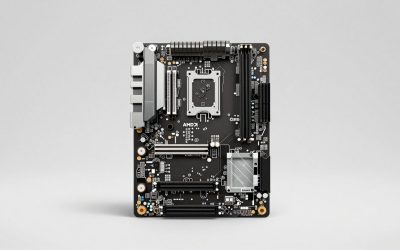
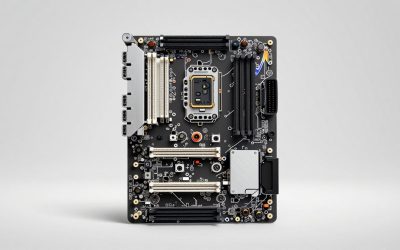
When you plan a storage upgrade, the real limit is often not your budget but your motherboard. Between M.2 slots, SATA ports, and the finite number of PCIe lanes feeding them, there is a ceiling on how many drives you can install and run at full speed. Knowing how to read those limits before you buy saves you from a drive that fits but will not work.
The three connection types
M.2 slots for NVMe (and some SATA) SSDs
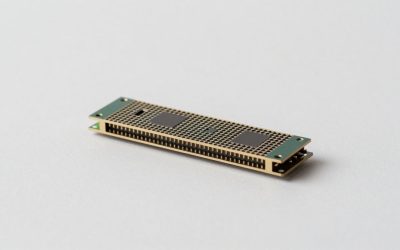
Most modern boards have between one and four M.2 slots. These host fast NVMe drives, though some slots also accept M.2 SATA SSDs. The catch is that M.2 slots draw on precious PCIe lanes, so using them can disable or slow other connections, which we will get to below.
SATA ports for HDDs and 2.5-inch SSDs
SATA ports connect mechanical hard drives and 2.5-inch SATA SSDs. Boards typically offer four to eight, and each supports one drive. SATA is slower than NVMe but perfect for bulk storage where capacity matters more than speed.
| Board tier | M.2 slots | SATA ports | Rough max drives |
|---|---|---|---|
| Budget / entry | 1-2 | 4 | 5-6 |
| Mainstream | 2-3 | 4-6 | 6-9 |
| High-end | 3-5 | 6-8 | 9-13 |
The hidden trap: lane and port sharing
Here is where builders get caught. Motherboards route a limited number of PCIe lanes, and many share them between M.2 slots, SATA ports, and even the second PCIe expansion slot. Populating a second or third M.2 slot can automatically disable a pair of SATA ports, or force the main graphics slot down to fewer lanes. The physical connectors exist, but they cannot all be active at once.
How to find your real limits
- Read the manual’s block diagram: it lists exactly which slots share lanes.
- Check the “shared with” footnotes: specs pages note when using slot X disables port Y.
- Mind the chipset: higher-end chipsets provide more lanes and fewer compromises.
Planning a multi-drive build
Decide your mix first. A common enthusiast layout is one NVMe boot/game drive, a second NVMe for more games, and a couple of SATA drives or a large HDD for bulk and backups. Before buying, confirm that filling those M.2 slots will not disable the SATA ports you need. If you plan a large array, a board with more native lanes or an add-in card that adds ports is the cleaner solution.
Matching your platform to your storage goals
If storage expansion is a priority, it pays to think about it while choosing the motherboard rather than after. Boards on higher-end chipsets provide more PCIe lanes, which means more M.2 slots that can run at full speed without disabling SATA ports, and cleaner support for a graphics card plus multiple drives at once. Smaller form factors like Mini-ITX inherently limit you, often to a couple of M.2 slots and a few SATA ports, so a compact build forces harder choices about what to store internally versus externally. For anyone planning a big library or a home server role, either pick a board with generous native connectivity or plan from the start to offload bulk storage to a NAS, keeping the PC’s own drives for speed-critical data.
FAQ
Can I use every M.2 slot and every SATA port at the same time?
Not always. Many boards share PCIe lanes, so populating certain M.2 slots disables specific SATA ports or reduces the graphics slot’s lanes. Check your motherboard manual’s diagram to see which connectors can be active simultaneously.
How do I add more drives than my board supports?
Use a PCIe expansion card that adds M.2 or SATA ports, or move bulk storage to an external enclosure or a NAS. For large storage needs, a dedicated NAS is often cleaner than cramming many drives into one PC.
Bottom line
Your motherboard’s real drive limit is set by its M.2 slots, SATA ports, and the shared pool of PCIe lanes feeding them, not just the visible connectors. Entry boards handle five or six drives, high-end boards well over a dozen, but lane sharing can disable ports as you add M.2 SSDs. Read the manual’s block diagram before you buy, plan your drive mix in advance, and reach for an add-in card or NAS when you outgrow the board.
Related guides
More from Amazon
Programs that pair well with the guide above. Offers and eligibility are set by Amazon and may change.
A free business account with business pricing and bulk-buying tools for work, shop or home office.
Create a business accountFree shipping on eligible items, Prime Video and more. Eligible new members can start with a free trial.
Start a Prime free trialAudiobooks and podcasts to listen to on the go. Eligible new members can start with a free trial.
Try Audible freeAd-free music streaming. Eligible new subscribers can start with a free trial.
Try Music Unlimited freeAs an Amazon Associate we earn from qualifying purchases.