Before affordable solid-state drives took over, manufacturers tried to bridge the gap between fast-but-small SSDs and slow-but-huge hard drives with a clever compromise: the SSHD, or solid-state hybrid drive. You still see them in older laptops and budget listings, so it is worth understanding what they do and whether one belongs in a modern build.
As an Amazon Associate we earn from qualifying purchases at no extra cost to you.


Our Top Picks
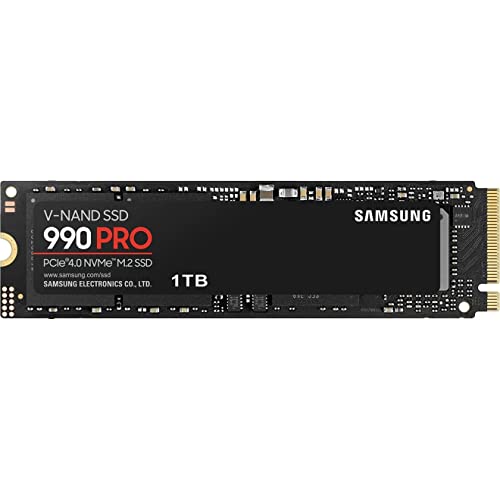
 Samsung 870 EVO SATA SSD 250GB 2.5” Internal0.25TB3.94 x 2.76 x 0.27 inches0.13 poundsCheck on Amazon


Top 3 picks at a glance
How an SSHD works
An SSHD is a normal mechanical hard drive with a small chunk of NAND flash, typically 8GB to 32GB, bolted on as a cache. The drive’s firmware watches which files you access most and quietly copies them into the fast flash. The next time you open those files, they come from the SSD portion instead of the spinning platters, so frequently used data feels snappier.
The key limitation
That cache is small and managed automatically, so you cannot choose what lives in it. Only your most-repeated reads benefit, and the first time you open something new it comes off the slow platters at hard-drive speed. Large or varied workloads blow past the tiny cache and feel like an ordinary hard drive.
SSHD versus the alternatives
| Drive type | Typical read | Cost per TB | Best for |
|---|---|---|---|
| Hard drive (HDD) | ~150-250 MB/s | Lowest | Bulk / archive |
| SSHD (hybrid) | ~150 MB/s, cached hits faster | Low-moderate | Legacy single-bay laptops |
| SATA SSD | ~550 MB/s | Moderate | Boot / apps |
| NVMe SSD | ~3,500-7,000 MB/s | Moderate | Everything modern |
The problem for SSHDs today is that SSD prices have fallen so far that the compromise no longer makes financial sense. A 1TB SATA or NVMe SSD is affordable, and it is faster for every access, not just cached ones.
Where an SSHD still has a niche
Single-drive laptops and consoles
If a laptop or older console has room for only one 2.5-inch drive and you need both capacity and some speed, an SSHD can be a pragmatic middle ground. It gives you a large single drive that boots and loads common apps faster than a plain HDD.
The better modern approach
For desktops and most laptops, the smarter setup is a two-drive strategy: a fast SSD for the operating system, games, and active files, plus a large hard drive for bulk storage and backups. You get true SSD speed where it matters and cheap capacity where you just need space, which beats an SSHD on both fronts.
How to spot and handle an SSHD you already own
Plenty of older laptops and prebuilt desktops shipped with SSHDs, and owners often do not realize it. If your machine feels quick for the programs you use most but sluggish the first time you open anything new, a hybrid drive is a likely explanation, because only cached files get the speed boost. You can confirm the model in your system information and look it up. If you have one and the machine feels slow, the best upgrade is usually to clone it to a proper SSD, which delivers full speed for every access rather than just your most repeated files. The SSHD can then move to a spare bay or an enclosure for bulk storage, where its capacity is still useful.
FAQ
Is an SSHD faster than a regular hard drive?
For files that land in its small flash cache, yes, noticeably. For everything else, including large or first-time reads, it performs like the mechanical drive it is built on. The benefit is real but limited to your most repeated access patterns.
Should I buy an SSHD for a new PC in the current market?
Generally no. Affordable SSDs deliver full-speed performance for every access, so a small SSD paired with a large HDD, or simply a larger SSD, is a better value than a hybrid drive in nearly every desktop scenario.
Bottom line
SSHDs were a smart answer to a moment when SSDs were expensive and small, using a tiny flash cache to speed up your most-used files. Today, cheap SSDs have erased their reason to exist for most builds. Keep an SSHD in mind only for single-bay laptops or consoles where you cannot fit both an SSD and an HDD; otherwise a dedicated SSD plus a hard drive is faster and just as affordable.
Related guides
More from Amazon
Programs that pair well with the guide above. Offers and eligibility are set by Amazon and may change.
A free business account with business pricing and bulk-buying tools for work, shop or home office.
Create a business accountFree shipping on eligible items, Prime Video and more. Eligible new members can start with a free trial.
Start a Prime free trialAudiobooks and podcasts to listen to on the go. Eligible new members can start with a free trial.
Try Audible freeAd-free music streaming. Eligible new subscribers can start with a free trial.
Try Music Unlimited freeAs an Amazon Associate we earn from qualifying purchases.