When you want, say, 32GB of memory, you can get there with two 16GB sticks or four 8GB sticks. Both give the same capacity and both run in dual channel, so it feels like a coin toss. It is not. The number of sticks you install changes how hard your memory controller has to work, and on fast DDR5 that difference can decide whether your rated speed even boots. Here is how two-stick and four-stick configurations really compare.
As an Amazon Associate we earn from qualifying purchases at no extra cost to you.



Our Top Picks
 CORSAIR Vengeance LPX DDR4 RAM 32GB2 count (pack of 1)5.32 x 0.28 x 1.32 inches0 poundsCheck on Amazon
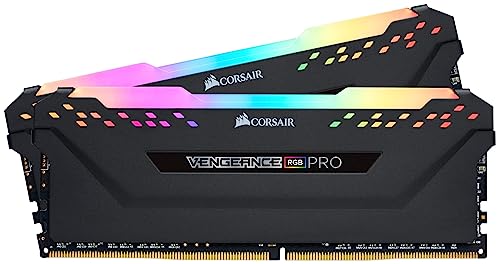
 CORSAIR Vengeance RGB DDR5 RAM 32GB32GB (2 x 16GB)5.43 x 0.27 x 1.77 inches0.11 PoundsCheck on Amazon

Top 3 picks at a glance
Channels vs Sticks: Clearing Up the Confusion
Mainstream desktop platforms are dual-channel. That means two memory channels, not two sticks. A single kit of two sticks fills both channels once (one DIMM per channel, or 1DPC). Four sticks fill both channels twice (two DIMMs per channel, or 2DPC). Capacity and channel count are identical either way; what changes is electrical load on each channel, which affects how cleanly high frequencies run.
Why Four Sticks Are Harder on the Controller
Every DIMM you hang on a channel adds electrical load and reflections on the traces between the CPU and the slots. With one stick per channel the signal is clean and the integrated memory controller can push high frequencies easily. Add a second stick per channel and the controller must work harder to keep timing precise, so motherboards publish lower officially supported speeds for fully populated boards.
| Config | DIMMs per channel | Typical DDR5 ceiling | Notes |
|---|---|---|---|
| 2 sticks (2x16GB) | 1 (1DPC) | 6000-7200+ MT/s | Easiest to run at rated speed |
| 4 sticks (4x8GB) | 2 (2DPC) | 4000-5600 MT/s | Often needs manual tuning |
| 4 sticks (4x16GB) | 2 (2DPC) | 4400-6000 MT/s | Dual-rank load, pickier training |
Does a Single Rank vs Dual Rank Twist Change Things?
There is a small performance wrinkle. Two dual-rank sticks can give a few percent more bandwidth than two single-rank sticks because the controller interleaves ranks. Four single-rank sticks also present four ranks total, so you can get that same interleaving benefit, but only if the four-stick setup actually runs at the same speed. On DDR5 the speed you lose from 2DPC usually outweighs the rank bonus, so two dual-rank sticks are the sweet spot for most gamers.
DDR4 Is More Forgiving
On DDR4, four sticks at 3200-3600 MT/s is common and stable, so the penalty is mild. DDR5 signaling is far more sensitive, which is why four-stick DDR5 boards frequently drop to 4800 MT/s or require patient manual tuning to hit anything higher. If you are on DDR5 and chasing high frequencies, two sticks is the safer road.
Which Should You Choose?
For a fresh build, buy the capacity you want as a matched two-stick kit. It keeps two slots free for a future capacity bump, runs rated XMP or EXPO speeds with the least fuss, and puts the lightest load on the controller. Choose four sticks only when you have hit the capacity ceiling of two DIMMs, for example needing 128GB where 2x64GB kits are scarce or costly, and be ready to accept a lower speed or spend time tuning.
Frequently Asked Questions
Will four sticks give me more gaming performance than two?
Not meaningfully. At the same capacity and speed the difference is within a few percent, and it usually vanishes because four DDR5 sticks run slower. Games care far more about hitting a solid rated speed and low latency than about the number of modules.
Can I add two more sticks later to my existing pair?
You can, but you are then mixing kits and moving to 2DPC, which may force a speed drop and can be unstable if the new sticks differ. Buying the full capacity as one two-stick kit up front avoids both problems.
Slots, Order, and a Quick Sanity Check
Whichever count you pick, install the sticks in the exact slots the motherboard manual specifies, usually the second and fourth from the CPU for a two-stick kit, so dual channel actually engages. After booting, confirm the mode in a tool such as CPU-Z or Task Manager, which will report the channel count and the speed the memory trained at. If a four-stick setup refuses to hit its rated speed, that is normal 2DPC behavior and not a defect; you can often recover most of the lost frequency by nudging the memory voltage up slightly and relaxing the primary timings, then retesting for stability before you rely on it.
Bottom Line
Two sticks and four sticks reach the same capacity, but two sticks keep your memory controller happy, run rated speeds more reliably, and leave room to grow. Four sticks only make sense when you genuinely need capacity beyond what two DIMMs offer. For gaming, a matched two-stick kit at a solid speed with tight timings beats a fully loaded board almost every time.









