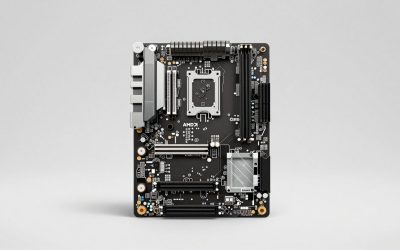
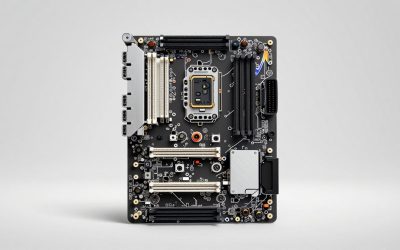
PCIe 5.0 SSDs promise sequential speeds north of 10,000 MB/s, but plugging one into the wrong slot silently caps it at Gen4 or even Gen3 speeds—no error, just half the performance you paid for. Before you buy a Gen5 drive, it pays to confirm your motherboard and CPU actually deliver a Gen5 M.2 slot. Here is how to check without guessing.
It takes both the board and the CPU
PCIe generation is a handshake between three things: the M.2 slot’s wiring, the chipset or CPU lanes feeding it, and the drive itself. The connection runs at the speed of the slowest link. A Gen5-capable slot is useless if the CPU only provides Gen4 lanes to it, and a Gen5 CPU is wasted if the board routes that slot through an older chipset. So you must verify the specific slot, not just the platform name.
The reliable checks, in order
1. Read the motherboard manual or spec page. This is the definitive source. Look at the M.2 slot list—each slot is labeled with its generation and lane source, such as “M.2_1: PCIe 5.0 x4, CPU” versus “M.2_2: PCIe 4.0 x4, chipset.” Only the slots explicitly marked 5.0 will run a Gen5 drive at full speed.
2. Check which slot connects to the CPU. On most current desktop platforms, only one M.2 slot is wired directly to the CPU for Gen5; the rest hang off the chipset at Gen4. The CPU-attached slot is the one you want for your fastest drive.
3. Confirm in the BIOS. The BIOS often shows the detected link speed for each installed drive and lets you set slots to Auto/Gen5/Gen4. If a Gen5 drive reports as running at Gen4, the slot, CPU, or a lane-sharing setting is the limiter.
4. Verify in the OS. A drive-info utility that reports “PCIe 5.0 x4” for the installed SSD confirms the full chain is negotiating correctly.
| Slot label in manual | Max drive speed | Runs Gen5 at full speed? |
|---|---|---|
| PCIe 5.0 x4 (CPU) | ~10,000–14,000 MB/s | Yes |
| PCIe 4.0 x4 | ~7,000 MB/s | No (caps at Gen4) |
| PCIe 3.0 x4 | ~3,500 MB/s | No (caps at Gen3) |
| PCIe 5.0 x4 (shared w/ GPU lanes) | Full, but may drop GPU to x8 | Yes, check trade-off |
Watch for lane sharing
Some boards feed a Gen5 M.2 slot from the same CPU lanes as the primary graphics slot. Populate that M.2 and the GPU slot may drop from x16 to x8. On modern GPUs the gaming impact of x8 is usually small, but it is worth knowing before you install, and the manual’s footnotes spell out exactly which combinations trigger the split.
Do you even need Gen5?
Worth a reality check: for gaming and everyday use, Gen5 delivers little over Gen4, because game load times are dominated by random access and CPU decompression, not raw sequential throughput. Gen5’s advantage shows in heavy sequential work—large file transfers, high-resolution video, certain content-creation pipelines. If you do not do those, a Gen4 slot and drive is the sensible, cooler-running, cheaper choice.
Frequently asked questions
Will a Gen5 SSD work in a Gen4 slot?
Yes—PCIe is backward compatible. The drive simply runs at Gen4 speed (around 7,000 MB/s), which is still very fast. You just will not see the Gen5 numbers until it is in a true Gen5 slot.
Does my CPU limit Gen5 support?
It can. Only newer CPU generations expose Gen5 lanes to an M.2 slot; older CPUs on the same socket may top out at Gen4 even on a Gen5-capable board. Check the CPU’s PCIe generation alongside the board’s slot spec.
Bottom line
Confirm Gen5 support by reading the motherboard manual’s per-slot labels, identifying the CPU-attached slot, and verifying the negotiated link speed in BIOS and the OS. Mind lane sharing with the GPU, and remember that Gen5 mainly benefits heavy sequential workloads—for gaming, a Gen4 slot and drive remains the smart, no-compromise pick.
Related guides
More from Amazon
Programs that pair well with the guide above. Offers and eligibility are set by Amazon and may change.
A free business account with business pricing and bulk-buying tools for work, shop or home office.
Create a business accountFree shipping on eligible items, Prime Video and more. Eligible new members can start with a free trial.
Start a Prime free trialAudiobooks and podcasts to listen to on the go. Eligible new members can start with a free trial.
Try Audible freeAd-free music streaming. Eligible new subscribers can start with a free trial.
Try Music Unlimited freeAs an Amazon Associate we earn from qualifying purchases.